Thunder VPN PC: How to Use It Safely on Windows
Learn whether Thunder VPN works on PC, how to set it up, and what to check before using an Android app on Windows.
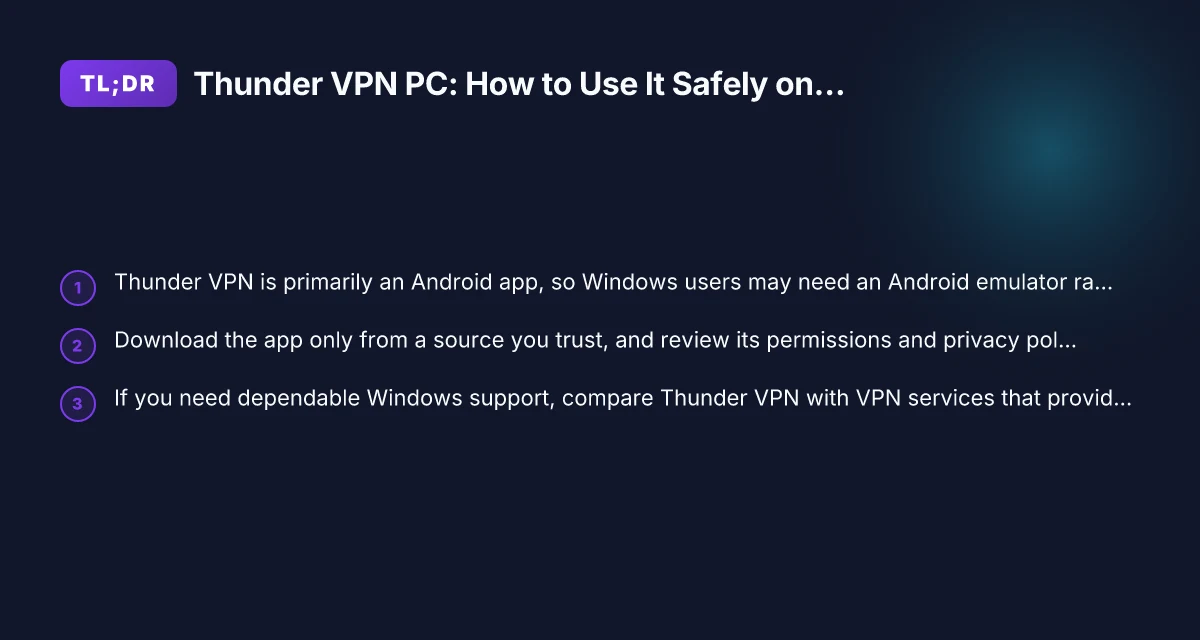
If you’re searching for Thunder VPN PC, the key point is that Thunder VPN is generally offered as an Android app, not as a dedicated Windows desktop program. You may be able to run the Android version on a Windows computer through an Android emulator, but that adds setup steps and does not guarantee the same experience as a native PC VPN. Before installing anything, verify the app’s current availability and consider whether a VPN with an official Windows client is a better fit.

Editor's pick: NordVPN — fast, secure VPN — Strong encryption, a no-logs policy and apps for every device. 30-day money-back guarantee. Get NordVPN →
Comparing ways to use Thunder VPN on a Windows PC
| Option | What runs on Windows | Android app required | Setup effort | Best suited for |
|---|---|---|---|---|
| Android emulator | Thunder VPN Android app | Yes | Moderate | Using the familiar mobile app |
| Windows VPN app | Native Windows application | No | Low | A direct desktop setup |
| Browser extension | VPN extension in a browser | No | Low | Browser traffic only |
| Phone hotspot | VPN on an Android phone | Yes, on phone | Moderate | Sharing a phone’s VPN connection |
| Manual VPN connection | Windows VPN settings | No | Moderate | Compatible VPN configurations |
| No VPN | Nothing | No | None | When a VPN is not needed |
Compiled November 2026; check the provider's site for current details.
| VPN | Obfuscation | From / month | Plan | Free plan | Refund | Alipay | UnionPay | Crypto | Website opens in China | Trustpilot | |
|---|---|---|---|---|---|---|---|---|---|---|---|
 ZoogVPN | Turn on manually Shadow | $2.49/mo | 27 months: $59.99 | Yes | 7 days | ✓ | ✓ | ✓ | ✓ | Official site blocked; our special link opens (4.4 s) | 4.2/5 (195 reviews) |
 NordVPN | Turn on manually Obfuscated Servers / NordWhisper | $3.49/mo | 27 months: $94.23 | No | 30 days | ? | ✗ | ✓ | ✓ | ✗ Blocked | 4.2/5 (51,628 reviews) |
 ExpressVPN | ✓ On by default all servers | $3.00/mo | 28 months: $84 | No | 30 days | ✗ | ✗ | ✓ | ✗ | ✗ Blocked | 4.4/5 (29,706 reviews) |
 Surfshark | ✓ On by default Camouflage, with OpenVPN | See site | See site | No | 30 days | ✗ | ✗ | ✗ | ✓ | ✗ Blocked | 4.3/5 (31,823 reviews) |
 Proton VPN | Turn on manually Stealth, free plan too | $2.99/mo | 12 months: $35.88 | Yes | 30 days | ✗ | ✗ | ✗ | ✓ | ✗ Blocked | 2.1/5 (1,040 reviews) |
 Astrill VPN | Turn on manually StealthVPN / OpenWeb | $12.50/mo | 24 months: $300 | No | See site | ✗ | ✗ | ✗ | ✓ | ✗ Blocked | 1.3/5 (110 reviews) |
 Private Internet Access | Turn on manually Shadowsocks, OpenVPN only | $2.03/mo | 40 months: $81.2 | No | 30 days | ✗ | ✗ | ✗ | ✗ | ✗ Blocked | 4.2/5 (11,033 reviews) |
 CyberGhost | Turn on manually selected servers | $2.19/mo | 28 months: $61.32 | No | 45 days | ✗ | ✗ | ✗ | ✓ | ✗ Blocked | 4.0/5 (24,178 reviews) |
 PureVPN | Turn on manually switch to OpenVPN | $1.69/mo | 60 months: $101.55 | No | 31 days | ? | ? | ✗ | ✓ | ✗ Blocked | 4.4/5 (17,994 reviews) |
 AdGuard VPN | ✓ On by default TrustTunnel | $2.99/mo | 24 months: $71.76 | Yes | 30 days | ✓ | ✗ | ✓ | ✓ | Official site blocked; our special link opens (3.7 s) | 4.3/5 (290 reviews) |
 Mullvad | Turn on manually QUIC / Shadowsocks / LWO | $5.61/mo | €5/mo | No | 14 days | ✗ | ✗ | ✗ | ✓ | ✗ Blocked | 3.2/5 (192 reviews) |
 Windscribe | Turn on manually Stealth / WStunnel | $5.75/mo | 12 months: $69 | Yes | See site | ✗ | ✗ | ✗ | ✓ | ✗ Blocked | 4.7/5 (13,355 reviews) |
 StrongVPN | Turn on manually Scramble, OpenVPN TCP | See site | See site | No | 30 days | ✓ | ✗ | ✗ | ✗ | ✗ Blocked | 4.4/5 (2,695 reviews) |
 LightXtreme 闪连 | Not listed | $7.08/mo | 12 months: $84.99 | Yes | 30 days | ✓ | ✓ | ✓ | ✓ | ✓ Yes (3.5 s) | No page |
Prices checked 2026-11-10 on each vendor's pricing page (cheapest long plan, USD). Check the vendor's checkout for the final price.
Obfuscation checked 2026-11-14 on each vendor's site and help center: "on by default" = nothing to set; "turn on manually" = switch protocol or mode in settings; "not listed" = the vendor describes no obfuscation.
Payment methods checked 2026-11-10 on each vendor's payment pages: all 14 take cards and PayPal; ✗ = not listed, ? = the vendor's own pages disagree.
China access: whether the official website opens from mainland China networks (tests the website only, not the VPN connection). Last checked 2026-11-18 01:02 Beijing time.
Trustpilot score and review count checked 2026-11-10.
What is Thunder VPN for PC?
Thunder VPN is a VPN app associated with mobile use. A VPN routes your internet traffic through a VPN server, which can help protect traffic on networks you do not control and change the apparent IP address websites see. It does not make you completely anonymous or protect you from every online threat.
The phrase “Thunder VPN for PC” can refer to a few different things:
- A Windows installer, if one is officially offered in your region.
- The Android app running on Windows through an emulator.
- A website or download page claiming to provide a PC version.
These options are not equivalent. A native Windows application is designed for Windows. An emulator runs an Android environment on your computer, then runs the mobile app inside it. Be cautious with third-party sites offering an unfamiliar “Thunder VPN PC download”, a download being labeled as a PC version does not prove that it is official or safe.
How to use the Android app on a Windows PC
If Thunder VPN is available from a trusted Android app source and you choose to use an emulator, the broad process is: NordVPN Not Logging In? Try These Fixes
- Choose a reputable Android emulator that supports your version of Windows.
- Download the emulator from its official website and install it.
- Open its app store or other supported installation method.
- Find Thunder VPN and confirm that the publisher and app details match the version you intended to install.
- Install the app, open it, and review its permissions and privacy information.
- Connect to a server and check whether your internet traffic behaves as expected.
The precise steps depend on the emulator and the app’s current availability. Avoid downloading APK files from unfamiliar websites or following instructions that ask you to disable Windows security protections.
An emulator may consume more memory and processing power than a regular desktop app. It can also introduce compatibility issues, and the VPN connection may not behave exactly as it would on an Android phone. Keep both Windows and the emulator updated, and close the emulator when you are finished.
Thunder VPN PC versus a Windows VPN app
A native Windows client is usually more straightforward for PC use. The comparison below is general. App features, pricing, and availability can change, so check the current information from the provider before installing.
| Consideration | Thunder VPN through an emulator | VPN with an official Windows app |
|---|---|---|
| Installation | Requires an emulator as well as the VPN app | Usually installed directly on Windows |
| Ease of use | Extra setup and possible compatibility steps | Designed for PC controls and workflows |
| System resources | Emulator may use additional memory and processing power | Typically runs without an Android environment |
| Support | May involve troubleshooting both the app and emulator | Provider can offer support for its Windows client |
| Features | Depends on the Android app and emulator | May include Windows-specific settings, depending on the provider |
If you only want to try a mobile app on your computer, an emulator may be sufficient. If you need a VPN for frequent PC use, look for a service that publishes a Windows client and clearly documents its features and support. EY Remote Connect VPN: How to Access EY Resources Securely
Thunder VPN Android app versus a Windows VPN app
| Comparison point | Thunder VPN Android app on PC | Windows VPN app |
|---|---|---|
| Installation | Through an Android emulator | Installed directly on Windows |
| Interface | Mobile app in an emulator | Designed for desktop use |
| Android dependency | Requires an emulator | Not required |
| Windows integration | Depends on the emulator | Built for Windows |
| Resource use | Emulator adds overhead | No emulator overhead |
| Feature availability | Depends on the Android app | Depends on the Windows app |
| Updates | App and emulator may update separately | Usually managed as a Windows app |
| Traffic coverage | Depends on emulator configuration | Depends on app configuration |
Compiled November 2026; check the provider's site for current details.
Security and privacy checks before connecting
A VPN provider can see or process information associated with your connection, so choosing one involves trust. Read the privacy policy rather than relying only on claims such as “secure,” “private,” or “unlimited.”
Check for clear answers to these questions: What Is My VPN Location? How to Check It and What It Means
- What connection or activity data does the service collect?
- How long is that data retained, and why?
- Which company operates the service, and how can you contact it?
- Does the provider explain its encryption and security practices?
- Are there limits on speed, data, or server availability?
- Is the app updated regularly and distributed through a source you trust?
Also remember that a VPN does not replace antivirus software, prevent phishing, or guarantee that websites cannot identify you. Signed-in accounts, browser cookies, and device settings can still reveal information about you. Use HTTPS websites, keep Windows security updates current, and avoid entering sensitive details into pages you do not trust.
Troubleshooting common problems
If Thunder VPN will not install or connect through an emulator, start with basic checks:
- Confirm that Windows and the emulator meet the app’s current requirements.
- Update the emulator and the app through their trusted channels.
- Check that the PC has a working internet connection before starting the VPN.
- Restart the emulator and try another available server, if the app offers one.
- Review firewall or network settings without turning off security protections indiscriminately.
- If the problem continues, check the provider’s support information or switch to a Windows VPN client with documented PC troubleshooting.
A connection indicator alone is not proof that every application on your PC is using the VPN. If you depend on the connection for privacy, consult reliable testing guidance and understand the limits of the tools you use.
Checks to make before connecting or troubleshooting Resuming the FortiClient VPN Setup Wizard: How to Fix an Interrupted Installation
| Check | What to look for | If there is a problem | Next step |
|---|---|---|---|
| App source | A trustworthy download source | Unclear or unofficial source | Do not install |
| Emulator | Current version from its official source | Outdated or unstable emulator | Update or reinstall |
| Permissions | Requests that fit the app’s purpose | Unexpected or excessive requests | Review before allowing |
| Privacy policy | Clear data and privacy practices | Missing or unclear policy | Avoid sharing sensitive data |
| Connection status | App shows an active VPN connection | Connection fails or disconnects | Reconnect and check network |
| Windows firewall | Emulator and app are not blocked | Firewall blocks network access | Review firewall settings |
| Network access | Internet works without the VPN | Internet is unavailable | Check Wi-Fi or Ethernet |
| Sensitive activity | Connection is stable and trusted | Privacy or security is uncertain | Avoid sensitive tasks |
Compiled November 2026; check the provider's site for current details.
Recommendation
Thunder VPN PC is most practical if you are comfortable running an Android app inside an emulator and can verify that you are installing an authentic version. For regular Windows use, a VPN with an official PC client is generally the simpler choice. Compare its privacy policy, security details, support, and current pricing before deciding, and avoid unofficial installers that make unsupported claims about Thunder VPN for PC.