NordVPN Mac: How to Install, Set Up, and Use It

Learn how to install NordVPN on Mac, choose a connection, adjust settings, and troubleshoot common problems.


NordVPN for Mac is a VPN app that routes your internet traffic through an encrypted connection to a server you select. To get started, install the macOS app, sign in to your NordVPN account, and connect to a server. You can choose a location yourself or use the app’s quick-connect option to select a server automatically.
The app can help protect your traffic on public Wi-Fi and provide a different apparent IP address. Its settings and available features can vary by macOS version and whether you download the app from NordVPN’s website or the Mac App Store.
| VPN | Obfuscation | From / month | Plan | Free plan | Refund | Alipay | UnionPay | Crypto | Website opens in China | Trustpilot | |
|---|---|---|---|---|---|---|---|---|---|---|---|
 NordVPN | Turn on manually Obfuscated Servers / NordWhisper | $3.49/mo | 27 months: $94.23 | No | 30 days | ? | ✗ | ✓ | ✓ | ✗ Blocked | 4.2/5 (51,628 reviews) |
 ZoogVPN | Turn on manually Shadow | $2.49/mo | 27 months: $59.99 | Yes | 7 days | ✓ | ✓ | ✓ | ✓ | Official site blocked; our special link opens (4.4 s) | 4.2/5 (195 reviews) |
 ExpressVPN | ✓ On by default all servers | $3.00/mo | 28 months: $84 | No | 30 days | ✗ | ✗ | ✓ | ✗ | ✗ Blocked | 4.4/5 (29,706 reviews) |
 Surfshark | ✓ On by default Camouflage, with OpenVPN | See site | See site | No | 30 days | ✗ | ✗ | ✗ | ✓ | ✗ Blocked | 4.3/5 (31,823 reviews) |
 Proton VPN | Turn on manually Stealth, free plan too | $2.99/mo | 12 months: $35.88 | Yes | 30 days | ✗ | ✗ | ✗ | ✓ | ✗ Blocked | 2.1/5 (1,040 reviews) |
 Astrill VPN | Turn on manually StealthVPN / OpenWeb | $12.50/mo | 24 months: $300 | No | See site | ✗ | ✗ | ✗ | ✓ | ✗ Blocked | 1.3/5 (110 reviews) |
 Private Internet Access | Turn on manually Shadowsocks, OpenVPN only | $2.03/mo | 40 months: $81.2 | No | 30 days | ✗ | ✗ | ✗ | ✗ | ✗ Blocked | 4.2/5 (11,033 reviews) |
 CyberGhost | Turn on manually selected servers | $2.19/mo | 28 months: $61.32 | No | 45 days | ✗ | ✗ | ✗ | ✓ | ✗ Blocked | 4.0/5 (24,178 reviews) |
 PureVPN | Turn on manually switch to OpenVPN | $1.69/mo | 60 months: $101.55 | No | 31 days | ? | ? | ✗ | ✓ | ✗ Blocked | 4.4/5 (17,994 reviews) |
 AdGuard VPN | ✓ On by default TrustTunnel | $2.99/mo | 24 months: $71.76 | Yes | 30 days | ✓ | ✗ | ✓ | ✓ | Official site blocked; our special link opens (3.7 s) | 4.3/5 (290 reviews) |
 Mullvad | Turn on manually QUIC / Shadowsocks / LWO | $5.61/mo | €5/mo | No | 14 days | ✗ | ✗ | ✗ | ✓ | ✗ Blocked | 3.2/5 (192 reviews) |
 Windscribe | Turn on manually Stealth / WStunnel | $5.75/mo | 12 months: $69 | Yes | See site | ✗ | ✗ | ✗ | ✓ | ✗ Blocked | 4.7/5 (13,355 reviews) |
 StrongVPN | Turn on manually Scramble, OpenVPN TCP | See site | See site | No | 30 days | ✓ | ✗ | ✗ | ✗ | ✗ Blocked | 4.4/5 (2,695 reviews) |
 LightXtreme 闪连 | Not listed | $7.08/mo | 12 months: $84.99 | Yes | 30 days | ✓ | ✓ | ✓ | ✓ | ✓ Yes (3.5 s) | No page |
Prices checked 2026-11-10 on each vendor's pricing page (cheapest long plan, USD). Check the vendor's checkout for the final price.
Obfuscation checked 2026-11-14 on each vendor's site and help center: "on by default" = nothing to set; "turn on manually" = switch protocol or mode in settings; "not listed" = the vendor describes no obfuscation.
Payment methods checked 2026-11-10 on each vendor's payment pages: all 14 take cards and PayPal; ✗ = not listed, ? = the vendor's own pages disagree.
China access: whether the official website opens from mainland China networks (tests the website only, not the VPN connection). Last checked 2026-11-18 01:02 Beijing time.
Trustpilot score and review count checked 2026-11-10.

Editor's pick: NordVPN — fast, secure VPN — Strong encryption, a no-logs policy and apps for every device. 30-day money-back guarantee. Get NordVPN →
Mac installation methods compared
| Method | Best for | What to do | Main consideration |
|---|---|---|---|
| NordVPN website | Direct installation | Download the Mac app from NordVPN’s website | Use NordVPN’s official download |
| Mac App Store | App Store users | Find and install NordVPN from the store | Check that the listing is the official app |
| Existing Nord Account | Returning customers | Sign in with your account | A subscription may be needed to use VPN servers |
| New Nord Account | New customers | Create an account, then sign in | Choose a subscription before connecting |
| Intel Mac | Intel-based Macs | Install the compatible Mac app | Check macOS compatibility |
| Apple silicon Mac | M-series Macs | Install the compatible Mac app | Check macOS compatibility |
Compiled November 2026; check the provider's site for current details.
What NordVPN for Mac does
A VPN, or virtual private network, creates an encrypted connection between your device and a VPN server. Websites and online services generally see the server’s IP address rather than your Mac’s usual public IP address. Your internet provider may still see that you are connected to a VPN, and the websites you use can still collect information about your activity.
NordVPN’s Mac app provides access to VPN servers in different locations, along with connection and security settings. Depending on the app version and your subscription, options may include:
- Quick Connect: Connect to a server selected automatically.
- Country or server selection: Choose a location or, where available, a specific server.
- Kill switch: Block internet access if the VPN connection drops, helping prevent traffic from continuing outside the VPN.
- Auto-connect: Connect automatically under conditions you choose, such as when joining a Wi-Fi network.
- Threat protection features: Options that may block certain ads, trackers, or harmful domains. Availability and behavior can vary by app version.
A VPN does not prevent every kind of tracking. Cookies, account logins, browser fingerprints, and unsafe downloads can still expose information. Keep your Mac and browser updated, and use strong, unique passwords.
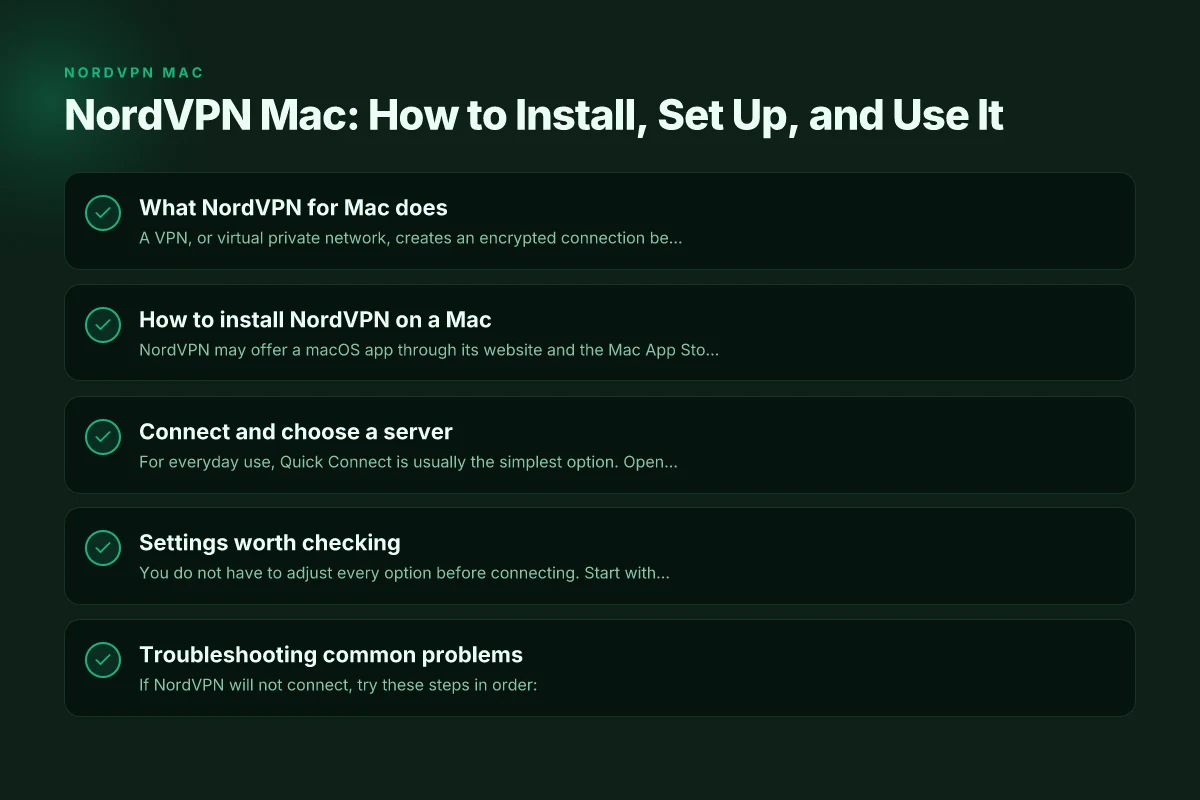
How to install NordVPN on a Mac
NordVPN may offer a macOS app through its website and the Mac App Store. The versions can differ in how they are installed and which features or settings are available. Check NordVPN’s current instructions if you are unsure which version fits your needs. Microsoft Edge Proxy LAN Settings: How to Find and Change Them
Install from the NordVPN website
- Visit NordVPN’s official website and download the macOS app.
- Open the downloaded installer and follow the on-screen instructions.
- Launch NordVPN and sign in to your account.
- Approve any macOS prompts needed to add or enable VPN configurations.
- Select Quick Connect or choose a server location.
Only download the installer from NordVPN’s official site. During setup, macOS may ask for permission to add VPN configurations or network extensions. Read the prompts and approve them only if you intended to install the app.
Install from the Mac App Store
Open the Mac App Store, search for NordVPN, and confirm that the listing is published by Nord Security before downloading. Open the app after installation, sign in, and follow the prompts.
If a feature mentioned in a guide is missing, you may be using a different app version. Check the app’s settings or NordVPN’s support documentation for the steps that apply to your installation.
Connection choices in NordVPN for Mac Free Trial VPN Australia: How to Test a VPN Safely
| Choice | How it works | Useful when | Trade-off |
|---|---|---|---|
| Quick Connect | Chooses a server automatically | You want a simple connection | Less control over location |
| Country selection | Connects through a chosen country | You need a specific country | May not select a specific city |
| City selection | Chooses a listed city | Location within a country matters | Availability varies by country |
| Specialty servers | Offers designated server categories | A particular server type is needed | Not every category suits general browsing |
| Recent connections | Reconnects to a previously used location | You want a familiar server | The previous location may not be ideal now |
| Disconnect | Ends the VPN connection | You need to return to your regular connection | Internet traffic is no longer routed through the VPN |
Compiled November 2026; check the provider's site for current details.
Connect and choose a server
For everyday use, Quick Connect is usually the simplest option. Open the app and select the connection button. To use a particular country, choose it from the available locations and connect.
A nearby server is often a good choice for speed because your data travels a shorter distance. A distant server may be useful when you need an IP address associated with another region, but it can increase latency and reduce performance.
| Connection choice | Best suited to | What to keep in mind |
|---|---|---|
| Quick Connect | Simple, everyday VPN use | The app chooses the server for you |
| Nearby country | General browsing and lower latency | Performance still depends on network conditions |
| Specific country | Getting an IP address associated with that location | Services may restrict access or detect VPN use |
| Specialty server, if available | A particular use case shown in the app | Check the app’s current description and requirements |
To disconnect, return to the app and select its disconnect control. If you have enabled auto-connect, the app may reconnect later according to your settings. Cisco AnyConnect VPN Download: Safe Options and Setup Guide
Settings worth checking
You do not have to adjust every option before connecting. Start with a basic connection, then review settings that match how you use your Mac.
- Auto-connect: Consider enabling it for untrusted Wi-Fi networks. On a trusted home network, automatic connection is a personal preference.
- Kill switch: Turn it on if avoiding accidental exposure during a dropped VPN connection matters to you. It can also interrupt internet access until the VPN reconnects.
- VPN protocol: If the app lets you choose a protocol, the default is generally a sensible starting point. Changing protocols can affect speed, compatibility, and connection stability.
- Threat protection: Review what the feature blocks and decide whether it suits your browsing habits. It is not a replacement for antivirus software or cautious downloading.
- App updates: Keep NordVPN and macOS current to receive fixes and maintain compatibility.
If you use a work network, security software, or another VPN, check whether it conflicts with NordVPN. Some managed networks also restrict VPN connections.
Troubleshooting common problems
If NordVPN will not connect, try these steps in order:
- Check that your internet works with the VPN disconnected.
- Quit and reopen the NordVPN app, then try a different server.
- Restart your Mac and check for app or macOS updates.
- Temporarily switch to another available protocol, if the app provides that option.
- Review macOS permissions and network settings if you recently installed or updated the app.
- Check NordVPN’s service status or contact its support team if the issue continues.
If the connection is slow, test a nearby server and compare results with the VPN disconnected. Speed can be affected by your internet plan, Wi-Fi signal, server load, distance, and the websites or services you are accessing. A VPN may reduce speed because traffic takes an additional route. Switching servers can help, but it cannot guarantee better performance. Why Is It That My VPN Turns On Automatically? Common Causes and Fixes
If a website or streaming service does not work, try another server or disconnect and reconnect. Some services block VPN traffic, and NordVPN cannot guarantee access to any particular service or regional catalog.
Mac VPN settings and troubleshooting checks
| Check | When to use it | What to try | What it affects |
|---|---|---|---|
| Kill Switch | If the VPN drops unexpectedly | Review or enable the setting | Can block internet access if the VPN disconnects |
| Auto-connect | If you want protection on familiar networks | Set when the app should connect automatically | Reduces manual connection steps |
| Protocol | If connections are slow or unreliable | Try another protocol option | May change speed or connection stability |
| App permissions | If the app cannot connect | Allow requested macOS permissions | Enables the app’s network functions |
| Network change | If connecting on public Wi-Fi fails | Reconnect after accepting the Wi-Fi sign-in page | Captive portals may require browser access |
| App update | If the app behaves unexpectedly | Install the latest available version | Can resolve known app issues |
Compiled November 2026; check the provider's site for current details.
Recommendation
NordVPN for Mac is straightforward to set up: install the official app, sign in, and start with Quick Connect. Choose a nearby server for routine browsing, and enable auto-connect or the kill switch if those protections fit your needs. Treat the VPN as one part of your privacy setup, not a substitute for secure accounts, updated software, and careful browsing. Fastest VPN Server in India: How to Find the Best Connection