Fastest VPN Server in India: How to Find the Best Connection
Learn how to choose the fastest VPN server in India, test your speed, and balance performance with privacy.
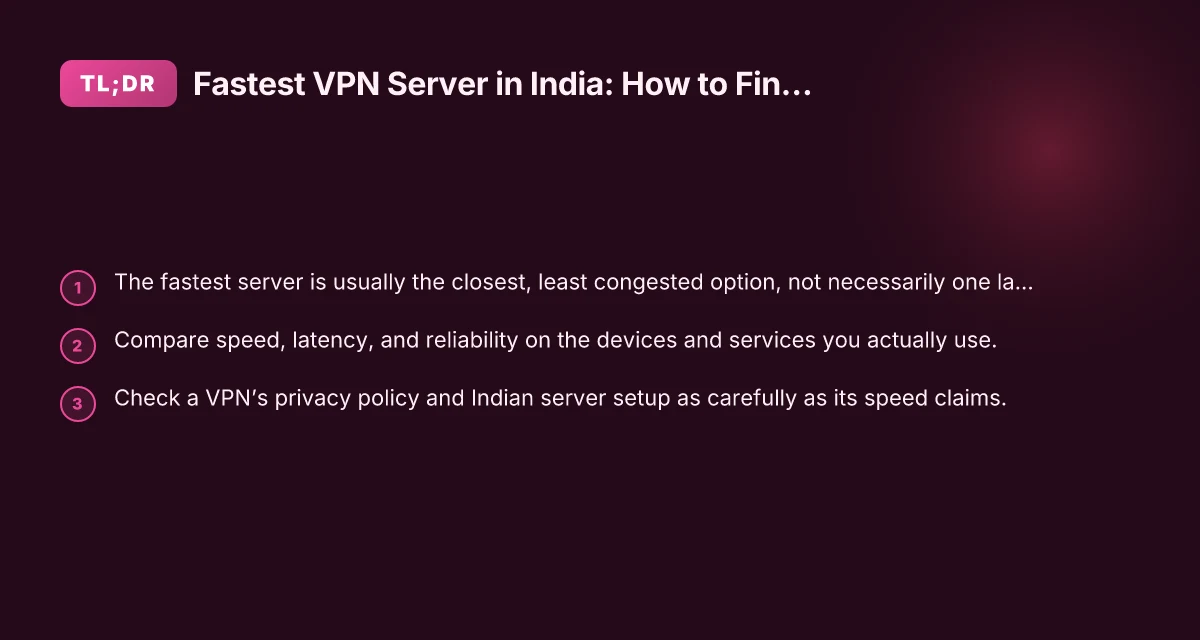
If you’re looking for the fastest VPN server in India, start with a nearby server that has low latency and a light user load, then test it on your own connection. The best choice may be a physical server in India or a nearby location, depending on where you are and what you want to access. No VPN is fastest for everyone: your internet provider, distance, time of day, device, and VPN protocol all affect performance.

Editor's pick: NordVPN — fast, secure VPN — Strong encryption, a no-logs policy and apps for every device. 30-day money-back guarantee. Get NordVPN →
How to compare VPN server options in India
| Option | Likely speed | Best for | Main trade-off |
|---|---|---|---|
| Indian server near you | Often fastest | Local browsing | Limited to Indian IPs |
| Indian server farther away | May be slower | Choosing another city | Longer route |
| Nearby country server | Can be fast | Regional access | Not an Indian IP |
| Distant country server | Often slower | Distant-region access | Higher latency |
| Lightly loaded server | Often faster | Speed-sensitive tasks | Availability varies |
| Heavily loaded server | May be slower | When alternatives are limited | Congestion |
| Wired connection | Often more stable | Large downloads | Less convenient |
| Wi-Fi connection | Depends on signal | Everyday use | Interference can slow it |
Compiled November 2026; check the provider's site for current details.
| VPN | Obfuscation | From / month | Plan | Free plan | Refund | Alipay | UnionPay | Crypto | Website opens in China | Trustpilot | |
|---|---|---|---|---|---|---|---|---|---|---|---|
 ZoogVPN | Turn on manually Shadow | $2.49/mo | 27 months: $59.99 | Yes | 7 days | ✓ | ✓ | ✓ | ✓ | Official site blocked; our special link opens (4.4 s) | 4.2/5 (195 reviews) |
 NordVPN | Turn on manually Obfuscated Servers / NordWhisper | $3.49/mo | 27 months: $94.23 | No | 30 days | ? | ✗ | ✓ | ✓ | ✗ Blocked | 4.2/5 (51,628 reviews) |
 ExpressVPN | ✓ On by default all servers | $3.00/mo | 28 months: $84 | No | 30 days | ✗ | ✗ | ✓ | ✗ | ✗ Blocked | 4.4/5 (29,706 reviews) |
 Surfshark | ✓ On by default Camouflage, with OpenVPN | See site | See site | No | 30 days | ✗ | ✗ | ✗ | ✓ | ✗ Blocked | 4.3/5 (31,823 reviews) |
 Proton VPN | Turn on manually Stealth, free plan too | $2.99/mo | 12 months: $35.88 | Yes | 30 days | ✗ | ✗ | ✗ | ✓ | ✗ Blocked | 2.1/5 (1,040 reviews) |
 Astrill VPN | Turn on manually StealthVPN / OpenWeb | $12.50/mo | 24 months: $300 | No | See site | ✗ | ✗ | ✗ | ✓ | ✗ Blocked | 1.3/5 (110 reviews) |
 Private Internet Access | Turn on manually Shadowsocks, OpenVPN only | $2.03/mo | 40 months: $81.2 | No | 30 days | ✗ | ✗ | ✗ | ✗ | ✗ Blocked | 4.2/5 (11,033 reviews) |
 CyberGhost | Turn on manually selected servers | $2.19/mo | 28 months: $61.32 | No | 45 days | ✗ | ✗ | ✗ | ✓ | ✗ Blocked | 4.0/5 (24,178 reviews) |
 PureVPN | Turn on manually switch to OpenVPN | $1.69/mo | 60 months: $101.55 | No | 31 days | ? | ? | ✗ | ✓ | ✗ Blocked | 4.4/5 (17,994 reviews) |
 AdGuard VPN | ✓ On by default TrustTunnel | $2.99/mo | 24 months: $71.76 | Yes | 30 days | ✓ | ✗ | ✓ | ✓ | Official site blocked; our special link opens (3.7 s) | 4.3/5 (290 reviews) |
 Mullvad | Turn on manually QUIC / Shadowsocks / LWO | $5.61/mo | €5/mo | No | 14 days | ✗ | ✗ | ✗ | ✓ | ✗ Blocked | 3.2/5 (192 reviews) |
 Windscribe | Turn on manually Stealth / WStunnel | $5.75/mo | 12 months: $69 | Yes | See site | ✗ | ✗ | ✗ | ✓ | ✗ Blocked | 4.7/5 (13,355 reviews) |
 StrongVPN | Turn on manually Scramble, OpenVPN TCP | See site | See site | No | 30 days | ✓ | ✗ | ✗ | ✗ | ✗ Blocked | 4.4/5 (2,695 reviews) |
 LightXtreme 闪连 | Not listed | $7.08/mo | 12 months: $84.99 | Yes | 30 days | ✓ | ✓ | ✓ | ✓ | ✓ Yes (3.5 s) | No page |
Prices checked 2026-11-10 on each vendor's pricing page (cheapest long plan, USD). Check the vendor's checkout for the final price.
Obfuscation checked 2026-11-14 on each vendor's site and help center: "on by default" = nothing to set; "turn on manually" = switch protocol or mode in settings; "not listed" = the vendor describes no obfuscation.
Payment methods checked 2026-11-10 on each vendor's payment pages: all 14 take cards and PayPal; ✗ = not listed, ? = the vendor's own pages disagree.
China access: whether the official website opens from mainland China networks (tests the website only, not the VPN connection). Last checked 2026-11-18 01:02 Beijing time.
Trustpilot score and review count checked 2026-11-10.
What “fastest” means
VPN speed is more than a download figure. A server can deliver high download speeds but still feel slow for video calls or online gaming if its latency is high or its connection is unstable.
Focus on three measurements:
- Download speed: How quickly you receive data. It matters for streaming, downloads, and browsing.
- Latency, or ping: How long data takes to travel to a server and back. Lower latency usually means more responsive gaming and calls.
- Upload speed and stability: Important for video meetings, sending files, and livestreaming. Consistency matters more than an occasional peak result.
A VPN encrypts your traffic and routes it through an extra server, so some speed loss is normal. A modern VPN protocol, a fast server, and a strong internet connection can help keep that loss small.
How to choose a fast server in India
If you’re in India, first try a VPN server in your city or the closest available Indian city. A shorter route often means lower latency, though the server’s capacity and network connections matter too. If an Indian server is congested, a nearby server outside India may perform better for general browsing, provided that location meets your needs. Cisco Secure VPN: How It Works, Features, and What to Choose
Try these steps:
- Connect to the closest available server.
- Run a speed test with the VPN off to establish a baseline.
- Connect to the VPN and test again using the same device and test service.
- Compare at least two or three nearby servers at similar times.
- Repeat during your usual peak-use hours. Congestion can change throughout the day.
Look for a VPN app that displays server load or recommends a location. These indicators can be useful, but treat them as a starting point rather than a guarantee. A real-world test on your own network is more meaningful than a provider’s headline speed claim.
Settings and checks that can affect VPN speed
| Setting or check | Speed impact | When to try it | Possible downside |
|---|---|---|---|
| Choose a nearby server | Can reduce latency | General browsing | May not provide the desired location |
| Try another server in India | May avoid congestion | Current server feels slow | Results vary |
| Change VPN protocol | May improve speed | Connection is sluggish | Compatibility varies |
| Use a wired connection | Can improve stability | Downloads or calls | Less portable |
| Move closer to Wi-Fi router | May improve signal | Weak or unstable Wi-Fi | Not always practical |
| Pause background downloads | Frees bandwidth | Speed tests or streaming | Other tasks pause |
| Test at another time | Reveals congestion patterns | Speeds vary by time | Takes additional time |
| Turn off VPN briefly to compare | Shows baseline speed | Diagnosing slowdown | Traffic is not VPN-protected |
Compiled November 2026; check the provider's site for current details. The Proxy Keeps Opening Itself and I Want to Use a VPN: How to Fix It
Compare server options
A server’s location affects both performance and the online experience it provides. Pick based on your goal, not just a country label.
| Server option | Potential advantage | What to consider |
|---|---|---|
| Closest server in India | May provide a short route and access to an Indian IP address | Speed depends on capacity, routing, and your location |
| Another Indian city | May avoid congestion on your nearest server | The longer route may increase latency |
| Nearby country | Can be a fast alternative for general internet use | It gives you a different IP location and may not suit location-specific services |
| Distant country | Useful when you need that particular location | Greater distance often increases latency and may reduce speed |
If you need an Indian IP address, choose a VPN that explicitly offers Indian server locations and confirm how its India connections work. VPN providers sometimes use virtual locations, where the advertised country differs from the server’s physical location. This can affect routing, so check the provider’s explanation if physical location matters to you.
Settings that can improve VPN speed
Before switching providers, try a few simple adjustments. They can improve performance without weakening your security.
- Change protocols: Test the VPN’s modern protocols, such as WireGuard or a provider’s equivalent. The fastest option varies by device and network.
- Use automatic server selection: A VPN’s “fastest server” or “quick connect” feature can find a suitable option, but verify it with a speed test.
- Try another nearby server: Two servers in the same city may have different loads and routes.
- Update the app: New versions may improve connection stability and protocol performance.
- Check your base connection: Restart your router, use a reliable Wi-Fi band, or connect by Ethernet where practical.
- Avoid unnecessary double routing: Features such as multi-hop can add protection, but often reduce speed because traffic passes through multiple servers.
Don’t disable encryption or core security features just to chase a higher speed reading. A fast connection is useful only if it still protects your traffic appropriately. Fast VPN Free Trial: How to Test Speed, Privacy, and Value
Choosing a fast VPN connection without overlooking other needs
| Decision factor | What to look for | Why it matters | Check before choosing |
|---|---|---|---|
| Speed | Consistent performance | Helps with calls and streaming | Test more than once |
| Server location | India or nearby options | Affects latency and available IPs | Confirm city choices |
| Server load | Less congested servers | Busy servers can slow down | Check load indicators if available |
| Privacy | Clear privacy practices | Speed is not the only concern | Review the provider’s policy |
| Security | Strong protection features | Helps protect VPN traffic | Check supported features |
| Reliability | Stable connections | Reduces interruptions | Test during typical use |
| Device support | Compatible apps | Makes setup practical | Check your devices |
| Price | Fits your budget | Plans and features vary | Compare renewal terms |
Compiled November 2026; check the provider's site for current details.
Speed is only one part of the decision
When choosing a VPN, consider how the service handles your data and whether its terms suit your needs. Review its privacy policy, logging practices, independent audits, security features, and customer support. Be cautious about services that make absolute claims such as “zero speed loss” or “completely anonymous.”
Also check practical details: Why Would My VPN Be Turned Pff? Common Causes and Fixes
- Does the plan include enough simultaneous connections?
- Are the apps available for your devices?
- Does the provider clearly explain its Indian server locations?
- Can you cancel or request a refund if performance is poor?
- Are connection speeds reliable at the times you usually go online?
For streaming, don’t assume a fast Indian server will work with every platform. Services can change how they handle VPN traffic, and availability may depend on the provider, server, and platform rules. Test the specific service you plan to use and follow its terms.
Recommendation
For the fastest VPN server in India, begin with the closest Indian location, then compare nearby servers using the same speed test and device. Choose the server that gives you the best balance of download speed, low latency, and consistent performance for your actual activities. If you don’t need an Indian IP address, test a nearby country as well. Finally, prioritize a trustworthy provider and secure settings over small, short-lived speed gains.