How to Grow VPN Servers Safely and Reliably

Learn how to grow VPN capacity with careful planning, secure configuration, testing, and ongoing maintenance.
If you mean how to grow a VPN service or network, start by measuring current usage, then add capacity in controlled steps. Choose where to expand based on user demand, select an infrastructure model that fits your needs, and apply the same security standards to every server. Test each addition before sending traffic to it, and keep monitoring after launch. This approach helps you grow without sacrificing speed, privacy, or reliability.

Editor's pick: NordVPN — fast, secure VPN — Strong encryption, a no-logs policy and apps for every device. 30-day money-back guarantee. Get NordVPN →
Compare demand signals before adding VPN capacity
| Demand signal | What it indicates | How to measure | Expansion implication |
|---|---|---|---|
| CPU utilization | Processing pressure | Track usage over time | Add capacity if pressure is sustained |
| Memory utilization | Available server memory | Monitor usage and headroom | Increase memory or add servers |
| Network throughput | Traffic load on links | Compare usage with link capacity | Add bandwidth or distribute traffic |
| Connection count | Concurrent user demand | Track active sessions | Add capacity when sessions strain servers |
| Latency | User-perceived responsiveness | Measure by location and time | Expand near users with persistent delays |
| Packet loss | Network delivery quality | Monitor connection tests | Investigate routing or capacity constraints |
| Peak-time demand | Busy-period load | Compare demand across time windows | Plan for recurring peaks |
| Growth trend | Direction of demand | Review historical metrics | Forecast capacity needs before limits |
Compiled November 2026; check the provider's site for current details.
| VPN | Obfuscation | From / month | Plan | Free plan | Refund | Alipay | UnionPay | Crypto | Website opens in China | Trustpilot | |
|---|---|---|---|---|---|---|---|---|---|---|---|
 ZoogVPN | Turn on manually Shadow | $2.49/mo | 27 months: $59.99 | Yes | 7 days | ✓ | ✓ | ✓ | ✓ | Official site blocked; our special link opens (4.4 s) | 4.2/5 (195 reviews) |
 NordVPN | Turn on manually Obfuscated Servers / NordWhisper | $3.49/mo | 27 months: $94.23 | No | 30 days | ? | ✗ | ✓ | ✓ | ✗ Blocked | 4.2/5 (51,628 reviews) |
 ExpressVPN | ✓ On by default all servers | $3.00/mo | 28 months: $84 | No | 30 days | ✗ | ✗ | ✓ | ✗ | ✗ Blocked | 4.4/5 (29,706 reviews) |
 Surfshark | ✓ On by default Camouflage, with OpenVPN | See site | See site | No | 30 days | ✗ | ✗ | ✗ | ✓ | ✗ Blocked | 4.3/5 (31,823 reviews) |
 Proton VPN | Turn on manually Stealth, free plan too | $2.99/mo | 12 months: $35.88 | Yes | 30 days | ✗ | ✗ | ✗ | ✓ | ✗ Blocked | 2.1/5 (1,040 reviews) |
 Astrill VPN | Turn on manually StealthVPN / OpenWeb | $12.50/mo | 24 months: $300 | No | See site | ✗ | ✗ | ✗ | ✓ | ✗ Blocked | 1.3/5 (110 reviews) |
 Private Internet Access | Turn on manually Shadowsocks, OpenVPN only | $2.03/mo | 40 months: $81.2 | No | 30 days | ✗ | ✗ | ✗ | ✗ | ✗ Blocked | 4.2/5 (11,033 reviews) |
 CyberGhost | Turn on manually selected servers | $2.19/mo | 28 months: $61.32 | No | 45 days | ✗ | ✗ | ✗ | ✓ | ✗ Blocked | 4.0/5 (24,178 reviews) |
 PureVPN | Turn on manually switch to OpenVPN | $1.69/mo | 60 months: $101.55 | No | 31 days | ? | ? | ✗ | ✓ | ✗ Blocked | 4.4/5 (17,994 reviews) |
 AdGuard VPN | ✓ On by default TrustTunnel | $2.99/mo | 24 months: $71.76 | Yes | 30 days | ✓ | ✗ | ✓ | ✓ | Official site blocked; our special link opens (3.7 s) | 4.3/5 (290 reviews) |
 Mullvad | Turn on manually QUIC / Shadowsocks / LWO | $5.61/mo | €5/mo | No | 14 days | ✗ | ✗ | ✗ | ✓ | ✗ Blocked | 3.2/5 (192 reviews) |
 Windscribe | Turn on manually Stealth / WStunnel | $5.75/mo | 12 months: $69 | Yes | See site | ✗ | ✗ | ✗ | ✓ | ✗ Blocked | 4.7/5 (13,355 reviews) |
 StrongVPN | Turn on manually Scramble, OpenVPN TCP | See site | See site | No | 30 days | ✓ | ✗ | ✗ | ✗ | ✗ Blocked | 4.4/5 (2,695 reviews) |
 LightXtreme 闪连 | Not listed | $7.08/mo | 12 months: $84.99 | Yes | 30 days | ✓ | ✓ | ✓ | ✓ | ✓ Yes (3.5 s) | No page |
Prices checked 2026-11-10 on each vendor's pricing page (cheapest long plan, USD). Check the vendor's checkout for the final price.
Obfuscation checked 2026-11-14 on each vendor's site and help center: "on by default" = nothing to set; "turn on manually" = switch protocol or mode in settings; "not listed" = the vendor describes no obfuscation.
Payment methods checked 2026-11-10 on each vendor's payment pages: all 14 take cards and PayPal; ✗ = not listed, ? = the vendor's own pages disagree.
China access: whether the official website opens from mainland China networks (tests the website only, not the VPN connection). Last checked 2026-11-18 01:02 Beijing time.
Trustpilot score and review count checked 2026-11-10.
1. Measure demand before expanding
Begin with the VPN you already operate. Review concurrent connections, bandwidth use, server load, connection failures, and support requests. Look for recurring busy periods and locations where users experience slow speeds or long connection times.
Separate a genuine capacity problem from other issues. For example, slow connections might result from overloaded servers, poor routing, a weak internet connection, or an inefficient VPN configuration. Adding more servers will not necessarily fix the underlying cause.
Estimate what growth you need to support. Consider expected new users, peak usage rather than daily averages, and the amount of spare capacity needed if a server or provider becomes unavailable. Avoid planning around a single optimistic forecast.
Useful indicators include: How to Get a VPN: Choose, Install, and Set It Up
- CPU and memory use on each VPN server
- Network throughput and bandwidth limits
- Number of active tunnels and connection attempts
- Latency, packet loss, and user-reported speed
- Regional demand and traffic at peak hours
- Failures, timeouts, and support tickets
Set a baseline before making changes. It gives you a fair way to determine whether an expansion improved service or simply added cost.
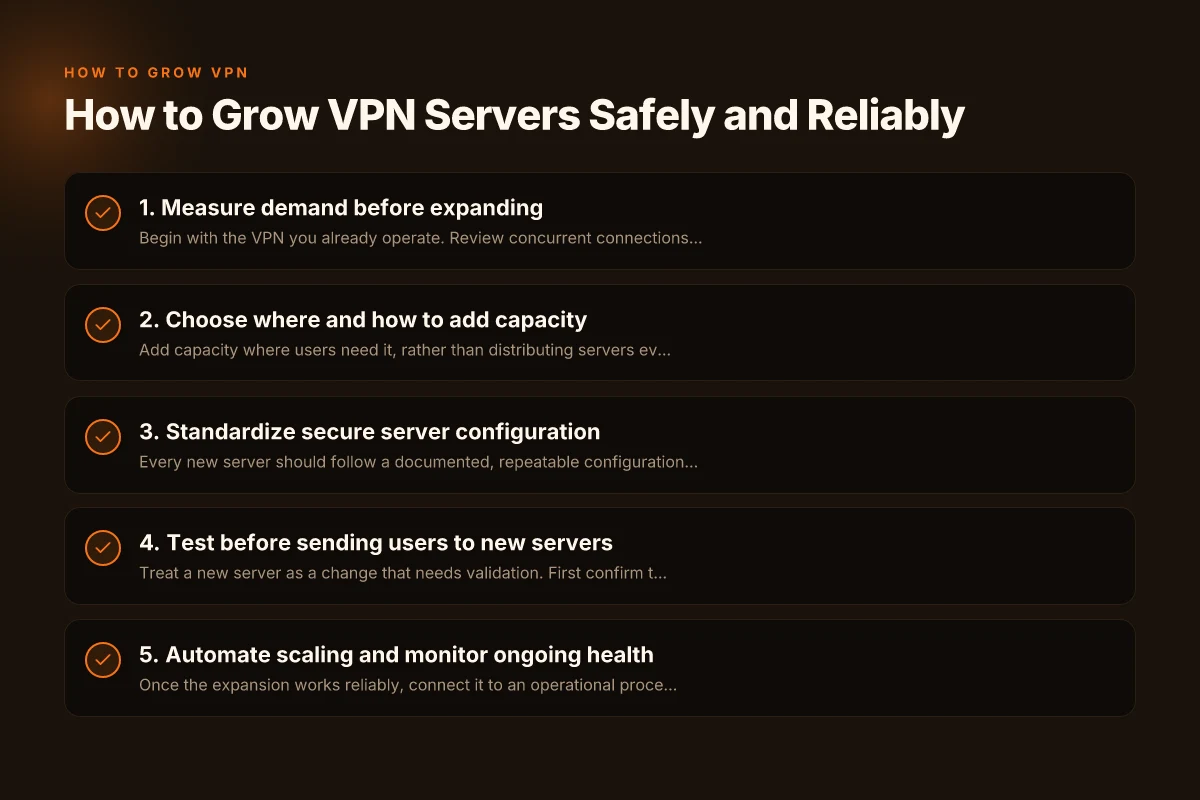
2. Choose where and how to add capacity
Add capacity where users need it, rather than distributing servers evenly without evidence. A new location can reduce latency for nearby users, while an additional server in an existing location may help resolve local congestion.
Decide whether to expand with physical servers, cloud instances, or a combination. The right option depends on your traffic, budget, operational skills, compliance needs, and how quickly demand changes.
| Option | Best suited to | Main advantage | Main consideration |
|---|---|---|---|
| Cloud servers | Variable or fast-changing demand | Quick to provision and scale | Costs and bandwidth limits can be complex |
| Dedicated servers | Steady, high-volume traffic | Predictable resources | Capacity changes may take longer |
| Hybrid setup | Mixed or geographically varied demand | Balances flexibility and control | Requires more operational coordination |
Check the provider’s network capacity, acceptable-use terms, data-center locations, support arrangements, and policies for handling abuse reports. Make sure the provider can meet your requirements for uptime and data protection. A server’s advertised speed does not guarantee good performance for your users, so validate it with real-world tests. Chrome VPN Settings: How to Set Up and Use a VPN in Chrome
Compare ways to add VPN capacity
| Option | Best suited for | Main advantage | Main trade-off | Key consideration |
|---|---|---|---|---|
| Add servers in an existing location | Local demand growth | Uses a familiar region | May not improve geographic coverage | Check load balancing |
| Add a new location | Underserved user regions | Can improve proximity | Adds operational complexity | Validate routing and demand |
| Increase server size | Resource pressure on a host | Simple capacity increase | Larger hosts may still become bottlenecks | Confirm workload limits |
| Add network bandwidth | Link saturation | Raises available throughput | Does not fix CPU or memory limits | Check provider capacity |
| Use autoscaling | Variable demand | Adjusts capacity as load changes | Requires safe scaling rules | Set thresholds and limits |
| Use a hybrid approach | Multiple capacity constraints | Matches capacity to different needs | More components to manage | Standardize operations |
Compiled November 2026; check the provider's site for current details.
3. Standardize secure server configuration
Every new server should follow a documented, repeatable configuration. Use approved VPN software and protocols, and keep the operating system and VPN software updated. Apply security settings consistently rather than making one-off changes on individual servers.
Core steps include: Cambiar VPN online gratis: How to Change Your VPN Location Safely
- Restrict administrative access to trusted accounts and networks.
- Use strong authentication and unique credentials.
- Disable unnecessary services and close unused ports.
- Apply security updates promptly.
- Store keys and secrets securely, and rotate them when needed.
- Keep access logs and operational metrics to the minimum necessary.
- Document how to revoke access and respond to a compromised server.
A VPN does not automatically make all traffic private or secure. Protect administrative interfaces, review DNS and routing behavior, and verify that traffic follows the intended path. If you manage user data, explain clearly what you collect, why you collect it, how long you retain it, and who can access it.
Use infrastructure-as-code or configuration management when practical. These tools can help reproduce approved settings and reduce configuration drift. Keep credentials and private keys out of scripts, public repositories, and ordinary configuration files.
4. Test before sending users to new servers
Treat a new server as a change that needs validation. First confirm that the VPN service starts correctly, authentication works, and expected routes and DNS settings are applied. Then test connections from representative devices and networks.
Check more than raw download speed. Measure latency, upload performance, packet loss, connection stability, and the time it takes to establish a tunnel. Test at different times of day if possible, because performance can change when a provider’s network is busy. Cambiar VPN gratis online: What You Can and Can’t Do
For a safer rollout:
- Confirm the server’s configuration against your standard.
- Test with an internal account or a small group of users.
- Monitor the new server alongside existing capacity.
- Increase its traffic gradually.
- Keep a rollback plan if performance or security issues appear.
Do not assume that a successful connection test proves everything is working. Verify that the server is reachable from intended regions, that users can reconnect after interruptions, and that monitoring alerts detect failures.
Compare rollout and operational safeguards
| Safeguard | What it checks | When to use it | Success signal | Response if it fails |
|---|---|---|---|---|
| Standardized configuration | Consistent secure settings | Before deployment | New servers match the baseline | Correct configuration before release |
| Access control review | Appropriate administrative access | Before and after changes | Access follows least privilege | Remove or restrict excess access |
| Connectivity testing | Reachability and tunnel setup | Before user traffic | Test connections succeed | Diagnose routes and configuration |
| Performance testing | Capacity under expected load | Before broad rollout | Latency and throughput remain acceptable | Tune or add capacity |
| Canary rollout | Behavior with limited traffic | During release | No significant errors or regressions | Pause rollout and investigate |
| Health monitoring | Server and service status | Ongoing | Alerts identify actionable issues | Respond using incident procedures |
| Capacity alerts | Approaching resource limits | Ongoing | Warnings arrive before saturation | Scale or rebalance servers |
| Rollback plan | Recovery from a bad change | Before deployment | Previous configuration can be restored | Roll back and verify service |
Compiled November 2026; check the provider's site for current details. NNLink VPN Code: How to Find, Redeem, and Troubleshoot One
5. Automate scaling and monitor ongoing health
Once the expansion works reliably, connect it to an operational process. Use monitoring to identify high resource use, failing tunnels, unusual traffic patterns, and service interruptions. Set alerts that lead to a clear response instead of generating so many notifications that important warnings are missed.
Automation can help with provisioning, updates, configuration checks, and capacity alerts. However, automatic scaling should have limits and safeguards. For example, define who can approve new infrastructure, set budget thresholds, and verify that newly created servers receive the right security configuration.
Review performance and cost regularly. Remove unused capacity, investigate persistent congestion, and update forecasts as demand changes. Keep a record of changes so you can connect a performance issue to a recent deployment or configuration update.
If you are growing a commercial VPN service, also plan for customer support, abuse handling, incident response, and clear privacy documentation. Technical capacity is only one part of a service that users can trust. Urban VPN Extension Edge Download: How to Install and Use It Safely
Recommendation
Grow your VPN in measured stages: identify the bottleneck, add capacity where demand justifies it, apply a consistent security baseline, and validate performance before routing more users. Keep monitoring costs, reliability, and user experience after each change.