Why Is My VPN Not Working? Common Causes and Fixes
Find out why your VPN is failing and follow practical steps to restore your connection, improve speed, or fix blocked access.
If you’re wondering, “Why is my VPN not working?”, the cause is usually a disrupted internet connection, an overloaded or blocked VPN server, incorrect settings, or interference from a firewall or another app. Start by checking whether the internet works without the VPN, then reconnect to a different server and restart the VPN app. These simple checks solve many connection problems. If they don’t, use the steps below to narrow down the cause.

Editor's pick: NordVPN — fast, secure VPN — Strong encryption, a no-logs policy and apps for every device. 30-day money-back guarantee. Get NordVPN →
Common VPN connection problems, clues, and first fixes
| What you notice | Possible cause | First thing to try | If it still fails |
|---|---|---|---|
| VPN will not connect | Internet connection is down | Open a website with the VPN off | Restart your router or contact your internet provider |
| VPN will not connect | VPN server is unavailable | Choose a different server | Try another location |
| VPN will not connect | Protocol issue | Switch VPN protocol | Try another supported protocol |
| VPN disconnects often | Weak or unstable internet | Check Wi-Fi or mobile data | Try a more stable network |
| VPN app will not connect | App or device interference | Restart the app and device | Check for updates or conflicting apps |
| VPN works on one network only | Network interference | Test another network | Ask the network administrator about VPN restrictions |
| VPN connects but websites do not load | DNS or browser issue | Try another website or browser | Check VPN and device network settings |
| VPN connects but access is blocked | Website or service restriction | Try another VPN server | Check the service’s access rules |
| VPN access has stopped | Account or settings issue | Check account status and VPN settings | Contact your VPN provider |
Compiled November 2026; check the provider's site for current details.
| VPN | Obfuscation | From / month | Plan | Free plan | Refund | Alipay | UnionPay | Crypto | Website opens in China | Trustpilot | |
|---|---|---|---|---|---|---|---|---|---|---|---|
 ZoogVPN | Turn on manually Shadow | $2.49/mo | 27 months: $59.99 | Yes | 7 days | ✓ | ✓ | ✓ | ✓ | Official site blocked; our special link opens (4.4 s) | 4.2/5 (195 reviews) |
 NordVPN | Turn on manually Obfuscated Servers / NordWhisper | $3.49/mo | 27 months: $94.23 | No | 30 days | ? | ✗ | ✓ | ✓ | ✗ Blocked | 4.2/5 (51,628 reviews) |
 ExpressVPN | ✓ On by default all servers | $3.00/mo | 28 months: $84 | No | 30 days | ✗ | ✗ | ✓ | ✗ | ✗ Blocked | 4.4/5 (29,706 reviews) |
 Surfshark | ✓ On by default Camouflage, with OpenVPN | See site | See site | No | 30 days | ✗ | ✗ | ✗ | ✓ | ✗ Blocked | 4.3/5 (31,823 reviews) |
 Proton VPN | Turn on manually Stealth, free plan too | $2.99/mo | 12 months: $35.88 | Yes | 30 days | ✗ | ✗ | ✗ | ✓ | ✗ Blocked | 2.1/5 (1,040 reviews) |
 Astrill VPN | Turn on manually StealthVPN / OpenWeb | $12.50/mo | 24 months: $300 | No | See site | ✗ | ✗ | ✗ | ✓ | ✗ Blocked | 1.3/5 (110 reviews) |
 Private Internet Access | Turn on manually Shadowsocks, OpenVPN only | $2.03/mo | 40 months: $81.2 | No | 30 days | ✗ | ✗ | ✗ | ✗ | ✗ Blocked | 4.2/5 (11,033 reviews) |
 CyberGhost | Turn on manually selected servers | $2.19/mo | 28 months: $61.32 | No | 45 days | ✗ | ✗ | ✗ | ✓ | ✗ Blocked | 4.0/5 (24,178 reviews) |
 PureVPN | Turn on manually switch to OpenVPN | $1.69/mo | 60 months: $101.55 | No | 31 days | ? | ? | ✗ | ✓ | ✗ Blocked | 4.4/5 (17,994 reviews) |
 AdGuard VPN | ✓ On by default TrustTunnel | $2.99/mo | 24 months: $71.76 | Yes | 30 days | ✓ | ✗ | ✓ | ✓ | Official site blocked; our special link opens (3.7 s) | 4.3/5 (290 reviews) |
 Mullvad | Turn on manually QUIC / Shadowsocks / LWO | $5.61/mo | €5/mo | No | 14 days | ✗ | ✗ | ✗ | ✓ | ✗ Blocked | 3.2/5 (192 reviews) |
 Windscribe | Turn on manually Stealth / WStunnel | $5.75/mo | 12 months: $69 | Yes | See site | ✗ | ✗ | ✗ | ✓ | ✗ Blocked | 4.7/5 (13,355 reviews) |
 StrongVPN | Turn on manually Scramble, OpenVPN TCP | See site | See site | No | 30 days | ✓ | ✗ | ✗ | ✗ | ✗ Blocked | 4.4/5 (2,695 reviews) |
 LightXtreme 闪连 | Not listed | $7.08/mo | 12 months: $84.99 | Yes | 30 days | ✓ | ✓ | ✓ | ✓ | ✓ Yes (3.5 s) | No page |
Prices checked 2026-11-10 on each vendor's pricing page (cheapest long plan, USD). Check the vendor's checkout for the final price.
Obfuscation checked 2026-11-14 on each vendor's site and help center: "on by default" = nothing to set; "turn on manually" = switch protocol or mode in settings; "not listed" = the vendor describes no obfuscation.
Payment methods checked 2026-11-10 on each vendor's payment pages: all 14 take cards and PayPal; ✗ = not listed, ? = the vendor's own pages disagree.
China access: whether the official website opens from mainland China networks (tests the website only, not the VPN connection). Last checked 2026-11-18 01:02 Beijing time.
Trustpilot score and review count checked 2026-11-10.
Check your internet connection first
A VPN depends on your regular internet connection. If your Wi-Fi or mobile data is unstable, the VPN may fail to connect, repeatedly disconnect, or appear to run while websites remain unreachable.
Try these steps:
- Turn off the VPN briefly and open a website. If it still won’t load, troubleshoot your internet connection first.
- Restart your router and modem, or switch between Wi-Fi and mobile data.
- Move closer to your router or test another network.
- Check whether other devices on the same network can get online.
If the internet works without the VPN but not with it, the problem is more likely to involve the VPN server, app, protocol, or network restrictions.
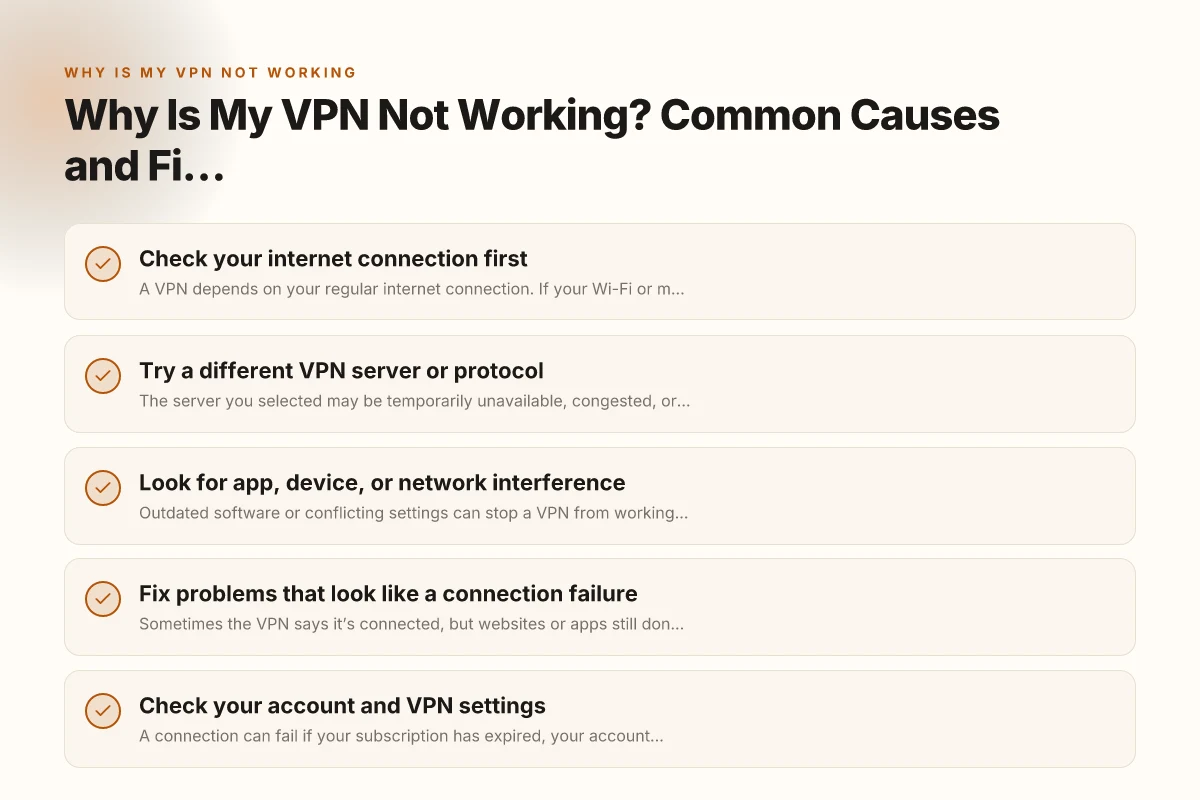
Try a different VPN server or protocol
The server you selected may be temporarily unavailable, congested, or blocked by the network you’re using. Disconnect, choose a different location, and reconnect. If possible, try a nearby server first: it may offer a more stable connection and better speed. Free VPN to Change Country: What Works and What to Watch For
VPN protocols determine how your device connects to the VPN. Some networks block or interfere with particular protocols, while others may work normally. In your VPN app’s settings, try a different available protocol. Names and options vary by provider, and not every service lets you change them.
| What you notice | What to try |
|---|---|
| VPN won’t connect on one server | Choose another server or location |
| VPN connects but is very slow | Try a less congested or closer server |
| VPN fails on one Wi-Fi network | Switch networks or try another protocol |
| VPN keeps disconnecting | Update the app and test a different protocol |
Only use protocol options offered by your VPN provider. If you’re unsure which setting to choose, check the provider’s support guidance.
Which troubleshooting step should you try first?
| Situation | Check internet | Change server | Change protocol | Check app or network | Check account or settings |
|---|---|---|---|---|---|
| No websites load with VPN off | Yes | No | No | No | No |
| Internet works, but VPN will not connect | No | Yes | Yes | Maybe | Maybe |
| VPN connects, then drops repeatedly | Yes | Yes | Yes | Yes | No |
| VPN works on another network | No | Yes | No | Yes | No |
| VPN app freezes or behaves unexpectedly | No | No | No | Yes | No |
| VPN connects, but a website still fails | No | Yes | No | Maybe | Maybe |
| VPN subscription or access may have expired | No | No | No | No | Yes |
| Basic checks have not fixed the issue | No | Maybe | Maybe | Maybe | Yes—contact provider |
Compiled November 2026; check the provider's site for current details. Why Can’t I Connect to My VPN? Common Causes and Fixes
Look for app, device, or network interference
Outdated software or conflicting settings can stop a VPN from working properly. Update the VPN app and your device’s operating system, then restart the device. Also check whether another VPN, proxy, security app, or firewall is active. Running multiple VPN or proxy tools at once can interfere with the connection.
A firewall or antivirus program may block the VPN app, especially after a software update. Check its settings for a rule that denies the VPN, and allow the app if appropriate. Avoid turning off security protections permanently. If you briefly disable one to test, turn it back on afterward.
Work, school, hotel, and public Wi-Fi networks may restrict VPN traffic. If your VPN works elsewhere but not on one network, that network may be the reason. Follow its access rules, or ask the network administrator whether VPN connections are permitted.
Fix problems that look like a connection failure
Sometimes the VPN says it’s connected, but websites or apps still don’t work. A DNS issue, browser setting, or location-based service may be responsible rather than a failed VPN connection. Free VPN That Allows You to Choose Location: What to Know
Try the following:
- Disconnect and reconnect, then refresh the affected app or website.
- Test a different browser or website to see whether the issue is limited to one service.
- Clear the browser’s cache or restart the browser.
- Check whether a proxy is configured on your device or in your browser.
- If only a particular app or site fails, check the VPN provider’s help page for known compatibility issues.
Some websites block VPN traffic, and some apps require a specific location or account region. Switching servers may help, but access is not guaranteed. If you use a VPN for work, banking, or another sensitive service, follow the service’s rules rather than trying to bypass them.
Check your account and VPN settings
A connection can fail if your subscription has expired, your account is signed out, or the app’s configuration is no longer valid. Sign in to the provider’s app or website and confirm that your plan is active. Check for an app update or any provider notice about maintenance or service outages.
If you recently changed devices or settings, review the VPN configuration. Make sure the app has the permissions it requests, and confirm that your device’s date and time are set correctly. Incorrect system time can interfere with secure connections. Which Is Faster, NordVPN or Surfshark? A Practical Speed Comparison
As a later step, sign out and back in, or reinstall the VPN app using the provider’s official instructions. Before reinstalling, check whether you’ll need your login details or any special configuration. Don’t install VPN profiles or software from unofficial sources.
Choosing what to try when a VPN connection fails
| Option | Best when | What to do | What it can reveal | Next step |
|---|---|---|---|---|
| Check your internet | VPN and regular browsing both fail | Test the connection without VPN | Whether the issue is your internet | Restore internet access first |
| Try another server | One VPN location fails | Connect to a different location | Whether the server may be unavailable | Test another server if needed |
| Switch protocol | Changing servers does not help | Select another supported protocol | Whether the current protocol is the issue | Keep the working protocol |
| Restart the app or device | The app freezes or will not connect | Close the app and restart the device | Whether a temporary app or device issue is involved | Check for updates |
| Try another network | VPN works inconsistently across networks | Connect through a different network | Whether the original network may interfere | Ask its administrator about restrictions |
| Review app and device settings | Other apps or settings may interfere | Check VPN permissions and conflicting apps | Whether local configuration is blocking VPN use | Adjust settings carefully |
| Check account status | VPN access may have changed | Sign in and review your account | Whether account access is active | Renew or update account details |
| Contact your VPN provider | Basic troubleshooting has not worked | Share the app, device, network, and error details | Whether provider-specific help is needed | Follow support guidance |
Compiled November 2026; check the provider's site for current details.
When to contact your VPN provider
If the VPN still won’t connect after you’ve tested your internet, changed servers, updated the app, and checked for network restrictions, contact the provider’s support team. Include your device model and operating system, app version, selected server, and any error message. Mention whether the VPN works on another network. That detail can quickly show whether the issue is with the device, provider, or network. Xforticlientvpnsetup_7.2.10.1217_x64.exe: Download and Install Guide
Recommendation
Start with the quickest checks: confirm your internet works, restart the VPN app, and connect to another server. If the problem continues, test a different protocol, update the app, and check for firewall or network restrictions. Contact your VPN provider if these steps don’t identify the cause.