Split Tunnelling VPN iPhone: What Works and What to Know
Learn whether iPhone supports VPN split tunnelling, how it works, and which alternatives to consider.


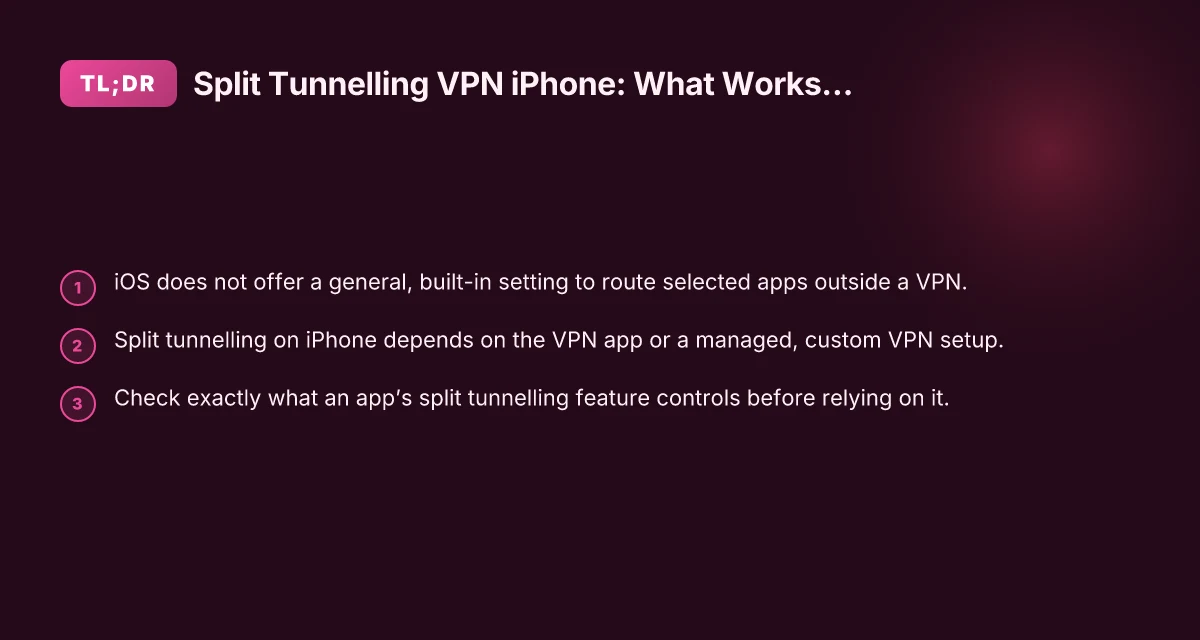
If you’re looking for split tunnelling VPN on iPhone, the short answer is that iOS does not provide a simple system-wide switch for choosing which apps use a VPN. Whether you can split your traffic depends on the VPN service and its iOS app. Some VPNs do not offer app-based split tunnelling on iPhone, while specialist apps or custom configurations may support particular routing rules.

Editor's pick: NordVPN — fast, secure VPN — Strong encryption, a no-logs policy and apps for every device. 30-day money-back guarantee. Get NordVPN →
iPhone split-tunnelling support by VPN setup
| Setup | App-level split tunnelling | iPhone support | What to check | Best suited to |
|---|---|---|---|---|
| iPhone VPN app | Depends on the app | App-dependent | Per-app or per-site routing options | Users wanting an in-app setting |
| WireGuard app | Not built in as a standard feature | Limited | Whether the provider offers a supported workaround | Users comfortable with manual setup |
| Provider’s custom app | May be available | App-dependent | App and iOS version requirements | Users seeking provider support |
| Manual VPN configuration | Usually not included | Limited | Whether the configuration supports selective routing | Advanced users |
| Router-based VPN | Can route devices separately | Not an iPhone setting | Router features and network setup | Home networks |
| VPN with full-tunnel routing | No selective routing | Supported | Whether all traffic goes through the VPN | Users prioritising simple coverage |
Compiled November 2026; check the provider's site for current details.
| VPN | Obfuscation | From / month | Plan | Free plan | Refund | Alipay | UnionPay | Crypto | Website opens in China | Trustpilot | |
|---|---|---|---|---|---|---|---|---|---|---|---|
 ZoogVPN | Turn on manually Shadow | $2.49/mo | 27 months: $59.99 | Yes | 7 days | ✓ | ✓ | ✓ | ✓ | Official site blocked; our special link opens (4.4 s) | 4.2/5 (195 reviews) |
 NordVPN | Turn on manually Obfuscated Servers / NordWhisper | $3.49/mo | 27 months: $94.23 | No | 30 days | ? | ✗ | ✓ | ✓ | ✗ Blocked | 4.2/5 (51,628 reviews) |
 ExpressVPN | ✓ On by default all servers | $3.00/mo | 28 months: $84 | No | 30 days | ✗ | ✗ | ✓ | ✗ | ✗ Blocked | 4.4/5 (29,706 reviews) |
 Surfshark | ✓ On by default Camouflage, with OpenVPN | See site | See site | No | 30 days | ✗ | ✗ | ✗ | ✓ | ✗ Blocked | 4.3/5 (31,823 reviews) |
 Proton VPN | Turn on manually Stealth, free plan too | $2.99/mo | 12 months: $35.88 | Yes | 30 days | ✗ | ✗ | ✗ | ✓ | ✗ Blocked | 2.1/5 (1,040 reviews) |
 Astrill VPN | Turn on manually StealthVPN / OpenWeb | $12.50/mo | 24 months: $300 | No | See site | ✗ | ✗ | ✗ | ✓ | ✗ Blocked | 1.3/5 (110 reviews) |
 Private Internet Access | Turn on manually Shadowsocks, OpenVPN only | $2.03/mo | 40 months: $81.2 | No | 30 days | ✗ | ✗ | ✗ | ✗ | ✗ Blocked | 4.2/5 (11,033 reviews) |
 CyberGhost | Turn on manually selected servers | $2.19/mo | 28 months: $61.32 | No | 45 days | ✗ | ✗ | ✗ | ✓ | ✗ Blocked | 4.0/5 (24,178 reviews) |
 PureVPN | Turn on manually switch to OpenVPN | $1.69/mo | 60 months: $101.55 | No | 31 days | ? | ? | ✗ | ✓ | ✗ Blocked | 4.4/5 (17,994 reviews) |
 AdGuard VPN | ✓ On by default TrustTunnel | $2.99/mo | 24 months: $71.76 | Yes | 30 days | ✓ | ✗ | ✓ | ✓ | Official site blocked; our special link opens (3.7 s) | 4.3/5 (290 reviews) |
 Mullvad | Turn on manually QUIC / Shadowsocks / LWO | $5.61/mo | €5/mo | No | 14 days | ✗ | ✗ | ✗ | ✓ | ✗ Blocked | 3.2/5 (192 reviews) |
 Windscribe | Turn on manually Stealth / WStunnel | $5.75/mo | 12 months: $69 | Yes | See site | ✗ | ✗ | ✗ | ✓ | ✗ Blocked | 4.7/5 (13,355 reviews) |
 StrongVPN | Turn on manually Scramble, OpenVPN TCP | See site | See site | No | 30 days | ✓ | ✗ | ✗ | ✗ | ✗ Blocked | 4.4/5 (2,695 reviews) |
 LightXtreme 闪连 | Not listed | $7.08/mo | 12 months: $84.99 | Yes | 30 days | ✓ | ✓ | ✓ | ✓ | ✓ Yes (3.5 s) | No page |
Prices checked 2026-11-10 on each vendor's pricing page (cheapest long plan, USD). Check the vendor's checkout for the final price.
Obfuscation checked 2026-11-14 on each vendor's site and help center: "on by default" = nothing to set; "turn on manually" = switch protocol or mode in settings; "not listed" = the vendor describes no obfuscation.
Payment methods checked 2026-11-10 on each vendor's payment pages: all 14 take cards and PayPal; ✗ = not listed, ? = the vendor's own pages disagree.
China access: whether the official website opens from mainland China networks (tests the website only, not the VPN connection). Last checked 2026-11-18 01:02 Beijing time.
Trustpilot score and review count checked 2026-11-10.
What split tunnelling means
A VPN normally routes your internet traffic through an encrypted connection to a VPN server. With split tunnelling, selected traffic takes a different route. Depending on how the feature is designed, you might send certain apps through the VPN and let others connect directly, or exclude specific websites or IP addresses.
For example, you may want work resources to use a company VPN while ordinary browsing connects through your usual network. Or you might need an app to use your regular connection because it does not work properly through the VPN.
The exact options vary. “Split tunnelling” can refer to different controls, so check whether a service lets you select apps, destinations, or types of traffic.
Does iPhone support split tunnelling?
iOS supports VPN connections, but it does not offer the same straightforward per-app controls that some desktop and Android VPN apps provide. Apple’s VPN deployment guidance describes flexible routing for organizational VPNs, including custom VPN solutions. That is different from a universal setting available to every iPhone user: the organization or VPN provider must configure and support the relevant setup. Microsoft Edge VPN Extension Free: What to Know Before You Install
For everyday use, this means:
- You generally cannot open iPhone Settings and choose which apps bypass any VPN.
- A VPN provider must implement any split tunnelling feature in its iOS app.
- A feature available on the provider’s Windows, macOS, or Android app may not be available on iPhone.
- Work or school devices may use managed VPN configurations with routing rules set by an administrator.
VPN support can change as apps and iOS develop, so check the current feature list for the specific iPhone app rather than relying on a provider’s general advertising.
How to check for split tunnelling in a VPN app
| Check | What to look for | What it indicates | If it is missing |
|---|---|---|---|
| Feature name | Split tunnelling or split tunneling | The app may offer selective routing | Check the help centre |
| App selection | Include or exclude specific apps | App-level routing may be supported | Ask the provider |
| Website selection | Domain or site exceptions | Site-level routing may be supported | Check for another routing option |
| Platform list | Explicit iPhone or iOS support | The feature applies to iPhone | Do not assume Android support carries over |
| Settings menu | VPN or connection settings | Where the feature may be configured | Search the app’s support pages |
| Version requirements | iOS and app version notes | Whether your setup is eligible | Update only if compatible |
| Support documentation | Setup steps and limitations | How the feature behaves | Request a clear answer from support |
Compiled November 2026; check the provider's site for current details. Nord VPM Login: How to Sign In and Fix Common Access Problems
How to check whether a VPN app offers it
Look in the VPN app’s settings for terms such as “split tunnelling,” “app exclusions,” “bypass VPN,” or “per-app VPN.” Then confirm what those controls actually do on iOS.
Before choosing a service, check:
- What you can select: apps, websites, IP addresses, or another category.
- Which direction the rule works: some tools exclude traffic from the VPN. Others route only selected traffic through it.
- Whether it is available on iOS: a feature listed for the service may apply only to certain platforms.
- What happens when the VPN disconnects: excluded traffic may continue over your normal connection.
- Whether the feature requires a particular protocol or subscription: check the provider’s current documentation.
App Store listings and user discussions can point you toward services to investigate, but they are not a substitute for confirming the current iOS feature set. For instance, SplitVPN’s App Store description advertises app-by-app traffic selection. Treat that as a claim to verify in the app and its current documentation before relying on it.
| Option | What it may provide | What to check |
|---|---|---|
| Standard iPhone VPN app | A VPN connection for the device | Whether it has any iOS-specific split tunnelling controls |
| VPN app with app exclusions | Selected apps may bypass the VPN | Which apps can be selected and how exclusions behave |
| Managed or custom VPN | Organization-defined routing rules | Whether your administrator supports the required setup |
| WireGuard-based custom setup | Routing rules may be possible in a tailored configuration | Whether the iPhone client and server configuration support your use case |
Can you use WireGuard for split tunnelling on iPhone?
Potentially, but installing a WireGuard profile does not automatically give you an easy app-by-app selector. WireGuard configurations use network routing rules, and a suitable setup may require control over the profile, server, and allowed routes. Those rules generally concern network destinations rather than offering a simple list of iPhone apps to include or exclude. Can't Connect VPN Tunnel Through Virgin Home WiFi? Try These Fixes
This approach is best suited to people who manage their own VPN infrastructure or have help from an administrator. If you are considering it, make sure you understand which traffic is routed through the tunnel and test the configuration. A routing mistake can send more, or less, traffic through the VPN than intended.
Safety checks before using split tunnelling
| Check | Safer approach | Potential concern | What to verify |
|---|---|---|---|
| Traffic selection | Route sensitive apps through the VPN | Selected traffic may bypass protection | Which apps use the tunnel |
| Public Wi-Fi use | Keep important traffic on the VPN | Excluded apps may use an untrusted network | Your exclusion list |
| App behaviour | Confirm routing after setup | Rules may not work as expected | Test each selected app |
| VPN disconnection | Check the app’s protection settings | Unprotected traffic may leave the device | Whether a kill switch is available |
| DNS handling | Review the provider’s DNS settings | Requests may not follow the intended route | DNS behaviour for excluded traffic |
| App updates | Recheck settings after updates | Preferences or behaviour may change | Routing rules and permissions |
| Provider guidance | Follow documented iPhone instructions | Unsupported workarounds can be unreliable | Provider support for your configuration |
Compiled November 2026; check the provider's site for current details.
Is split tunnelling safe?
It can be useful, but it creates a deliberate difference in how your traffic is routed. Traffic excluded from the VPN does not receive the protection of that VPN connection. It uses your ordinary internet connection instead. Login Nord VPN: How to Sign In and Fix Common Problems
That may be a reasonable choice for an app that needs direct access, but it is not ideal if your goal is to route all traffic through the VPN. Keep these points in mind:
- Do not exclude sensitive apps unless you understand where their traffic will go.
- Remember that an app bypassing the VPN may reveal your regular network address to the service it contacts.
- Check for leaks or unexpected behavior after changing routing settings.
- Follow your employer’s or school’s VPN rules on managed devices.
- Revisit your settings if the VPN app or iOS updates.
Split tunnelling is not automatically good or bad. Its suitability depends on which traffic you exclude, why you need to do so, and how carefully the VPN app applies the rule.
Recommendation
For most iPhone users, start by checking the VPN provider’s current iOS documentation and settings. Do not assume that split tunnelling on another platform is also available on iPhone. If you need app-by-app routing, choose a service that clearly documents that feature for iOS and test it with non-sensitive traffic first. For work or advanced WireGuard setups, ask the administrator or configure routing only if you can verify exactly what passes through the VPN.