IPsec Port Guide: Ports and Protocols You Need to Know
Learn which ports and protocols IPsec uses, how NAT changes traffic, and what to allow through firewalls.
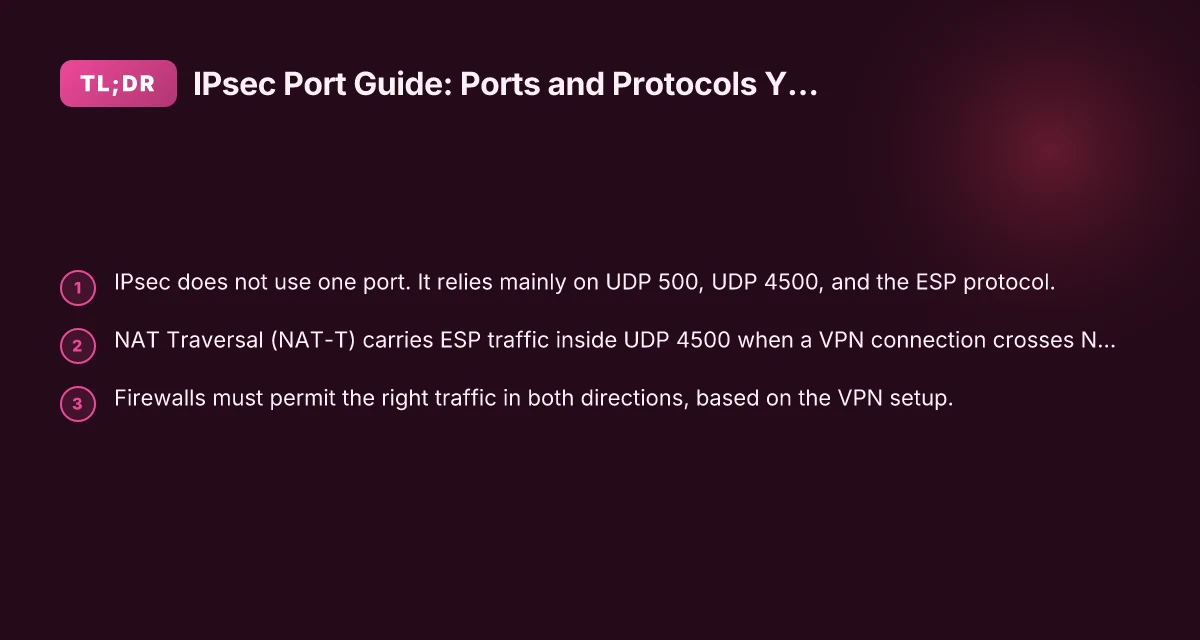
IPsec does not use a single “IPsec port.” For Internet Key Exchange (IKE), it uses UDP port 500. When NAT Traversal is needed, it typically uses UDP port 4500. The encrypted data itself is usually carried by ESP, IP protocol 50, which is a protocol number rather than a TCP or UDP port. Some configurations use AH, IP protocol 51, but it is less common and generally does not work through NAT.

Editor's pick: NordVPN — fast, secure VPN — Strong encryption, a no-logs policy and apps for every device. 30-day money-back guarantee. Get NordVPN →
IPsec ports and protocols at a glance
| Item | Type | IP protocol or port | Main purpose | Firewall handling |
|---|---|---|---|---|
| IKE | Key-management protocol | UDP 500 | Negotiates security associations | Allow inbound and outbound |
| NAT-T | Encapsulation for IPsec | UDP 4500 | Carries IPsec traffic through NAT | Allow inbound and outbound |
| ESP | IP protocol | IP protocol 50 | Encrypts and protects IPsec packets | Allow ESP if not using NAT-T |
| AH | IP protocol | IP protocol 51 | Provides authentication and integrity | Allow AH if used |
| IKEv2 | Key-management protocol | Usually UDP 500 and 4500 | Sets up and manages IPsec tunnels | Allow both UDP ports |
| NAT device | Network equipment | Not a port | May require IPsec traffic encapsulation | Check NAT-T support |
| VPN gateway | Network endpoint | Depends on configuration | Terminates the IPsec tunnel | Match rules to the chosen setup |
Compiled November 2026; check the provider's site for current details.
IPsec ports and protocols at a glance
IPsec is a suite of protocols for securing IP traffic. A VPN using IPsec needs both a way to negotiate security settings and a way to carry protected data. These functions use different network traffic, which is why asking for “the IPsec port” can be misleading.
| Traffic | Port or protocol | Purpose |
|---|---|---|
| IKE and IKEv2 negotiation | UDP 500 | Establishes and manages the security association |
| NAT Traversal (NAT-T) | UDP 4500 | Carries IKE and encapsulated ESP through NAT |
| ESP data | IP protocol 50 | Protects and transports VPN data |
| AH, if configured | IP protocol 51 | Provides authentication and integrity without encryption |
Ports belong to TCP or UDP. ESP and AH are IP protocols identified by protocol numbers, so they cannot be entered as TCP or UDP ports in a firewall rule.
What UDP 500 does
IKE uses UDP 500 to set up the IPsec connection. The VPN peers exchange proposals, authenticate each other, agree on encryption and integrity settings, and establish the security associations that protect traffic.
IKE may also handle rekeying and other connection-management tasks after the tunnel is active. If UDP 500 is blocked between the peers, they may fail to establish a tunnel or may not be able to restore it after an interruption. VPN Country Changer Free: How to Change Your Virtual Location Safely
Both endpoints need compatible IKE settings, such as authentication methods and cryptographic algorithms. Opening UDP 500 alone does not guarantee a working VPN: the peers must also agree on their configuration, and the necessary data traffic must be allowed.
Why UDP 4500 is used
NAT Traversal, commonly called NAT-T, helps IPsec work when one or both VPN peers are behind a Network Address Translation device. NAT changes packet addresses, which can interfere with IPsec’s handling of protected traffic.
When NAT is detected, peers typically move to UDP 4500. NAT-T encapsulates ESP traffic inside UDP packets so it can pass through the NAT device. IKE traffic may also use UDP 4500 after the peers switch to NAT-T.
This is why many firewall and router guides say to allow both UDP 500 and UDP 4500. In a setup that requires NAT-T, permitting only UDP 500 may allow initial negotiation but still leave the tunnel unable to carry data. Free VPN for PC to Change Location: Safe Options and Limitations
ESP and AH are not ports
ESP, or Encapsulating Security Payload, is usually the protocol that carries encrypted IPsec data. It is IP protocol 50, not “port 50.” A firewall rule for ESP must allow the protocol itself. A TCP or UDP rule with destination port 50 is not equivalent.
AH, or Authentication Header, is IP protocol 51. It provides authentication and integrity but not encryption. AH includes information tied to the original IP header, which makes it a poor fit for traffic passing through NAT. For that reason, AH is uncommon in typical remote-access and site-to-site VPN deployments.
The practical distinction is:
- Allow UDP 500 for IKE negotiation.
- Allow UDP 4500 when NAT-T is used or required.
- Allow ESP (IP protocol 50) if the setup carries ESP directly rather than encapsulating it in UDP.
- Allow AH (IP protocol 51) only if the VPN specifically uses it.
IPsec compared with other VPN protocols The Best Free VPN That Allows You to Change Location
| VPN option | Key setup or transport | Typical port or protocol | NAT traversal | Main comparison point |
|---|---|---|---|---|
| IPsec with IKE | IKE negotiates the tunnel | UDP 500 | Supported with NAT-T | Uses ESP or AH for IPsec traffic |
| IPsec with NAT-T | IKE plus encapsulated IPsec | UDP 4500 | Yes | Helps IPsec cross NAT devices |
| OpenVPN over UDP | OpenVPN transport | Configurable UDP port | Supported | Port can be configured |
| OpenVPN over TCP | OpenVPN transport | Configurable TCP port | Supported | Uses TCP transport |
| WireGuard | WireGuard transport | Configurable UDP port | Supported | Uses UDP |
| L2TP/IPsec | L2TP combined with IPsec | Commonly UDP 500, 4500 and 1701 | Supported through IPsec NAT-T | Requires rules for both components |
| PPTP | PPTP transport | TCP 1723 and GRE | Limited | Uses GRE as well as TCP |
Compiled November 2026; check the provider's site for current details.
Firewall rules and common troubleshooting
The precise rules depend on whether the VPN is site-to-site or remote-access, whether NAT is present, and how the VPN gateway is configured. For a common IPsec VPN with NAT-T, allow inbound and outbound UDP 500 and UDP 4500 between the relevant peers. If the connection uses native ESP without NAT-T, permit IP protocol 50 as well.
When configuring a firewall, specify the remote peer’s address where possible rather than exposing the services to every source. On a VPN gateway behind a router, port forwarding may be necessary for UDP 500 and UDP 4500, along with any required handling of ESP. Some routers provide an IPsec passthrough setting instead.
If the tunnel does not connect or pass traffic, check these points: VPN Change Country Free: How to Switch Your Virtual Location
- Confirm that UDP 500 and, when applicable, UDP 4500 are allowed in both directions.
- Check whether the path uses NAT and whether both peers support NAT-T.
- Verify that ESP is allowed if it is not being carried inside UDP 4500.
- Review VPN logs for IKE negotiation, authentication, or proposal mismatches.
- Check that the local and remote traffic selectors and routing rules match.
- Confirm that another firewall, cloud security group, or internet provider is not filtering the traffic.
A connection that establishes but cannot pass data often points to a missing ESP or NAT-T rule, an incorrect route, or mismatched traffic selectors. A connection that never negotiates may instead indicate blocked IKE traffic or incompatible settings.
IPsec compared with other VPN protocols
IPsec’s use of both ports and IP protocols differs from VPN technologies that carry all traffic over a single TCP or UDP port. For example, some VPNs are configured around one transport port, while IPsec may use UDP for negotiation and NAT-T and a separate IP protocol for ESP data.
This distinction matters when creating firewall rules and reviewing network logs. If a firewall interface only offers TCP and UDP port fields, look for a separate option for IP protocols or “IP protocol number.” Otherwise, the rule may not permit native ESP traffic.
Firewall checks for common IPsec symptoms F5_vpn_edge client.exe: What It Is and How to Check It Safely
| Symptom | Check first | Relevant traffic | What to verify | Next step |
|---|---|---|---|---|
| Tunnel will not start | IKE reachability | UDP 500 | Both directions are allowed | Check gateway and firewall rules |
| Tunnel fails behind NAT | NAT-T reachability | UDP 4500 | NAT-T is enabled and allowed | Confirm both peers support NAT-T |
| IKE connects but data fails | IPsec data path | ESP, IP protocol 50 | ESP is allowed when used directly | Check whether NAT-T is carrying the traffic |
| AH tunnel fails | AH handling | AH, IP protocol 51 | Network permits AH | Check whether AH is required |
| One-way traffic | Return-path rules | UDP 500, UDP 4500, ESP or AH | Rules allow traffic in both directions | Review routing and firewall state |
| Tunnel works on one network only | Network filtering | UDP 500, UDP 4500, ESP or AH | The other network permits required traffic | Compare firewall policies |
| Port-based rule misses ESP | Rule type | IP protocol 50, not a port | Rule matches the IP protocol number | Use a protocol-aware rule |
Compiled November 2026; check the provider's site for current details.
Recommendation
For a typical IPsec VPN, start by allowing UDP 500 and UDP 4500 between the VPN peers, and enable NAT-T if traffic crosses NAT. Permit ESP (IP protocol 50) when the configuration uses native ESP, and allow AH only if it is explicitly required. Follow the VPN vendor’s guidance and limit rules to the necessary peers and directions.