The Best Free VPN That Allows You to Change Location
Learn what free VPNs can change your location, their limits, and how to choose one safely.
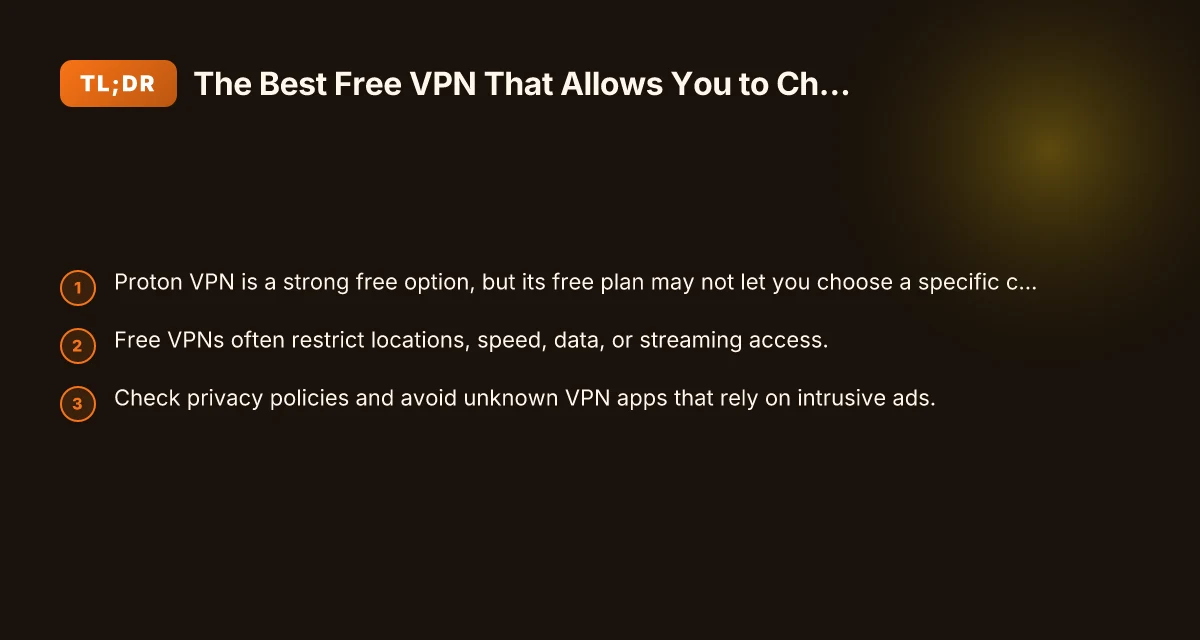
If you’re looking for a free VPN that allows you to change location, start with Proton VPN’s free plan. It offers VPN access without a data cap, but free users may have limited control over which server country they connect to. If choosing a specific country is essential, compare free plans carefully: many reputable providers reserve manual location selection for paid tiers, while services that advertise unlimited free locations may impose other trade-offs.
A VPN routes your internet traffic through a server in another country. Websites generally see the server’s IP address instead of your own, which can make your connection appear to come from a different location. It does not change your actual GPS position, and some websites and streaming services can still identify or block VPN traffic.
| VPN | Obfuscation | From / month | Plan | Free plan | Refund | Alipay | UnionPay | Crypto | Website opens in China | Trustpilot | |
|---|---|---|---|---|---|---|---|---|---|---|---|
 Proton VPN | Turn on manually Stealth, free plan too | $2.99/mo | 12 months: $35.88 | Yes | 30 days | ✗ | ✗ | ✗ | ✓ | ✗ Blocked | 2.1/5 (1,040 reviews) |
 Windscribe | Turn on manually Stealth / WStunnel | $5.75/mo | 12 months: $69 | Yes | See site | ✗ | ✗ | ✗ | ✓ | ✗ Blocked | 4.7/5 (13,355 reviews) |
 ZoogVPN | Turn on manually Shadow | $2.49/mo | 27 months: $59.99 | Yes | 7 days | ✓ | ✓ | ✓ | ✓ | Official site blocked; our special link opens (4.4 s) | 4.2/5 (195 reviews) |
 NordVPN | Turn on manually Obfuscated Servers / NordWhisper | $3.49/mo | 27 months: $94.23 | No | 30 days | ? | ✗ | ✓ | ✓ | ✗ Blocked | 4.2/5 (51,628 reviews) |
 ExpressVPN | ✓ On by default all servers | $3.00/mo | 28 months: $84 | No | 30 days | ✗ | ✗ | ✓ | ✗ | ✗ Blocked | 4.4/5 (29,706 reviews) |
 Surfshark | ✓ On by default Camouflage, with OpenVPN | See site | See site | No | 30 days | ✗ | ✗ | ✗ | ✓ | ✗ Blocked | 4.3/5 (31,823 reviews) |
 Astrill VPN | Turn on manually StealthVPN / OpenWeb | $12.50/mo | 24 months: $300 | No | See site | ✗ | ✗ | ✗ | ✓ | ✗ Blocked | 1.3/5 (110 reviews) |
 Private Internet Access | Turn on manually Shadowsocks, OpenVPN only | $2.03/mo | 40 months: $81.2 | No | 30 days | ✗ | ✗ | ✗ | ✗ | ✗ Blocked | 4.2/5 (11,033 reviews) |
 CyberGhost | Turn on manually selected servers | $2.19/mo | 28 months: $61.32 | No | 45 days | ✗ | ✗ | ✗ | ✓ | ✗ Blocked | 4.0/5 (24,178 reviews) |
 PureVPN | Turn on manually switch to OpenVPN | $1.69/mo | 60 months: $101.55 | No | 31 days | ? | ? | ✗ | ✓ | ✗ Blocked | 4.4/5 (17,994 reviews) |
 AdGuard VPN | ✓ On by default TrustTunnel | $2.99/mo | 24 months: $71.76 | Yes | 30 days | ✓ | ✗ | ✓ | ✓ | Official site blocked; our special link opens (3.7 s) | 4.3/5 (290 reviews) |
 Mullvad | Turn on manually QUIC / Shadowsocks / LWO | $5.61/mo | €5/mo | No | 14 days | ✗ | ✗ | ✗ | ✓ | ✗ Blocked | 3.2/5 (192 reviews) |
 StrongVPN | Turn on manually Scramble, OpenVPN TCP | See site | See site | No | 30 days | ✓ | ✗ | ✗ | ✗ | ✗ Blocked | 4.4/5 (2,695 reviews) |
 LightXtreme 闪连 | Not listed | $7.08/mo | 12 months: $84.99 | Yes | 30 days | ✓ | ✓ | ✓ | ✓ | ✓ Yes (3.5 s) | No page |
Prices checked 2026-11-10 on each vendor's pricing page (cheapest long plan, USD). Check the vendor's checkout for the final price.
Obfuscation checked 2026-11-14 on each vendor's site and help center: "on by default" = nothing to set; "turn on manually" = switch protocol or mode in settings; "not listed" = the vendor describes no obfuscation.
Payment methods checked 2026-11-10 on each vendor's payment pages: all 14 take cards and PayPal; ✗ = not listed, ? = the vendor's own pages disagree.
China access: whether the official website opens from mainland China networks (tests the website only, not the VPN connection). Last checked 2026-11-18 01:02 Beijing time.
Trustpilot score and review count checked 2026-11-10.

Editor's pick: NordVPN — fast, secure VPN — Strong encryption, a no-logs policy and apps for every device. 30-day money-back guarantee. Get NordVPN →
Compare free VPNs by whether they let you choose a location
| VPN | Free plan | Choose a country | Change location | Main limitation |
|---|---|---|---|---|
| Proton VPN | Yes | No | Yes, to an assigned server | Locations are not user-selectable |
| Windscribe | Yes | Supported | Yes | Free-plan data limits apply |
| PrivadoVPN | Yes | Supported | Yes | Free-plan data limits apply |
| TunnelBear | Yes | Supported | Yes | Small free data allowance |
| hide.me | Yes | Supported | Yes | Free-plan restrictions apply |
| Hotspot Shield | Yes | No | Yes, to an assigned server | Locations are not user-selectable |
| VPN service with a paid-only location list | Yes | No | Limited | Country choice requires an upgrade |
Compiled November 2026; check the provider's site for current details.
Which free VPNs let you change your location?
Free VPN plans differ in how much location control they provide. Some let you select from a short list of countries. Others assign a server automatically or limit you to a nearby location. Plan details can change, so check the provider’s current free-tier terms before signing up.
| VPN | Free-plan location control | Main limitation |
|---|---|---|
| Proton VPN | Free servers are available, but country selection may be limited | Fewer locations and features than on paid plans |
| Windscribe | Offers free access to selected locations | Monthly data allowance applies |
| PrivadoVPN | Provides a limited free data allowance and selected locations | Data and server access are limited |
| TunnelBear | Offers access to multiple countries | Small monthly data allowance |
These are examples to investigate, not guarantees that a particular country will always be available. Providers can change server lists, data limits, and free-plan features.
For Proton VPN, the key advantage is its free plan’s unlimited data. The trade-off is that you may not be able to pick any country you want. Windscribe may suit someone who needs a choice among its available free locations and can stay within its data allowance. TunnelBear’s interface is beginner-friendly, but its free data limit can make extended browsing or video use impractical.
How to change your location with a free VPN
The basic process is similar across providers: VPN Change Country Free: How to Switch Your Virtual Location
- Download the VPN app from the provider’s official website or your device’s app store.
- Create an account if the service requires one.
- Open the location list and choose an available country or server.
- Tap Connect and wait for the app to confirm the connection.
- Check your public IP address using a reputable IP-checking website.
If the app does not show a country list, the free plan may assign a server automatically. Disconnecting and reconnecting might give you a different server, but it usually will not guarantee a specific country.
A successful VPN connection changes the IP address websites see. It does not necessarily change every location signal. Apps may use GPS, Wi-Fi networks, account details, browser settings, or device permissions to estimate where you are. A VPN also cannot make you eligible for a service or content that is restricted by its terms.
What to check before choosing a free VPN
| Check | Why it matters | Good sign | Watch out for |
|---|---|---|---|
| Country selection | Determines where you can appear to connect from | Desired country is selectable | A free server is assigned automatically |
| Data allowance | Affects how much you can browse or stream | Allowance fits your usage | Low caps or throttling |
| Speed | Affects loading and streaming | Reliable performance | Crowded or slow free servers |
| Privacy policy | Explains how your data is handled | Clear limits on data collection | Vague logging disclosures |
| Security | Helps protect your connection | Strong encryption and current protocols | Unclear security practices |
| Ads | Some services use ads to support free access | Ads are disclosed and limited | Intrusive advertising |
| Device support | Determines whether it works on your devices | Apps for your devices | Important platforms are missing |
| Upgrade prompts | Shows how often the free plan is pushed toward paid | Free tier is usable on its own | Frequent prompts or locked features |
Compiled November 2026; check the provider's site for current details. F5_vpn_edge client.exe: What It Is and How to Check It Safely
What to consider before choosing
Location selection
Look for an explicit list of countries on the free plan. “Global servers” or “access to multiple locations” can be vague, and some advertised locations may be reserved for paying customers.
Data and speed limits
Free plans may limit monthly data, reduce speeds during busy periods, or restrict server choice. A small allowance can be enough for occasional browsing but may run out quickly when streaming or downloading files.
Privacy and security
Choose a provider with a clear privacy policy, modern encryption, and a trustworthy track record. Check whether it logs connection activity and how it funds its free service. Be cautious if an app’s business model is unclear or it asks for unnecessary permissions.
A VPN does not make you completely anonymous. The VPN provider can see some information about your connection, and websites can still identify you through logins, cookies, or browser fingerprinting. Big IP f5 VPN download Windows: Safe Download and Setup Guide
Streaming and other services
A free VPN may not work with a particular streaming platform, bank, or website. Services often block IP addresses associated with VPN servers, and free plans may offer fewer servers to switch between. If reliable access is your main goal, a free plan may not meet your needs.
Are free VPNs safe?
Some free VPNs are operated by established privacy companies, but “free” does not automatically mean safe. Less reputable apps may collect more data than users expect, display intrusive advertising, or provide weak security. Read the privacy policy, check independent reviews, and confirm the developer’s identity before installing an app.
Avoid VPNs that promise guaranteed anonymity, unlimited access to every streaming service, or unrestricted locations without explaining their limits. Be especially wary of apps from unknown publishers that request access unrelated to VPN functionality.
For extra protection, use the app’s kill switch if available. It can block internet traffic if the VPN connection drops, reducing the chance that your normal IP address is exposed. Keep the VPN app and your device’s operating system up to date. F5 BIG-IP Edge VPN Client Download: Safe, Official Options
Free VPN or paid VPN?
A free plan can work for occasional browsing, basic privacy on public Wi-Fi, or testing how a VPN operates. It is less suitable when you need a specific country every time, consistent high speeds, extensive server choice, or dependable streaming access.
Before paying for a subscription, check whether the provider offers a trial or refund period. This lets you test the locations and services you actually need without assuming that every server will work for every website.
Free VPN versus paid VPN
| Feature | Free VPN | Paid VPN |
|---|---|---|
| Cost | No subscription fee | Subscription fee |
| Location choice | May be limited | Usually broader choice |
| Server access | Often restricted | Typically more servers |
| Data allowance | May have a cap | Often unlimited |
| Speed | May vary with congestion | Often more consistent |
| Streaming access | May be limited | More likely to support streaming |
| Support | May be limited | Often includes more support |
| Privacy and safety | Depends on the provider | Depends on the provider |
| Best suited for | Occasional, basic use | Regular use and broader needs |
Compiled November 2026; check the provider's site for current details. VPN for PC: How to Choose and Set Up the Right One
Recommendation
Proton VPN is a sensible starting point if you want a reputable free VPN and unlimited data, but it may not let you select a specific country on its free plan. If precise location choice matters more, compare Windscribe or PrivadoVPN’s current free locations and data limits. Choose a provider with transparent privacy practices, and consider a paid plan if you need reliable access to a particular country.