Free VPN for PC Free Trial: How to Choose and Test One Safely
Compare VPN trials, check their limits, and test a free VPN for PC without risking surprise charges or weak privacy.


A free VPN for PC free trial is a way to test a VPN’s paid features on a Windows computer for a limited period, usually before deciding whether to subscribe. Some providers offer a time-limited trial, while others provide a money-back guarantee or a permanently free plan. These options are not the same: check how long access lasts, whether you must enter payment details, and what happens when the trial ends.
Start by choosing a reputable provider with a clear privacy policy and straightforward billing terms. Install its official Windows app, test the features you need, and cancel before renewal if you do not want to pay. Never assume that “free” means unlimited, private, or free of charge after the trial.
| VPN | Obfuscation | From / month | Plan | Free plan | Refund | Alipay | UnionPay | Crypto | Website opens in China | Trustpilot | |
|---|---|---|---|---|---|---|---|---|---|---|---|
 ZoogVPN | Turn on manually Shadow | $2.49/mo | 27 months: $59.99 | Yes | 7 days | ✓ | ✓ | ✓ | ✓ | Official site blocked; our special link opens (4.4 s) | 4.2/5 (195 reviews) |
 NordVPN | Turn on manually Obfuscated Servers / NordWhisper | $3.49/mo | 27 months: $94.23 | No | 30 days | ? | ✗ | ✓ | ✓ | ✗ Blocked | 4.2/5 (51,628 reviews) |
 ExpressVPN | ✓ On by default all servers | $3.00/mo | 28 months: $84 | No | 30 days | ✗ | ✗ | ✓ | ✗ | ✗ Blocked | 4.4/5 (29,706 reviews) |
 Surfshark | ✓ On by default Camouflage, with OpenVPN | See site | See site | No | 30 days | ✗ | ✗ | ✗ | ✓ | ✗ Blocked | 4.3/5 (31,823 reviews) |
 Proton VPN | Turn on manually Stealth, free plan too | $2.99/mo | 12 months: $35.88 | Yes | 30 days | ✗ | ✗ | ✗ | ✓ | ✗ Blocked | 2.1/5 (1,040 reviews) |
 Astrill VPN | Turn on manually StealthVPN / OpenWeb | $12.50/mo | 24 months: $300 | No | See site | ✗ | ✗ | ✗ | ✓ | ✗ Blocked | 1.3/5 (110 reviews) |
 Private Internet Access | Turn on manually Shadowsocks, OpenVPN only | $2.03/mo | 40 months: $81.2 | No | 30 days | ✗ | ✗ | ✗ | ✗ | ✗ Blocked | 4.2/5 (11,033 reviews) |
 CyberGhost | Turn on manually selected servers | $2.19/mo | 28 months: $61.32 | No | 45 days | ✗ | ✗ | ✗ | ✓ | ✗ Blocked | 4.0/5 (24,178 reviews) |
 PureVPN | Turn on manually switch to OpenVPN | $1.69/mo | 60 months: $101.55 | No | 31 days | ? | ? | ✗ | ✓ | ✗ Blocked | 4.4/5 (17,994 reviews) |
 AdGuard VPN | ✓ On by default TrustTunnel | $2.99/mo | 24 months: $71.76 | Yes | 30 days | ✓ | ✗ | ✓ | ✓ | Official site blocked; our special link opens (3.7 s) | 4.3/5 (290 reviews) |
 Mullvad | Turn on manually QUIC / Shadowsocks / LWO | $5.61/mo | €5/mo | No | 14 days | ✗ | ✗ | ✗ | ✓ | ✗ Blocked | 3.2/5 (192 reviews) |
 Windscribe | Turn on manually Stealth / WStunnel | $5.75/mo | 12 months: $69 | Yes | See site | ✗ | ✗ | ✗ | ✓ | ✗ Blocked | 4.7/5 (13,355 reviews) |
 StrongVPN | Turn on manually Scramble, OpenVPN TCP | See site | See site | No | 30 days | ✓ | ✗ | ✗ | ✗ | ✗ Blocked | 4.4/5 (2,695 reviews) |
 LightXtreme 闪连 | Not listed | $7.08/mo | 12 months: $84.99 | Yes | 30 days | ✓ | ✓ | ✓ | ✓ | ✓ Yes (3.5 s) | No page |
Prices checked 2026-11-10 on each vendor's pricing page (cheapest long plan, USD). Check the vendor's checkout for the final price.
Obfuscation checked 2026-11-14 on each vendor's site and help center: "on by default" = nothing to set; "turn on manually" = switch protocol or mode in settings; "not listed" = the vendor describes no obfuscation.
Payment methods checked 2026-11-10 on each vendor's payment pages: all 14 take cards and PayPal; ✗ = not listed, ? = the vendor's own pages disagree.
China access: whether the official website opens from mainland China networks (tests the website only, not the VPN connection). Last checked 2026-11-18 01:02 Beijing time.
Trustpilot score and review count checked 2026-11-10.

Editor's pick: NordVPN — fast, secure VPN — Strong encryption, a no-logs policy and apps for every device. 30-day money-back guarantee. Get NordVPN →
Compare VPN free-access options
| Access type | Time limit | Data limit | Server choice | Payment details | Best for |
|---|---|---|---|---|---|
| Permanent free plan | Usually none | Often limited | Often limited | Usually not required | Occasional use |
| Free trial | Fixed period | May be limited | Often broader | May be required | Testing premium features |
| Money-back period | Refund window | Usually full-plan limits | Usually broad | Required upfront | Testing with a refund option |
| Introductory offer | Offer-specific | Offer-specific | Offer-specific | Often required | Comparing a discounted plan |
| Paid monthly plan | Renews monthly | Usually full-plan limits | Usually broad | Required | Short-term paid use |
| Paid annual plan | Renews annually | Usually full-plan limits | Usually broad | Required, often upfront | Longer-term use |
Compiled November 2026; check the provider's site for current details.
Understand the different kinds of free access
VPN providers use several offers that can sound similar. Knowing which one you are signing up for helps prevent confusion.
- Free trial: Gives access to some or all paid features for a set period. It may require a payment method and automatically convert to a paid subscription.
- Money-back guarantee: You pay upfront, then request a refund within the stated period if you qualify. This is not a free trial, and refund conditions apply.
- Free plan: Offers ongoing access without a subscription fee, but may limit server locations, speed, data, or features.
- Limited app or browser offer: May protect only browser traffic or selected connections, rather than all internet traffic from your PC.
Read the provider’s terms before installing. Confirm the trial’s start and end dates, eligible features, renewal amount, cancellation process, and refund conditions. Offers can change, so rely on the terms shown during signup rather than old reviews or advertisements.
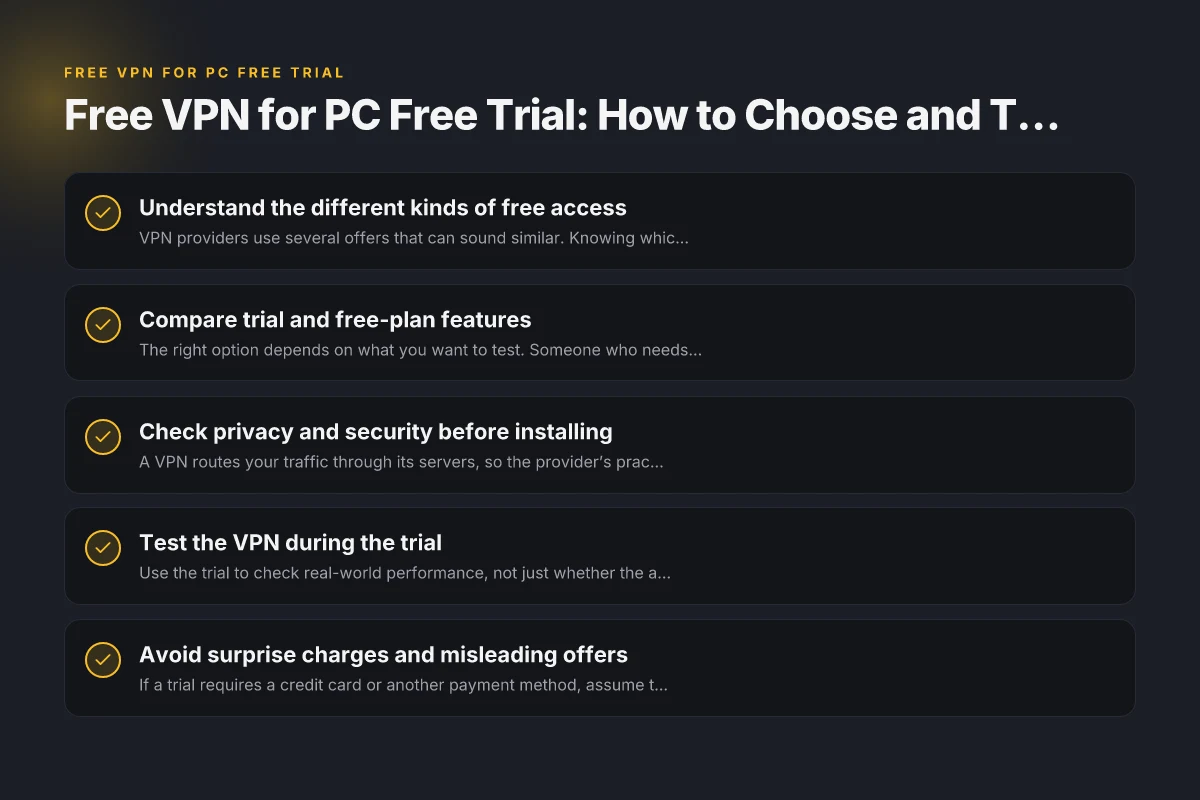
Compare trial and free-plan features
The right option depends on what you want to test. Someone who needs a short evaluation of premium servers may prefer a trial. Someone seeking occasional basic protection may find a free plan more suitable.
| Option | What you typically get | What to check |
|---|---|---|
| Free trial | Temporary access to paid features | Trial length, payment requirement, automatic renewal |
| Money-back guarantee | Paid access with a possible refund | Refund window, eligibility, required steps |
| Free plan | Ongoing access with restrictions | Data allowance, server choice, speed, privacy terms |
Before choosing, look for features that match your use: Free Trials VPN: How to Test a VPN Before You Pay
- Windows support: Make sure the provider offers an official app for your version of Windows.
- Data allowance: Check whether there is a monthly cap or a limit during the trial.
- Server locations: Confirm that the locations you need are available in your plan.
- Connection limits: See how many devices can use the account at once.
- Useful protections: Features such as a kill switch can help stop internet traffic if the VPN connection drops. Check whether they are included and enabled in the Windows app.
A long list of features is not a substitute for clear privacy and billing policies. Prioritize those before extras.
Check privacy and security before installing
A VPN routes your traffic through its servers, so the provider’s practices matter. A VPN does not make you completely anonymous, and it does not replace antivirus software, software updates, or careful browsing.
Choose a provider that explains what information it collects, why it collects it, and how long it retains it. Look for a clearly written privacy policy and an explanation of any independent security or privacy audits. Be cautious of services that make sweeping claims, such as guaranteeing total anonymity, without explaining their limitations.
Download the PC app from the provider’s official website or a trusted app store. Avoid unofficial installers, bundled downloads, and links from pop-up ads. During installation, review permissions and optional software offers rather than clicking through automatically. Edge VPN Free Extension: How to Choose and Use One Safely
After connecting, check that:
- The app identifies the VPN server and shows an active connection.
- The kill switch is available if you want protection against brief connection drops.
- The provider’s data and privacy settings are understandable.
- You know how to disconnect and remove the app if you decide not to continue.
Check features and safety before installing
| Check | What to look for | Useful result | Warning sign | How to verify |
|---|---|---|---|---|
| Data handling | Clear privacy policy | Data practices explained | Vague collection terms | Read the policy |
| Activity logging | Stated logging policy | Minimal or no activity logging | Unclear activity records | Check policy and independent reviews |
| Encryption | Secure connection details | Modern encryption described | No technical details | Review product documentation |
| Kill switch | Connection protection feature | Supported on your PC | Not available or unclear | Check settings and test safely |
| Leak protection | DNS and IP safeguards | Supported and configurable | No mention of leaks | Run reputable leak checks |
| App source | Official download channel | Verified publisher | Third-party installer | Download from the provider’s site or store |
Compiled November 2026; check the provider's site for current details.
Test the VPN during the trial
Use the trial to check real-world performance, not just whether the app connects. Test it at the times and places you normally use your PC. A server’s speed and reliability can vary with distance, network congestion, and your internet connection. Is a Mobile Hotspot With VPN Automatically Providing VPN?
Try a nearby server first, then test other locations if those matter to you. Compare everyday activities such as browsing, video calls, and downloads with and without the VPN. Some slowdown is normal because traffic is being routed through an additional server.
You can also assess the app itself:
- Is it easy to connect, change servers, and adjust settings?
- Does the connection remain stable during normal use?
- Are support instructions easy to find?
- Does the service provide the locations and features you expected?
Do not use a trial to bypass laws, a website’s access rules, or a service’s terms. A VPN changes how your internet connection is routed. It does not grant permission to access content or services.
Avoid surprise charges and misleading offers
If a trial requires a credit card or another payment method, assume that it may become a paid subscription unless the terms say otherwise. Note the renewal date as soon as you sign up. Set a calendar reminder several days ahead, and check the provider’s cancellation steps rather than waiting until the last moment. Free Trial VPN for PC: How to Choose and Test One
Save the signup confirmation and cancellation receipt. If the trial was purchased through an app store, you may need to manage the subscription through that store instead of the VPN provider’s website. Confirm that cancellation has taken effect and that you understand whether access ends immediately or continues until the trial period expires.
Be wary of services that advertise unlimited free access while giving little information about ownership, data handling, or funding. A low-cost paid plan from a transparent provider can be a safer choice than an unknown free VPN.
Test a VPN trial and avoid unwanted charges
| Test step | What to check | Good sign | Warning sign | Before the trial ends |
|---|---|---|---|---|
| Confirm terms | Trial length and limits | Terms are easy to find | Important conditions are hidden | Save the terms |
| Check billing | Upfront payment and renewal | Price and renewal date are clear | Automatic charge is unclear | Set a reminder |
| Test connection | Stability on your PC | Reliable connection | Frequent drops | Retest at different times |
| Check speed | Everyday browsing and downloads | Meets your needs | Noticeable slowdowns | Compare with your usual connection |
| Test locations | Available server regions | Useful locations connect | Locations are restricted | Note any access limits |
| Review cancellation | Cancellation steps and refund rules | Simple instructions | Unclear process | Cancel in time if you do not want to pay |
Compiled November 2026; check the provider's site for current details. VPN Extension Microsoft Edge Free: What to Choose and How to Use It
Recommendation
For a short, careful evaluation, choose a reputable VPN provider with a clearly explained Windows trial or money-back policy. Verify the renewal terms before signing up, test speed and stability on your own PC, and cancel promptly if you do not want a subscription. If you need ongoing access rather than a temporary test, compare reputable free plans, but accept that they may impose data, speed, or server limits.