Best Fire Stick VPNs: Top Picks for Streaming, Speed, and Privacy
Compare the best Fire Stick VPNs for streaming, speed, privacy, setup, and value.


The best Fire Stick VPNs combine a reliable Fire TV app, fast connections, strong privacy protections, and straightforward setup. ExpressVPN is an excellent pick for ease of use, NordVPN is a feature-rich option, and Surfshark stands out for value and unlimited simultaneous connections. The right choice depends on your budget, preferred streaming services, and whether you want to protect other devices too.
A VPN routes your internet traffic through an encrypted connection and can change the apparent location of your IP address. On a Fire TV Stick, that may help protect privacy on public or shared networks and, where permitted, access content available in another region. Streaming services may restrict VPN use, however, and no provider can promise uninterrupted access.
| VPN | Obfuscation | From / month | Plan | Free plan | Refund | Alipay | UnionPay | Crypto | Website opens in China | Trustpilot | |
|---|---|---|---|---|---|---|---|---|---|---|---|
 ExpressVPN | ✓ On by default all servers | $3.00/mo | 28 months: $84 | No | 30 days | ✗ | ✗ | ✓ | ✗ | ✗ Blocked | 4.4/5 (29,706 reviews) |
 NordVPN | Turn on manually Obfuscated Servers / NordWhisper | $3.49/mo | 27 months: $94.23 | No | 30 days | ? | ✗ | ✓ | ✓ | ✗ Blocked | 4.2/5 (51,628 reviews) |
 Surfshark | ✓ On by default Camouflage, with OpenVPN | See site | See site | No | 30 days | ✗ | ✗ | ✗ | ✓ | ✗ Blocked | 4.3/5 (31,823 reviews) |
 Proton VPN | Turn on manually Stealth, free plan too | $2.99/mo | 12 months: $35.88 | Yes | 30 days | ✗ | ✗ | ✗ | ✓ | ✗ Blocked | 2.1/5 (1,040 reviews) |
 ZoogVPN | Turn on manually Shadow | $2.49/mo | 27 months: $59.99 | Yes | 7 days | ✓ | ✓ | ✓ | ✓ | Official site blocked; our special link opens (4.4 s) | 4.2/5 (195 reviews) |
 Astrill VPN | Turn on manually StealthVPN / OpenWeb | $12.50/mo | 24 months: $300 | No | See site | ✗ | ✗ | ✗ | ✓ | ✗ Blocked | 1.3/5 (110 reviews) |
 Private Internet Access | Turn on manually Shadowsocks, OpenVPN only | $2.03/mo | 40 months: $81.2 | No | 30 days | ✗ | ✗ | ✗ | ✗ | ✗ Blocked | 4.2/5 (11,033 reviews) |
 CyberGhost | Turn on manually selected servers | $2.19/mo | 28 months: $61.32 | No | 45 days | ✗ | ✗ | ✗ | ✓ | ✗ Blocked | 4.0/5 (24,178 reviews) |
 PureVPN | Turn on manually switch to OpenVPN | $1.69/mo | 60 months: $101.55 | No | 31 days | ? | ? | ✗ | ✓ | ✗ Blocked | 4.4/5 (17,994 reviews) |
 AdGuard VPN | ✓ On by default TrustTunnel | $2.99/mo | 24 months: $71.76 | Yes | 30 days | ✓ | ✗ | ✓ | ✓ | Official site blocked; our special link opens (3.7 s) | 4.3/5 (290 reviews) |
 Mullvad | Turn on manually QUIC / Shadowsocks / LWO | $5.61/mo | €5/mo | No | 14 days | ✗ | ✗ | ✗ | ✓ | ✗ Blocked | 3.2/5 (192 reviews) |
 Windscribe | Turn on manually Stealth / WStunnel | $5.75/mo | 12 months: $69 | Yes | See site | ✗ | ✗ | ✗ | ✓ | ✗ Blocked | 4.7/5 (13,355 reviews) |
 StrongVPN | Turn on manually Scramble, OpenVPN TCP | See site | See site | No | 30 days | ✓ | ✗ | ✗ | ✗ | ✗ Blocked | 4.4/5 (2,695 reviews) |
 LightXtreme 闪连 | Not listed | $7.08/mo | 12 months: $84.99 | Yes | 30 days | ✓ | ✓ | ✓ | ✓ | ✓ Yes (3.5 s) | No page |
Prices checked 2026-11-10 on each vendor's pricing page (cheapest long plan, USD). Check the vendor's checkout for the final price.
Obfuscation checked 2026-11-14 on each vendor's site and help center: "on by default" = nothing to set; "turn on manually" = switch protocol or mode in settings; "not listed" = the vendor describes no obfuscation.
Payment methods checked 2026-11-10 on each vendor's payment pages: all 14 take cards and PayPal; ✗ = not listed, ? = the vendor's own pages disagree.
China access: whether the official website opens from mainland China networks (tests the website only, not the VPN connection). Last checked 2026-11-18 01:02 Beijing time.
Trustpilot score and review count checked 2026-11-10.

Editor's pick: NordVPN — fast, secure VPN — Strong encryption, a no-logs policy and apps for every device. 30-day money-back guarantee. Get NordVPN →
Quick comparison of the featured Fire Stick VPNs
| VPN | Fire Stick app | Best for | Key advantage |
|---|---|---|---|
| ExpressVPN | Supported | Simple setup | Easy-to-use experience |
| NordVPN | Supported | Features and performance | Broad feature set |
| Surfshark | Supported | Value | Multiple devices |
| Proton VPN | Supported | Other option | Alternative to the top picks |
| IPVanish | Supported | Other option | Alternative to the top picks |
| ExpressVPN | Yes | Streaming | Featured recommendation |
Compiled November 2026; check the provider's site for current details.
Best Fire Stick VPNs at a glance
| VPN | Best for | Fire TV experience | Notable feature |
|---|---|---|---|
| ExpressVPN | Simplicity | Dedicated Fire TV app | Easy-to-use interface |
| NordVPN | Features and performance | Dedicated Fire TV app | Broad server network |
| Surfshark | Value | Dedicated Fire TV app | Unlimited simultaneous connections |
| Proton VPN | Privacy-focused use | Fire TV app availability may depend on device and app version | Strong privacy reputation |
| IPVanish | Device flexibility | Dedicated Fire TV app | Useful for households with multiple devices |
Features and app availability can change. Check each provider’s current Fire TV app listing, subscription terms, and supported devices before buying.
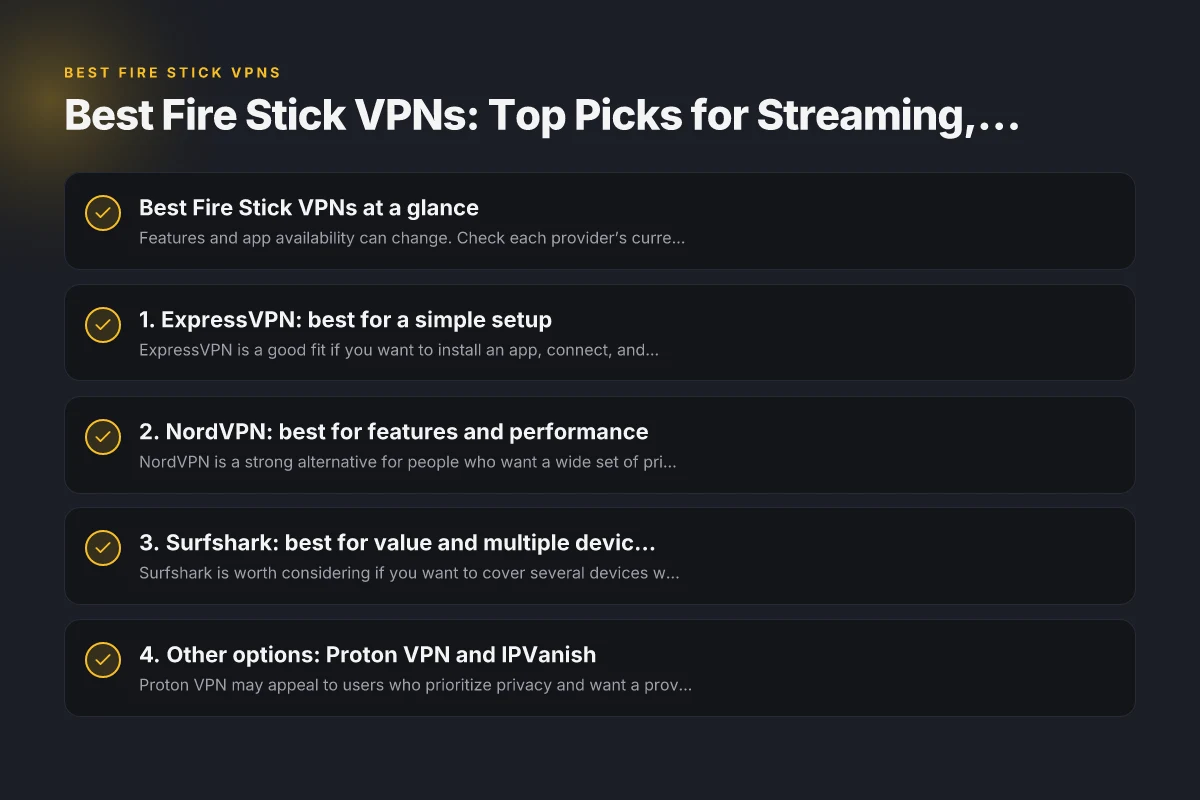
1. ExpressVPN: best for a simple setup
ExpressVPN is a good fit if you want to install an app, connect, and start streaming without spending time adjusting settings. Its Fire TV app is designed for remote-control use, which makes navigation more convenient than using a desktop-oriented interface.
The service emphasizes straightforward connections and offers servers in many locations. That can be useful when you want to test different connections, although streaming access still depends on the service, region, and the provider’s current ability to work with that platform.
Choose ExpressVPN if: iPhone Puts on VPN Automatically: How to Stop It
- You value a polished, uncomplicated Fire TV app.
- You want one subscription for your TV and other devices.
- You are comfortable paying more for a premium-style service.
Before subscribing, review the current price and renewal terms. VPN plans and promotional offers change frequently.
What to consider when choosing a Fire Stick VPN
| Consideration | Why it matters | What to look for | Featured fit |
|---|---|---|---|
| Fire TV Stick support | Enables VPN use on the device | Fire TV app | ExpressVPN, NordVPN, Surfshark |
| Ease of setup | Helps you get connected quickly | Simple setup | ExpressVPN |
| Performance | Affects streaming experience | Strong performance | NordVPN |
| Features | Adds options for different needs | Broad feature set | NordVPN |
| Price and value | Helps match a VPN to your budget | Good value | Surfshark |
| Device coverage | Matters if you use several devices | Multiple-device support | Surfshark |
| Privacy | A key reason to use a VPN | Privacy features | Compare providers |
Compiled November 2026; check the provider's site for current details.
2. NordVPN: best for features and performance
NordVPN is a strong alternative for people who want a wide set of privacy and connection features alongside a dedicated Fire TV app. It offers a large server network and tools that may help protect traffic, depending on the plan, app version, and device. I want to dowload vpnify on Xbox on Microsoft: What You Need to Know
The Fire TV interface keeps the essentials accessible, including choosing a location and connecting. If you are new to VPNs, you can start with the default settings rather than changing every option. For the best results, test a few nearby servers and use the connection that provides stable playback.
Choose NordVPN if:
- You want a feature-rich service with a dedicated TV app.
- You plan to use the VPN across phones, computers, and streaming devices.
- You like having options for selecting servers and connection settings.
A larger server list does not guarantee that every server will work with every streaming platform. Treat location switching as a possibility, not a promise.
3. Surfshark: best for value and multiple devices
Surfshark is worth considering if you want to cover several devices without managing a small connection limit. Its plans have commonly included unlimited simultaneous connections, but confirm the current terms before purchasing. A dedicated Fire TV app makes it more convenient than VPNs that require router configuration or manual workarounds. Best Australian VPN Free: Safe Free VPN Options for Australia
This can be especially useful in a household where people use a Fire Stick, phones, tablets, and computers at the same time. As with any provider, compare the renewal price, not just the introductory offer, and check which features are included in the plan you choose.
Choose Surfshark if:
- You want to protect many personal devices under one subscription.
- Price and overall value matter more than having the most established brand.
- You prefer an app-based setup on Fire TV.
Fire Stick VPN setup and selection checklist
| Step | What to do | Decision point | Helpful option |
|---|---|---|---|
| 1 | Choose a VPN | Match it to your priorities | Compare featured providers |
| 2 | Check Fire Stick support | Confirm a Fire TV app is available | Supported options |
| 3 | Install the VPN | Use the provider’s Fire TV app | — |
| 4 | Open the app | Sign in to your account | — |
| 5 | Connect to a server | Select a suitable location | — |
| 6 | Start streaming | Check that playback works as expected | — |
Compiled November 2026; check the provider's site for current details. iPhone WiFi Auto VPN: How to Connect Automatically
4. Other options: Proton VPN and IPVanish
Proton VPN may appeal to users who prioritize privacy and want a provider with a strong privacy-focused reputation. Check that its current app supports your specific Fire TV device and operating system, then confirm which features are included in the plan you are considering.
IPVanish is another option for people who want a dedicated Fire TV app and broad device coverage. It can suit households that want to use a VPN on more than just the television. As with all services, review the provider’s current privacy policy, connection terms, and subscription pricing.
When comparing these alternatives, look beyond marketing claims. Consider:
- Whether the app is available directly through your Fire TV’s app store.
- The provider’s privacy policy and independent audits, if available.
- The number of devices permitted by your plan.
- How easy it is to cancel or renew.
- Whether customer support can help with Fire TV-specific problems.
How to choose a Fire Stick VPN
Start with compatibility. A VPN with a native Fire TV app is usually the simplest option: install it from the Amazon Appstore, sign in, choose a server, and connect. Without a native app, you may need to configure a compatible router or use another method, which can take more effort. My iPhone Shows VPN on When I Didn’t Turn One On: What to Check
Next, consider connection quality. Streaming needs a stable connection, not just an impressive advertised speed. A VPN can reduce your speed because traffic takes an additional route, so choose a nearby server when location switching is unnecessary. If playback stutters, try another server, restart the app, or temporarily disconnect the VPN to see whether it is the cause.
Privacy should matter too. Look for clear explanations of what data the provider collects, how long it keeps it, and whether it has undergone independent security reviews. A VPN encrypts traffic between your device and the VPN server, but it does not make you completely anonymous or protect you from every online threat.
How to install a VPN on Fire TV Stick
For a VPN with a native app, setup is usually simple:
- Open the Amazon Appstore on your Fire TV Stick.
- Search for the VPN provider’s official app and install it.
- Open the app and sign in, or follow its account setup instructions.
- Choose a server location and connect.
- Open your streaming app and test playback.
If you cannot find the app, check the provider’s device compatibility page and the Fire TV model’s software version. Avoid downloading app files from unofficial sources, which may expose your device to security risks. You can also contact the VPN provider’s support team for current installation instructions. Advanced Proxy Settings Edge: How to Configure and Troubleshoot Them
Remember that a VPN does not include a streaming subscription. You still need an account for any paid service, and using a VPN to access another region may conflict with that service’s terms or local rules.
Recommendation
For most people, ExpressVPN is the easiest all-around choice for a Fire Stick because of its straightforward TV app. Choose NordVPN if you want a broader set of features, or Surfshark if unlimited simultaneous connections and value are priorities. Before committing, verify Fire TV compatibility, compare the renewal price, and use a trial or refund period, if offered, to test performance with your own device and streaming services.