Why Doesn’t ThisVid Work With VPN? Common Causes and Fixes

ThisVid may block VPN addresses or fail because of server, browser, DNS, or network issues. Try these checks to find the cause.
ThisVid may not work with a VPN because the site blocks or limits some VPN server addresses. It can also be a temporary problem with the VPN server, your browser, DNS settings, or the site itself. A VPN connection showing as active does not guarantee that every website will load. Try the checks below to narrow down what is going wrong.

Editor's pick: NordVPN — fast, secure VPN — Strong encryption, a no-logs policy and apps for every device. 30-day money-back guarantee. Get NordVPN →
Compare ThisVid with and without a VPN
| Check | VPN on | VPN off | What it may suggest |
|---|---|---|---|
| Video loads | Try loading | Try loading | Whether the VPN changes access |
| Playback starts | Check playback | Check playback | Whether the connection affects playback |
| Error message | Note the message | Note the message | Whether the error changes |
| Connection speed | Check the connection | Check the connection | Whether speed may be a factor |
| Browser data | Check for stale data | Check for stale data | Whether browser data may be involved |
| Service status | Check ThisVid status | Check ThisVid status | Whether the site may be down |
Compiled November 2026; check the provider's site for current details.
| VPN | Obfuscation | From / month | Plan | Free plan | Refund | Alipay | UnionPay | Crypto | Website opens in China | Trustpilot | |
|---|---|---|---|---|---|---|---|---|---|---|---|
 ZoogVPN | Turn on manually Shadow | $2.49/mo | 27 months: $59.99 | Yes | 7 days | ✓ | ✓ | ✓ | ✓ | Official site blocked; our special link opens (4.4 s) | 4.2/5 (195 reviews) |
 NordVPN | Turn on manually Obfuscated Servers / NordWhisper | $3.49/mo | 27 months: $94.23 | No | 30 days | ? | ✗ | ✓ | ✓ | ✗ Blocked | 4.2/5 (51,628 reviews) |
 ExpressVPN | ✓ On by default all servers | $3.00/mo | 28 months: $84 | No | 30 days | ✗ | ✗ | ✓ | ✗ | ✗ Blocked | 4.4/5 (29,706 reviews) |
 Surfshark | ✓ On by default Camouflage, with OpenVPN | See site | See site | No | 30 days | ✗ | ✗ | ✗ | ✓ | ✗ Blocked | 4.3/5 (31,823 reviews) |
 Proton VPN | Turn on manually Stealth, free plan too | $2.99/mo | 12 months: $35.88 | Yes | 30 days | ✗ | ✗ | ✗ | ✓ | ✗ Blocked | 2.1/5 (1,040 reviews) |
 Astrill VPN | Turn on manually StealthVPN / OpenWeb | $12.50/mo | 24 months: $300 | No | See site | ✗ | ✗ | ✗ | ✓ | ✗ Blocked | 1.3/5 (110 reviews) |
 Private Internet Access | Turn on manually Shadowsocks, OpenVPN only | $2.03/mo | 40 months: $81.2 | No | 30 days | ✗ | ✗ | ✗ | ✗ | ✗ Blocked | 4.2/5 (11,033 reviews) |
 CyberGhost | Turn on manually selected servers | $2.19/mo | 28 months: $61.32 | No | 45 days | ✗ | ✗ | ✗ | ✓ | ✗ Blocked | 4.0/5 (24,178 reviews) |
 PureVPN | Turn on manually switch to OpenVPN | $1.69/mo | 60 months: $101.55 | No | 31 days | ? | ? | ✗ | ✓ | ✗ Blocked | 4.4/5 (17,994 reviews) |
 AdGuard VPN | ✓ On by default TrustTunnel | $2.99/mo | 24 months: $71.76 | Yes | 30 days | ✓ | ✗ | ✓ | ✓ | Official site blocked; our special link opens (3.7 s) | 4.3/5 (290 reviews) |
 Mullvad | Turn on manually QUIC / Shadowsocks / LWO | $5.61/mo | €5/mo | No | 14 days | ✗ | ✗ | ✗ | ✓ | ✗ Blocked | 3.2/5 (192 reviews) |
 Windscribe | Turn on manually Stealth / WStunnel | $5.75/mo | 12 months: $69 | Yes | See site | ✗ | ✗ | ✗ | ✓ | ✗ Blocked | 4.7/5 (13,355 reviews) |
 StrongVPN | Turn on manually Scramble, OpenVPN TCP | See site | See site | No | 30 days | ✓ | ✗ | ✗ | ✗ | ✗ Blocked | 4.4/5 (2,695 reviews) |
 LightXtreme 闪连 | Not listed | $7.08/mo | 12 months: $84.99 | Yes | 30 days | ✓ | ✓ | ✓ | ✓ | ✓ Yes (3.5 s) | No page |
Prices checked 2026-11-10 on each vendor's pricing page (cheapest long plan, USD). Check the vendor's checkout for the final price.
Obfuscation checked 2026-11-14 on each vendor's site and help center: "on by default" = nothing to set; "turn on manually" = switch protocol or mode in settings; "not listed" = the vendor describes no obfuscation.
Payment methods checked 2026-11-10 on each vendor's payment pages: all 14 take cards and PayPal; ✗ = not listed, ? = the vendor's own pages disagree.
China access: whether the official website opens from mainland China networks (tests the website only, not the VPN connection). Last checked 2026-11-18 01:02 Beijing time.
Trustpilot score and review count checked 2026-11-10.
Why ThisVid may not work with a VPN
VPN services route many users through shared IP addresses. Websites can recognize some of those addresses as belonging to VPN providers and block them, challenge the connection, or restrict access. This can happen with one server but not another, so the issue may be with the particular VPN location rather than your account or device.
Other possible causes include:
- A VPN server having a temporary connection or routing problem.
- Browser cookies or cached data causing a loading or sign-in issue.
- DNS settings or a VPN security feature interfering with the connection.
- A restriction imposed by your network, internet provider, or region.
- ThisVid having a temporary outage.
The exact cause can be difficult to tell from the error alone. Testing the site in a few different conditions is usually the quickest way to isolate it.
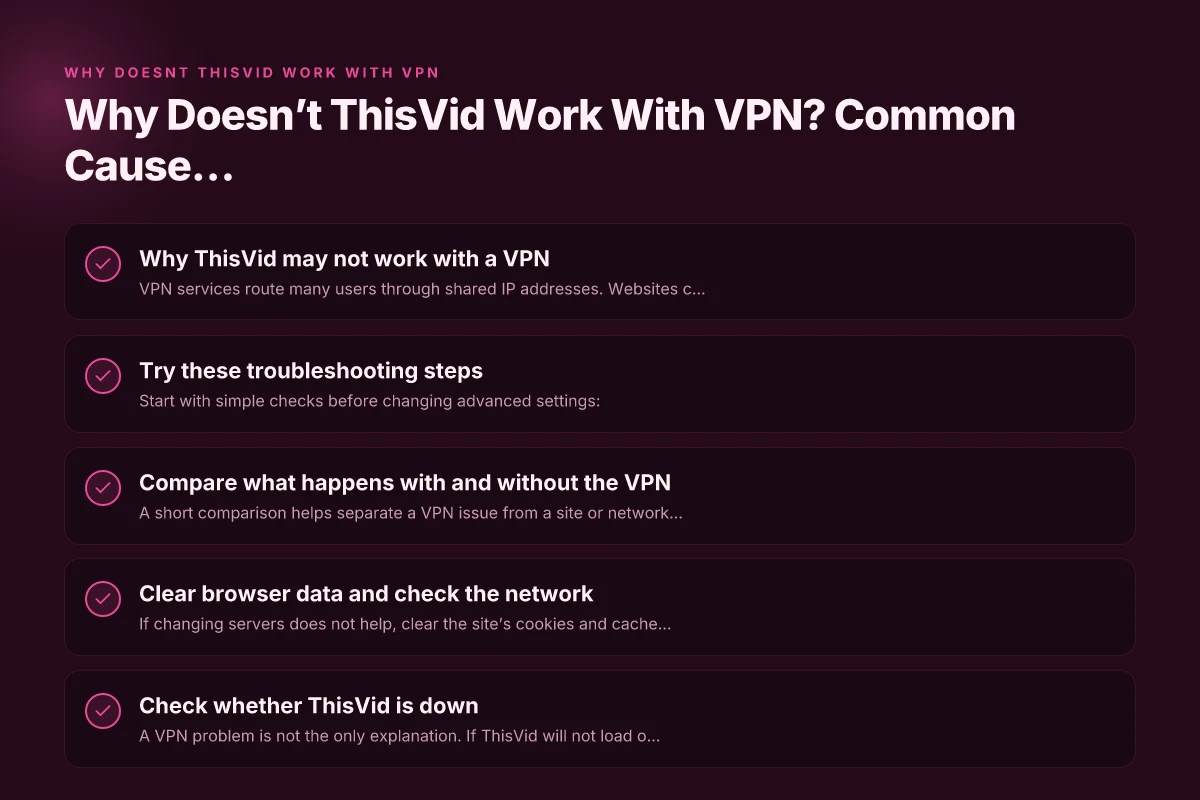
Try these troubleshooting steps
Start with simple checks before changing advanced settings: What Is an Obfuscated VPN? How It Works and When to Use One
- Reconnect to the VPN. Disconnect, wait briefly, and connect again.
- Choose a different VPN server. If one address is blocked or having problems, another may work. Try a different location offered by your provider.
- Reload the site or restart your browser. This can resolve a temporary browser or connection issue.
- Open a private or incognito window. This tests the site without using most existing cookies and browsing data.
- Try another browser or device. If the site works elsewhere, the issue may be specific to the original browser or device.
- Check your VPN settings. Temporarily test whether features such as threat protection or custom DNS are affecting the connection, then turn them back on if they are not the cause.
- Update or restart the VPN app. An outdated app or stuck connection can cause access problems.
Avoid downloading unfamiliar VPN apps just to find one that works. Use a reputable provider and check its support guidance if the problem continues.
Troubleshooting options for ThisVid with a VPN
| Option | What to try | If it helps | If it does not |
|---|---|---|---|
| Compare VPN and non-VPN access | Test both connections | VPN may affect access | Check other causes |
| Clear browser data | Clear stored browser data | Stale data may be involved | Continue troubleshooting |
| Check the network | Test the connection | Network may be involved | Check site status |
| Check ThisVid status | See whether the site is down | Service outage may be the cause | Review local connection |
| Retry playback | Load the video again | Issue may have cleared | Note any error |
| Review the result | Compare tests and errors | Narrow down the cause | Try another check |
Compiled November 2026; check the provider's site for current details.
Compare what happens with and without the VPN
A short comparison helps separate a VPN issue from a site or network problem. Only test without the VPN if doing so is safe and allowed on your network. If privacy is important, keep the VPN on and use the other checks instead. Best Free VPN Extension for Edge Browser: Top Picks and What to Know
| Test result | What it may indicate | What to try next |
|---|---|---|
| ThisVid loads without the VPN but not with it | The VPN server IP, VPN settings, or routing may be the issue | Connect to another server or contact your VPN provider |
| ThisVid fails both with and without the VPN | The site, browser, device, or network may be the cause | Try another browser or network and check for an outage |
| ThisVid works on another device using the same VPN | A browser or device setting may be interfering | Clear site data, update the browser, or review device settings |
| Other websites also fail while the VPN is on | The VPN connection or its settings may be affecting internet access | Reconnect, review DNS or security features, and contact VPN support |
This comparison is a clue, not proof. Some networks and services behave differently depending on the device, location, or browser.
Clear browser data and check the network
If changing servers does not help, clear the site’s cookies and cached files, then try again. Be aware that clearing cookies may sign you out of websites. Testing in a private window first is a convenient way to see whether stored browser data is involved.
Also consider whether a network rule is causing the problem. School, workplace, public Wi-Fi, and household networks may filter certain sites or VPN connections. If possible, test on another trusted network. If the site works there, the original network may be restricting access.
Do not change router or DNS settings unless you understand the effect, or have permission to do so. If a VPN’s support team recommends a specific setting, follow its instructions and restore the original configuration if it makes no difference. Flex Vision Won’t Work With Surfshark VPN: How to Troubleshoot It
Where to start based on what happens
| What happens | First check | Next step | Possible clue |
|---|---|---|---|
| Works without VPN only | Compare VPN access | Check the network | VPN connection may matter |
| Fails with and without VPN | Check ThisVid status | Clear browser data | Site or browser issue may be involved |
| Error changes when VPN is off | Note both errors | Compare access again | VPN may affect the request |
| Video does not start | Retry playback | Check the network | Connection may be involved |
| Site appears unavailable | Check ThisVid status | Retry later | ThisVid may be down |
| Results are inconsistent | Clear browser data | Repeat both tests | Stored data may be involved |
Compiled November 2026; check the provider's site for current details.
Check whether ThisVid is down
A VPN problem is not the only explanation. If ThisVid will not load on different browsers, devices, or networks, the site may be temporarily unavailable. Check a site-status service or the site’s official updates, if available, and try again later.
Status reports can be delayed or incomplete, so confirm with more than one check where practical. Avoid repeatedly changing VPN or browser settings when the same problem occurs everywhere. That pattern points more toward an outage or a broader access issue. What Is My IP NordVPN? How to Check Your IP Address
Recommendation
First try a different VPN server, then test in a private window or another browser. Compare results on a different network if it is safe to do so, and check whether ThisVid is down. If the site works without the VPN but consistently fails through several VPN servers, contact your VPN provider for help with that service.