VPN PES Download: How to Choose and Install a VPN for eFootball
Learn how to choose, download, and safely use a VPN with PES or eFootball on PC, console, or mobile.
If you searched for “vpn pes download,” you’re likely looking for a VPN to use while playing Pro Evolution Soccer (PES), now known as eFootball, or for help downloading a VPN for your gaming device. The safest approach is to choose a reputable VPN, download its official app for your platform, and test the connection before launching the game. A VPN is optional: eFootball does not generally require one, and using one may increase latency or conflict with the game’s network or account rules.

Editor's pick: NordVPN — fast, secure VPN — Strong encryption, a no-logs policy and apps for every device. 30-day money-back guarantee. Get NordVPN →
VPN approaches for eFootball: what “VPN PES download” can mean
| Approach | What it means | Typical setup | Main consideration |
|---|---|---|---|
| VPN app | Install a VPN service on your device | App from the provider | Choose a reputable provider |
| Router VPN | Connect a VPN-enabled router | Configure the router | Covers connected devices |
| PC sharing | Share a PC’s VPN connection | PC acts as a gateway | PC must stay connected |
| Console VPN | Route console traffic through a VPN | Router or PC sharing | Consoles may not support VPN apps |
| Mobile VPN | Use a VPN app on a phone or tablet | Install and connect | Check game and app compatibility |
| Proxy | Route selected traffic through another server | Configure app or network | Not always encrypted like a VPN |
| Unofficial download | Get a VPN installer from an unknown source | Side-loaded file | Avoid malware and fake apps |
Compiled November 2026; check the provider's site for current details.
| VPN | Obfuscation | From / month | Plan | Free plan | Refund | Alipay | UnionPay | Crypto | Website opens in China | Trustpilot | |
|---|---|---|---|---|---|---|---|---|---|---|---|
 ZoogVPN | Turn on manually Shadow | $2.49/mo | 27 months: $59.99 | Yes | 7 days | ✓ | ✓ | ✓ | ✓ | Official site blocked; our special link opens (4.4 s) | 4.2/5 (195 reviews) |
 NordVPN | Turn on manually Obfuscated Servers / NordWhisper | $3.49/mo | 27 months: $94.23 | No | 30 days | ? | ✗ | ✓ | ✓ | ✗ Blocked | 4.2/5 (51,628 reviews) |
 ExpressVPN | ✓ On by default all servers | $3.00/mo | 28 months: $84 | No | 30 days | ✗ | ✗ | ✓ | ✗ | ✗ Blocked | 4.4/5 (29,706 reviews) |
 Surfshark | ✓ On by default Camouflage, with OpenVPN | See site | See site | No | 30 days | ✗ | ✗ | ✗ | ✓ | ✗ Blocked | 4.3/5 (31,823 reviews) |
 Proton VPN | Turn on manually Stealth, free plan too | $2.99/mo | 12 months: $35.88 | Yes | 30 days | ✗ | ✗ | ✗ | ✓ | ✗ Blocked | 2.1/5 (1,040 reviews) |
 Astrill VPN | Turn on manually StealthVPN / OpenWeb | $12.50/mo | 24 months: $300 | No | See site | ✗ | ✗ | ✗ | ✓ | ✗ Blocked | 1.3/5 (110 reviews) |
 Private Internet Access | Turn on manually Shadowsocks, OpenVPN only | $2.03/mo | 40 months: $81.2 | No | 30 days | ✗ | ✗ | ✗ | ✗ | ✗ Blocked | 4.2/5 (11,033 reviews) |
 CyberGhost | Turn on manually selected servers | $2.19/mo | 28 months: $61.32 | No | 45 days | ✗ | ✗ | ✗ | ✓ | ✗ Blocked | 4.0/5 (24,178 reviews) |
 PureVPN | Turn on manually switch to OpenVPN | $1.69/mo | 60 months: $101.55 | No | 31 days | ? | ? | ✗ | ✓ | ✗ Blocked | 4.4/5 (17,994 reviews) |
 AdGuard VPN | ✓ On by default TrustTunnel | $2.99/mo | 24 months: $71.76 | Yes | 30 days | ✓ | ✗ | ✓ | ✓ | Official site blocked; our special link opens (3.7 s) | 4.3/5 (290 reviews) |
 Mullvad | Turn on manually QUIC / Shadowsocks / LWO | $5.61/mo | €5/mo | No | 14 days | ✗ | ✗ | ✗ | ✓ | ✗ Blocked | 3.2/5 (192 reviews) |
 Windscribe | Turn on manually Stealth / WStunnel | $5.75/mo | 12 months: $69 | Yes | See site | ✗ | ✗ | ✗ | ✓ | ✗ Blocked | 4.7/5 (13,355 reviews) |
 StrongVPN | Turn on manually Scramble, OpenVPN TCP | See site | See site | No | 30 days | ✓ | ✗ | ✗ | ✗ | ✗ Blocked | 4.4/5 (2,695 reviews) |
 LightXtreme 闪连 | Not listed | $7.08/mo | 12 months: $84.99 | Yes | 30 days | ✓ | ✓ | ✓ | ✓ | ✓ Yes (3.5 s) | No page |
Prices checked 2026-11-10 on each vendor's pricing page (cheapest long plan, USD). Check the vendor's checkout for the final price.
Obfuscation checked 2026-11-14 on each vendor's site and help center: "on by default" = nothing to set; "turn on manually" = switch protocol or mode in settings; "not listed" = the vendor describes no obfuscation.
Payment methods checked 2026-11-10 on each vendor's payment pages: all 14 take cards and PayPal; ✗ = not listed, ? = the vendor's own pages disagree.
China access: whether the official website opens from mainland China networks (tests the website only, not the VPN connection). Last checked 2026-11-18 01:02 Beijing time.
Trustpilot score and review count checked 2026-11-10.
What “VPN PES download” usually means
A VPN, or virtual private network, encrypts traffic between your device and a VPN provider’s server. People may use one for added privacy on public Wi-Fi, to troubleshoot a routing issue, or to connect through a different network location.
There is no single official “PES VPN” that every player needs. PES has transitioned to the eFootball series, and the exact connection options depend on the version, platform, and region. A VPN is separate software, so download it from the VPN provider, not from a site offering a modified game installer or an unofficial “PES VPN” package.
A VPN also does not make a game account, paid content, or regional access legitimate. Avoid tools that promise free coins, unlocked items, guaranteed matchmaking advantages, or account recovery. These claims can be misleading and may put your device or account at risk.
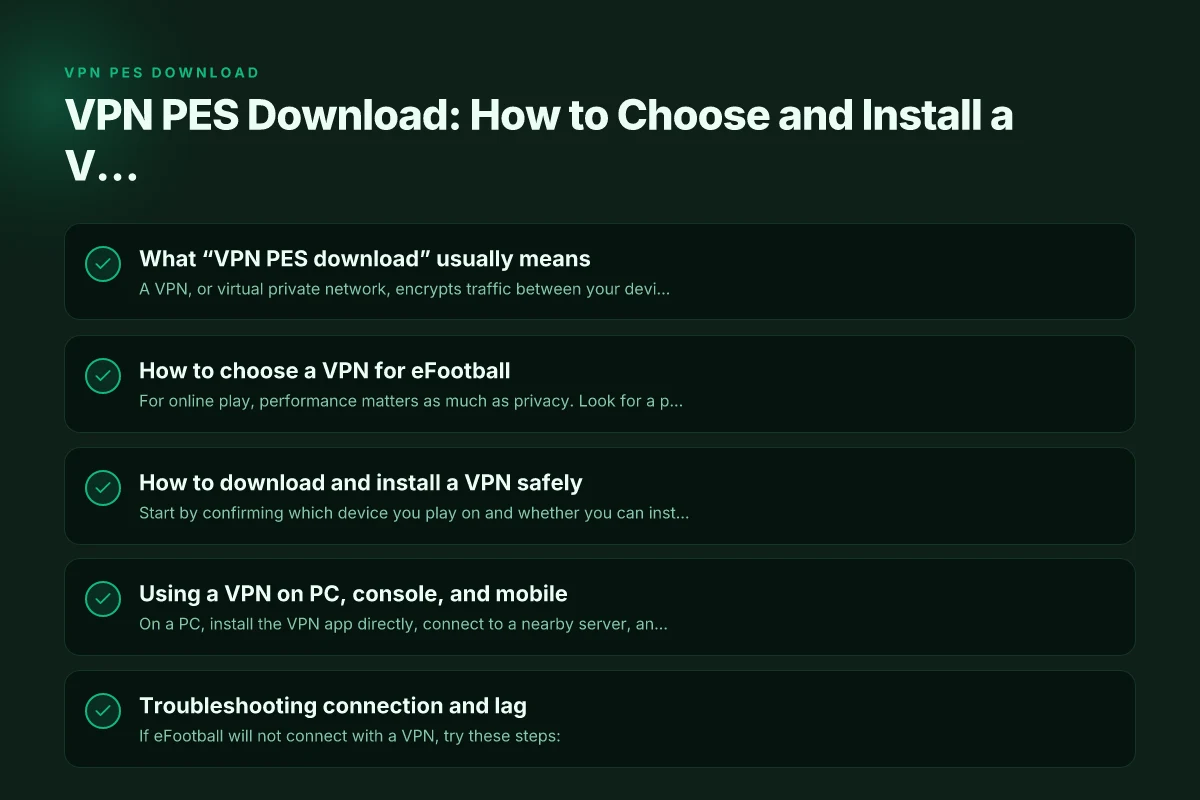
How to choose a VPN for eFootball
For online play, performance matters as much as privacy. Look for a provider with clearly explained privacy practices, reliable apps for your devices, and servers in locations that are sensible for your actual connection. iOS VPN Auto Connect: How to Set It Up and Stop Unwanted Connections
Prioritize these features:
- Nearby servers: A close server often offers better latency than a distant one, though results vary by provider and internet route.
- Stable performance: Look for a reputable service with a track record of dependable connections.
- Appropriate device support: Check compatibility with your PC, phone, router, or console setup before paying.
- Clear privacy information: Review what data the provider collects and how it handles connection logs.
- Account security: Use a strong password and multifactor authentication if the provider offers it.
- Transparent pricing: Check the renewal price, cancellation policy, and whether a free plan has limits.
| Option | Best for | What to consider |
|---|---|---|
| No VPN | Most players with a stable home connection | Usually the simplest option; offers no VPN-specific privacy protection |
| Reputable paid VPN | Privacy on untrusted Wi-Fi or careful connection testing | Subscription cost, latency, server availability, and provider policies |
| Free VPN | Limited, occasional testing | Data caps, congestion, fewer locations, and unclear privacy practices can be concerns |
| Unofficial “gaming VPN” download | None | Avoid unknown installers, cracked apps, and downloads that promise cheats or account benefits |
A VPN cannot guarantee lower ping. It may improve a poor route in some cases, but it can also add distance and processing overhead. If your main problem is lag, test your regular connection first and compare it with a nearby VPN server rather than assuming a VPN will help.
Choosing a VPN for eFootball
| Factor | What to look for | Why it matters | Check before choosing |
|---|---|---|---|
| Server locations | Nearby and relevant locations | Distance can affect latency | Server list and availability |
| Connection stability | Reliable, consistent connections | Drops can interrupt play | Reviews and trial options |
| Speed | Suitable performance for your connection | VPN routing may add overhead | Test during your usual play time |
| Device support | Apps or setup guidance for your devices | Setup differs across platforms | PC, mobile, router, or console needs |
| Privacy | Clear privacy policy | The provider handles your traffic | Data collection and retention terms |
| Security | Reputable app and secure connections | Helps protect network traffic | Official download source |
| Support | Helpful troubleshooting resources | Useful when setup fails | Support channels and setup guides |
| Cost and terms | Transparent pricing and cancellation | Avoid unexpected charges | Renewal and refund terms |
Compiled November 2026; check the provider's site for current details. VPN for Android TV: How to Choose, Install, and Use One
How to download and install a VPN safely
Start by confirming which device you play on and whether you can install a VPN on it. Windows, macOS, Android, and iOS commonly support VPN apps. Console support varies: some consoles do not run standard VPN apps directly, so a compatible router may be needed. Router setup requires care and can affect every device on the network.
Use this safe download process:
- Choose a provider. Research its privacy policy, platform support, pricing, and cancellation terms.
- Go to the official source. Download the app from the provider’s official website or your device’s official app store.
- Check the publisher. Confirm the developer name and app details before installing.
- Install and sign in. Use a unique password, and enable multifactor authentication where available.
- Review the settings. Keep security features enabled unless you understand why a setting needs to change.
- Connect to a nearby server. Pick a location close to your physical location for an initial performance test.
- Launch eFootball and test. Compare connection stability with and without the VPN.
Do not download VPN APK files, installers, or “PES VPN” tools from unknown file-sharing pages. Avoid cracked software and apps that request unnecessary permissions. A VPN cannot protect you from every threat, and a malicious VPN app may collect data instead of protecting it.
Using a VPN on PC, console, and mobile
On a PC, install the VPN app directly, connect to a nearby server, and then start the game. If the game fails to connect, disconnect the VPN and test again. You can also check whether your firewall or security software is blocking the game or VPN. Why Is My VPN Automatically On Work iPhone? Causes and Fixes
On Android or iPhone, install the official app through Google Play or the App Store. Keep both the VPN app and eFootball updated. Mobile networks may change between Wi-Fi and cellular data, which can interrupt a match, so test the setup before relying on it.
On a console, first check the console maker’s current network guidance and your VPN provider’s instructions. A router-based VPN may be an option, but the setup is more technical. Do not change router settings if you are unsure how to restore them, and remember that a router VPN may route other household devices through the same server.
If your goal is to play in another region, check the game’s terms and the VPN provider’s rules first. Changing your apparent location may affect matchmaking, store availability, payments, or account access. A VPN does not guarantee that a region-specific feature will work.
Safe installation and troubleshooting checklist VPN for Students 2025: How to Choose the Right One
| Situation | Recommended action | Avoid | Next check |
|---|---|---|---|
| Downloading the app | Use the provider’s official site or app store | Unofficial APKs and download mirrors | Confirm the app publisher |
| Installing on PC or mobile | Follow the provider’s setup instructions | Unrequested installers or bundled software | Review app permissions |
| Setting up a console | Use router VPN or PC sharing if needed | Assuming the console has a VPN app | Confirm device compatibility |
| VPN connects but game fails | Try another server or reconnect | Repeatedly changing unrelated settings | Test the game without VPN |
| High lag | Choose a closer server and compare results | Assuming a VPN always reduces ping | Check baseline connection speed |
| Connection drops | Try a stable protocol or server | Playing through an unreliable connection | Check local Wi-Fi or Ethernet |
| Login or matchmaking issue | Switch servers or temporarily disconnect | Sharing account details with support strangers | Check game service status |
| Still having trouble | Contact the VPN provider and game support | Installing unknown “fix” tools | Note device, server, and error message |
Compiled November 2026; check the provider's site for current details.
Troubleshooting connection and lag
If eFootball will not connect with a VPN, try these steps:
- Disconnect the VPN and check whether the game works normally.
- Restart the game and VPN app, then test a nearby server.
- Switch between a small number of nearby servers rather than repeatedly hopping across distant locations.
- Check the game’s service status and your internet connection.
- Update the game, VPN app, and device operating system.
- Contact the VPN provider or game support if the problem continues.
For lag, compare your ping and match stability with the VPN on and off under similar network conditions. If the VPN makes performance worse, leave it off while playing. A wired connection on PC or console, a stronger Wi-Fi signal, and reducing other household network traffic may help more than a VPN.
Recommendation
For most players, the best starting point is to play eFootball without a VPN and use one only when you have a clear privacy or troubleshooting reason. If you decide to try one, download a reputable provider’s official app, choose a nearby server, and compare performance before playing competitively. Avoid unofficial “PES VPN” downloads and any service promising cheats, free items, or guaranteed access. Why Does My Phone Keep Wanting to Connect to VPN? Causes and Fixes