VPN for Students 2026: How to Choose the Right One
Find out what a student VPN can do, what to look for in 2025, and how to choose a safe, affordable option.
If you’re looking for a VPN for students in 2025, choose a reputable service with a clear privacy policy, strong encryption, reliable speeds, and a price that fits your budget. A VPN can help protect your internet traffic on public Wi-Fi at libraries, cafés, airports, or shared housing. It can also help you access your usual services while traveling, depending on local laws and the service’s terms. It is not a substitute for antivirus software, secure passwords, or your school’s network rules.

Editor's pick: NordVPN — fast, secure VPN — Strong encryption, a no-logs policy and apps for every device. 30-day money-back guarantee. Get NordVPN →
A practical checklist for choosing a student VPN
| Criterion | What to look for | Why students may need it | Check before subscribing |
|---|---|---|---|
| Privacy policy | Clear data-collection and retention practices | Helps you understand what information the provider keeps | Read the policy, not just the summary |
| Security | Current encryption and secure connection options | Protects traffic on shared networks | Check supported protocols and security features |
| Ease of use | Simple apps for your devices | Makes it easier to connect consistently | Confirm your devices are supported |
| Connection performance | Stable speeds for calls and study | Reduces interruptions during online classes | Test it during a trial if available |
| Server locations | Locations useful for your studies and travel | Can help when accessing services away from home | Check the locations you actually need |
| Streaming support | Works with the services you use | May help when traveling, subject to service rules | Verify current compatibility; it can change |
| Cost and plans | Price and terms that fit a student budget | Helps avoid paying for unused features | Check renewal prices and cancellation terms |
| Support | Accessible help and setup guidance | Useful if the connection or app fails | Review support channels and availability |
Compiled November 2026; check the provider's site for current details.
| VPN | Obfuscation | From / month | Plan | Free plan | Refund | Alipay | UnionPay | Crypto | Website opens in China | Trustpilot | |
|---|---|---|---|---|---|---|---|---|---|---|---|
 ZoogVPN | Turn on manually Shadow | $2.49/mo | 27 months: $59.99 | Yes | 7 days | ✓ | ✓ | ✓ | ✓ | Official site blocked; our special link opens (4.4 s) | 4.2/5 (195 reviews) |
 NordVPN | Turn on manually Obfuscated Servers / NordWhisper | $3.49/mo | 27 months: $94.23 | No | 30 days | ? | ✗ | ✓ | ✓ | ✗ Blocked | 4.2/5 (51,628 reviews) |
 ExpressVPN | ✓ On by default all servers | $3.00/mo | 28 months: $84 | No | 30 days | ✗ | ✗ | ✓ | ✗ | ✗ Blocked | 4.4/5 (29,706 reviews) |
 Surfshark | ✓ On by default Camouflage, with OpenVPN | See site | See site | No | 30 days | ✗ | ✗ | ✗ | ✓ | ✗ Blocked | 4.3/5 (31,823 reviews) |
 Proton VPN | Turn on manually Stealth, free plan too | $2.99/mo | 12 months: $35.88 | Yes | 30 days | ✗ | ✗ | ✗ | ✓ | ✗ Blocked | 2.1/5 (1,040 reviews) |
 Astrill VPN | Turn on manually StealthVPN / OpenWeb | $12.50/mo | 24 months: $300 | No | See site | ✗ | ✗ | ✗ | ✓ | ✗ Blocked | 1.3/5 (110 reviews) |
 Private Internet Access | Turn on manually Shadowsocks, OpenVPN only | $2.03/mo | 40 months: $81.2 | No | 30 days | ✗ | ✗ | ✗ | ✗ | ✗ Blocked | 4.2/5 (11,033 reviews) |
 CyberGhost | Turn on manually selected servers | $2.19/mo | 28 months: $61.32 | No | 45 days | ✗ | ✗ | ✗ | ✓ | ✗ Blocked | 4.0/5 (24,178 reviews) |
 PureVPN | Turn on manually switch to OpenVPN | $1.69/mo | 60 months: $101.55 | No | 31 days | ? | ? | ✗ | ✓ | ✗ Blocked | 4.4/5 (17,994 reviews) |
 AdGuard VPN | ✓ On by default TrustTunnel | $2.99/mo | 24 months: $71.76 | Yes | 30 days | ✓ | ✗ | ✓ | ✓ | Official site blocked; our special link opens (3.7 s) | 4.3/5 (290 reviews) |
 Mullvad | Turn on manually QUIC / Shadowsocks / LWO | $5.61/mo | €5/mo | No | 14 days | ✗ | ✗ | ✗ | ✓ | ✗ Blocked | 3.2/5 (192 reviews) |
 Windscribe | Turn on manually Stealth / WStunnel | $5.75/mo | 12 months: $69 | Yes | See site | ✗ | ✗ | ✗ | ✓ | ✗ Blocked | 4.7/5 (13,355 reviews) |
 StrongVPN | Turn on manually Scramble, OpenVPN TCP | See site | See site | No | 30 days | ✓ | ✗ | ✗ | ✗ | ✗ Blocked | 4.4/5 (2,695 reviews) |
 LightXtreme 闪连 | Not listed | $7.08/mo | 12 months: $84.99 | Yes | 30 days | ✓ | ✓ | ✓ | ✓ | ✓ Yes (3.5 s) | No page |
Prices checked 2026-11-10 on each vendor's pricing page (cheapest long plan, USD). Check the vendor's checkout for the final price.
Obfuscation checked 2026-11-14 on each vendor's site and help center: "on by default" = nothing to set; "turn on manually" = switch protocol or mode in settings; "not listed" = the vendor describes no obfuscation.
Payment methods checked 2026-11-10 on each vendor's payment pages: all 14 take cards and PayPal; ✗ = not listed, ? = the vendor's own pages disagree.
China access: whether the official website opens from mainland China networks (tests the website only, not the VPN connection). Last checked 2026-11-18 01:02 Beijing time.
Trustpilot score and review count checked 2026-11-10.
What a VPN does for students
A virtual private network, or VPN, creates an encrypted connection between your device and a VPN server. When it is active, people on the same public Wi-Fi network generally have a harder time snooping on your connection. Your internet traffic is routed through the VPN provider, so websites usually see the server’s IP address rather than your home or campus network’s address.
This can be useful if you regularly study in public places or use unfamiliar Wi-Fi. A VPN may also help protect your connection when traveling or when using shared networks in student housing.
But a VPN does not make you completely anonymous. The provider may be able to see some connection information, websites can still identify you when you sign in, and tracking technologies such as cookies can continue to work. A VPN also cannot guarantee that every app or website will be available.
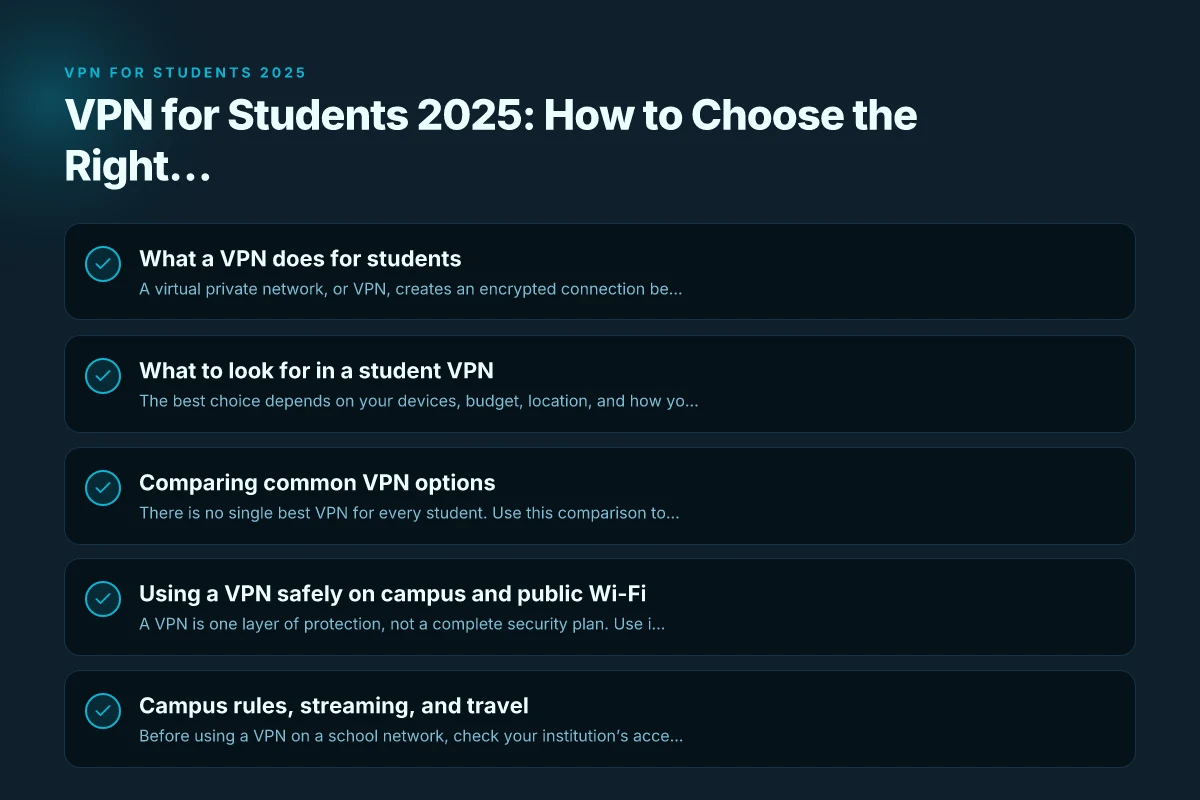
What to look for in a student VPN
The best choice depends on your devices, budget, location, and how you plan to use the service. Compare these features before signing up: Why Does My Phone Keep Wanting to Connect to VPN? Causes and Fixes
- Privacy practices: Read the privacy policy and find out what data the provider collects, how long it keeps it, and whether its no-logs claims have been independently reviewed.
- Security: Look for modern encryption, secure VPN protocols, and features such as a kill switch that can block internet access if the VPN connection drops.
- Speed and reliability: Video lectures, online exams, research databases, and video calls need a stable connection. Check recent independent tests and the provider’s refund terms.
- Device support: Confirm that the VPN works with your laptop and phone operating systems. Check how many devices one subscription can cover.
- Price and renewal terms: Compare the full cost, not just the introductory offer. Check the renewal price, cancellation process, and student discounts.
- Support: Helpful setup guides and responsive customer service can make a difference if you have trouble connecting.
Avoid choosing a service solely because it is free. Some free VPNs impose tight data limits or slow speeds. Others may rely on advertising or collect more information than you expect. Review the provider’s business model and privacy terms before installing an app.
Comparing common VPN options
There is no single best VPN for every student. Use this comparison to identify what matters most, then check providers’ current features and prices directly.
| Option | Potential advantages | Things to check |
|---|---|---|
| Free VPN plan | No subscription fee; useful for occasional, light use | Data limits, speeds, server locations, privacy practices |
| Paid VPN subscription | Often offers more servers, higher limits, and broader device support | Renewal price, cancellation rules, privacy policy |
| University VPN | May provide access to institution-only resources | Usually intended for campus services, not general privacy; follow university instructions |
| No VPN | Avoids subscription costs and can be suitable on trusted connections | Take extra care on public Wi-Fi; use HTTPS and keep devices updated |
A university VPN is different from a commercial privacy VPN. Schools often provide one so students can access library databases, research tools, or internal systems from off campus. Ask your IT department which option you need. Installing a personal VPN may not provide access to university resources, and connecting to a commercial service may be restricted on some campus networks.
Comparing common VPN options for students Best VPN Student Discount: Top Picks, Deals, and How to Choose
| Option | Privacy on shared Wi-Fi | Ease of use | Best suited to | Main consideration |
|---|---|---|---|---|
| Commercial VPN service | Adds an encrypted connection | Usually app-based | Students who want a dedicated VPN | Provider practices and plan terms vary |
| University-provided VPN | Depends on university configuration | Often requires campus instructions | Accessing university systems remotely | May be limited to institutional access |
| Browser VPN or proxy | Usually covers browser traffic only | Often quick to enable | Specific browser-based needs | Does not necessarily protect other apps |
| Free VPN service | Varies by provider | Often app-based | Limited use when terms are acceptable | Review privacy, limits, and business model |
| Mobile carrier connection | Avoids the local Wi-Fi network | Built into a phone plan | A convenient alternative on the go | Uses mobile data and plan coverage |
| Public Wi-Fi without a VPN | No VPN encryption layer | Simple to connect | Low-sensitivity tasks on a trusted site | Avoid sensitive activity on untrusted networks |
| University Wi-Fi | Campus-managed connection | Usually straightforward | On-campus study and services | Follow campus security and acceptable-use rules |
Compiled November 2026; check the provider's site for current details.
Using a VPN safely on campus and public Wi-Fi
A VPN is one layer of protection, not a complete security plan. Use it alongside basic precautions:
- Install the app from the provider’s official website or your device’s trusted app store.
- Turn on automatic updates and use the VPN’s recommended secure protocol.
- Enable the kill switch if available, particularly when handling sensitive work.
- Verify the network name with staff before joining public Wi-Fi. Fake hotspots can imitate legitimate ones.
- Use HTTPS websites, unique passwords, and multifactor authentication.
- Keep your operating system, browser, and security software up to date.
- Disconnect or check with campus IT if a VPN interferes with school systems or assessments.
A VPN cannot protect you from phishing messages, malicious downloads, compromised accounts, or unsafe websites. Be cautious with links and attachments, and do not assume that an encrypted connection makes an untrustworthy service safe.
Campus rules, streaming, and travel
Before using a VPN on a school network, check your institution’s acceptable-use policy. Some universities limit certain VPN connections, and managed devices may have rules about installing outside software. During online exams, follow the exam provider’s instructions. A VPN can trigger security checks or prevent the testing platform from working. Best VPN for Students: Affordable, Safe Picks for Campus Life
VPN access also does not automatically grant permission to view content from another region. Streaming services and other platforms set their own terms, and access can vary by provider and location. When traveling, check local laws and the rules of the services you use. If you need to connect to a school’s resources, use the university VPN and setup instructions rather than guessing.
Choosing what to do on campus, while streaming, or when traveling
| Situation | Practical choice | Check first | Important caution |
|---|---|---|---|
| Using public Wi-Fi | Use a trusted VPN when appropriate | Confirm the VPN is connected | A VPN does not make every site or app safe |
| Accessing university resources | Follow the university’s VPN instructions | Check whether institutional access requires its VPN | A commercial VPN may not grant campus-system access |
| Connecting on campus | Follow campus network policies | Review acceptable-use rules | Do not use a VPN to bypass campus restrictions |
| Joining an online class | Prefer a stable, suitable connection | Test audio and video before class | VPN routing can affect connection performance |
| Streaming while at home | Check the streaming service’s terms | Verify current service compatibility | Access and availability can change |
| Streaming while abroad | Check local availability and service rules | Confirm the service permits the intended use | A VPN does not guarantee access to a catalog |
| Traveling with a VPN | Install and test apps before leaving | Check local laws and network requirements | VPN rules differ by location |
| Choosing a subscription | Match features to your needs | Review renewal, cancellation, and privacy terms | Avoid paying for features you will not use |
Compiled November 2026; check the provider's site for current details.
Recommendation
For most students in 2025, a reputable paid VPN is worth considering if you often use public Wi-Fi, need reliable protection across several devices, or travel frequently. Compare privacy practices, speed, device limits, and the actual renewal price before subscribing. If you only need access to university databases, start with your school’s VPN. Whatever you choose, follow campus rules and treat a VPN as one useful security tool, not a guarantee of privacy or safety. IProVPN Review: Features, Privacy, Speed, and Who It’s For