How to Turn Your VPN Off Safely, and When You Shouldn’t
Learn how to switch off a VPN on common devices, what changes when you do, and how to protect your privacy afterward.
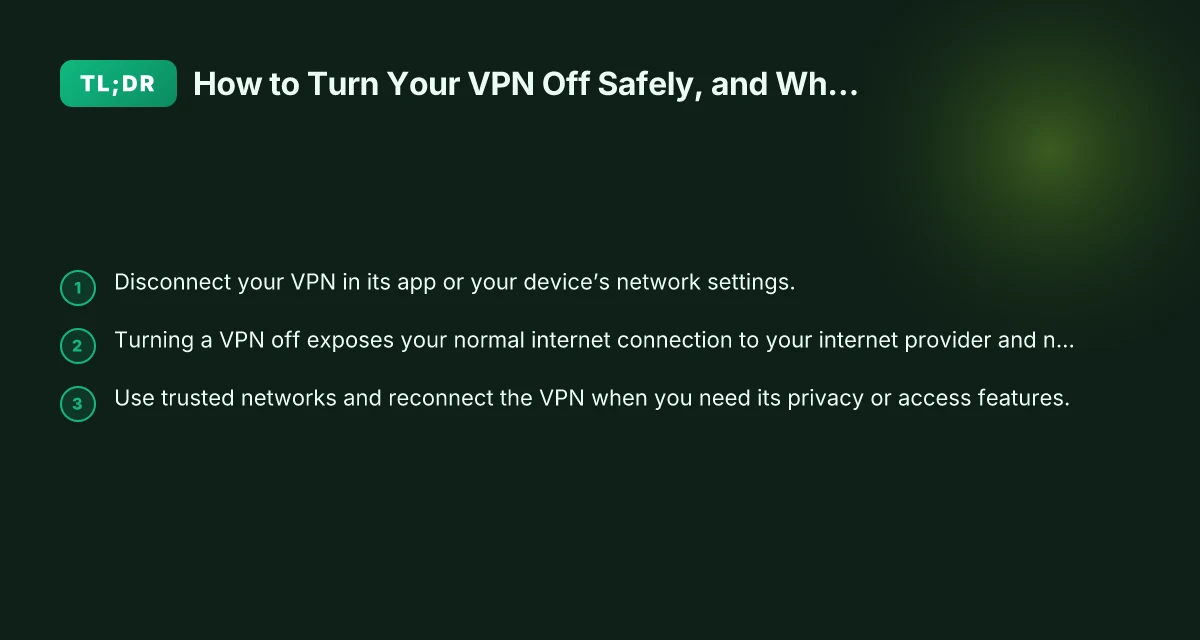
If you want your VPN off, disconnect it in the VPN app or turn it off in your device’s network settings. Your internet connection will then use your regular network rather than the VPN server. That may resolve connection problems or restore access to a service, but it also means your internet provider and the websites you visit can see your usual connection details.
The exact steps depend on your device and VPN provider. Before disconnecting, consider whether you are on public Wi-Fi, using a work device, or relying on the VPN for access to a private network.
| VPN | Obfuscation | From / month | Plan | Free plan | Refund | Alipay | UnionPay | Crypto | Website opens in China | Trustpilot | |
|---|---|---|---|---|---|---|---|---|---|---|---|
 ZoogVPN | Turn on manually Shadow | $2.49/mo | 27 months: $59.99 | Yes | 7 days | ✓ | ✓ | ✓ | ✓ | Official site blocked; our special link opens (4.4 s) | 4.2/5 (195 reviews) |
 NordVPN | Turn on manually Obfuscated Servers / NordWhisper | $3.49/mo | 27 months: $94.23 | No | 30 days | ? | ✗ | ✓ | ✓ | ✗ Blocked | 4.2/5 (51,628 reviews) |
 ExpressVPN | ✓ On by default all servers | $3.00/mo | 28 months: $84 | No | 30 days | ✗ | ✗ | ✓ | ✗ | ✗ Blocked | 4.4/5 (29,706 reviews) |
 Surfshark | ✓ On by default Camouflage, with OpenVPN | See site | See site | No | 30 days | ✗ | ✗ | ✗ | ✓ | ✗ Blocked | 4.3/5 (31,823 reviews) |
 Proton VPN | Turn on manually Stealth, free plan too | $2.99/mo | 12 months: $35.88 | Yes | 30 days | ✗ | ✗ | ✗ | ✓ | ✗ Blocked | 2.1/5 (1,040 reviews) |
 Astrill VPN | Turn on manually StealthVPN / OpenWeb | $12.50/mo | 24 months: $300 | No | See site | ✗ | ✗ | ✗ | ✓ | ✗ Blocked | 1.3/5 (110 reviews) |
 Private Internet Access | Turn on manually Shadowsocks, OpenVPN only | $2.03/mo | 40 months: $81.2 | No | 30 days | ✗ | ✗ | ✗ | ✗ | ✗ Blocked | 4.2/5 (11,033 reviews) |
 CyberGhost | Turn on manually selected servers | $2.19/mo | 28 months: $61.32 | No | 45 days | ✗ | ✗ | ✗ | ✓ | ✗ Blocked | 4.0/5 (24,178 reviews) |
 PureVPN | Turn on manually switch to OpenVPN | $1.69/mo | 60 months: $101.55 | No | 31 days | ? | ? | ✗ | ✓ | ✗ Blocked | 4.4/5 (17,994 reviews) |
 AdGuard VPN | ✓ On by default TrustTunnel | $2.99/mo | 24 months: $71.76 | Yes | 30 days | ✓ | ✗ | ✓ | ✓ | Official site blocked; our special link opens (3.7 s) | 4.3/5 (290 reviews) |
 Mullvad | Turn on manually QUIC / Shadowsocks / LWO | $5.61/mo | €5/mo | No | 14 days | ✗ | ✗ | ✗ | ✓ | ✗ Blocked | 3.2/5 (192 reviews) |
 Windscribe | Turn on manually Stealth / WStunnel | $5.75/mo | 12 months: $69 | Yes | See site | ✗ | ✗ | ✗ | ✓ | ✗ Blocked | 4.7/5 (13,355 reviews) |
 StrongVPN | Turn on manually Scramble, OpenVPN TCP | See site | See site | No | 30 days | ✓ | ✗ | ✗ | ✗ | ✗ Blocked | 4.4/5 (2,695 reviews) |
 LightXtreme 闪连 | Not listed | $7.08/mo | 12 months: $84.99 | Yes | 30 days | ✓ | ✓ | ✓ | ✓ | ✓ Yes (3.5 s) | No page |
Prices checked 2026-11-10 on each vendor's pricing page (cheapest long plan, USD). Check the vendor's checkout for the final price.
Obfuscation checked 2026-11-14 on each vendor's site and help center: "on by default" = nothing to set; "turn on manually" = switch protocol or mode in settings; "not listed" = the vendor describes no obfuscation.
Payment methods checked 2026-11-10 on each vendor's payment pages: all 14 take cards and PayPal; ✗ = not listed, ? = the vendor's own pages disagree.
China access: whether the official website opens from mainland China networks (tests the website only, not the VPN connection). Last checked 2026-11-18 01:02 Beijing time.
Trustpilot score and review count checked 2026-11-10.

Editor's pick: NordVPN — fast, secure VPN — Strong encryption, a no-logs policy and apps for every device. 30-day money-back guarantee. Get NordVPN →
Compare what changes when your VPN is on or off
| Factor | VPN on | VPN off | What to consider |
|---|---|---|---|
| Internet connection | Routed through VPN | Uses your regular connection | Check which connection you need |
| IP address shown to sites | VPN server’s IP | Your connection’s IP | VPN off may reveal your usual IP |
| Traffic protection | VPN tunnel is active | VPN tunnel is inactive | Other security protections may still apply |
| Local network visibility | VPN can limit exposure | Device connects without the VPN tunnel | Use caution on public Wi-Fi |
| Access to local services | May be restricted | Often works more directly | Useful for local devices or services |
| Location-based access | Appears to come from VPN server | Reflects your regular connection | Some services may work differently |
| Network speed | May be affected by VPN routing | May improve if the VPN is slowing traffic | Results depend on the network |
| VPN-specific access controls | Active | Inactive | Work or school access may require the VPN |
Compiled November 2026; check the provider's site for current details.
How to turn a VPN off
The simplest method is usually to open your VPN app and tap Disconnect, Stop, or a similar button. If the VPN reconnects automatically, check the app’s settings for options such as auto-connect or always-on VPN.
You can also switch off a VPN through your device’s settings:
- iPhone or iPad: Open Settings and look for VPN. Turn off the VPN connection. The location may vary by iOS version and provider.
- Android: Open Settings, then look under Network & internet or Connections for VPN. Select the active VPN and disconnect. Menu names vary among manufacturers.
- Windows: Open Settings, choose Network & internet, then VPN. Select the connection and choose Disconnect.
- Mac: Open System Settings, then VPN or Network. Select the VPN and disconnect.
- Browser extension: Open the VPN extension in your browser and select Disconnect or switch it off.
If you are unsure which VPN is active, check both the VPN app and your device’s network settings. A browser extension may protect browser traffic only, while a full-device VPN can route traffic from other apps too.
What happens when your VPN is off?
When you disconnect, your device generally returns to its standard internet connection. The VPN server no longer masks your public IP address, so websites may see the IP address assigned by your internet provider or mobile network. Your provider can also see more about your internet activity than it could while your traffic was routed through the VPN, although the details it can observe depend on encryption, websites, apps, and network settings. FortiClient IPsec: Setup, Troubleshooting, and Security Guide
Turning a VPN off may also change:
- Your apparent location: Services may show content based on your actual network location.
- Access to private resources: A company, school, or home network may require its VPN for internal sites and tools.
- Connection performance: Speeds or latency may improve or worsen, depending on the network and VPN server.
- App behavior: Streaming, banking, or other apps may respond differently when your IP address changes.
A VPN does not make you anonymous, and disconnecting one does not automatically make a connection unsafe. It does remove the VPN’s protection for traffic routed through it. HTTPS still encrypts data between your device and secure websites, but it does not hide your IP address from those sites.
VPN off versus VPN on
Whether keeping a VPN on is useful depends on what you are doing and which network you are using.
| Situation | VPN off | VPN on |
|---|---|---|
| Home internet | Uses your regular connection and IP address | Routes supported traffic through the VPN provider |
| Public Wi-Fi | Does not provide the VPN’s extra network privacy | Adds an encrypted tunnel between your device and the VPN server |
| Work or school resources | May block access to internal systems | May be required to reach them |
| Location-dependent services | Usually uses your network’s apparent location | May appear to use the VPN server’s location |
| Connection troubleshooting | Can help test whether the VPN is causing a problem | May add another factor when diagnosing connection issues |
A VPN’s protection is not a substitute for secure websites, updated software, or careful account security. Choose a provider you trust, since the VPN provider handles traffic routed through its servers. EUT VPN Settings: How to Set Up a Secure Connection
Decide whether to turn your VPN off
| Situation | Turn it off? | Why | Before you do |
|---|---|---|---|
| A local device or service will not connect | Maybe | VPN routing can interfere with local access | Try a trusted network |
| A site blocks VPN traffic | Maybe | The site may reject VPN server connections | Consider the privacy trade-off |
| Your connection is unusually slow | Maybe | VPN routing may contribute to slowdowns | Compare performance with and without it |
| You are using public Wi-Fi | Usually no | Your traffic will no longer use the VPN tunnel | Keep the VPN on if you rely on it for protection |
| You need a work or school network | Usually no | Access may depend on the VPN | Follow your organization’s instructions |
| You need your usual IP or location | Maybe | Turning it off uses your regular connection | Check whether that reveals information you want to hide |
| You are troubleshooting a connection | Temporarily | Testing can help identify whether the VPN is involved | Turn it back on after testing |
| You do not know why it is on | Not yet | It may be required for privacy or access | Check the app or network settings first |
Compiled November 2026; check the provider's site for current details.
Why you might turn a VPN off
Temporarily switching it off can be a practical troubleshooting step. Some websites or apps reject VPN connections, and a VPN server may be experiencing an outage or poor performance. Disconnecting briefly can help you check whether the VPN is responsible.
You might also turn it off when: How to Replace VPN: Safe Steps to Switch Providers
- A work or school system requires a different connection method.
- A local device, such as a printer, cannot be reached while the VPN is active.
- A service needs to verify your usual region or network.
- You are comparing connection speed or diagnosing a network issue.
If a service stops working with your VPN, try changing VPN servers or contacting the provider before leaving the VPN off. If you need to disconnect, avoid entering sensitive information until you understand the network you are using.
If the VPN keeps turning back on
A VPN may reconnect because of an auto-connect setting, a device-level always-on option, or a security feature that blocks internet access whenever the VPN disconnects. These settings are designed to keep traffic from switching to an unprotected connection without your knowledge.
Check the VPN app for:
- Auto-connect: Turn it off if you do not want the VPN to start automatically.
- Trusted network rules: The VPN may connect or disconnect based on the Wi-Fi network.
- Kill switch: This may block internet access while the VPN is disconnected.
- Always-on VPN: Your device may be configured to keep the VPN active.
On a managed work or school device, an administrator may control these settings. Do not remove a required VPN profile or change managed security settings without checking with your organization. VPN Free to Change Location: How to Pick and Use One
Troubleshoot a VPN that keeps turning back on
| Check | What to look for | Possible reason | Next step |
|---|---|---|---|
| VPN app settings | Auto-connect or startup options | The app reconnects automatically | Turn off auto-connect if appropriate |
| Device VPN settings | Always-on or on-demand VPN | The operating system enforces a connection | Review the device’s VPN controls |
| Network-specific rules | Rules for Wi-Fi or mobile data | The VPN reconnects on selected networks | Adjust the relevant rule |
| Work or school management | Managed device or required profile | An administrator may require the VPN | Contact your organization’s IT team |
| VPN profile | Multiple or unfamiliar profiles | Another profile may be connecting | Identify the profile before removing it |
| App permissions | VPN permission or connection access | The app may be allowed to manage VPN connections | Review permissions and app settings |
| Restart behavior | VPN returns after reboot | Startup settings may restore the connection | Check startup and auto-connect options |
| Persistent issue | Setting changes do not stick | Management policy or app behavior may override them | Contact the VPN provider or device administrator |
Compiled November 2026; check the provider's site for current details.
Recommendation
Turn your VPN off through its app or your device settings, and check for auto-connect or always-on controls if it reconnects. For routine browsing on a trusted home network, disconnecting may be convenient. On public Wi-Fi or when accessing private work resources, keep the VPN on if it is appropriate and permitted. Reconnect after troubleshooting so you do not leave your traffic routed outside the VPN unintentionally.