VPN Free Change Location: How to Switch Your IP Address Safely
Learn how a free VPN can change your apparent location, what limitations to expect, and how to choose a safer option.
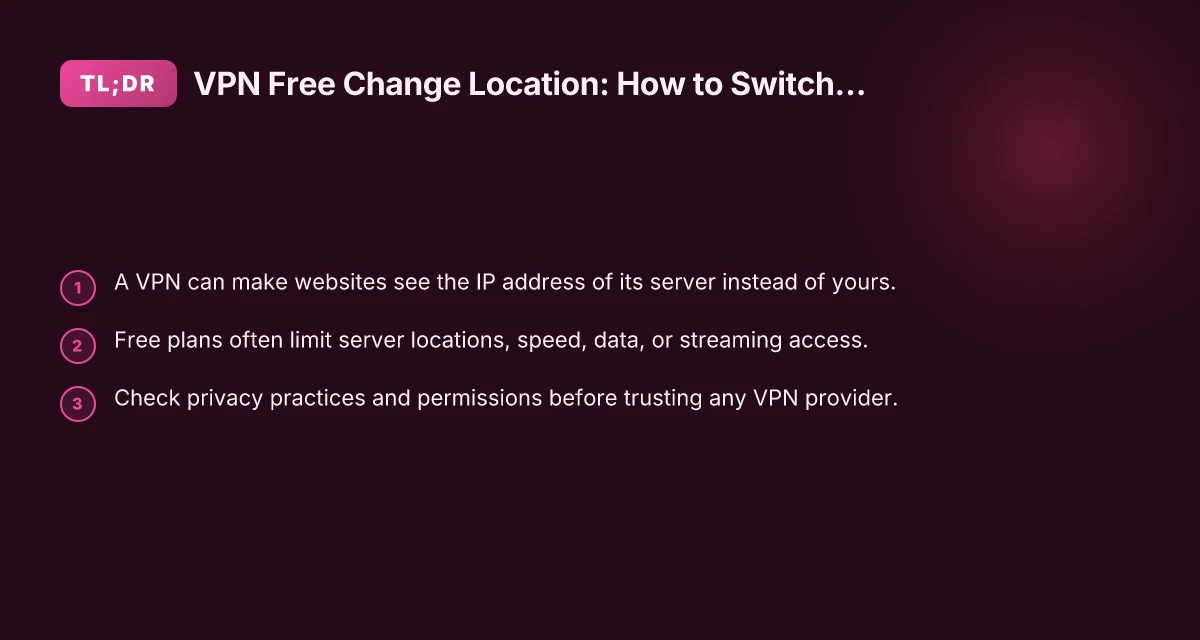
A VPN free change location search usually means you want to make websites see an IP address associated with a different place without paying for a subscription. A free VPN can do this by routing your internet traffic through one of its servers, but it may offer only a few locations and may not reliably unlock regional content. Choose a provider with clear privacy policies, and remember that a VPN changes your apparent IP location, not your physical location or every signal websites use to estimate where you are.

Editor's pick: NordVPN — fast, secure VPN — Strong encryption, a no-logs policy and apps for every device. 30-day money-back guarantee. Get NordVPN →
Free VPN features and trade-offs
| Factor | Free VPN | Paid VPN | What to check |
|---|---|---|---|
| Cost | No subscription fee | Subscription fee | Renewal terms |
| Server locations | Often limited | Often more locations | Country list |
| Server load | May be crowded | Usually more capacity | Connection speed |
| Data allowance | May have a cap | Often higher or unlimited | Monthly limit |
| Location switching | May be restricted | Usually broader choice | Server-selection rules |
| Connection stability | Can vary | Often more consistent | Reliability |
| Privacy policy | Varies by provider | Varies by provider | Logging practices |
| Support | May be limited | Often more support | Help options |
Compiled November 2026; check the provider's site for current details.
| VPN | Obfuscation | From / month | Plan | Free plan | Refund | Alipay | UnionPay | Crypto | Website opens in China | Trustpilot | |
|---|---|---|---|---|---|---|---|---|---|---|---|
 ZoogVPN | Turn on manually Shadow | $2.49/mo | 27 months: $59.99 | Yes | 7 days | ✓ | ✓ | ✓ | ✓ | Official site blocked; our special link opens (4.4 s) | 4.2/5 (195 reviews) |
 NordVPN | Turn on manually Obfuscated Servers / NordWhisper | $3.49/mo | 27 months: $94.23 | No | 30 days | ? | ✗ | ✓ | ✓ | ✗ Blocked | 4.2/5 (51,628 reviews) |
 ExpressVPN | ✓ On by default all servers | $3.00/mo | 28 months: $84 | No | 30 days | ✗ | ✗ | ✓ | ✗ | ✗ Blocked | 4.4/5 (29,706 reviews) |
 Surfshark | ✓ On by default Camouflage, with OpenVPN | See site | See site | No | 30 days | ✗ | ✗ | ✗ | ✓ | ✗ Blocked | 4.3/5 (31,823 reviews) |
 Proton VPN | Turn on manually Stealth, free plan too | $2.99/mo | 12 months: $35.88 | Yes | 30 days | ✗ | ✗ | ✗ | ✓ | ✗ Blocked | 2.1/5 (1,040 reviews) |
 Astrill VPN | Turn on manually StealthVPN / OpenWeb | $12.50/mo | 24 months: $300 | No | See site | ✗ | ✗ | ✗ | ✓ | ✗ Blocked | 1.3/5 (110 reviews) |
 Private Internet Access | Turn on manually Shadowsocks, OpenVPN only | $2.03/mo | 40 months: $81.2 | No | 30 days | ✗ | ✗ | ✗ | ✗ | ✗ Blocked | 4.2/5 (11,033 reviews) |
 CyberGhost | Turn on manually selected servers | $2.19/mo | 28 months: $61.32 | No | 45 days | ✗ | ✗ | ✗ | ✓ | ✗ Blocked | 4.0/5 (24,178 reviews) |
 PureVPN | Turn on manually switch to OpenVPN | $1.69/mo | 60 months: $101.55 | No | 31 days | ? | ? | ✗ | ✓ | ✗ Blocked | 4.4/5 (17,994 reviews) |
 AdGuard VPN | ✓ On by default TrustTunnel | $2.99/mo | 24 months: $71.76 | Yes | 30 days | ✓ | ✗ | ✓ | ✓ | Official site blocked; our special link opens (3.7 s) | 4.3/5 (290 reviews) |
 Mullvad | Turn on manually QUIC / Shadowsocks / LWO | $5.61/mo | €5/mo | No | 14 days | ✗ | ✗ | ✗ | ✓ | ✗ Blocked | 3.2/5 (192 reviews) |
 Windscribe | Turn on manually Stealth / WStunnel | $5.75/mo | 12 months: $69 | Yes | See site | ✗ | ✗ | ✗ | ✓ | ✗ Blocked | 4.7/5 (13,355 reviews) |
 StrongVPN | Turn on manually Scramble, OpenVPN TCP | See site | See site | No | 30 days | ✓ | ✗ | ✗ | ✗ | ✗ Blocked | 4.4/5 (2,695 reviews) |
 LightXtreme 闪连 | Not listed | $7.08/mo | 12 months: $84.99 | Yes | 30 days | ✓ | ✓ | ✓ | ✓ | ✓ Yes (3.5 s) | No page |
Prices checked 2026-11-10 on each vendor's pricing page (cheapest long plan, USD). Check the vendor's checkout for the final price.
Obfuscation checked 2026-11-14 on each vendor's site and help center: "on by default" = nothing to set; "turn on manually" = switch protocol or mode in settings; "not listed" = the vendor describes no obfuscation.
Payment methods checked 2026-11-10 on each vendor's payment pages: all 14 take cards and PayPal; ✗ = not listed, ? = the vendor's own pages disagree.
China access: whether the official website opens from mainland China networks (tests the website only, not the VPN connection). Last checked 2026-11-18 01:02 Beijing time.
Trustpilot score and review count checked 2026-11-10.
How a VPN changes your apparent location
When you connect to a VPN, your device sends internet traffic through a VPN server. Websites generally see the server’s public IP address rather than your home or mobile network’s IP address. If the server is in another city or country, an IP-based lookup may associate your connection with that place.
This can help reduce exposure of your regular IP address to websites and networks. It does not make you anonymous, and it does not hide all identifying information. Accounts you sign in to, cookies, browser settings, GPS access, and other device signals can still reveal information about you.
A VPN also does not change your GPS location, mailing address, or the country associated with a payment method. If a service checks more than your IP address, connecting to a VPN server alone may not change the result.
What to expect from a free VPN
Free VPN plans can be useful for occasional browsing or testing a connection, but they often come with trade-offs. The available locations may be limited, and you may not be able to choose a specific city or country. ProtonVPN Trial: Is There a Free Trial, and What Are Your Options?
Common limits include:
- Fewer server locations: You may only be able to connect to a small selection of countries.
- Data caps: A monthly allowance can run out quickly when streaming or downloading.
- Slower speeds: Free servers can be crowded, especially at busy times.
- Streaming restrictions: Video platforms may block VPN server addresses or limit access by region.
- Fewer features: Some free plans omit advanced settings, support, or protection against connection drops.
A free VPN is not automatically unsafe, but “free” does not explain how a provider pays for its service. Read the privacy policy and look for a clear explanation of data collection, advertising, and any independent security reviews.
Comparing free and paid options
The right choice depends on how often you need to change your apparent location and what you plan to do online.
| Feature | Free VPN plan | Paid VPN plan |
|---|---|---|
| Server locations | Often limited | Usually offers more locations |
| Data allowance | May be capped | Commonly unlimited, subject to the provider’s terms |
| Speed and congestion | Can vary considerably | Often provides more capacity |
| Streaming access | Unpredictable | May work with more services, but is not guaranteed |
| Privacy and support | Varies by provider | May include more features and support |
A paid plan is not automatically trustworthy, and a free plan is not automatically poor. Compare the provider’s policies and security practices rather than relying on price or marketing claims. Also check whether a free trial or money-back period renews automatically and what happens when it ends. Free VPN That Can Change Location: What to Know and Which Options to Try
Checks before connecting to a free VPN
| Check | What to look for | Safer sign | Warning sign |
|---|---|---|---|
| Provider identity | Clear company information | Identifiable provider | Unclear ownership |
| Privacy policy | Data collection and use | Plain-language details | Vague or missing policy |
| Logging | Connection and activity records | Limited, clearly explained collection | Unclear logging claims |
| Permissions | Access requested by the app | Only necessary permissions | Unrelated access requests |
| App source | Download location | Official provider source | Unverified download |
| Connection security | VPN connection status | Protected connection confirmed | Traffic may be unprotected |
| Data limits | Free-plan restrictions | Limits stated clearly | Restrictions hidden |
| Advertising | How the service is funded | Funding explained | Unexpected ads or tracking |
Compiled November 2026; check the provider's site for current details.
How to change your location with a free VPN
The basic setup is similar across reputable VPN apps:
- Choose a provider. Review its privacy policy, ownership details, available locations, and device compatibility.
- Download the official app. Use the provider’s website or your device’s official app store. Avoid unfamiliar download sites.
- Create an account if needed. Provide only the information the service requires, and use a unique password.
- Connect to a server. Pick an available country or region in the app. The location options on a free plan may be restricted.
- Check the connection. Visit a reputable IP-checking site and confirm that the displayed IP country differs from your usual one.
- Disconnect when finished. Turn off the VPN when you no longer need it, especially if it affects your connection speed.
If the displayed location does not change, confirm that the app says “connected,” try another available server, or restart the connection. Some websites store old location information in cookies, so you may need to sign out, clear relevant site data, or open a private browsing window. These steps do not guarantee access to region-restricted services. ProtonVPN Free Trial: How to Try Proton VPN and Choose a Plan
Privacy and safety checks before you connect
A VPN provider can handle your internet traffic, so its privacy practices matter. Before installing an app, check what information it collects and how long it keeps it. Be cautious if the policy is vague, the company is difficult to identify, or the app requests permissions unrelated to VPN operation.
Look for:
- A clearly written privacy policy and identifiable provider
- A straightforward explanation of logging and data retention
- Current information about encryption and connection security
- Independent audits or other credible security assessments, where available
- A kill switch or connection-drop protection, if offered
- No pressure to install unrelated apps or grant unnecessary permissions
Avoid assuming a “no-logs” label is proof on its own. Read what the provider means by that claim, and check whether it has been independently assessed. Keep your device and VPN app updated, and use secure websites for sensitive tasks.
A VPN also does not replace strong passwords, multifactor authentication, or careful browsing. It cannot protect you from every scam, malware infection, or account-tracking method. Free VPN With Location Changer: What to Know Before You Choose
Troubleshooting when a VPN location does not change
| Check | Possible issue | What to try | What success looks like |
|---|---|---|---|
| VPN connection | Not connected | Reconnect to a server | App shows connected |
| Server choice | Server is unavailable | Select another listed location | New server connects |
| Location setting | Wrong server selected | Choose the intended country | VPN lists that location |
| Browser session | Old site data remains | Refresh or reopen the page | Page checks location again |
| App or browser | Location information is cached | Restart the app or browser | Updated location appears |
| Device location | GPS is still enabled | Review device location settings | Location-based app uses expected signal |
| IP check | Check is showing stale results | Reload or use another IP-check page | Result reflects the VPN connection |
| Service restrictions | Site blocks VPN traffic | Try another server or check site rules | Service accepts the connection |
Compiled November 2026; check the provider's site for current details.
Common reasons a location change may not work
Even when a VPN connection is active, a website may still show your usual region. This can happen if the service uses GPS, account details, browser data, or other signals alongside your IP address. A VPN server may also be incorrectly labeled or detected by a website.
Try checking the IP address in a different browser or on another reputable IP-checking site. If only one service gives unexpected results, the issue may be its stored data or location checks rather than the VPN itself. For mobile apps that use GPS, changing your VPN server will not change the device’s GPS coordinates. Free VPN Trial: How to Test a VPN Before You Pay
Follow the terms of the website or service you use. A VPN does not guarantee that a particular service will accept a connection from another region.
Recommendation
For occasional browsing, a reputable free VPN can be a practical way to use a different server location and change the IP address websites see. Choose one with transparent privacy practices, realistic limits, and an official app for your device. If you need reliable access to many locations, higher data limits, or consistent performance, compare reputable paid plans before subscribing.