VPN for PS: How to Choose and Set One Up on PlayStation
Learn what a VPN for PS can do, how to connect one through your router or PC, and what to consider before choosing a service.
A VPN for PS usually means using a virtual private network with a PlayStation console. It can help protect the console’s internet traffic on a shared network, connect through a different region, or provide another route to PlayStation Network and game servers. However, PS4 and PS5 consoles generally do not support installing standard VPN apps directly, so you’ll typically connect the console through a VPN-enabled router or share a VPN connection from a computer.
Before setting one up, consider your goal. A VPN may affect connection speed and latency, and it cannot guarantee access to a particular game, service, or region. Make sure you understand the PlayStation Network terms and the VPN provider’s policies before changing your connection.
| VPN | Obfuscation | From / month | Plan | Free plan | Refund | Alipay | UnionPay | Crypto | Website opens in China | Trustpilot | |
|---|---|---|---|---|---|---|---|---|---|---|---|
 ZoogVPN | Turn on manually Shadow | $2.49/mo | 27 months: $59.99 | Yes | 7 days | ✓ | ✓ | ✓ | ✓ | Official site blocked; our special link opens (4.4 s) | 4.2/5 (195 reviews) |
 NordVPN | Turn on manually Obfuscated Servers / NordWhisper | $3.49/mo | 27 months: $94.23 | No | 30 days | ? | ✗ | ✓ | ✓ | ✗ Blocked | 4.2/5 (51,628 reviews) |
 ExpressVPN | ✓ On by default all servers | $3.00/mo | 28 months: $84 | No | 30 days | ✗ | ✗ | ✓ | ✗ | ✗ Blocked | 4.4/5 (29,706 reviews) |
 Surfshark | ✓ On by default Camouflage, with OpenVPN | See site | See site | No | 30 days | ✗ | ✗ | ✗ | ✓ | ✗ Blocked | 4.3/5 (31,823 reviews) |
 Proton VPN | Turn on manually Stealth, free plan too | $2.99/mo | 12 months: $35.88 | Yes | 30 days | ✗ | ✗ | ✗ | ✓ | ✗ Blocked | 2.1/5 (1,040 reviews) |
 Astrill VPN | Turn on manually StealthVPN / OpenWeb | $12.50/mo | 24 months: $300 | No | See site | ✗ | ✗ | ✗ | ✓ | ✗ Blocked | 1.3/5 (110 reviews) |
 Private Internet Access | Turn on manually Shadowsocks, OpenVPN only | $2.03/mo | 40 months: $81.2 | No | 30 days | ✗ | ✗ | ✗ | ✗ | ✗ Blocked | 4.2/5 (11,033 reviews) |
 CyberGhost | Turn on manually selected servers | $2.19/mo | 28 months: $61.32 | No | 45 days | ✗ | ✗ | ✗ | ✓ | ✗ Blocked | 4.0/5 (24,178 reviews) |
 PureVPN | Turn on manually switch to OpenVPN | $1.69/mo | 60 months: $101.55 | No | 31 days | ? | ? | ✗ | ✓ | ✗ Blocked | 4.4/5 (17,994 reviews) |
 AdGuard VPN | ✓ On by default TrustTunnel | $2.99/mo | 24 months: $71.76 | Yes | 30 days | ✓ | ✗ | ✓ | ✓ | Official site blocked; our special link opens (3.7 s) | 4.3/5 (290 reviews) |
 Mullvad | Turn on manually QUIC / Shadowsocks / LWO | $5.61/mo | €5/mo | No | 14 days | ✗ | ✗ | ✗ | ✓ | ✗ Blocked | 3.2/5 (192 reviews) |
 Windscribe | Turn on manually Stealth / WStunnel | $5.75/mo | 12 months: $69 | Yes | See site | ✗ | ✗ | ✗ | ✓ | ✗ Blocked | 4.7/5 (13,355 reviews) |
 StrongVPN | Turn on manually Scramble, OpenVPN TCP | See site | See site | No | 30 days | ✓ | ✗ | ✗ | ✗ | ✗ Blocked | 4.4/5 (2,695 reviews) |
 LightXtreme 闪连 | Not listed | $7.08/mo | 12 months: $84.99 | Yes | 30 days | ✓ | ✓ | ✓ | ✓ | ✓ Yes (3.5 s) | No page |
Prices checked 2026-11-10 on each vendor's pricing page (cheapest long plan, USD). Check the vendor's checkout for the final price.
Obfuscation checked 2026-11-14 on each vendor's site and help center: "on by default" = nothing to set; "turn on manually" = switch protocol or mode in settings; "not listed" = the vendor describes no obfuscation.
Payment methods checked 2026-11-10 on each vendor's payment pages: all 14 take cards and PayPal; ✗ = not listed, ? = the vendor's own pages disagree.
China access: whether the official website opens from mainland China networks (tests the website only, not the VPN connection). Last checked 2026-11-18 01:02 Beijing time.
Trustpilot score and review count checked 2026-11-10.

Editor's pick: NordVPN — fast, secure VPN — Strong encryption, a no-logs policy and apps for every device. 30-day money-back guarantee. Get NordVPN →
Compare VPN connection methods for PlayStation
| Method | What you need | PlayStation changes | Other devices affected | Best for |
|---|---|---|---|---|
| VPN-enabled router | Router that supports VPN configuration | Connect console to router | All devices using that router may use VPN | Covering several devices |
| Windows PC sharing | Windows PC, VPN app, Ethernet cable | Connect console to PC | PC shares its VPN connection | Ethernet setup |
| Mac sharing | Mac, VPN app, Ethernet cable | Connect console to Mac | Mac shares its VPN connection | Mac users with Ethernet |
| Laptop Wi-Fi hotspot | Laptop with VPN and hotspot support | Connect console to hotspot | Devices on hotspot use its connection | Wireless sharing |
| Smart DNS | DNS service with console-compatible setup | Change network DNS settings | Only devices configured to use it | Region-related access without VPN encryption |
| PlayStation network settings only | Console network settings | Configure supported network options | Only the console | Simple network changes |
Compiled November 2026; check the provider's site for current details.
What a VPN for PS can and cannot do
A VPN creates an encrypted connection between a device or network and a VPN server. When your PlayStation uses that connection, its internet traffic is routed through the VPN server before reaching its destination.
Depending on your setup and provider, a VPN may:
- Add a layer of privacy when using an untrusted or shared network.
- Change the apparent IP address and connection region seen by some online services.
- Provide an alternative route if your usual connection has routing problems.
A VPN is not a cure for every gaming issue. It may not reduce lag, improve your internet plan, or prevent all account and security problems. Because traffic takes an additional route, a VPN can increase ping or reduce throughput. Results depend on your location, the server you select, your internet provider, and the provider’s network.
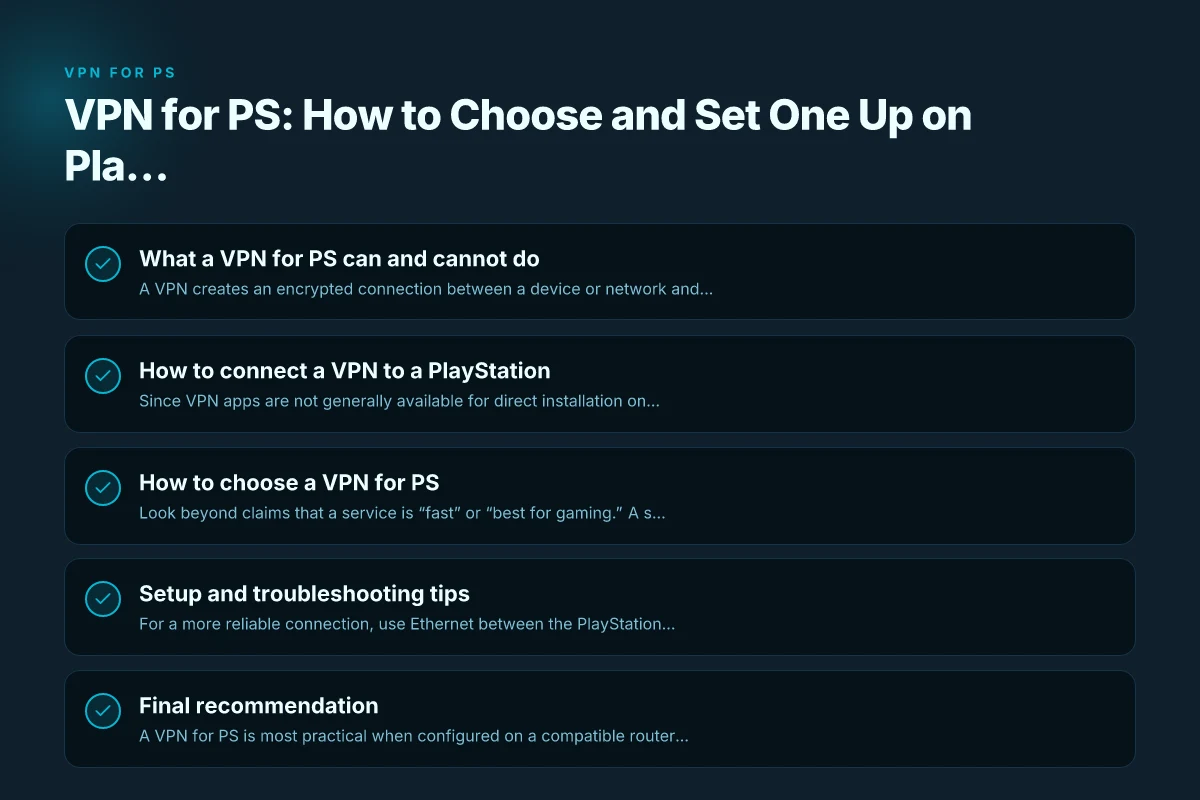
How to connect a VPN to a PlayStation
Since VPN apps are not generally available for direct installation on PS4 or PS5, the console needs to use a connection shared by another device. My VPN Is Blocking Websites: How to Fix It Safely
Use a VPN-compatible router
This is usually the most convenient option for a household with multiple devices. Set up the VPN on a compatible router, then connect the PlayStation to that router by Ethernet or Wi-Fi. All devices routed through the VPN connection may use it, unless the router supports rules that let you choose which devices use the VPN.
Check your router’s documentation and your VPN provider’s setup instructions before buying or changing equipment. Some routers do not support VPN client connections, and configuration steps vary by model.
Share a VPN connection from a computer
A Windows PC or Mac may be able to share its VPN connection over Wi-Fi or Ethernet. First connect the computer to the VPN, then enable its internet connection sharing feature and connect the PlayStation to the shared network.
The exact steps depend on the operating system and network hardware. Keep the computer powered on and connected while gaming, and check that the console is using the shared connection rather than another Wi-Fi network. VPN for PC Free Trial: How to Test a VPN Before You Commit
Compare the setup options
| Setup | Advantages | Considerations |
|---|---|---|
| VPN-compatible router | Can cover the PlayStation and other devices; no computer needs to stay on | Requires a compatible router and may take more configuration |
| Computer connection sharing | Can be a practical way to test a VPN without replacing a router | Computer must remain on; setup and performance vary |
| Direct VPN app on PlayStation | Not generally supported on PS4 or PS5 | A standard VPN app usually cannot be installed on the console |
How to choose a VPN for PS
Look beyond claims that a service is “fast” or “best for gaming.” A suitable provider should offer practical features and clear support for the equipment you plan to use.
Consider these factors:
- Speed and latency: Look for nearby servers and performance information. A farther server may add more delay.
- Router support: Check whether the provider supplies instructions or configuration files for your specific router.
- Server locations: Choose a provider with locations that fit your needs, but remember that changing a VPN server’s region does not guarantee access to region-restricted content.
- Connection stability: Reliable connections matter during online play and downloads.
- Privacy practices: Read the provider’s privacy policy, including what data it collects and how long it retains it.
- Customer support: Helpful setup guides and responsive support can make router configuration easier.
- Cost and plan terms: Review renewal pricing, device limits, refund conditions, and cancellation rules.
Avoid choosing solely by the number of advertised servers or by a promise to eliminate lag. Your own connection and route to the game server will have a major impact.
Choose a VPN for PS by checking these criteria VPN for India: How to Choose the Right Service
| Criterion | What to look for | Why it matters | How to check |
|---|---|---|---|
| Router support | VPN-compatible router setup | Lets the console use the router’s VPN connection | Check the provider’s setup guide |
| Sharing support | Instructions for Windows or Mac | Provides alternatives to router setup | Review device-specific guides |
| Connection stability | Reliable performance on your network | Helps avoid interruptions during play | Test during your usual play times |
| Server choice | Locations that meet your needs | Affects available connection routes | Check the server list |
| Privacy practices | Clear privacy policy and settings | Helps you understand how data is handled | Read the policy and app settings |
| Console guidance | PlayStation-specific instructions | Reduces setup guesswork | Look for current PS setup steps |
| Support availability | Troubleshooting help from the provider | Useful when setup or connection fails | Check support channels and guides |
| Cost and plan terms | Clear pricing and renewal terms | Helps avoid unexpected charges | Review the plan details before subscribing |
Compiled November 2026; check the provider's site for current details.
Setup and troubleshooting tips
For a more reliable connection, use Ethernet between the PlayStation and router when practical. Wired connections can reduce local Wi-Fi interference, though they will not remove delays caused by a distant VPN server or game server.
After setup, check the console’s connection status and test a game or service you normally use. If the connection is slow or unstable:
- Try a VPN server closer to your actual location.
- Compare the connection with the VPN on and off.
- Restart the router and console after making configuration changes.
- Check for router firmware updates and confirm that the VPN connection is active.
- If possible, use a wired connection or move the console closer to the Wi-Fi access point.
If you have trouble signing in to PlayStation Network or accessing a service, disconnect the VPN and test again. The issue may be related to the VPN route, network configuration, or the service’s own restrictions. Do not assume that a VPN will bypass a ban or remove account restrictions. VPN Australia Free Trial: How to Test a VPN Before You Buy
Final recommendation
A VPN for PS is most practical when configured on a compatible router, especially if you want a setup that works without keeping a computer on. If you want to try one first, sharing a VPN connection from a PC or Mac may be enough. Choose a provider with router support, dependable nearby servers, and a clear privacy policy, then compare your gaming experience with and without the VPN.