Tuxler VPN Extension: What It Does, How to Install It, and What to Know
Learn how the Tuxler VPN extension works, what it requires, and how it compares with the desktop app.
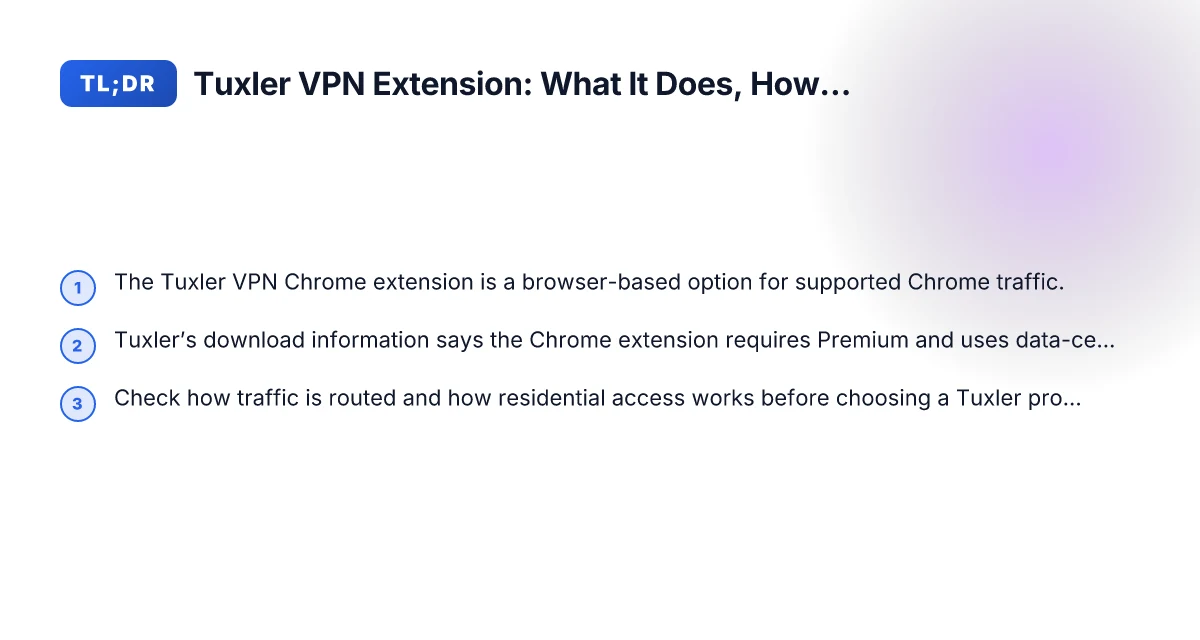
The Tuxler VPN extension lets you connect through a VPN from a supported browser, but it is not the same as running Tuxler’s Windows desktop app. Tuxler’s current information says its Chrome extension requires a Premium subscription, uses data-center locations, and routes supported Chrome traffic only. If you are looking for residential VPN locations or protection for traffic beyond your browser, check the product requirements carefully before installing.

Editor's pick: NordVPN — fast, secure VPN — Strong encryption, a no-logs policy and apps for every device. 30-day money-back guarantee. Get NordVPN →
Tuxler VPN extension at a glance
| Aspect | What to check | Tuxler extension | Why it matters |
|---|---|---|---|
| Product type | Browser extension or full VPN app | Browser extension | Sets expectations for coverage |
| Browser support | Is your browser supported? | Check current extension listing | Compatibility can change |
| Installation | How to get it | Install from the browser’s official extension store | Helps avoid unofficial downloads |
| Traffic coverage | Browser traffic or all device traffic | Check which traffic the extension covers | Other apps may use a separate connection |
| Connection options | Residential or data-center connections | Both are described in the article | Different connection types suit different needs |
| Account requirements | Sign-in or account needed? | Check during setup | Requirements may vary |
| Privacy details | What data is handled? | Review Tuxler’s current privacy policy | Important before routing traffic |
| Best fit | A specific browsing need | Decide based on coverage and privacy terms | No extension suits every use |
Compiled November 2026; check the provider's site for current details.
| VPN | Obfuscation | From / month | Plan | Free plan | Refund | Alipay | UnionPay | Crypto | Website opens in China | Trustpilot | |
|---|---|---|---|---|---|---|---|---|---|---|---|
 ZoogVPN | Turn on manually Shadow | $2.49/mo | 27 months: $59.99 | Yes | 7 days | ✓ | ✓ | ✓ | ✓ | Official site blocked; our special link opens (4.4 s) | 4.2/5 (195 reviews) |
 NordVPN | Turn on manually Obfuscated Servers / NordWhisper | $3.49/mo | 27 months: $94.23 | No | 30 days | ? | ✗ | ✓ | ✓ | ✗ Blocked | 4.2/5 (51,628 reviews) |
 ExpressVPN | ✓ On by default all servers | $3.00/mo | 28 months: $84 | No | 30 days | ✗ | ✗ | ✓ | ✗ | ✗ Blocked | 4.4/5 (29,706 reviews) |
 Surfshark | ✓ On by default Camouflage, with OpenVPN | See site | See site | No | 30 days | ✗ | ✗ | ✗ | ✓ | ✗ Blocked | 4.3/5 (31,823 reviews) |
 Proton VPN | Turn on manually Stealth, free plan too | $2.99/mo | 12 months: $35.88 | Yes | 30 days | ✗ | ✗ | ✗ | ✓ | ✗ Blocked | 2.1/5 (1,040 reviews) |
 Astrill VPN | Turn on manually StealthVPN / OpenWeb | $12.50/mo | 24 months: $300 | No | See site | ✗ | ✗ | ✗ | ✓ | ✗ Blocked | 1.3/5 (110 reviews) |
 Private Internet Access | Turn on manually Shadowsocks, OpenVPN only | $2.03/mo | 40 months: $81.2 | No | 30 days | ✗ | ✗ | ✗ | ✗ | ✗ Blocked | 4.2/5 (11,033 reviews) |
 CyberGhost | Turn on manually selected servers | $2.19/mo | 28 months: $61.32 | No | 45 days | ✗ | ✗ | ✗ | ✓ | ✗ Blocked | 4.0/5 (24,178 reviews) |
 PureVPN | Turn on manually switch to OpenVPN | $1.69/mo | 60 months: $101.55 | No | 31 days | ? | ? | ✗ | ✓ | ✗ Blocked | 4.4/5 (17,994 reviews) |
 AdGuard VPN | ✓ On by default TrustTunnel | $2.99/mo | 24 months: $71.76 | Yes | 30 days | ✓ | ✗ | ✓ | ✓ | Official site blocked; our special link opens (3.7 s) | 4.3/5 (290 reviews) |
 Mullvad | Turn on manually QUIC / Shadowsocks / LWO | $5.61/mo | €5/mo | No | 14 days | ✗ | ✗ | ✗ | ✓ | ✗ Blocked | 3.2/5 (192 reviews) |
 Windscribe | Turn on manually Stealth / WStunnel | $5.75/mo | 12 months: $69 | Yes | See site | ✗ | ✗ | ✗ | ✓ | ✗ Blocked | 4.7/5 (13,355 reviews) |
 StrongVPN | Turn on manually Scramble, OpenVPN TCP | See site | See site | No | 30 days | ✓ | ✗ | ✗ | ✗ | ✗ Blocked | 4.4/5 (2,695 reviews) |
 LightXtreme 闪连 | Not listed | $7.08/mo | 12 months: $84.99 | Yes | 30 days | ✓ | ✓ | ✓ | ✓ | ✓ Yes (3.5 s) | No page |
Prices checked 2026-11-10 on each vendor's pricing page (cheapest long plan, USD). Check the vendor's checkout for the final price.
Obfuscation checked 2026-11-14 on each vendor's site and help center: "on by default" = nothing to set; "turn on manually" = switch protocol or mode in settings; "not listed" = the vendor describes no obfuscation.
Payment methods checked 2026-11-10 on each vendor's payment pages: all 14 take cards and PayPal; ✗ = not listed, ? = the vendor's own pages disagree.
China access: whether the official website opens from mainland China networks (tests the website only, not the VPN connection). Last checked 2026-11-18 01:02 Beijing time.
Trustpilot score and review count checked 2026-11-10.
What is the Tuxler VPN extension?
Tuxler offers browser extensions for Chrome and Firefox, alongside its Windows desktop app. The extensions provide a way to connect through the browser, while the desktop app is a separate option with different routing and availability.
The Chrome Web Store describes Tuxler as a community-powered residential VPN with locations around the world. However, Tuxler’s own Chrome extension instructions specify that the extension uses data-center connections and applies to supported Chrome traffic. Those details matter: a listing that describes the wider Tuxler network does not necessarily mean every extension connection is residential.
In practical terms, the extension may suit someone who wants to route supported browser activity through a VPN connection. It should not be assumed to cover every app or all device traffic.
Requirements and traffic coverage
Before installing, confirm that the extension is available for your browser and that your account meets its requirements. Tuxler’s download page says the Chrome extension requires Premium. Its installation guidance also notes that the extension routes supported Chrome traffic only. How to Use show crypto IPsec sa to Check IPsec VPN Status
That means it is different from a device-wide VPN connection. Other browsers, desktop applications, and background services may not use the extension’s connection. If you need coverage for traffic outside Chrome, review Tuxler’s Windows desktop app or another solution that explicitly supports system-wide routing.
| Option | What Tuxler’s information says | Important distinction |
|---|---|---|
| Chrome extension | Requires Premium; uses data-center locations | Routes supported Chrome traffic only |
| Firefox extension | Requires an active Premium subscription; connects through supported data-center locations | Tuxler says it does not act as a shared connection |
| Windows desktop app | Available as a separate Tuxler product | Check its current setup and routing details for your needs |
Product features can change, so confirm the latest requirements on Tuxler’s official pages and in the browser extension listing.
How to install the Tuxler VPN extension
Use Tuxler’s official download instructions and the relevant browser’s extension store. Avoid installing files from unfamiliar download sites.
A general setup process is: IPsec VPN: How It Works, Benefits, and When to Use It
- Open Tuxler’s official Chrome or Firefox extension page.
- Review the browser listing, permissions, and current subscription requirements.
- Add the extension to your browser using the store’s installation process.
- Sign in or activate the Premium subscription if required.
- Choose from the available supported locations and connect.
- Confirm that the extension shows an active connection before relying on it.
The exact prompts and controls may vary by browser and product version. If installation fails, consult Tuxler’s current setup guide rather than following instructions for an older release.
Installation and coverage decision guide
| Decision point | If this applies | What to do | What to verify |
|---|---|---|---|
| Browser compatibility | You use a supported browser | Find Tuxler in its official extension store | Publisher and current listing |
| Unsupported browser | Your browser is not listed | Do not assume the extension will work | Supported browsers |
| Setup access | The extension requests permissions | Review each permission before accepting | Whether permissions fit its function |
| Extension enabled | You want to route browser traffic | Turn it on using the extension controls | Which traffic is covered |
| Other applications | You need coverage beyond the browser | Check whether a separate app is required | Device-wide traffic coverage |
| Connection choice | You need a particular type of IP connection | Select the available connection option | Residential or data-center label |
| Setup issue | The extension does not connect | Check account, browser, and extension status | Current troubleshooting guidance |
| Privacy concern | You are unsure what is collected | Read the privacy policy before use | Data practices and retention terms |
Compiled November 2026; check the provider's site for current details.
Residential and data-center connections
Residential VPNs and data-center VPNs describe different types of connection endpoints. A residential connection is associated with a residential internet connection, while a data-center connection comes through a data-center network. Which type is appropriate depends on what you are trying to do and the service’s rules. Clash Meta for iOS: What It Is, How to Install It, and What to Know
Tuxler’s broader product and Chrome Web Store descriptions promote residential connectivity and a wide choice of locations. Its current Chrome extension guidance, however, says the extension uses data-center locations. Do not treat the extension as providing residential access unless its current product information clearly confirms that for your account and selected connection.
The Firefox extension has a separate note from Tuxler: it connects through supported data-center locations, and Tuxler says the browser extension does not act as a shared connection. Since product behavior and terms can differ between versions, read the relevant platform’s details before connecting.
Privacy and safety considerations
A VPN changes how supported traffic is routed. It does not automatically make all online activity private or anonymous. Review the extension’s publisher, permissions, privacy information, and terms before installing. Pay particular attention to what traffic it can access and whether its coverage matches your expectations.
Some online discussions raise concerns about residential VPNs and whether users’ connections could be shared with others. A discussion post is not proof of how a product currently operates, but it is a reason to check the provider’s official explanations. Tuxler’s Firefox page specifically says that its extension never acts as a shared connection. Check the terms and documentation for the exact product and platform you plan to use. Urban VPN Chrome: How It Works, Features, and What to Know
For safer use:
- Install only from Tuxler’s official links or the browser’s recognized extension store.
- Read the current privacy policy and permissions before signing in.
- Do not assume a browser extension protects other apps or device traffic.
- Avoid sending sensitive information until you understand the connection and its limits.
- Follow the rules of websites and services you access through a VPN.
Residential vs. data-center connections
| Comparison point | Residential connection | Data-center connection | What to consider |
|---|---|---|---|
| Connection type | Associated with a residential network | Associated with a data center | The network source differs |
| Typical use | Choose when a residential-style connection is needed | Choose when a data-center connection is suitable | Match the option to your task |
| IP characteristics | Residential-style IP address | Data-center IP address | Websites may treat them differently |
| Availability | Check the extension’s current options | Check the extension’s current options | Options can change |
| Performance | Depends on the route and network | Depends on the route and network | Avoid assuming one is always faster |
| Privacy | Review how the connection is provided | Review how the connection is provided | Understand the service’s role |
| Safety checks | Read the provider’s terms and privacy policy | Read the provider’s terms and privacy policy | Connection type alone does not establish safety |
| Choice guide | Prefer it when the task calls for a residential-style route | Prefer it when the task calls for a data-center route | Verify coverage and terms first |
Compiled November 2026; check the provider's site for current details.
Recommendation
The Tuxler VPN extension may be worth considering if you specifically want a browser-based connection and meet its Premium requirement. For Chrome, be aware that Tuxler describes the extension as using data-center locations and routing supported Chrome traffic only. If you need residential locations or broader device coverage, compare the desktop app’s current features and confirm the connection type before subscribing or installing. Urban VPN Extension for Edge: How to Install and Use It