NordVPN Standard vs Plus vs Complete: Which Plan Should You Choose?
Compare NordVPN Standard, Plus, and Complete by features, value, and use case to find the right subscription.
NordVPN Standard vs Plus vs Complete comes down to how much more than a VPN you want. Standard provides NordVPN’s core VPN service, Plus bundles in password management and additional threat protection, and Complete includes those extras plus encrypted cloud storage. If you only need a VPN, Standard is usually the straightforward choice; Plus or Complete can make sense if their bundled tools replace services you already pay for.
Features and prices can vary by country, promotion, subscription length, and the time you check. Review the plan details and renewal price shown at checkout before committing.
| VPN | Obfuscation | From / month | Plan | Free plan | Refund | Alipay | UnionPay | Crypto | Website opens in China | Trustpilot | |
|---|---|---|---|---|---|---|---|---|---|---|---|
 NordVPN | Turn on manually Obfuscated Servers / NordWhisper | $3.49/mo | 27 months: $94.23 | No | 30 days | ? | ✗ | ✓ | ✓ | ✗ Blocked | 4.2/5 (51,628 reviews) |
 ZoogVPN | Turn on manually Shadow | $2.49/mo | 27 months: $59.99 | Yes | 7 days | ✓ | ✓ | ✓ | ✓ | Official site blocked; our special link opens (4.4 s) | 4.2/5 (195 reviews) |
 ExpressVPN | ✓ On by default all servers | $3.00/mo | 28 months: $84 | No | 30 days | ✗ | ✗ | ✓ | ✗ | ✗ Blocked | 4.4/5 (29,706 reviews) |
 Surfshark | ✓ On by default Camouflage, with OpenVPN | See site | See site | No | 30 days | ✗ | ✗ | ✗ | ✓ | ✗ Blocked | 4.3/5 (31,823 reviews) |
 Proton VPN | Turn on manually Stealth, free plan too | $2.99/mo | 12 months: $35.88 | Yes | 30 days | ✗ | ✗ | ✗ | ✓ | ✗ Blocked | 2.1/5 (1,040 reviews) |
 Astrill VPN | Turn on manually StealthVPN / OpenWeb | $12.50/mo | 24 months: $300 | No | See site | ✗ | ✗ | ✗ | ✓ | ✗ Blocked | 1.3/5 (110 reviews) |
 Private Internet Access | Turn on manually Shadowsocks, OpenVPN only | $2.03/mo | 40 months: $81.2 | No | 30 days | ✗ | ✗ | ✗ | ✗ | ✗ Blocked | 4.2/5 (11,033 reviews) |
 CyberGhost | Turn on manually selected servers | $2.19/mo | 28 months: $61.32 | No | 45 days | ✗ | ✗ | ✗ | ✓ | ✗ Blocked | 4.0/5 (24,178 reviews) |
 PureVPN | Turn on manually switch to OpenVPN | $1.69/mo | 60 months: $101.55 | No | 31 days | ? | ? | ✗ | ✓ | ✗ Blocked | 4.4/5 (17,994 reviews) |
 AdGuard VPN | ✓ On by default TrustTunnel | $2.99/mo | 24 months: $71.76 | Yes | 30 days | ✓ | ✗ | ✓ | ✓ | Official site blocked; our special link opens (3.7 s) | 4.3/5 (290 reviews) |
 Mullvad | Turn on manually QUIC / Shadowsocks / LWO | $5.61/mo | €5/mo | No | 14 days | ✗ | ✗ | ✗ | ✓ | ✗ Blocked | 3.2/5 (192 reviews) |
 Windscribe | Turn on manually Stealth / WStunnel | $5.75/mo | 12 months: $69 | Yes | See site | ✗ | ✗ | ✗ | ✓ | ✗ Blocked | 4.7/5 (13,355 reviews) |
 StrongVPN | Turn on manually Scramble, OpenVPN TCP | See site | See site | No | 30 days | ✓ | ✗ | ✗ | ✗ | ✗ Blocked | 4.4/5 (2,695 reviews) |
 LightXtreme 闪连 | Not listed | $7.08/mo | 12 months: $84.99 | Yes | 30 days | ✓ | ✓ | ✓ | ✓ | ✓ Yes (3.5 s) | No page |
Prices checked 2026-11-10 on each vendor's pricing page (cheapest long plan, USD). Check the vendor's checkout for the final price.
Obfuscation checked 2026-11-14 on each vendor's site and help center: "on by default" = nothing to set; "turn on manually" = switch protocol or mode in settings; "not listed" = the vendor describes no obfuscation.
Payment methods checked 2026-11-10 on each vendor's payment pages: all 14 take cards and PayPal; ✗ = not listed, ? = the vendor's own pages disagree.
China access: whether the official website opens from mainland China networks (tests the website only, not the VPN connection). Last checked 2026-11-18 01:02 Beijing time.
Trustpilot score and review count checked 2026-11-10.

Editor's pick: NordVPN — fast, secure VPN — Strong encryption, a no-logs policy and apps for every device. 30-day money-back guarantee. Get NordVPN →
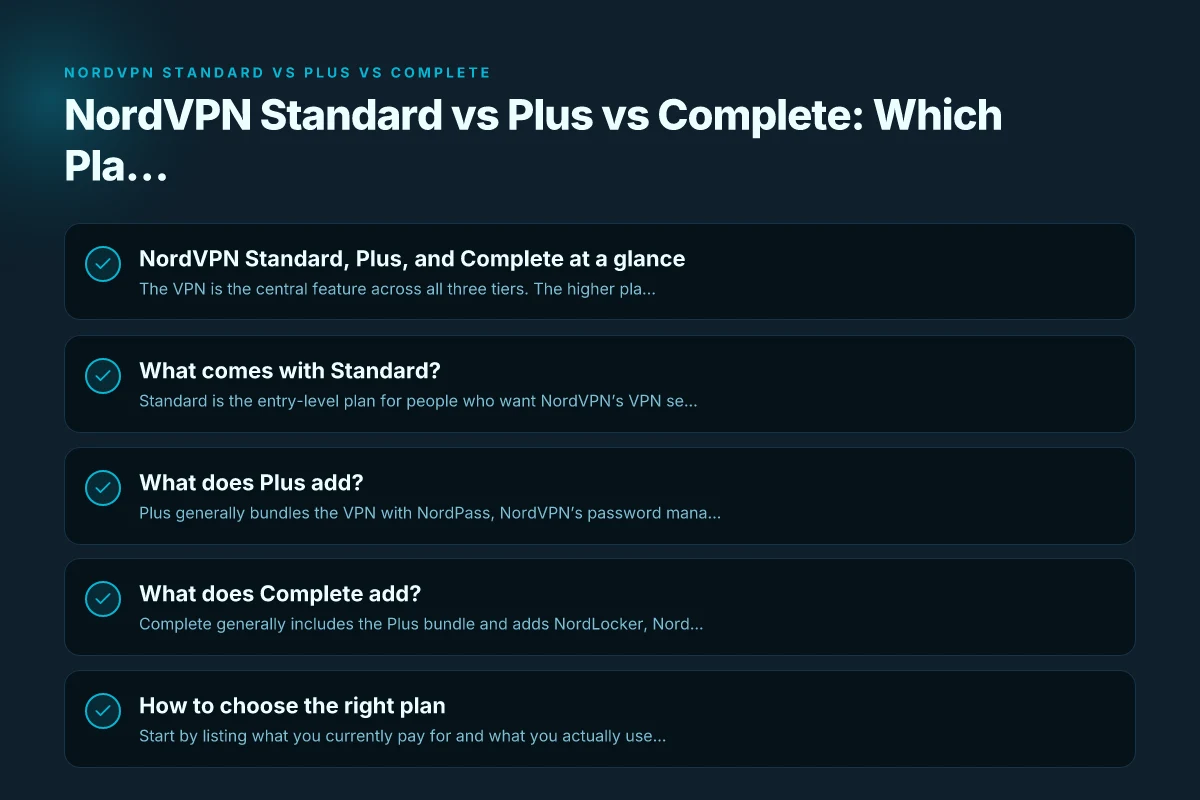
Compare NordVPN Standard, Plus, and Complete at a glance
| Feature | Standard | Plus | Complete |
|---|---|---|---|
| VPN protection | Included | Included | Included |
| Threat protection | Included | Included | Included |
| Password manager | Not included | Included | Included |
| Data breach scanner | Not included | Included | Included |
| Encrypted cloud storage | Not included | Not included | Included |
| Best for | VPN essentials | VPN and account security | VPN, security, and storage |
| Main upgrade | — | Adds password tools | Adds cloud storage |
Compiled November 2026; check the provider's site for current details.
NordVPN Standard, Plus, and Complete at a glance
| Plan | What it generally includes | Best suited to |
|---|---|---|
| Standard | NordVPN VPN service and core privacy features | People who mainly want a VPN |
| Plus | VPN, NordPass password manager, and Threat Protection Pro | People who want a VPN plus password and security tools |
| Complete | Plus features and NordLocker encrypted cloud storage | People who also need secure cloud storage |
The VPN is the central feature across all three tiers. The higher plans primarily add other products rather than changing the basic reason most customers subscribe: routing internet traffic through a VPN connection.
Exact feature names, availability, and limits can change. NordVPN’s current plan page is the best source for confirming what is included in your region.
What comes with Standard?
Standard is the entry-level plan for people who want NordVPN’s VPN service without paying for bundled extras. It is designed for common VPN uses such as protecting traffic on public Wi-Fi, improving privacy from local network observers, and connecting through servers in different locations.
Depending on current availability and platform, the VPN service may include features such as a kill switch, specialty servers, and tools that help protect against malicious or unwanted connections. The precise feature set can differ by device and operating system, so check compatibility if you rely on a particular function. Nord VPN for PC: How to Download, Install, and Use It
Standard is a sensible fit if you already use a password manager and cloud-storage service, or do not need either. It can also be the better-value option if you are comparing plans based only on VPN access.
Keep expectations realistic: a VPN does not make you anonymous, prevent every form of tracking, or guarantee protection from malware. It changes how your internet traffic is routed and can improve privacy in certain situations, but safe browsing habits and updated devices still matter.
What does Plus add?
Plus generally bundles the VPN with NordPass, NordVPN’s password manager, and Threat Protection Pro, a set of tools intended to help block or flag certain online threats. These additions can be useful, but they serve different purposes from the VPN itself.
NordPass can help you generate, store, and organize strong passwords. It may be worth considering if you want a password manager or are looking for an alternative to the one you currently use. Before switching, check whether it supports your devices and whether it offers the features you rely on, such as secure sharing or passkey support. Free VPN for CapCut: What to Know Before You Connect
Threat Protection Pro is intended to provide additional defenses against certain malicious websites, downloads, trackers, or intrusive content. Its capabilities and availability may vary by platform. It should not be treated as a replacement for dedicated endpoint security or good judgment, and some protections may work differently depending on whether the VPN is connected.
Plus is most compelling when you would genuinely use both the VPN and the included extras. If you already pay for a password manager, compare its features and renewal cost with NordPass before deciding that the bundle saves money.
What does Complete add?
Complete generally includes the Plus bundle and adds NordLocker, NordVPN’s encrypted cloud-storage service. The extra storage can be useful if you want a place to keep selected files protected and accessible across supported devices.
The key question is whether you need another cloud-storage service. If you already have enough storage through a provider you trust, Complete may not offer much practical value. If you are comparing storage plans, check NordLocker’s current capacity, device support, sharing options, and any limits that matter to you. Urban VPN Proxy Edge: How to Use It, What It Does, and What to Consider
Cloud encryption can improve how files are protected, but it does not remove the need to manage account security, recovery options, and backups. Consider how easily you can access your files if you lose a device or account credentials.
Complete is therefore less about getting a “stronger VPN” and more about buying a wider bundle. Choose it when NordLocker’s included storage is useful enough to justify the difference in price.
What each NordVPN plan adds
| Plan | VPN | Threat protection | Password manager | Data breach scanner | Encrypted cloud storage |
|---|---|---|---|---|---|
| Standard | Included | Included | No | No | No |
| Plus | Included | Included | Included | Included | No |
| Complete | Included | Included | Included | Included | Included |
Compiled November 2026; check the provider's site for current details. Best VPNs for Roblox: Reliable Picks for Safer, Smoother Play
How to choose the right plan
Start by listing what you currently pay for and what you actually use. A bundle is not automatically a bargain simply because it contains more products.
Choose Standard if:
- You mainly want a VPN.
- You already have a password manager and cloud storage.
- You prefer to keep services separate.
- The add-ons would otherwise go unused.
Choose Plus if:
- You want NordVPN and are also looking for a password manager.
- Threat Protection Pro’s current features suit your needs.
- The bundle costs less than buying comparable services separately.
Choose Complete if:
- You want the Plus features and encrypted cloud storage.
- NordLocker’s storage allowance and supported features meet your needs.
- You would otherwise pay for a similar storage service.
Compare like with like. A third-party password manager or storage plan may offer different features, capacity, or device support, so a simple price comparison can be misleading.
Pricing, renewals, and practical checks
NordVPN commonly presents promotional prices that depend on subscription term and location. The initial price may not be the same as the renewal price, and monthly payments can cost more overall than a longer commitment. Read the checkout summary for the billing schedule, total amount charged, renewal terms, and applicable taxes.
Before subscribing, confirm: VPN Extension for Edge Free: How to Choose One Safely
- Which features are included in your country and on your devices.
- The plan’s renewal price and subscription length.
- Whether the add-ons duplicate services you already pay for.
- The cancellation and refund terms that apply to your purchase.
You can also check the number of simultaneous VPN connections and any relevant service limits in the current plan details. These are practical considerations, especially if several people or devices will share the subscription.
Choose the NordVPN plan that fits your needs
| If you want… | Consider | Why | Check before buying |
|---|---|---|---|
| VPN protection and essentials | Standard | Covers the core VPN plan | Confirm the features included |
| A password manager | Plus | Adds password tools | Check device and feature details |
| Data breach monitoring | Plus | Includes a breach scanner | Review how alerts work |
| Encrypted cloud storage | Complete | Adds cloud storage | Check storage limits |
| The broadest bundle | Complete | Includes the Plus features and storage | Decide whether you will use each add-on |
| The lowest-cost fit | Standard | Avoids paying for extras you do not need | Compare current plan prices |
| A longer subscription | Any plan | Promotions and terms can vary | Check renewal price and billing period |
Compiled November 2026; check the provider's site for current details.
Recommendation
For most people who only need a VPN, choose Standard. Choose Plus if you will use NordPass and Threat Protection Pro, and choose Complete only if NordLocker’s cloud storage is also valuable to you. Compare current checkout prices and renewal terms before deciding. The best tier is the one whose included services you will actually use. Urban VPN Proxy Extension: Features, Safety, and How to Use It