NordVPN in China: What to Know Before You Travel

Learn whether NordVPN works in China, what can affect access, and how to prepare safely before your trip.
NordVPN may work in China for some users, but it is not a dependable, guaranteed way to access blocked websites. China’s internet restrictions and VPN availability can change, and connections may fail depending on the network, location, app version, or current blocking measures. If you plan to use NordVPN in China, prepare before you travel and have a backup option.

Editor's pick: NordVPN — fast, secure VPN — Strong encryption, a no-logs policy and apps for every device. 30-day money-back guarantee. Get NordVPN →
Compare connection options and when to use them
| Option | What it does | When to try it | Reliability in China | Main trade-off |
|---|---|---|---|---|
| NordLynx | NordVPN’s WireGuard-based protocol | First, for a fast connection | May vary | Speed can change |
| OpenVPN TCP | Sends traffic over TCP | If another protocol fails | May work on restrictive networks | Often slower |
| OpenVPN UDP | Sends traffic over UDP | If speed matters and it connects | May be blocked or unstable | Less reliable on some networks |
| Obfuscated servers | Help disguise VPN traffic | If standard connections are blocked | Availability can vary | May require protocol settings |
| Nearby server | Connects through a closer location | For lower latency | Depends on reachability | Fewer location choices |
| Distant server | Connects through a farther location | If nearby servers fail | Depends on the route | Higher latency is possible |
| No VPN | Uses the local internet connection directly | If VPN access is unavailable | Usually available | Does not provide VPN protection |
Compiled November 2026; check the provider's site for current details.
| VPN | Obfuscation | From / month | Plan | Free plan | Refund | Alipay | UnionPay | Crypto | Website opens in China | Trustpilot | |
|---|---|---|---|---|---|---|---|---|---|---|---|
 NordVPN | Turn on manually Obfuscated Servers / NordWhisper | $3.49/mo | 27 months: $94.23 | No | 30 days | ? | ✗ | ✓ | ✓ | ✗ Blocked | 4.2/5 (51,628 reviews) |
 ZoogVPN | Turn on manually Shadow | $2.49/mo | 27 months: $59.99 | Yes | 7 days | ✓ | ✓ | ✓ | ✓ | Official site blocked; our special link opens (4.4 s) | 4.2/5 (195 reviews) |
 ExpressVPN | ✓ On by default all servers | $3.00/mo | 28 months: $84 | No | 30 days | ✗ | ✗ | ✓ | ✗ | ✗ Blocked | 4.4/5 (29,706 reviews) |
 Surfshark | ✓ On by default Camouflage, with OpenVPN | See site | See site | No | 30 days | ✗ | ✗ | ✗ | ✓ | ✗ Blocked | 4.3/5 (31,823 reviews) |
 Proton VPN | Turn on manually Stealth, free plan too | $2.99/mo | 12 months: $35.88 | Yes | 30 days | ✗ | ✗ | ✗ | ✓ | ✗ Blocked | 2.1/5 (1,040 reviews) |
 Astrill VPN | Turn on manually StealthVPN / OpenWeb | $12.50/mo | 24 months: $300 | No | See site | ✗ | ✗ | ✗ | ✓ | ✗ Blocked | 1.3/5 (110 reviews) |
 Private Internet Access | Turn on manually Shadowsocks, OpenVPN only | $2.03/mo | 40 months: $81.2 | No | 30 days | ✗ | ✗ | ✗ | ✗ | ✗ Blocked | 4.2/5 (11,033 reviews) |
 CyberGhost | Turn on manually selected servers | $2.19/mo | 28 months: $61.32 | No | 45 days | ✗ | ✗ | ✗ | ✓ | ✗ Blocked | 4.0/5 (24,178 reviews) |
 PureVPN | Turn on manually switch to OpenVPN | $1.69/mo | 60 months: $101.55 | No | 31 days | ? | ? | ✗ | ✓ | ✗ Blocked | 4.4/5 (17,994 reviews) |
 AdGuard VPN | ✓ On by default TrustTunnel | $2.99/mo | 24 months: $71.76 | Yes | 30 days | ✓ | ✗ | ✓ | ✓ | Official site blocked; our special link opens (3.7 s) | 4.3/5 (290 reviews) |
 Mullvad | Turn on manually QUIC / Shadowsocks / LWO | $5.61/mo | €5/mo | No | 14 days | ✗ | ✗ | ✗ | ✓ | ✗ Blocked | 3.2/5 (192 reviews) |
 Windscribe | Turn on manually Stealth / WStunnel | $5.75/mo | 12 months: $69 | Yes | See site | ✗ | ✗ | ✗ | ✓ | ✗ Blocked | 4.7/5 (13,355 reviews) |
 StrongVPN | Turn on manually Scramble, OpenVPN TCP | See site | See site | No | 30 days | ✓ | ✗ | ✗ | ✗ | ✗ Blocked | 4.4/5 (2,695 reviews) |
 LightXtreme 闪连 | Not listed | $7.08/mo | 12 months: $84.99 | Yes | 30 days | ✓ | ✓ | ✓ | ✓ | ✓ Yes (3.5 s) | No page |
Prices checked 2026-11-10 on each vendor's pricing page (cheapest long plan, USD). Check the vendor's checkout for the final price.
Obfuscation checked 2026-11-14 on each vendor's site and help center: "on by default" = nothing to set; "turn on manually" = switch protocol or mode in settings; "not listed" = the vendor describes no obfuscation.
Payment methods checked 2026-11-10 on each vendor's payment pages: all 14 take cards and PayPal; ✗ = not listed, ? = the vendor's own pages disagree.
China access: whether the official website opens from mainland China networks (tests the website only, not the VPN connection). Last checked 2026-11-18 01:02 Beijing time.
Trustpilot score and review count checked 2026-11-10.
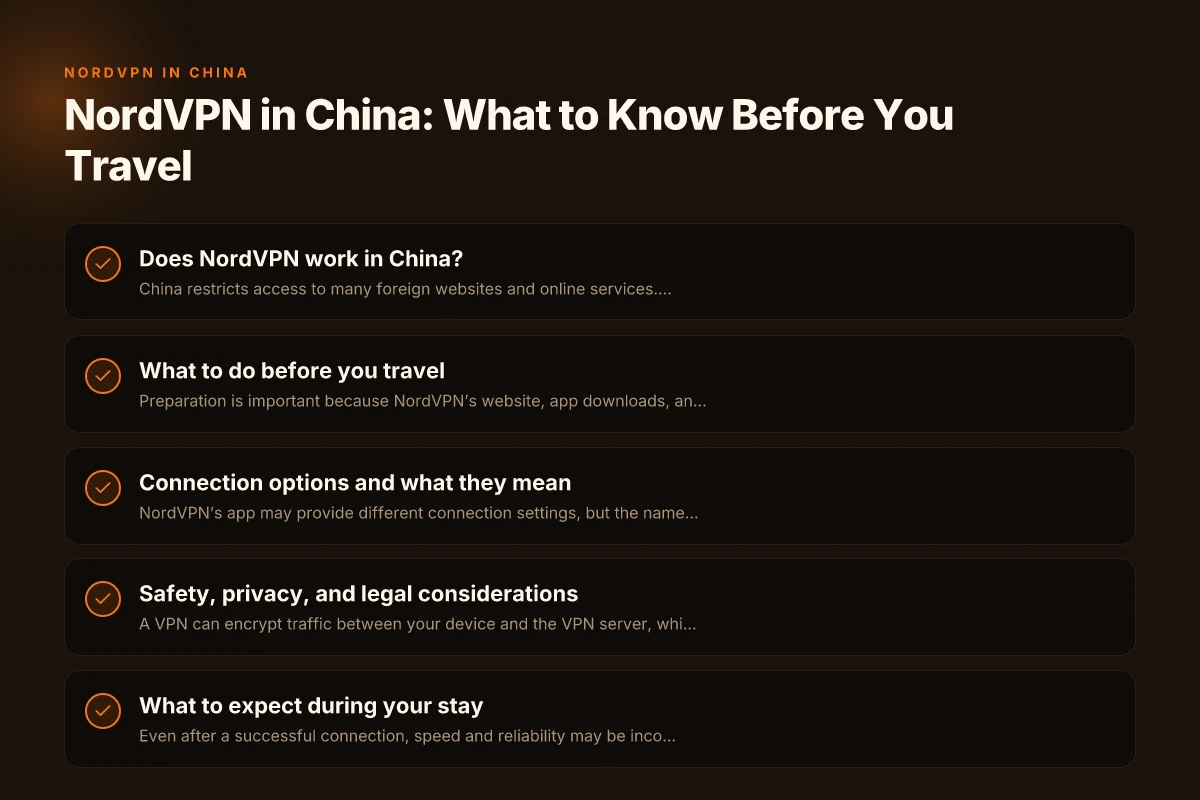
Does NordVPN work in China?
China restricts access to many foreign websites and online services. People commonly refer to the country’s system of internet filtering as the Great Firewall. VPN connections may also be disrupted, and services that work one day may not work the next.
NordVPN offers features intended to help users connect on restricted networks, including obfuscated servers in supported apps and locations. These features disguise VPN traffic so it may be less recognizable to network filters. However, they do not guarantee that a connection will succeed or remain stable in China.
Your results can vary based on factors such as:
- The city and internet provider you use
- Whether you connect through hotel Wi-Fi, mobile data, or another network
- The VPN app version and device settings
- Changes to filtering or VPN blocking
- Temporary network congestion or service outages
Treat NordVPN as a possible tool, not a promise of uninterrupted access. NordVPN How to Use on iPhone: Setup, Connect, and Choose a Server
What to do before you travel
Preparation is important because NordVPN’s website, app downloads, and support pages may be inaccessible or difficult to reach from inside China. Set up your devices while you still have reliable access to the internet.
Before departure:
- Install NordVPN from an official source. Avoid unofficial app files and third-party download sites.
- Sign in and test the app. Confirm that your account works and that the app can connect on your device.
- Check NordVPN’s current guidance. Connection instructions and available features can change. Follow the latest advice from NordVPN rather than relying on old posts or forum instructions.
- Update your apps and operating system. Do this before travel, when you can access official updates.
- Save essential information offline. Keep account details and support instructions somewhere secure and accessible without the internet.
- Plan another way to communicate. Keep important contacts and travel information available offline, and consider alternatives that are lawful and practical for your situation.
Do not wait until you arrive to troubleshoot. You may have limited access to the information or downloads needed to fix a problem.
Prepare before departure How to Use NordVPN to Exclude Apps From the VPN
| Step | What to do | Why it helps | When to do it | Check before leaving |
|---|---|---|---|---|
| Install NordVPN | Download the official app | Access may be restricted in China | Before travel | App opens correctly |
| Sign in | Confirm your account works | Avoid account setup abroad | Before travel | Credentials are available |
| Test a connection | Try different protocols and servers | Learn which settings connect | Before travel | Record working settings |
| Save support details | Keep official help information accessible | Useful if the app has problems | Before travel | Details work offline |
| Arrange a backup | Consider another way to access essential services | VPN connections can be unreliable | Before travel | Backup is ready |
| Update the app | Install available updates | Fixes and settings may change | Before travel | Latest version is installed |
| Review local rules | Check current guidance for your destination | VPN rules can differ and change | Before travel | Sources are current |
Compiled November 2026; check the provider's site for current details.
Connection options and what they mean
NordVPN’s app may provide different connection settings, but the names and availability of features can vary by platform and app version. Check the current app and official help pages before relying on a particular setting.
| Option | What it is for | What to keep in mind |
|---|---|---|
| Obfuscated servers | Designed to make VPN traffic less recognizable | Availability and performance can vary; they do not guarantee access |
| Standard VPN servers | Encrypt traffic between your device and the VPN server | Connections may be blocked or unstable on restricted networks |
| Automatic or recommended connection | Lets the app choose settings or a server based on its current options | The recommendation may not work on every Chinese network |
| Mobile data or Wi-Fi | Different ways to reach the internet | One network may work when another does not, but neither is guaranteed |
If a connection fails, consult NordVPN’s current troubleshooting guidance. Avoid repeatedly changing advanced settings based on unverified advice, especially if you do not understand the security implications.
Safety, privacy, and legal considerations
A VPN can encrypt traffic between your device and the VPN server, which may help protect data on public Wi-Fi. It does not make you anonymous, prevent every kind of tracking, or protect you from unsafe websites, phishing, or malware. NordVPN DNS Settings: How to Set Up and Troubleshoot DNS
A VPN also cannot prevent a service from identifying you through your account, browser settings, cookies, or other information. Use strong, unique passwords and enable multifactor authentication where available. Keep your devices updated and avoid installing apps from unknown sources.
Rules and enforcement concerning VPN use can differ by location and circumstance. This article is general information, not legal advice. Check current official guidance and understand the applicable rules before using a VPN in China. If you are unsure, seek advice from a qualified source.
Weigh safety, privacy, and practical considerations
| Consideration | What to expect | Practical choice | Limitation | Decision cue |
|---|---|---|---|---|
| VPN availability | Connections may be blocked or disrupted | Test options before travel | No connection is guaranteed | Keep a backup |
| Privacy protection | A VPN encrypts traffic between your device and its server | Use trusted networks and current software | It does not make you anonymous | Avoid sensitive activity on uncertain connections |
| Local laws | Rules on VPN use may apply | Review current official guidance | Rules can change | Check before departure |
| Public Wi-Fi | Networks may be unsecured | Use a VPN when it connects | VPN access may fail | Avoid sharing sensitive details if unsure |
| App access | Downloads or support pages may be inaccessible | Install and save useful details in advance | Access can vary | Prepare offline |
| Connection speed | Distance and network conditions affect speed | Try a nearby server | Performance can fluctuate | Allow extra time |
| Essential access | Important services may not work through a VPN | Plan an alternative connection method | Alternatives may also be limited | Do not rely on one option |
Compiled November 2026; check the provider's site for current details. WatchGuard VPN Stopped Working After Router Change: How to Fix It
What to expect during your stay
Even after a successful connection, speed and reliability may be inconsistent. Video calls, streaming, downloads, and other high-bandwidth activities can be especially sensitive to interruptions. A VPN may also add latency because traffic takes an extra route.
If NordVPN stops connecting:
- Check whether your device still has ordinary internet access.
- Try another network, if available and appropriate.
- Restart the app or device, then follow NordVPN’s current instructions.
- Contact support using a channel you can access.
- Use your backup communication plan rather than assuming the VPN will recover quickly.
Avoid depending on the VPN for urgent travel arrangements, emergency contact, or access to essential documents. Keep copies of important details offline.
Recommendation
Install and test NordVPN before your trip, review its latest China-related guidance, and treat access as uncertain. NordVPN may work in some circumstances, but no provider can guarantee reliable service in China. Travel with an alternative communication plan, keep essential information available offline, and follow applicable local rules. NordVPN Disable Auto Connect: How to Turn It Off on Any Device