How to Cancel ProtonVPN Subscription: A Step-by-Step Guide
Learn how to cancel Proton VPN auto-renewal based on where you subscribed, and what happens to your account and access.
To cancel a Proton VPN subscription, turn off its automatic renewal through the provider that billed you: Proton VPN’s website, Apple, or Google Play. The cancellation route depends on where you started the subscription. After you cancel renewal, check for a confirmation and note the date your paid access ends.

Editor's pick: NordVPN — fast, secure VPN — Strong encryption, a no-logs policy and apps for every device. 30-day money-back guarantee. Get NordVPN →
Compare cancellation methods by where you subscribed
| Subscription source | Where to cancel | Sign in with | What to look for | If the option is missing |
|---|---|---|---|---|
| Proton website | Proton account dashboard | Proton account | Subscription or plan settings | Check that you are in the correct account |
| Apple App Store | Apple device settings | Apple Account | Subscriptions, then Proton VPN | Check Apple’s subscription list |
| Google Play | Google Play subscriptions | Google Account | Proton VPN subscription | Check the Google Account used to subscribe |
| Unsure | Check your receipt or bank statement | Account linked to the purchase | Seller or billing descriptor | Contact the store or Proton support |
| Website purchase | Proton account dashboard | Account used at checkout | Current plan and renewal details | Contact Proton support |
| Apple purchase | Apple subscription settings | Account used for the App Store | Proton VPN listing | Contact Apple if the listing is missing |
| Google Play purchase | Google Play subscription settings | Account used for Google Play | Proton VPN listing | Contact Google Play support if needed |
Compiled November 2026; check the provider's site for current details.
| VPN | Obfuscation | From / month | Plan | Free plan | Refund | Alipay | UnionPay | Crypto | Website opens in China | Trustpilot | |
|---|---|---|---|---|---|---|---|---|---|---|---|
 Proton VPN | Turn on manually Stealth, free plan too | $2.99/mo | 12 months: $35.88 | Yes | 30 days | ✗ | ✗ | ✗ | ✓ | ✗ Blocked | 2.1/5 (1,040 reviews) |
 ZoogVPN | Turn on manually Shadow | $2.49/mo | 27 months: $59.99 | Yes | 7 days | ✓ | ✓ | ✓ | ✓ | Official site blocked; our special link opens (4.4 s) | 4.2/5 (195 reviews) |
 NordVPN | Turn on manually Obfuscated Servers / NordWhisper | $3.49/mo | 27 months: $94.23 | No | 30 days | ? | ✗ | ✓ | ✓ | ✗ Blocked | 4.2/5 (51,628 reviews) |
 ExpressVPN | ✓ On by default all servers | $3.00/mo | 28 months: $84 | No | 30 days | ✗ | ✗ | ✓ | ✗ | ✗ Blocked | 4.4/5 (29,706 reviews) |
 Surfshark | ✓ On by default Camouflage, with OpenVPN | See site | See site | No | 30 days | ✗ | ✗ | ✗ | ✓ | ✗ Blocked | 4.3/5 (31,823 reviews) |
 Astrill VPN | Turn on manually StealthVPN / OpenWeb | $12.50/mo | 24 months: $300 | No | See site | ✗ | ✗ | ✗ | ✓ | ✗ Blocked | 1.3/5 (110 reviews) |
 Private Internet Access | Turn on manually Shadowsocks, OpenVPN only | $2.03/mo | 40 months: $81.2 | No | 30 days | ✗ | ✗ | ✗ | ✗ | ✗ Blocked | 4.2/5 (11,033 reviews) |
 CyberGhost | Turn on manually selected servers | $2.19/mo | 28 months: $61.32 | No | 45 days | ✗ | ✗ | ✗ | ✓ | ✗ Blocked | 4.0/5 (24,178 reviews) |
 PureVPN | Turn on manually switch to OpenVPN | $1.69/mo | 60 months: $101.55 | No | 31 days | ? | ? | ✗ | ✓ | ✗ Blocked | 4.4/5 (17,994 reviews) |
 AdGuard VPN | ✓ On by default TrustTunnel | $2.99/mo | 24 months: $71.76 | Yes | 30 days | ✓ | ✗ | ✓ | ✓ | Official site blocked; our special link opens (3.7 s) | 4.3/5 (290 reviews) |
 Mullvad | Turn on manually QUIC / Shadowsocks / LWO | $5.61/mo | €5/mo | No | 14 days | ✗ | ✗ | ✗ | ✓ | ✗ Blocked | 3.2/5 (192 reviews) |
 Windscribe | Turn on manually Stealth / WStunnel | $5.75/mo | 12 months: $69 | Yes | See site | ✗ | ✗ | ✗ | ✓ | ✗ Blocked | 4.7/5 (13,355 reviews) |
 StrongVPN | Turn on manually Scramble, OpenVPN TCP | See site | See site | No | 30 days | ✓ | ✗ | ✗ | ✗ | ✗ Blocked | 4.4/5 (2,695 reviews) |
 LightXtreme 闪连 | Not listed | $7.08/mo | 12 months: $84.99 | Yes | 30 days | ✓ | ✓ | ✓ | ✓ | ✓ Yes (3.5 s) | No page |
Prices checked 2026-11-10 on each vendor's pricing page (cheapest long plan, USD). Check the vendor's checkout for the final price.
Obfuscation checked 2026-11-14 on each vendor's site and help center: "on by default" = nothing to set; "turn on manually" = switch protocol or mode in settings; "not listed" = the vendor describes no obfuscation.
Payment methods checked 2026-11-10 on each vendor's payment pages: all 14 take cards and PayPal; ✗ = not listed, ? = the vendor's own pages disagree.
China access: whether the official website opens from mainland China networks (tests the website only, not the VPN connection). Last checked 2026-11-18 01:02 Beijing time.
Trustpilot score and review count checked 2026-11-10.
Find out where you subscribed
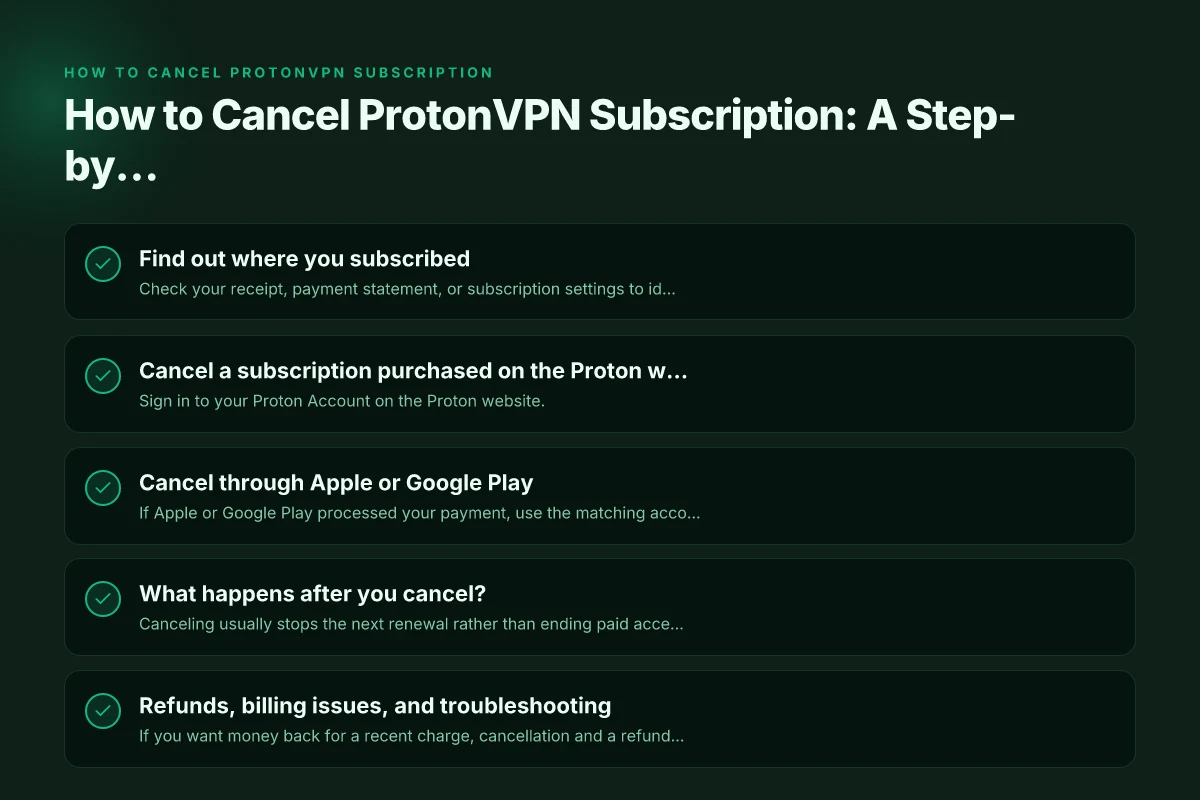
Check your receipt, payment statement, or subscription settings to identify the billing provider. If you subscribed on Proton VPN’s website, manage the plan in your Proton Account. If you subscribed through an app store, cancel through that store instead.
| Where you subscribed | Where to cancel |
|---|---|
| Proton VPN website | Proton Account settings |
| Apple App Store | Apple Subscriptions settings |
| Google Play | Google Play subscriptions |
The app you use to access Proton VPN does not necessarily determine who manages your billing. For example, installing the iPhone app does not mean Apple bills you. You may have subscribed on the Proton website. Look for the original purchase confirmation or check each provider’s subscription page.
Cancel a subscription purchased on the Proton website
- Sign in to your Proton Account on the Proton website.
- Open your account settings and find the section for plans, subscriptions, or billing.
- Select your Proton VPN plan and choose the option to cancel or turn off automatic renewal.
- Follow any confirmation steps shown on screen.
- Check your account or email for confirmation and the plan’s expiration date.
The wording and location of settings can change as Proton updates its website. If you do not see a cancellation option, open Proton’s support pages or contact Proton Support while signed in.
Downgrading instead of ending the plan
Proton may offer an option to change or downgrade your plan rather than stop renewal entirely. Review the selection carefully: changing plans and canceling renewal are not always the same action. Confirm that the page says the subscription will not renew if that is your goal. Cisco VPN AnyConnect: Setup, Features, and Troubleshooting
Cancel through Apple or Google Play
If Apple or Google Play processed your payment, use the matching account and subscription settings. Removing the app from your device will not stop billing.
Apple App Store
On an iPhone or iPad, open Settings and tap your name, then choose Subscriptions. Select Proton VPN and follow the prompts to cancel the subscription. You can also manage Apple subscriptions through your Apple account, depending on your device and region.
If Proton VPN is not listed, check that you are signed in with the Apple Account used to make the purchase. Also check whether the subscription was purchased directly through Proton instead.
Google Play
Open Google Play, tap your profile icon, and choose Payments & subscriptions, then Subscriptions. Select Proton VPN and follow the cancellation prompts. Make sure you are using the Google account that paid for the plan. Free Country Change VPN: How to Choose and Use One
Once canceled, check the subscription page for its status and end date. If the subscription is missing, verify the account and review your purchase receipt to find out which provider handled the payment.
Compare what to expect after cancelling
| Cancellation source | Where cancellation takes effect | Access after cancellation | Renewal status | Check for confirmation | If access or billing seems wrong |
|---|---|---|---|---|---|
| Proton website | Proton account | Check plan details for remaining access | Check account for renewal status | Review account or confirmation email | Contact Proton support |
| Apple App Store | Apple subscription settings | Check the subscription’s displayed end date | Check Apple subscription status | Review Apple’s confirmation | Contact Apple for store billing |
| Google Play | Google Play subscriptions | Check the subscription’s displayed end date | Check Google Play subscription status | Review Google Play confirmation | Contact Google Play support |
| Any source | The store or account that manages the subscription | Cancellation may not end access immediately | Verify the next renewal is stopped | Keep the confirmation | Recheck the original subscription source |
| Proton account | Proton account dashboard | Check the plan’s end date or status | Verify renewal is disabled | Save the account notice | Contact Proton support |
| Apple account | Apple subscription list | Check the listed expiration date | Verify cancellation in the list | Save Apple’s notice | Contact Apple support |
| Google account | Google Play subscription list | Check the listed expiration date | Verify cancellation in the list | Save Google Play’s notice | Contact Google Play support |
Compiled November 2026; check the provider's site for current details.
What happens after you cancel?
Canceling usually stops the next renewal rather than ending paid access immediately. In many cases, you can continue using the paid features until the current billing period expires. The exact date and terms should appear in your account or app-store subscription settings. How to Cancel ProtonVPN: A Step-by-Step Guide
After the plan expires, your account may move to Proton’s free plan. Review the plan details before the change, especially if you rely on paid features or have settings that may be affected by a downgrade.
Keep in mind:
- Canceling renewal does not necessarily trigger a refund for a payment already made.
- Uninstalling Proton VPN does not cancel billing.
- Deleting your Proton Account is separate from canceling a subscription.
- If you have multiple Proton services or plans, check each one individually.
- Save the cancellation confirmation and note the expiration date.
Refunds, billing issues, and troubleshooting
If you want money back for a recent charge, cancellation and a refund request are separate steps. Contact the provider that billed you and check its refund policy. For website purchases, contact Proton Support. For App Store or Google Play purchases, follow the relevant store’s refund process.
If you cannot cancel, try these checks: Windows OVPN Profile Storage: Where OpenVPN Saves Profiles
- Sign in with the account used to subscribe.
- Confirm whether Proton, Apple, or Google Play is listed on your receipt.
- Check for a second account or another active subscription.
- Use the provider’s subscription-management page rather than the Proton VPN app.
- Contact the billing provider if the subscription is not visible or the cancellation fails.
Do not assume that a payment has stopped until the subscription page shows it will not renew or you receive confirmation. If a renewal date is close, act promptly and keep a record of any support request.
Compare refund and billing support options
| Issue | First place to check | Who manages the purchase | Useful information to gather | Next step |
|---|---|---|---|---|
| Refund request for website purchase | Proton account or Proton support | Proton | Account email and purchase details | Ask Proton about refund eligibility |
| Refund request for Apple purchase | Apple purchase history | Apple | Apple Account and transaction details | Submit a request to Apple |
| Refund request for Google Play purchase | Google Play order history | Google Play | Google Account and order details | Follow Google Play’s refund process |
| Unexpected renewal | Subscription settings for the purchase source | Proton, Apple, or Google Play | Renewal date and receipt | Confirm the correct account and contact the seller |
| Cannot find subscription | Receipts and account subscription lists | Original purchase source | Email address and billing descriptor | Check other accounts used to subscribe |
| Cancellation not confirmed | Original subscription settings | Original purchase source | Cancellation notice or screenshot | Repeat the cancellation check |
| Billing continues after cancellation | Original seller or store | Original purchase source | Charge date, amount, and cancellation proof | Contact the billing provider or Proton support |
Compiled November 2026; check the provider's site for current details.
Recommendation
Cancel through the provider that originally billed you, then verify the status and expiration date in that provider’s settings. Keep the confirmation until you are sure no further renewal is scheduled. How to Cancel Proton VPN Subscription: A Step-by-Step Guide