Connect VPN Without Download: Safe Ways to Get Started
Learn how to connect to a VPN without downloading an app, using built-in settings, browser extensions, or a trusted web proxy.


You can connect to a VPN without downloading a dedicated app by using your device’s built-in VPN settings, a VPN browser extension, or, in limited cases, a web proxy. The best option depends on whether you need to protect all of your device’s internet traffic or only activity in a browser. To use a built-in VPN, you usually need connection details from a VPN provider, employer, or school.

Editor's pick: NordVPN — fast, secure VPN — Strong encryption, a no-logs policy and apps for every device. 30-day money-back guarantee. Get NordVPN →
Compare VPN access options without installing a VPN app
| Option | Download needed? | What it protects | Best for | Main limitation |
|---|---|---|---|---|
| Built-in VPN settings | No VPN app | Device traffic through a VPN server | Connecting to a compatible VPN service | Requires server and account details |
| VPN browser extension | Extension install | Browser traffic | Browser-only use | Other apps are not covered |
| Web proxy | Usually no app | Specific browser requests | Quick access to a webpage | Limited privacy and protection |
| Existing VPN app | Already installed | Device traffic through a VPN server | Full-device VPN use | Not an option if no app is installed |
| Browser privacy settings | No VPN app | Browser data controls | Basic privacy adjustments | Does not create a VPN connection |
| Public Wi-Fi alone | No VPN app | No VPN protection | Ordinary internet access | Traffic is not protected by a VPN |
Compiled November 2026; check the provider's site for current details.
| VPN | Obfuscation | From / month | Plan | Free plan | Refund | Alipay | UnionPay | Crypto | Website opens in China | Trustpilot | |
|---|---|---|---|---|---|---|---|---|---|---|---|
 ZoogVPN | Turn on manually Shadow | $2.49/mo | 27 months: $59.99 | Yes | 7 days | ✓ | ✓ | ✓ | ✓ | Official site blocked; our special link opens (4.4 s) | 4.2/5 (195 reviews) |
 NordVPN | Turn on manually Obfuscated Servers / NordWhisper | $3.49/mo | 27 months: $94.23 | No | 30 days | ? | ✗ | ✓ | ✓ | ✗ Blocked | 4.2/5 (51,628 reviews) |
 ExpressVPN | ✓ On by default all servers | $3.00/mo | 28 months: $84 | No | 30 days | ✗ | ✗ | ✓ | ✗ | ✗ Blocked | 4.4/5 (29,706 reviews) |
 Surfshark | ✓ On by default Camouflage, with OpenVPN | See site | See site | No | 30 days | ✗ | ✗ | ✗ | ✓ | ✗ Blocked | 4.3/5 (31,823 reviews) |
 Proton VPN | Turn on manually Stealth, free plan too | $2.99/mo | 12 months: $35.88 | Yes | 30 days | ✗ | ✗ | ✗ | ✓ | ✗ Blocked | 2.1/5 (1,040 reviews) |
 Astrill VPN | Turn on manually StealthVPN / OpenWeb | $12.50/mo | 24 months: $300 | No | See site | ✗ | ✗ | ✗ | ✓ | ✗ Blocked | 1.3/5 (110 reviews) |
 Private Internet Access | Turn on manually Shadowsocks, OpenVPN only | $2.03/mo | 40 months: $81.2 | No | 30 days | ✗ | ✗ | ✗ | ✗ | ✗ Blocked | 4.2/5 (11,033 reviews) |
 CyberGhost | Turn on manually selected servers | $2.19/mo | 28 months: $61.32 | No | 45 days | ✗ | ✗ | ✗ | ✓ | ✗ Blocked | 4.0/5 (24,178 reviews) |
 PureVPN | Turn on manually switch to OpenVPN | $1.69/mo | 60 months: $101.55 | No | 31 days | ? | ? | ✗ | ✓ | ✗ Blocked | 4.4/5 (17,994 reviews) |
 AdGuard VPN | ✓ On by default TrustTunnel | $2.99/mo | 24 months: $71.76 | Yes | 30 days | ✓ | ✗ | ✓ | ✓ | Official site blocked; our special link opens (3.7 s) | 4.3/5 (290 reviews) |
 Mullvad | Turn on manually QUIC / Shadowsocks / LWO | $5.61/mo | €5/mo | No | 14 days | ✗ | ✗ | ✗ | ✓ | ✗ Blocked | 3.2/5 (192 reviews) |
 Windscribe | Turn on manually Stealth / WStunnel | $5.75/mo | 12 months: $69 | Yes | See site | ✗ | ✗ | ✗ | ✓ | ✗ Blocked | 4.7/5 (13,355 reviews) |
 StrongVPN | Turn on manually Scramble, OpenVPN TCP | See site | See site | No | 30 days | ✓ | ✗ | ✗ | ✗ | ✗ Blocked | 4.4/5 (2,695 reviews) |
 LightXtreme 闪连 | Not listed | $7.08/mo | 12 months: $84.99 | Yes | 30 days | ✓ | ✓ | ✓ | ✓ | ✓ Yes (3.5 s) | No page |
Prices checked 2026-11-10 on each vendor's pricing page (cheapest long plan, USD). Check the vendor's checkout for the final price.
Obfuscation checked 2026-11-14 on each vendor's site and help center: "on by default" = nothing to set; "turn on manually" = switch protocol or mode in settings; "not listed" = the vendor describes no obfuscation.
Payment methods checked 2026-11-10 on each vendor's payment pages: all 14 take cards and PayPal; ✗ = not listed, ? = the vendor's own pages disagree.
China access: whether the official website opens from mainland China networks (tests the website only, not the VPN connection). Last checked 2026-11-18 01:02 Beijing time.
Trustpilot score and review count checked 2026-11-10.
What “without download” means
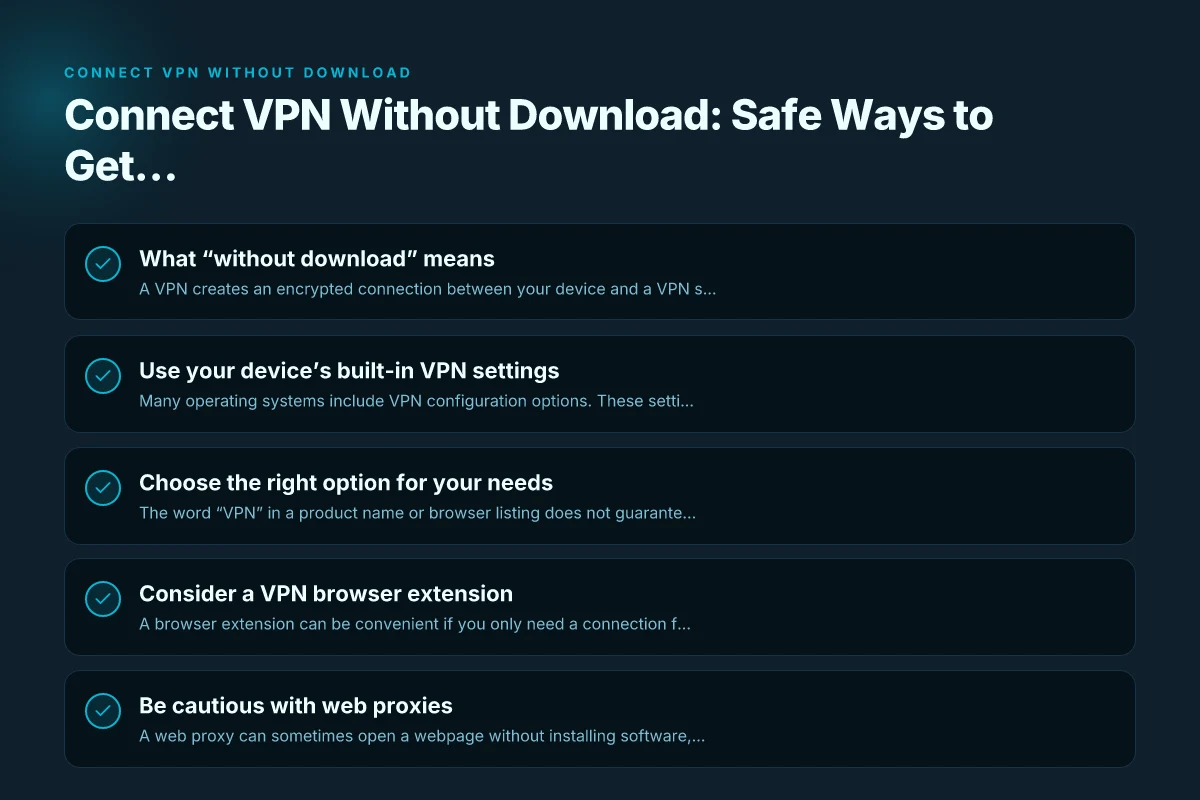
A VPN creates an encrypted connection between your device and a VPN server. The phrase “connect VPN without download” can refer to a few different approaches, and they do not all offer the same protection.
- Built-in VPN settings: Your operating system connects to a compatible VPN service without a separate client app. You may still need to enter server and account details.
- Browser extension: An extension routes some or all browser traffic through the provider. It does not usually protect other apps on your device.
- Web proxy: A website fetches pages on your behalf. This may help with basic browsing, but it is not equivalent to a full-device VPN.
- Managed device connection: An organization may configure VPN access through device settings or management tools, sometimes without asking you to install an app yourself.
“Without downloading an app” does not mean “without setup.” A VPN account, configuration profile, or server information may still be required.
Use your device’s built-in VPN settings
Many operating systems include VPN configuration options. These settings can connect to supported VPN protocols, but the available options vary by device and version. You need valid details from the VPN provider or your organization, such as the server address, VPN type, and sign-in method.
Typical setup steps are: Norton VPN APK for Firestick: What to Know Before You Install
- Open your device’s Settings.
- Find the VPN section, often under network or connection settings.
- Choose Add VPN or a similar option.
- Enter the configuration details supplied by your provider or administrator.
- Save the connection, then select it and connect.
Do not guess the server address or protocol. If you subscribe to a VPN service, check its official support pages to see whether it offers manual configuration and which protocols it supports. Some providers require their own app for certain features, and some do not provide manual setup at all.
Manual configuration can be useful when app installation is blocked, but it may offer fewer convenience features. For example, automatic server selection, a kill switch, or specialized connection settings might only be available through the provider’s app.
Choose the right option for your needs
| Option | Requires a dedicated VPN app? | What it usually protects | Best suited for |
|---|---|---|---|
| Built-in VPN settings | No | Device traffic routed through that VPN connection | Connecting to a provider or workplace VPN with supplied details |
| VPN browser extension | No dedicated desktop client, but an extension is added | Browser traffic, depending on the extension | Changing browser routing or adding browser-level protection |
| Web proxy | No installation in many cases | A specific page or browser session | Limited, low-risk browsing tasks |
| VPN app | Yes | Usually device traffic, subject to app settings | Simple setup and access to the provider’s full feature set |
The word “VPN” in a product name or browser listing does not guarantee full-device VPN protection. Read the provider’s description carefully. Some browser extensions are secure VPN connections. Others act more like proxies and protect only browser activity.
Choose an option based on what you need My IP ExpressVPN: How to Check Your IP Address
| Your need | Built-in VPN settings | Browser extension | Web proxy | Consider |
|---|---|---|---|---|
| Protect traffic across apps | Supported with a compatible VPN service | No | No | Device-wide VPN coverage |
| Protect only browser activity | Supported, but covers more than the browser | Supported | Limited | Extension quality and permissions |
| Avoid installing a VPN app | Supported | Usually requires extension installation | Often available in a browser | Setup requirements |
| Connect with an existing VPN account | Supported if settings are provided | Supported by some VPN services | Depends on proxy provider | Provider compatibility |
| Keep sensitive activity private | Depends on the VPN service | Depends on the extension provider | Not recommended for sensitive activity | Provider privacy practices |
| Access a blocked webpage quickly | Depends on the VPN connection | Depends on the extension | May work, but availability varies | Site and network restrictions |
Compiled November 2026; check the provider's site for current details.
Consider a VPN browser extension
A browser extension can be convenient if you only need a connection for browser use and are allowed to install extensions. Get it from your browser’s official extension store or directly from the VPN provider’s verified website.
Before installing, check:
- The developer’s name and official website.
- What information the extension can access.
- Whether it encrypts traffic and which locations or protocols it supports.
- The provider’s privacy policy and account requirements.
- Recent reviews and update history.
An extension may not cover email clients, games, messaging apps, or other software. Traffic outside the browser may continue to use your regular internet connection. If your goal is to protect a whole device, confirm that the extension explicitly meets that need, or use a supported system-level configuration instead. Norton VPN App for Fire Stick: What You Need to Know
Be cautious with web proxies
A web proxy can sometimes open a webpage without installing software, but it should not be treated as a dependable replacement for a VPN. The proxy operator may be able to see connection details, and protection can vary. A proxy may also fail to handle logins, video, downloads, or modern websites correctly.
Avoid using unknown proxy sites for banking, shopping, work accounts, or any activity involving personal information. Do not enter passwords or payment details on a page reached through a proxy unless you understand and trust how the service handles your traffic. A padlock in the browser address bar indicates an encrypted connection to that website. It does not prove that the proxy itself is trustworthy.
Free services can also impose data limits, show ads, log activity, or use unclear privacy practices. Check the terms before relying on any service, and remember that a proxy does not necessarily encrypt all traffic from your device.
Troubleshoot a connection that will not work
If the built-in VPN option is available but will not connect, check these basics: NordVPN Activation Code: How to Activate Your Subscription
- Verify the server address and connection type with the provider or administrator.
- Recheck the username, password, certificate, or other authentication details.
- Confirm that your internet connection works without the VPN.
- Check whether your network blocks VPN connections.
- Update your operating system and restart the device.
- Remove and re-add the configuration if the details are correct but the connection still fails.
For a work or school VPN, contact the IT team rather than changing settings at random. Some organizations require a particular configuration profile or security certificate, even when they do not require you to download a standalone app.
Troubleshoot a VPN connection that will not work
| Check | What to do | Possible issue | Next step |
|---|---|---|---|
| VPN details | Recheck server, account, and connection settings | Typing error or outdated information | Confirm details with the provider |
| VPN compatibility | Verify the service supports your device’s built-in settings | Service requires its own app | Use a supported setup method |
| Internet connection | Open a webpage without the VPN | Network is unavailable | Restore internet access first |
| Connection status | Disconnect, then reconnect | Temporary connection failure | Try again or restart the device |
| Browser extension | Check that it is enabled and signed in | Extension is inactive or logged out | Enable it or sign in |
| Web proxy | Check whether the proxy and webpage are available | Proxy or site is blocked or offline | Try a trusted alternative |
| Privacy needs | Avoid entering sensitive information through an untrusted proxy | Proxy may not protect your data | Use a trusted VPN service |
Compiled November 2026; check the provider's site for current details.
Recommendation
For the safest app-free option, use your device’s built-in VPN settings with configuration details from a VPN provider you trust or your organization’s IT team. Choose a reputable browser extension only when you need browser-level protection, and avoid unknown web proxies for sensitive activity. If you need simple setup, whole-device coverage, or features such as a kill switch, a provider’s official VPN app may be the more reliable choice. Urban VPN Microsoft Edge Extension: How It Works, Setup, and What to Check