China NordVPN Guide: How Well It Works and What to Know

Learn whether NordVPN works in China, how to prepare, and what limitations and alternatives to consider.
NordVPN can sometimes connect from China, but it is not a dependable guarantee of access. Internet restrictions and VPN countermeasures can change, and performance may vary by location, network, device, and time. If you plan to use it, install and update the app before you travel, check NordVPN’s latest guidance, and prepare an alternative way to stay connected.

Editor's pick: NordVPN — fast, secure VPN — Strong encryption, a no-logs policy and apps for every device. 30-day money-back guarantee. Get NordVPN →
Factors that can affect NordVPN’s performance in China
| Factor | What to know | Practical takeaway | Before arrival |
|---|---|---|---|
| Network restrictions | Access can change as blocks and filtering change | Expect variability | Install the app |
| Connection reliability | A connection may work at one time and fail at another | Have a backup plan | Test your setup |
| Server choice | Available connections can vary | Try another server if needed | Review app options |
| Connection protocol | Some settings may work better than others | Experiment when safe | Learn how to change settings |
| App availability | Download access may be restricted | Don’t rely on downloading in China | Install and update in advance |
| Local network | Wi-Fi and mobile networks may behave differently | Try a different network if appropriate | Check your options |
| Support and guidance | Troubleshooting guidance can help, but results aren’t guaranteed | Keep instructions accessible | Save relevant help pages |
Compiled November 2026; check the provider's site for current details.
| VPN | Obfuscation | From / month | Plan | Free plan | Refund | Alipay | UnionPay | Crypto | Website opens in China | Trustpilot | |
|---|---|---|---|---|---|---|---|---|---|---|---|
 NordVPN | Turn on manually Obfuscated Servers / NordWhisper | $3.49/mo | 27 months: $94.23 | No | 30 days | ? | ✗ | ✓ | ✓ | ✗ Blocked | 4.2/5 (51,628 reviews) |
 ZoogVPN | Turn on manually Shadow | $2.49/mo | 27 months: $59.99 | Yes | 7 days | ✓ | ✓ | ✓ | ✓ | Official site blocked; our special link opens (4.4 s) | 4.2/5 (195 reviews) |
 ExpressVPN | ✓ On by default all servers | $3.00/mo | 28 months: $84 | No | 30 days | ✗ | ✗ | ✓ | ✗ | ✗ Blocked | 4.4/5 (29,706 reviews) |
 Surfshark | ✓ On by default Camouflage, with OpenVPN | See site | See site | No | 30 days | ✗ | ✗ | ✗ | ✓ | ✗ Blocked | 4.3/5 (31,823 reviews) |
 Proton VPN | Turn on manually Stealth, free plan too | $2.99/mo | 12 months: $35.88 | Yes | 30 days | ✗ | ✗ | ✗ | ✓ | ✗ Blocked | 2.1/5 (1,040 reviews) |
 Astrill VPN | Turn on manually StealthVPN / OpenWeb | $12.50/mo | 24 months: $300 | No | See site | ✗ | ✗ | ✗ | ✓ | ✗ Blocked | 1.3/5 (110 reviews) |
 Private Internet Access | Turn on manually Shadowsocks, OpenVPN only | $2.03/mo | 40 months: $81.2 | No | 30 days | ✗ | ✗ | ✗ | ✗ | ✗ Blocked | 4.2/5 (11,033 reviews) |
 CyberGhost | Turn on manually selected servers | $2.19/mo | 28 months: $61.32 | No | 45 days | ✗ | ✗ | ✗ | ✓ | ✗ Blocked | 4.0/5 (24,178 reviews) |
 PureVPN | Turn on manually switch to OpenVPN | $1.69/mo | 60 months: $101.55 | No | 31 days | ? | ? | ✗ | ✓ | ✗ Blocked | 4.4/5 (17,994 reviews) |
 AdGuard VPN | ✓ On by default TrustTunnel | $2.99/mo | 24 months: $71.76 | Yes | 30 days | ✓ | ✗ | ✓ | ✓ | Official site blocked; our special link opens (3.7 s) | 4.3/5 (290 reviews) |
 Mullvad | Turn on manually QUIC / Shadowsocks / LWO | $5.61/mo | €5/mo | No | 14 days | ✗ | ✗ | ✗ | ✓ | ✗ Blocked | 3.2/5 (192 reviews) |
 Windscribe | Turn on manually Stealth / WStunnel | $5.75/mo | 12 months: $69 | Yes | See site | ✗ | ✗ | ✗ | ✓ | ✗ Blocked | 4.7/5 (13,355 reviews) |
 StrongVPN | Turn on manually Scramble, OpenVPN TCP | See site | See site | No | 30 days | ✓ | ✗ | ✗ | ✗ | ✗ Blocked | 4.4/5 (2,695 reviews) |
 LightXtreme 闪连 | Not listed | $7.08/mo | 12 months: $84.99 | Yes | 30 days | ✓ | ✓ | ✓ | ✓ | ✓ Yes (3.5 s) | No page |
Prices checked 2026-11-10 on each vendor's pricing page (cheapest long plan, USD). Check the vendor's checkout for the final price.
Obfuscation checked 2026-11-14 on each vendor's site and help center: "on by default" = nothing to set; "turn on manually" = switch protocol or mode in settings; "not listed" = the vendor describes no obfuscation.
Payment methods checked 2026-11-10 on each vendor's payment pages: all 14 take cards and PayPal; ✗ = not listed, ? = the vendor's own pages disagree.
China access: whether the official website opens from mainland China networks (tests the website only, not the VPN connection). Last checked 2026-11-18 01:02 Beijing time.
Trustpilot score and review count checked 2026-11-10.
Does NordVPN work in China?
China restricts access to many foreign websites and online services. VPN connections may also be blocked or disrupted, so a service that works for one traveler may fail for another. NordVPN offers features intended to help users connect on restricted networks, but no provider can promise uninterrupted access in China.
A connection can be affected by factors such as:
- The hotel, workplace, or mobile network you use
- Temporary changes to filtering or network controls
- Your device, app version, and connection settings
- Network congestion and distance to the server
Treat NordVPN as a possible option, not a guaranteed solution. Before you travel, look up current NordVPN support information and recent reports from travelers using similar devices and networks.
Prepare before you arrive
Do not wait until you are in China to download the app or troubleshoot a login problem. NordVPN’s website, app store listings, or support channels may be difficult to reach from within the country. Change NordVPN Password Without Email: What You Can Do
Before departure:
- Create your account and confirm your login details.
- Install NordVPN on every device you expect to use.
- Update the app and your device’s operating system.
- Sign in and test the app on a normal network.
- Save NordVPN’s current connection instructions offline.
- Store any recovery codes and support information securely.
- Check whether your employer, school, or travel provider has its own VPN requirements.
If you rely on two-factor authentication, make sure you can receive verification codes abroad. A roaming SIM, authenticator app, or backup recovery method can prevent a locked account from derailing setup.
Preparation and troubleshooting options
| Option | When to use it | Benefit | Limitation | Suggested action |
|---|---|---|---|---|
| Install NordVPN in advance | Before travel | Avoids relying on restricted downloads | Doesn’t guarantee a working connection | Sign in and test |
| Update the app | Before travel | Starts with current software | Updates may be harder to get later | Check for updates |
| Save setup instructions | Before travel | Keeps guidance available offline | Instructions can change | Save key steps |
| Try another server | If a connection fails | May resolve a server-specific issue | Success isn’t guaranteed | Test a few options |
| Change connection settings | If repeated attempts fail | May help with network compatibility | Results vary by network | Try supported settings |
| Switch networks | If a Wi-Fi connection fails | Helps identify a network-specific problem | Another network may also be restricted | Test mobile data if available |
| Keep an alternative ready | If NordVPN is unavailable | Reduces reliance on one service | Alternatives also may not work | Plan before departure |
Compiled November 2026; check the provider's site for current details. Certificate Validation Failure Cisco VPN: Causes and Fixes
Settings and connection tips
NordVPN’s available features and recommended settings can change. Check its official guidance shortly before departure rather than relying on old tutorials. If the app offers a mode or server option specifically intended for restricted networks, follow the provider’s current instructions.
If a connection does not work, try basic troubleshooting without assuming that one particular setting will solve the problem:
- Switch between available network types, such as Wi-Fi and mobile data.
- Close and reopen the app, then try again later.
- Check that the app is current and that your account is active.
- Follow NordVPN’s latest advice on connection modes and server selection.
- Contact support before travel if you need help with a specific device.
Avoid repeatedly changing settings based on unverified online instructions. These may be out of date, and some can reduce security or disrupt other connections. A VPN can also slow browsing, video calls, and downloads, particularly on long-distance routes.
NordVPN compared with other options
No VPN should be judged only by marketing claims or a single successful test. Compare practical factors that matter for your trip, and verify the latest information directly with each provider. Can You Cancel Proton VPN Subscription? Here’s How
| Factor | NordVPN | Another VPN service |
|---|---|---|
| Access in China | May work, but availability can vary | May work, but availability can vary |
| Setup | Install and test before travel | Install and test before travel |
| Restricted-network guidance | Check NordVPN’s current support instructions | Check the provider’s current support instructions |
| Reliability | No uninterrupted access guarantee | No uninterrupted access guarantee |
| Backup planning | Recommended | Recommended |
When comparing services, look for recent, specific guidance for China. Clear support options. Compatible apps for your devices. And transparent information about privacy and subscriptions. A friend’s recommendation can be useful, but their experience may not reflect your network or travel dates.
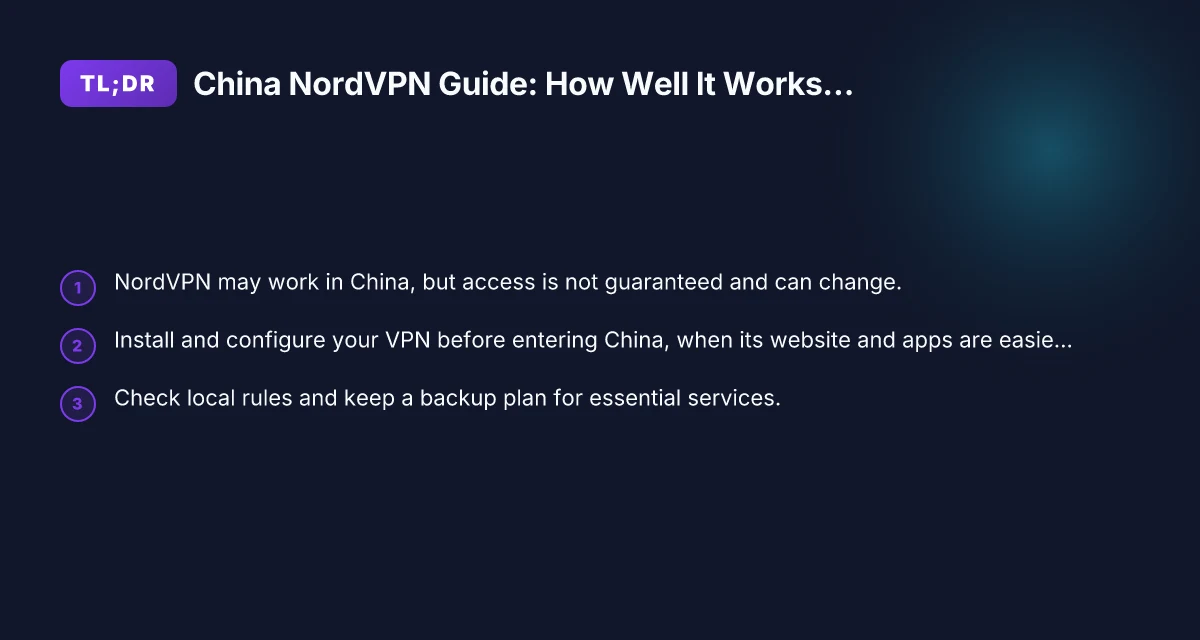
Legal, privacy, and practical considerations
Rules on VPN use differ by place and can change. Before traveling, review current official travel guidance and understand the laws and policies that apply to your situation. If you are traveling for work, ask your organization which tools it approves. Do not assume that a VPN makes every online activity lawful or invisible.
A VPN encrypts traffic between your device and the VPN server, but it does not protect you from every risk. It does not make suspicious links safe, prevent account compromise, or guarantee anonymity. Continue to use strong, unique passwords, enable multi-factor authentication, and keep your devices updated.
Also plan for the possibility that the VPN will not connect. Save essential addresses and travel documents offline, keep important contacts available through another channel, and know how to access maps or booking details without relying on blocked services. Can You Cancel Proton VPN Anytime? What to Know Before You Do
Comparing ways to stay connected in China
| Option | Possible advantage | Key uncertainty | Preparation needed | Best suited for |
|---|---|---|---|---|
| NordVPN | Familiar VPN service with app settings to try | Access and reliability can vary | Install and test before travel | Travelers who want to try a VPN |
| Another VPN | Offers a separate service to test | It may face similar restrictions | Research and prepare in advance | People wanting a backup |
| Non-VPN access | May work for services available locally | Some sites and apps may be restricted | Check what you need beforehand | Users with limited access needs |
| Mobile data | Can differ from hotel or public Wi-Fi | Connectivity and filtering vary | Confirm service and access options | Travelers with mobile coverage |
| Hotel Wi-Fi | Convenient where available | Network restrictions may apply | Check access on arrival | Light browsing |
| Offline access | Works without a live connection | Content must be prepared in advance | Download permitted materials beforehand | Travel and essential reference needs |
| No single option | Avoids assuming any service will always work | Requires flexibility | Prepare more than one approach | Travelers with critical access needs |
Compiled November 2026; check the provider's site for current details.
Recommendation
If you already subscribe to NordVPN, it is reasonable to prepare it for a China trip, but do not count on it as your only way to get online. Install and test it before departure, check NordVPN’s latest China-specific guidance, and confirm current rules for your travel circumstances. For essential work or communication, arrange a backup connection or approved alternative as well.