Certificate Validation Failure Cisco VPN: Causes and Fixes
Learn why Cisco VPN certificate validation fails and how to fix certificate, trust, time, and configuration issues safely.
A certificate validation failure in Cisco VPN means the client cannot confirm that the VPN server’s identity is trustworthy. The most common causes are an expired or not-yet-valid certificate, an incorrect system clock, a hostname mismatch, or a missing certificate authority (CA) in the trust chain. Check these items before changing VPN settings, and do not disable certificate verification as a workaround.
The exact messages and menus vary by Cisco product and version. Cisco Secure Client, formerly known as AnyConnect, may report a certificate error during connection, while administrators may see related details in client logs or server configuration. The checks below help distinguish a device-side problem from a certificate or VPN configuration issue.
| VPN | Obfuscation | From / month | Plan | Free plan | Refund | Alipay | UnionPay | Crypto | Website opens in China | Trustpilot | |
|---|---|---|---|---|---|---|---|---|---|---|---|
 ZoogVPN | Turn on manually Shadow | $2.49/mo | 27 months: $59.99 | Yes | 7 days | ✓ | ✓ | ✓ | ✓ | Official site blocked; our special link opens (4.4 s) | 4.2/5 (195 reviews) |
 NordVPN | Turn on manually Obfuscated Servers / NordWhisper | $3.49/mo | 27 months: $94.23 | No | 30 days | ? | ✗ | ✓ | ✓ | ✗ Blocked | 4.2/5 (51,628 reviews) |
 ExpressVPN | ✓ On by default all servers | $3.00/mo | 28 months: $84 | No | 30 days | ✗ | ✗ | ✓ | ✗ | ✗ Blocked | 4.4/5 (29,706 reviews) |
 Surfshark | ✓ On by default Camouflage, with OpenVPN | See site | See site | No | 30 days | ✗ | ✗ | ✗ | ✓ | ✗ Blocked | 4.3/5 (31,823 reviews) |
 Proton VPN | Turn on manually Stealth, free plan too | $2.99/mo | 12 months: $35.88 | Yes | 30 days | ✗ | ✗ | ✗ | ✓ | ✗ Blocked | 2.1/5 (1,040 reviews) |
 Astrill VPN | Turn on manually StealthVPN / OpenWeb | $12.50/mo | 24 months: $300 | No | See site | ✗ | ✗ | ✗ | ✓ | ✗ Blocked | 1.3/5 (110 reviews) |
 Private Internet Access | Turn on manually Shadowsocks, OpenVPN only | $2.03/mo | 40 months: $81.2 | No | 30 days | ✗ | ✗ | ✗ | ✗ | ✗ Blocked | 4.2/5 (11,033 reviews) |
 CyberGhost | Turn on manually selected servers | $2.19/mo | 28 months: $61.32 | No | 45 days | ✗ | ✗ | ✗ | ✓ | ✗ Blocked | 4.0/5 (24,178 reviews) |
 PureVPN | Turn on manually switch to OpenVPN | $1.69/mo | 60 months: $101.55 | No | 31 days | ? | ? | ✗ | ✓ | ✗ Blocked | 4.4/5 (17,994 reviews) |
 AdGuard VPN | ✓ On by default TrustTunnel | $2.99/mo | 24 months: $71.76 | Yes | 30 days | ✓ | ✗ | ✓ | ✓ | Official site blocked; our special link opens (3.7 s) | 4.3/5 (290 reviews) |
 Mullvad | Turn on manually QUIC / Shadowsocks / LWO | $5.61/mo | €5/mo | No | 14 days | ✗ | ✗ | ✗ | ✓ | ✗ Blocked | 3.2/5 (192 reviews) |
 Windscribe | Turn on manually Stealth / WStunnel | $5.75/mo | 12 months: $69 | Yes | See site | ✗ | ✗ | ✗ | ✓ | ✗ Blocked | 4.7/5 (13,355 reviews) |
 StrongVPN | Turn on manually Scramble, OpenVPN TCP | See site | See site | No | 30 days | ✓ | ✗ | ✗ | ✗ | ✗ Blocked | 4.4/5 (2,695 reviews) |
 LightXtreme 闪连 | Not listed | $7.08/mo | 12 months: $84.99 | Yes | 30 days | ✓ | ✓ | ✓ | ✓ | ✓ Yes (3.5 s) | No page |
Prices checked 2026-11-10 on each vendor's pricing page (cheapest long plan, USD). Check the vendor's checkout for the final price.
Obfuscation checked 2026-11-14 on each vendor's site and help center: "on by default" = nothing to set; "turn on manually" = switch protocol or mode in settings; "not listed" = the vendor describes no obfuscation.
Payment methods checked 2026-11-10 on each vendor's payment pages: all 14 take cards and PayPal; ✗ = not listed, ? = the vendor's own pages disagree.
China access: whether the official website opens from mainland China networks (tests the website only, not the VPN connection). Last checked 2026-11-18 01:02 Beijing time.
Trustpilot score and review count checked 2026-11-10.

Editor's pick: NordVPN — fast, secure VPN — Strong encryption, a no-logs policy and apps for every device. 30-day money-back guarantee. Get NordVPN →
Certificate validation checks and possible failure causes
| Check or cause | What is checked | Typical failure clue | Who can verify it | Safe next step |
|---|---|---|---|---|
| Server identity | Certificate name matches VPN server | Name mismatch warning | VPN administrator | Confirm the server name |
| Certificate validity | Certificate is within its validity period | Expired or not-yet-valid message | VPN administrator | Check dates and renew if needed |
| Trust chain | Certificate links to a trusted authority | Untrusted issuer warning | User or administrator | Verify the required CA certificate |
| Certificate revocation | Certificate has not been revoked | Revocation check failure | VPN administrator | Check revocation status and connectivity |
| Device date and time | Local clock is accurate | Certificate appears expired or not yet valid | User | Correct date, time and time zone |
| VPN server configuration | Server presents the intended certificate and chain | Multiple users see validation errors | VPN administrator | Review the server certificate configuration |
| Network access | Required validation services can be reached | Validation fails only on some networks | User or administrator | Check network access to validation services |
Compiled November 2026; check the provider's site for current details.
What certificate validation checks
During a VPN connection, the client receives a certificate from the VPN gateway. It checks whether the certificate is valid and whether it was issued by a trusted authority. It also confirms that the certificate applies to the server name in the VPN profile.
Validation commonly checks:
- Validity period: The current date must fall between the certificate’s start and expiration dates.
- Trusted issuer: The client must trust the CA that issued the certificate, including any intermediate CAs needed to complete the chain.
- Server identity: The name used to connect must match a name listed in the certificate.
- Certificate purpose: The certificate must be appropriate for server authentication.
- Revocation status: Depending on the client and network, the certificate may be checked against revocation information.
A failure in any of these checks can prevent the VPN from connecting. It may also indicate a legitimate security problem, so treat the warning as meaningful rather than as an obstacle to bypass.
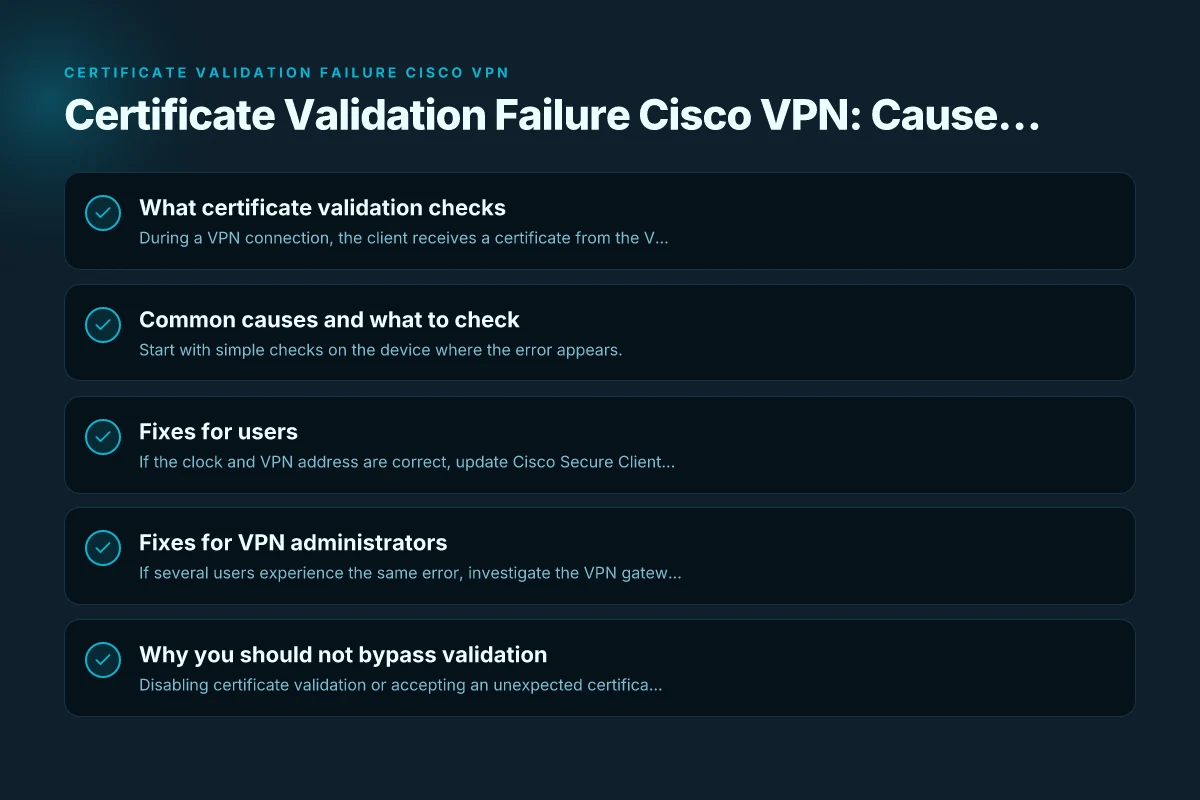
Common causes and what to check
Start with simple checks on the device where the error appears. Can You Cancel Proton VPN Subscription? Here’s How
- Check the date and time. Enable automatic date, time, and time zone settings, then reconnect. A clock that is significantly wrong can make a valid certificate appear expired or not yet valid.
- Confirm the VPN address. Use the official server name or VPN profile provided by your organization. Connecting through an IP address, an old bookmark, or a manually changed hostname may cause a name mismatch.
- Restart the VPN client. Close Cisco Secure Client completely, reopen it, and try again. If a managed device has recently received updates, restarting it can also help apply them.
- Check for network interception. Captive portals, security software, or a proxy can sometimes interfere with the connection or present a certificate the client does not expect. Complete any legitimate Wi-Fi sign-in and retry on a trusted network.
- Ask whether the certificate changed. A recent VPN gateway renewal or configuration change may require an administrator to correct the server certificate or its chain.
| Possible cause | Typical clue | Appropriate next step |
|---|---|---|
| Incorrect device clock | Certificate appears expired or not yet valid | Correct automatic date, time, and time zone |
| Hostname mismatch | Error identifies a name that differs from the VPN address | Use the official VPN profile or server name |
| Missing or untrusted CA | Issuer or trust-chain error | Ask IT for the approved CA certificate or managed update |
| Expired gateway certificate | Multiple users see the same error | VPN administrator renews and installs the server certificate |
| Revoked or incomplete certificate chain | Certificate status or issuer-chain warning | Administrator checks revocation and gateway configuration |
Fix options by responsibility and risk
| Option | Who acts | When it may help | Security impact | Recommended action |
|---|---|---|---|---|
| Check device date and time | User | Certificate dates appear invalid | Low risk | Correct the clock and retry |
| Confirm the VPN server name | User or administrator | The name in the warning looks unexpected | Low risk | Verify the correct server name through a trusted channel |
| Install the required CA certificate | User or administrator | The issuer is not trusted | Safe only if verified | Obtain it from the organization’s trusted source |
| Update the VPN client | User | Client is outdated or incompatible | Low risk | Use the organization-approved version |
| Renew the server certificate | Administrator | The certificate is expired or near expiry | Improves validation | Install a valid certificate and required chain |
| Correct the server certificate chain | Administrator | A required intermediate certificate is missing | Improves validation | Configure and test the full chain |
| Check revocation-service access | Administrator | Revocation checks cannot complete | Preserves validation | Restore access to the required service |
| Bypass certificate validation | User or administrator | May suppress the warning | High risk | Do not use as a routine fix |
Compiled November 2026; check the provider's site for current details.
Fixes for users
If the clock and VPN address are correct, update Cisco Secure Client through your organization’s approved software channel. On a managed computer, do not download a replacement client or certificate from an unverified website. Your IT team may need to push an updated VPN profile, root CA, or intermediate CA certificate.
If your organization has provided a certificate installation procedure, follow it exactly. Confirm that the certificate comes from an official internal source and is intended for the relevant device and operating system. Installing the wrong certificate, or trusting an unknown certificate, can expose your connection to impersonation. Can You Cancel Proton VPN Anytime? What to Know Before You Do
You can also collect useful details for support:
- The exact error text, including any certificate name or issuer shown.
- The time the failure occurred and your device’s operating system.
- Your Cisco Secure Client version.
- Whether the problem affects one device, one network, or multiple users.
- Any recent changes, such as a device update or a new VPN profile.
Avoid repeatedly deleting certificates or changing advanced security settings without guidance. Those actions may remove certificates needed by other company services and make diagnosis harder.
Fixes for VPN administrators
If several users experience the same error, investigate the VPN gateway and certificate deployment rather than asking everyone to change local settings. Verify that the gateway presents a current server certificate and the full required chain. Check that the certificate includes the hostname users enter, typically in the Subject Alternative Name field, and that it is valid for server authentication.
Administrators should also confirm that: Can NordVPN Change My Location? What It Changes and What It Doesn’t
- The certificate is installed on the correct VPN gateway or load balancer.
- Intermediate CA certificates are available so clients can build a trusted chain.
- The certificate has not expired, been revoked, or been replaced with the wrong one.
- DNS names in VPN profiles match the names covered by the certificate.
- Certificate revocation checks can reach the relevant services where required.
- Any managed client profiles and trusted CA deployments are current.
Use Cisco Secure Client logs and the gateway’s event logs to identify which validation check failed. Share logs through approved support channels, since they may contain device or connection details. If the issue began after a renewal or migration, compare the new certificate, chain, and VPN profile with the previous configuration.
Why you should not bypass validation
Disabling certificate validation or accepting an unexpected certificate can remove a key protection against a fake VPN server. An attacker on an untrusted network could impersonate the gateway and potentially intercept credentials or traffic.
If a prompt offers an option to trust a certificate permanently, accept it only when your organization’s IT team has verified the certificate and explicitly instructed you to do so through an approved process. Do not rely on a familiar-looking server name alone. The certificate and its issuer must also be verified.
Choices when a Cisco VPN certificate warning appears Best VPN for ESPN Plus: Top Picks, Features, and Setup Tips
| Choice | Lets you investigate safely | Confirms server identity | Risk of connecting to an impostor | Best use |
|---|---|---|---|---|
| Stop and contact IT | Yes | Not by itself | Low | Unexpected or unclear warning |
| Verify the server name with IT | Yes | Helps confirm the intended server | Low | Name mismatch or unfamiliar server |
| Check device date and time | Yes | No | Low | Certificate appears expired or not yet valid |
| Ask IT to verify the certificate | Yes | Yes, when checked against trusted records | Low | Untrusted issuer or unexplained validation failure |
| Install a CA certificate from an approved source | Yes | Supports trusted-chain validation | Low when source is verified | IT confirms the required CA |
| Retry after an approved client update | Yes | Supports correct validation behavior | Low | Client may be outdated |
| Continue after dismissing the warning | No | No | High | Not recommended |
| Disable certificate validation | No | No | High | Avoid; ask IT to fix the underlying issue |
Compiled November 2026; check the provider's site for current details.
Recommendation
For a certificate validation failure in Cisco VPN, first correct the device clock and confirm that you are using the official VPN hostname and profile. If those checks do not resolve the problem, contact your VPN administrator with the exact error and relevant client details. Do not bypass certificate checks. The safest fix is to restore a valid, correctly configured certificate chain.