Why Does VPN Work on Windows but Not Linux? Common Causes and Fixes

Learn why a VPN may connect on Windows but fail on Linux, and how to troubleshoot configuration, DNS, routing, and firewall issues.
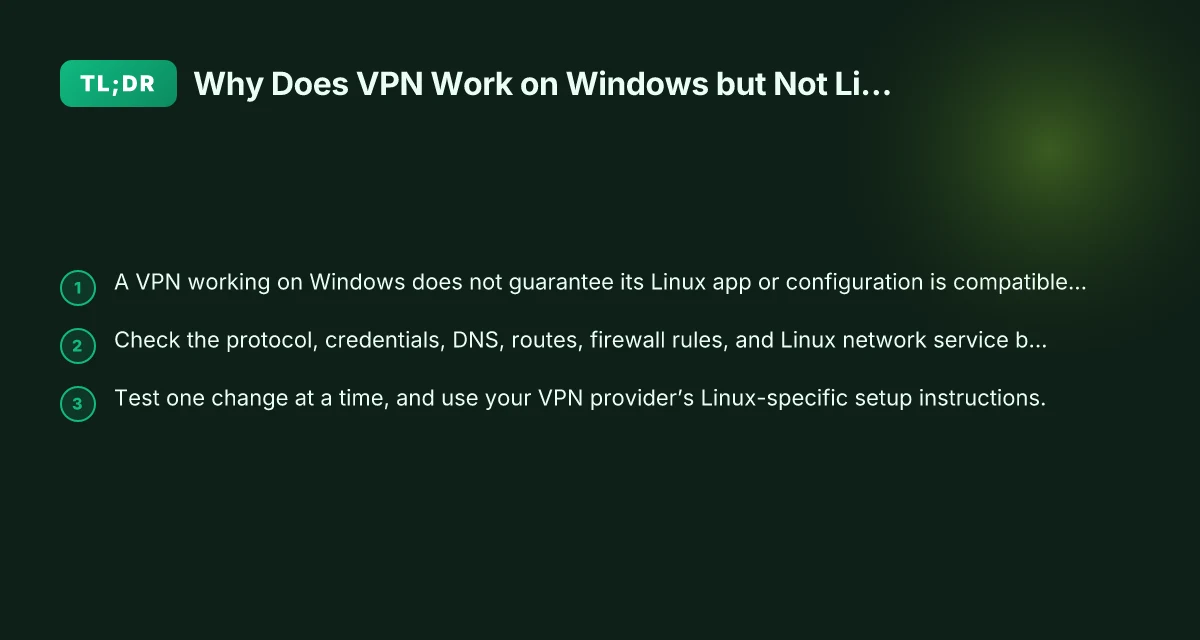
If you’re wondering, “why does VPN work on Windows but not Linux?”, the most likely reason is that the two systems use different VPN apps, network settings, and connection profiles. A Windows client may configure routes, DNS, and authentication automatically, while Linux may require a separate app or manual setup. The problem is often a configuration mismatch, not proof that the VPN service itself is down.

Editor's pick: NordVPN — fast, secure VPN — Strong encryption, a no-logs policy and apps for every device. 30-day money-back guarantee. Get NordVPN →
Compare common VPN failure points on Windows and Linux
| Area | Windows symptom | Linux symptom | What to check | Likely fix |
|---|---|---|---|---|
| VPN client | Connects normally | Client is missing or limited | Linux app and version | Install a supported client |
| Connection profile | Profile works | Profile is incomplete or incompatible | Protocol and profile settings | Import or recreate the profile |
| DNS | Websites resolve | VPN connects but names fail | DNS servers and resolver | Set a working VPN DNS |
| Routes | Traffic uses the tunnel | Traffic bypasses or misses it | Routing table and default route | Correct the VPN routes |
| Firewall | Tunnel traffic is allowed | Rules block tunnel traffic | Firewall rules and policies | Allow the VPN interface |
| Kill switch | Connection remains usable | Internet is blocked after disconnect | Kill-switch state and rules | Adjust or reset the kill switch |
| Network services | VPN manages networking | Services conflict with VPN setup | Network manager and resolver | Use compatible service settings |
Compiled November 2026; check the provider's site for current details.
| VPN | Obfuscation | From / month | Plan | Free plan | Refund | Alipay | UnionPay | Crypto | Website opens in China | Trustpilot | |
|---|---|---|---|---|---|---|---|---|---|---|---|
 ZoogVPN | Turn on manually Shadow | $2.49/mo | 27 months: $59.99 | Yes | 7 days | ✓ | ✓ | ✓ | ✓ | Official site blocked; our special link opens (4.4 s) | 4.2/5 (195 reviews) |
 NordVPN | Turn on manually Obfuscated Servers / NordWhisper | $3.49/mo | 27 months: $94.23 | No | 30 days | ? | ✗ | ✓ | ✓ | ✗ Blocked | 4.2/5 (51,628 reviews) |
 ExpressVPN | ✓ On by default all servers | $3.00/mo | 28 months: $84 | No | 30 days | ✗ | ✗ | ✓ | ✗ | ✗ Blocked | 4.4/5 (29,706 reviews) |
 Surfshark | ✓ On by default Camouflage, with OpenVPN | See site | See site | No | 30 days | ✗ | ✗ | ✗ | ✓ | ✗ Blocked | 4.3/5 (31,823 reviews) |
 Proton VPN | Turn on manually Stealth, free plan too | $2.99/mo | 12 months: $35.88 | Yes | 30 days | ✗ | ✗ | ✗ | ✓ | ✗ Blocked | 2.1/5 (1,040 reviews) |
 Astrill VPN | Turn on manually StealthVPN / OpenWeb | $12.50/mo | 24 months: $300 | No | See site | ✗ | ✗ | ✗ | ✓ | ✗ Blocked | 1.3/5 (110 reviews) |
 Private Internet Access | Turn on manually Shadowsocks, OpenVPN only | $2.03/mo | 40 months: $81.2 | No | 30 days | ✗ | ✗ | ✗ | ✗ | ✗ Blocked | 4.2/5 (11,033 reviews) |
 CyberGhost | Turn on manually selected servers | $2.19/mo | 28 months: $61.32 | No | 45 days | ✗ | ✗ | ✗ | ✓ | ✗ Blocked | 4.0/5 (24,178 reviews) |
 PureVPN | Turn on manually switch to OpenVPN | $1.69/mo | 60 months: $101.55 | No | 31 days | ? | ? | ✗ | ✓ | ✗ Blocked | 4.4/5 (17,994 reviews) |
 AdGuard VPN | ✓ On by default TrustTunnel | $2.99/mo | 24 months: $71.76 | Yes | 30 days | ✓ | ✗ | ✓ | ✓ | Official site blocked; our special link opens (3.7 s) | 4.3/5 (290 reviews) |
 Mullvad | Turn on manually QUIC / Shadowsocks / LWO | $5.61/mo | €5/mo | No | 14 days | ✗ | ✗ | ✗ | ✓ | ✗ Blocked | 3.2/5 (192 reviews) |
 Windscribe | Turn on manually Stealth / WStunnel | $5.75/mo | 12 months: $69 | Yes | See site | ✗ | ✗ | ✗ | ✓ | ✗ Blocked | 4.7/5 (13,355 reviews) |
 StrongVPN | Turn on manually Scramble, OpenVPN TCP | See site | See site | No | 30 days | ✓ | ✗ | ✗ | ✗ | ✗ Blocked | 4.4/5 (2,695 reviews) |
 LightXtreme 闪连 | Not listed | $7.08/mo | 12 months: $84.99 | Yes | 30 days | ✓ | ✓ | ✓ | ✓ | ✓ Yes (3.5 s) | No page |
Prices checked 2026-11-10 on each vendor's pricing page (cheapest long plan, USD). Check the vendor's checkout for the final price.
Obfuscation checked 2026-11-14 on each vendor's site and help center: "on by default" = nothing to set; "turn on manually" = switch protocol or mode in settings; "not listed" = the vendor describes no obfuscation.
Payment methods checked 2026-11-10 on each vendor's payment pages: all 14 take cards and PayPal; ✗ = not listed, ? = the vendor's own pages disagree.
China access: whether the official website opens from mainland China networks (tests the website only, not the VPN connection). Last checked 2026-11-18 01:02 Beijing time.
Trustpilot score and review count checked 2026-11-10.
Why the same VPN behaves differently
VPN providers commonly offer different clients and features for each operating system. A Windows app may support a particular protocol or automatically select a working server, while the Linux version may use another protocol, lack the same features, or require extra setup.
Linux also varies by distribution and desktop environment. NetworkManager, systemd-resolved, firewall tools, and package versions can affect how a connection is established and how traffic is routed afterward. A configuration that works on one Linux distribution may need adjustment on another.
| Area | What Windows may handle automatically | What to check on Linux |
|---|---|---|
| VPN protocol | Select or negotiate a supported protocol | Confirm the provider supports the protocol and Linux client |
| DNS | Apply DNS servers when connecting | Check whether VPN DNS is active after connection |
| Routes | Send traffic through the tunnel | Verify the default route or intended network routes |
| Firewall | Add or adjust rules through the app | Check firewall rules and any kill switch |
| Authentication | Store or refresh credentials | Confirm the Linux profile uses the correct login method |

Check the VPN client and connection profile
Start by confirming that your provider supports Linux and that you are following its instructions for your specific distribution. Some services provide a graphical app. Others rely on NetworkManager, OpenVPN, WireGuard, or command-line tools. A Windows configuration file or setup guide may not apply to Linux.
If you imported a profile, check that it matches the protocol and server you intend to use. Old profiles, incomplete imports, or credentials intended only for the provider’s app can prevent login. Some services also require a separate username and password for manual connections. How Much Does NordVPN Cost? Plans, Pricing, and What to Check
Try these steps:
- Update the Linux VPN app or relevant VPN package using your distribution’s supported method.
- Download a fresh Linux configuration from your provider.
- Confirm the server address, protocol, and authentication details.
- Check the provider’s account dashboard for Linux-specific setup requirements.
- Test a different server if the connection attempt reaches a server but fails to complete.
If the client displays an error, note the exact wording. An authentication error points to different causes than a timeout or a successful connection with no internet access.
Match symptoms to checks and fixes
| Symptom | First check | Possible cause | Try this | Verify |
|---|---|---|---|---|
| VPN will not connect | Client and profile | Unsupported client or bad profile | Update client or reimport profile | Reconnect |
| VPN connects, but no sites load | DNS resolution | Incorrect DNS settings | Set the VPN-provided DNS | Open a site by name |
| Sites load only by IP address | DNS resolver | DNS failure | Check resolver configuration | Test a domain name |
| Internet stops when VPN disconnects | Kill switch | Kill switch blocks non-VPN traffic | Review kill-switch settings | Browse after disconnecting |
| Some traffic avoids the VPN | Routes | Missing or conflicting routes | Inspect and correct routes | Check the active route |
| Connection fails on one network | Firewall rules | Network policy blocks VPN traffic | Review firewall permissions | Try the connection again |
Compiled November 2026; check the provider's site for current details. FortiGate L2TP: Setup, Security, and Alternatives
Check DNS, routes, and internet access
A VPN can report that it is connected while websites remain unreachable. In that case, the tunnel may be established, but DNS or routing may not be working as expected.
DNS translates website names into network addresses. If Linux keeps using your normal network’s DNS server, or cannot reach the DNS server supplied by the VPN, websites may fail to load even though the VPN connection is active. Try accessing a site by its IP address only as a diagnostic, not as a permanent fix. If that works while domain names do not, investigate DNS settings.
Routing determines which traffic travels through the VPN. A profile may connect but fail to install the expected routes, or a conflicting route may direct traffic outside the tunnel or block it entirely.
After connecting, check whether: How Does Mullvad VPN Work? A Clear Guide to Its Privacy and Features
- You can reach the internet at all.
- Domain names fail while other network access works.
- Only some apps or destinations are unreachable.
- The VPN’s intended traffic route appears to be active.
Avoid copying route or DNS commands from an unrelated tutorial. The correct fix depends on your distribution, VPN protocol, and provider configuration.
Look for firewall, kill switch, and network-service conflicts
Linux firewall rules can block the tunnel or prevent traffic from leaving it. This may happen with a firewall you configured yourself, a VPN kill switch, or rules left behind by another VPN client. A kill switch is designed to block internet access when the VPN is disconnected, but a misapplied rule can also block traffic after a failed connection.
Network services can conflict too. For example, the VPN client may expect NetworkManager to manage the connection, while a separate service or manual configuration is controlling the same interface. Using two VPN clients at once can create similar problems.
To narrow it down: FortiGate VPN Client: Setup, Connection Options, and Troubleshooting
- Temporarily disconnect other VPN software and remove duplicate active profiles.
- Check whether a kill switch or firewall rule is blocking traffic.
- Confirm that the network service required by your VPN client is running.
- Restart the VPN connection and, if appropriate, the network service.
- Avoid disabling your firewall permanently. Use a brief test only if you understand the security impact.
If the VPN connects only after a firewall is changed, configure a narrow, documented rule rather than leaving the system unprotected.
Practical troubleshooting order
| Step | Action | Check for | If it fails | Next step |
|---|---|---|---|---|
| 1 | Confirm the Linux VPN client | Supported client and version | Client is unavailable or outdated | Install or update it |
| 2 | Review the connection profile | Correct protocol and settings | Profile is incomplete | Reimport or recreate it |
| 3 | Test basic internet access | Connection works without VPN | No baseline access | Fix the network first |
| 4 | Connect to the VPN | Client reports a connection | Connection does not establish | Check client logs and profile |
| 5 | Test DNS | Names resolve through the VPN | Name lookup fails | Review DNS settings |
| 6 | Inspect routes | Traffic follows the tunnel | Traffic bypasses the tunnel | Correct route configuration |
| 7 | Review firewall and kill switch | Rules allow VPN traffic | Rules block access | Adjust rules, then retest |
| 8 | Check network services | Services do not conflict | Resolver or manager overrides settings | Use compatible service settings |
Compiled November 2026; check the provider's site for current details.
A practical troubleshooting order
Work from the simplest checks toward system-level changes. Change one thing at a time so you can tell what resolved the problem. Free VPN Where You Can Choose Location: What to Know
- Confirm that your normal Linux internet connection works with the VPN disconnected.
- Verify that the VPN service supports Linux and your chosen protocol.
- Update the client or VPN packages and create a fresh Linux profile.
- Recheck credentials, server address, and authentication method.
- Test another server and, if supported, another protocol.
- If it connects but traffic fails, investigate DNS, routes, firewall rules, and the kill switch.
- Review the client’s connection logs and share the relevant error with your provider or distribution’s support community.
Logs can reveal whether the failure occurs during authentication, tunnel setup, route installation, or DNS configuration. Remove account details, IP addresses, and other private information before posting logs publicly.
Recommendation
When a VPN works on Windows but not Linux, begin with the provider’s Linux-specific client or configuration, then check the exact error before changing network settings. Confirm the protocol and credentials first. Investigate DNS, routing, and firewall behavior if the VPN connects but traffic does not. If the provider’s instructions do not match your distribution, contact its support team with the Linux version, VPN protocol, and sanitized connection log.