VPN to Change the Time Zones Free: What Works and What Doesn’t
Learn how a free VPN changes your apparent location, when you need a timezone spoofer, and how to protect your privacy.
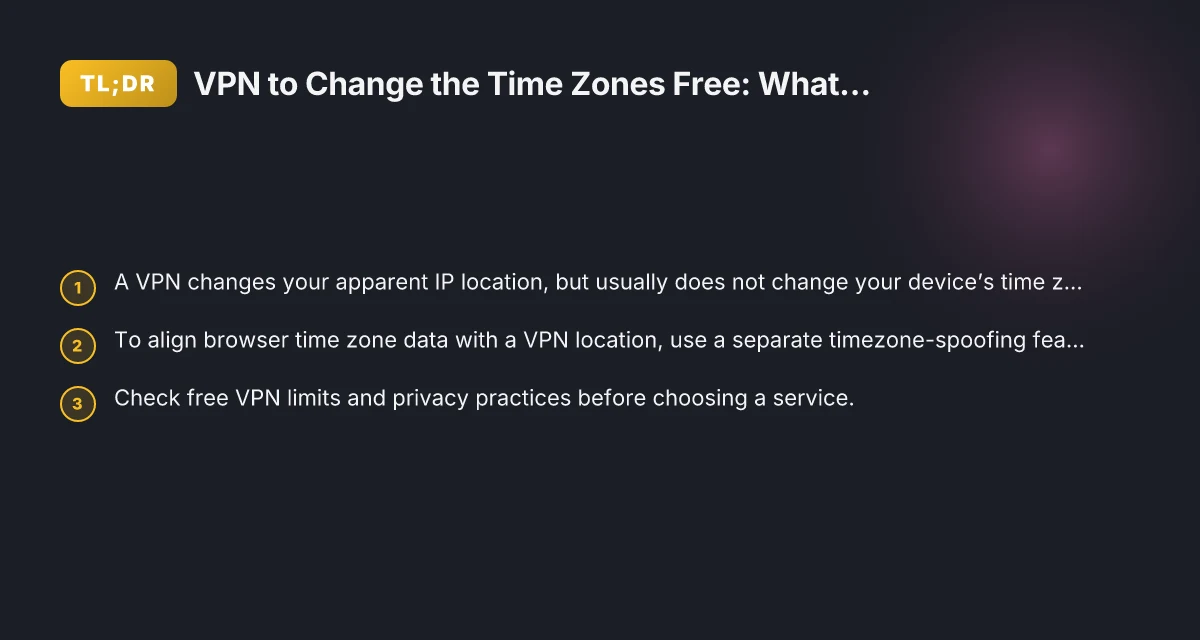
A VPN to change the time zones free can help make your internet connection appear to come from another location, but a VPN alone generally does not change the time zone set on your device. Websites may use both your IP address and browser settings to estimate where you are. If you need those signals to match, you may need a timezone-spoofing feature in addition to a VPN.

Editor's pick: NordVPN — fast, secure VPN — Strong encryption, a no-logs policy and apps for every device. 30-day money-back guarantee. Get NordVPN →
What changes when you use a VPN—and what may still reveal your time zone
| Signal or setting | Changed by a VPN? | What it can show | What to check |
|---|---|---|---|
| Public IP address | Yes | VPN server’s apparent location | Confirm the VPN connection is active |
| Browser time zone | Usually no | Device or browser time zone | Check browser settings or a time-zone test |
| Device clock | No | Device’s local time | Check operating-system date and time |
| GPS location | No | Precise device location, if permitted | Review location permissions |
| Cookies and account history | No | Previously saved location clues | Review site data and account settings |
| DNS requests | Sometimes | Network or ISP-related location clues | Check for DNS leaks |
| WebRTC information | Sometimes | Network address clues | Check for WebRTC leaks |
| Website location estimate | May change | A blend of IP and other signals | Test the site while connected |
Compiled November 2026; check the provider's site for current details.
| VPN | Obfuscation | From / month | Plan | Free plan | Refund | Alipay | UnionPay | Crypto | Website opens in China | Trustpilot | |
|---|---|---|---|---|---|---|---|---|---|---|---|
 Windscribe | Turn on manually Stealth / WStunnel | $5.75/mo | 12 months: $69 | Yes | See site | ✗ | ✗ | ✗ | ✓ | ✗ Blocked | 4.7/5 (13,355 reviews) |
 ZoogVPN | Turn on manually Shadow | $2.49/mo | 27 months: $59.99 | Yes | 7 days | ✓ | ✓ | ✓ | ✓ | Official site blocked; our special link opens (4.4 s) | 4.2/5 (195 reviews) |
 NordVPN | Turn on manually Obfuscated Servers / NordWhisper | $3.49/mo | 27 months: $94.23 | No | 30 days | ? | ✗ | ✓ | ✓ | ✗ Blocked | 4.2/5 (51,628 reviews) |
 ExpressVPN | ✓ On by default all servers | $3.00/mo | 28 months: $84 | No | 30 days | ✗ | ✗ | ✓ | ✗ | ✗ Blocked | 4.4/5 (29,706 reviews) |
 Surfshark | ✓ On by default Camouflage, with OpenVPN | See site | See site | No | 30 days | ✗ | ✗ | ✗ | ✓ | ✗ Blocked | 4.3/5 (31,823 reviews) |
 Proton VPN | Turn on manually Stealth, free plan too | $2.99/mo | 12 months: $35.88 | Yes | 30 days | ✗ | ✗ | ✗ | ✓ | ✗ Blocked | 2.1/5 (1,040 reviews) |
 Astrill VPN | Turn on manually StealthVPN / OpenWeb | $12.50/mo | 24 months: $300 | No | See site | ✗ | ✗ | ✗ | ✓ | ✗ Blocked | 1.3/5 (110 reviews) |
 Private Internet Access | Turn on manually Shadowsocks, OpenVPN only | $2.03/mo | 40 months: $81.2 | No | 30 days | ✗ | ✗ | ✗ | ✗ | ✗ Blocked | 4.2/5 (11,033 reviews) |
 CyberGhost | Turn on manually selected servers | $2.19/mo | 28 months: $61.32 | No | 45 days | ✗ | ✗ | ✗ | ✓ | ✗ Blocked | 4.0/5 (24,178 reviews) |
 PureVPN | Turn on manually switch to OpenVPN | $1.69/mo | 60 months: $101.55 | No | 31 days | ? | ? | ✗ | ✓ | ✗ Blocked | 4.4/5 (17,994 reviews) |
 AdGuard VPN | ✓ On by default TrustTunnel | $2.99/mo | 24 months: $71.76 | Yes | 30 days | ✓ | ✗ | ✓ | ✓ | Official site blocked; our special link opens (3.7 s) | 4.3/5 (290 reviews) |
 Mullvad | Turn on manually QUIC / Shadowsocks / LWO | $5.61/mo | €5/mo | No | 14 days | ✗ | ✗ | ✗ | ✓ | ✗ Blocked | 3.2/5 (192 reviews) |
 StrongVPN | Turn on manually Scramble, OpenVPN TCP | See site | See site | No | 30 days | ✓ | ✗ | ✗ | ✗ | ✗ Blocked | 4.4/5 (2,695 reviews) |
 LightXtreme 闪连 | Not listed | $7.08/mo | 12 months: $84.99 | Yes | 30 days | ✓ | ✓ | ✓ | ✓ | ✓ Yes (3.5 s) | No page |
Prices checked 2026-11-10 on each vendor's pricing page (cheapest long plan, USD). Check the vendor's checkout for the final price.
Obfuscation checked 2026-11-14 on each vendor's site and help center: "on by default" = nothing to set; "turn on manually" = switch protocol or mode in settings; "not listed" = the vendor describes no obfuscation.
Payment methods checked 2026-11-10 on each vendor's payment pages: all 14 take cards and PayPal; ✗ = not listed, ? = the vendor's own pages disagree.
China access: whether the official website opens from mainland China networks (tests the website only, not the VPN connection). Last checked 2026-11-18 01:02 Beijing time.
Trustpilot score and review count checked 2026-11-10.
What a VPN changes, and what it doesn’t
A VPN routes your internet traffic through a server, so websites typically see the server’s IP address rather than your usual one. Connecting to a server in another country can therefore make your apparent IP location different.
Your device’s clock and time zone are separate settings. They are usually controlled by your operating system, not by the VPN connection. As a result, a site may see an IP address associated with one region while your browser reports a time zone associated with another.
That mismatch does not automatically reveal your identity, but it can make your location signals inconsistent. A VPN is useful for changing your apparent IP location. It is not, by itself, a time-zone changer.
How to make your browser time zone match
If your goal is to make your browser’s reported time zone correspond to the VPN server’s location, look for a timezone-spoofing option. Some browser privacy tools offer this separately from VPN protection. TomVPN Download: How to Find and Install the App Safely
Windscribe, for example, describes a feature called Time Warp that spoofs browser time-zone settings to match the location of a proxy. This is a specific feature, not something to assume every VPN includes. Check the provider’s current feature details and compatibility before relying on it.
A general setup process is:
- Choose a VPN server in the location you want to appear to connect from.
- Check whether your VPN or browser offers timezone spoofing.
- Set the browser time zone to match the selected location if the tool allows it.
- Verify what your browser is reporting with a reputable privacy or browser-testing site.
- Remember that other signals, such as account details, cookies, or device settings, may still indicate your usual location.
Changing your computer’s system time zone manually is another option, but it affects the device itself and may not be necessary. Avoid changing system settings if you only want to adjust browser-reported information.
Free VPN options: what to compare
Some VPNs offer a free plan, but free services can differ in available locations, speeds, data limits, ads, and privacy protections. The search results mention an Android app that offers VPN time in exchange for watching an advert. This is an example of an ad-supported model, not a guarantee that every free VPN works the same way. Free VPN Where You Can Pick Location: What to Know
| Option | What it changes | Possible limitation |
|---|---|---|
| Free VPN | Apparent IP location | Server choices or usage may be limited |
| VPN with timezone spoofing | IP location and browser time-zone signal | The feature may be limited to certain apps or browsers |
| Manual device time-zone change | Device’s displayed time zone | Does not change your IP location |
| Browser timezone-spoofing tool | Browser-reported time zone | Does not replace a VPN or hide your IP |
Before installing a free VPN, review its privacy policy, permissions, and business model. Check whether it clearly explains how it handles connection data and whether its free features meet your needs. Avoid treating “free” as proof that a service is private or secure.
Free VPN options—features to compare before choosing
| Comparison point | Why it matters | What to look for | Limitation to consider |
|---|---|---|---|
| Data allowance | Affects how long you can stay connected | Clear free-plan limits | May not suit frequent use |
| Server locations | Determines which IP locations are available | Locations that meet your needs | Free plans may offer fewer choices |
| Speed | Affects browsing and streaming | Performance that works for your tasks | Free servers can be busy |
| Browser support | Helps if you only need browser traffic | A browser extension or app | Extensions may cover only browser traffic |
| Privacy policy | Explains what data the provider handles | Clear collection and retention terms | Read the policy rather than assuming |
| Leak protection | Helps prevent exposure of network details | DNS and WebRTC protections | Verify protections with tests |
| Time-zone controls | Relevant when matching browser time zone | A supported browser setting or extension | A VPN alone usually does not change it |
| Pricing and renewal | Clarifies what happens after free use | Transparent free-plan terms | Check for paid-plan prompts |
Compiled November 2026; check the provider's site for current details.
Can a VPN change location, and is it legal?
A VPN can change the IP-based location that many websites see, provided the service has a server in the location you select. Whether a free plan offers that location depends on the provider. Tom VPN Free: What It Is, How to Check It, and Whether to Use It
Using a VPN to change your apparent location is legal in many places, but laws and service rules vary. A website or streaming service may also restrict access based on its terms. A VPN does not make prohibited activity lawful, and it should not be used to commit fraud or bypass rules that apply to you.
For privacy, focus on understanding what the VPN protects. It can help shield traffic from local network observers, but it does not make you completely anonymous. Websites may still recognize you through signed-in accounts, cookies, browser settings, or other information.
Common questions
Can I use a VPN to change my time zone?
Not usually by itself. A VPN changes your apparent IP location, while your device or browser may continue reporting its existing time zone. Use a compatible timezone-spoofing feature if you need the browser setting to match.
Is there a free VPN that changes location?
Some free VPNs let you choose from available server locations. The selection and usage rules vary, so check the provider’s current plan details. A VPN that changes your IP location may not also spoof your time zone. Fortinet VPN Client: How to Choose, Install, and Use It
Is there a VPN that is 100% free?
Some services offer free plans, but “free” does not mean unlimited, feature-complete, or free of trade-offs. Review the service’s terms, privacy practices, and any usage restrictions rather than relying on the price alone.
Ways to make your browser time zone match—what each option changes
| Option | Changes apparent IP location? | Changes browser time zone? | Best suited for | Key caveat |
|---|---|---|---|---|
| VPN only | Yes | Usually no | Changing the IP-based location signal | Other signals may still differ |
| Device time-zone setting | No | Usually yes | Matching the browser to device settings | Also changes device time display |
| Browser time-zone override | No | Yes, if supported | Testing a chosen browser time zone | Availability depends on browser or tools |
| Browser extension | No | May do so | Adjusting browser-specific behavior | Check permissions and provider trust |
| Remote desktop in another region | Yes, from the remote system | Yes, from the remote system | Using a separate environment | Requires access to a remote computer |
| Clear site data | No | No | Removing stored location clues | Does not change device or browser settings |
| Location-permission controls | No | No | Managing GPS or site location access | Does not alter the browser time zone |
| Combine VPN and time-zone controls | Yes | Yes, if configured | Aligning IP and browser signals | Does not guarantee a website’s location result |
Compiled November 2026; check the provider's site for current details.
Recommendation
For a simple IP-location change, choose a reputable VPN with a free plan that clearly explains its limits and privacy practices. If you also need your browser’s time zone to match the VPN location, use a separate timezone-spoofing feature and verify the result. A VPN changes where your connection appears to originate. It does not automatically reset your device’s clock. Free VPN That Changes Your Location on Your PC to Canada: What to Know