VPN for Roblox: What It Does, How to Choose One, and When to Use It
Learn when a VPN can help with Roblox, what to look for, and how to connect safely without risking your account.
A VPN for Roblox routes your internet traffic through a VPN provider’s server before it reaches Roblox. This can help protect your connection on public Wi-Fi and may be useful when diagnosing certain network issues. It is not a guaranteed way to reduce lag, bypass restrictions, or avoid account enforcement. The best choice is a trustworthy service with fast nearby servers, transparent privacy policies, and apps that work on your device.

Editor's pick: NordVPN — fast, secure VPN — Strong encryption, a no-logs policy and apps for every device. 30-day money-back guarantee. Get NordVPN →
Compare what a VPN can and cannot do for Roblox
| Goal or concern | What a VPN may do | What it cannot guarantee | Best next step |
|---|---|---|---|
| Hide your public IP from Roblox | Routes traffic through a VPN server | Anonymity or protection from every form of tracking | Review the VPN’s privacy policy |
| Improve a poor connection | Help if routing is the cause | Lower ping or faster gameplay | Test your connection with and without the VPN |
| Access Roblox on a restricted network | May provide another connection route | Access where VPN use is blocked or against rules | Check local and network policies |
| Avoid an IP-based block | May change the visible IP address | Restore an account or bypass Roblox moderation | Use Roblox’s appeal process |
| Protect traffic on public Wi-Fi | Encrypts traffic between your device and VPN server | Protection from phishing or unsafe downloads | Use account security features too |
| Stop account compromise | No direct protection | Account recovery or a secure password | Enable two-step verification |
| Prevent all lag | No direct fix for device or server issues | Stable play in every Roblox experience | Check Wi-Fi, device performance, and Roblox status |
Compiled November 2026; check the provider's site for current details.
| VPN | Obfuscation | From / month | Plan | Free plan | Refund | Alipay | UnionPay | Crypto | Website opens in China | Trustpilot | |
|---|---|---|---|---|---|---|---|---|---|---|---|
 ZoogVPN | Turn on manually Shadow | $2.49/mo | 27 months: $59.99 | Yes | 7 days | ✓ | ✓ | ✓ | ✓ | Official site blocked; our special link opens (4.4 s) | 4.2/5 (195 reviews) |
 NordVPN | Turn on manually Obfuscated Servers / NordWhisper | $3.49/mo | 27 months: $94.23 | No | 30 days | ? | ✗ | ✓ | ✓ | ✗ Blocked | 4.2/5 (51,628 reviews) |
 ExpressVPN | ✓ On by default all servers | $3.00/mo | 28 months: $84 | No | 30 days | ✗ | ✗ | ✓ | ✗ | ✗ Blocked | 4.4/5 (29,706 reviews) |
 Surfshark | ✓ On by default Camouflage, with OpenVPN | See site | See site | No | 30 days | ✗ | ✗ | ✗ | ✓ | ✗ Blocked | 4.3/5 (31,823 reviews) |
 Proton VPN | Turn on manually Stealth, free plan too | $2.99/mo | 12 months: $35.88 | Yes | 30 days | ✗ | ✗ | ✗ | ✓ | ✗ Blocked | 2.1/5 (1,040 reviews) |
 Astrill VPN | Turn on manually StealthVPN / OpenWeb | $12.50/mo | 24 months: $300 | No | See site | ✗ | ✗ | ✗ | ✓ | ✗ Blocked | 1.3/5 (110 reviews) |
 Private Internet Access | Turn on manually Shadowsocks, OpenVPN only | $2.03/mo | 40 months: $81.2 | No | 30 days | ✗ | ✗ | ✗ | ✗ | ✗ Blocked | 4.2/5 (11,033 reviews) |
 CyberGhost | Turn on manually selected servers | $2.19/mo | 28 months: $61.32 | No | 45 days | ✗ | ✗ | ✗ | ✓ | ✗ Blocked | 4.0/5 (24,178 reviews) |
 PureVPN | Turn on manually switch to OpenVPN | $1.69/mo | 60 months: $101.55 | No | 31 days | ? | ? | ✗ | ✓ | ✗ Blocked | 4.4/5 (17,994 reviews) |
 AdGuard VPN | ✓ On by default TrustTunnel | $2.99/mo | 24 months: $71.76 | Yes | 30 days | ✓ | ✗ | ✓ | ✓ | Official site blocked; our special link opens (3.7 s) | 4.3/5 (290 reviews) |
 Mullvad | Turn on manually QUIC / Shadowsocks / LWO | $5.61/mo | €5/mo | No | 14 days | ✗ | ✗ | ✗ | ✓ | ✗ Blocked | 3.2/5 (192 reviews) |
 Windscribe | Turn on manually Stealth / WStunnel | $5.75/mo | 12 months: $69 | Yes | See site | ✗ | ✗ | ✗ | ✓ | ✗ Blocked | 4.7/5 (13,355 reviews) |
 StrongVPN | Turn on manually Scramble, OpenVPN TCP | See site | See site | No | 30 days | ✓ | ✗ | ✗ | ✗ | ✗ Blocked | 4.4/5 (2,695 reviews) |
 LightXtreme 闪连 | Not listed | $7.08/mo | 12 months: $84.99 | Yes | 30 days | ✓ | ✓ | ✓ | ✓ | ✓ Yes (3.5 s) | No page |
Prices checked 2026-11-10 on each vendor's pricing page (cheapest long plan, USD). Check the vendor's checkout for the final price.
Obfuscation checked 2026-11-14 on each vendor's site and help center: "on by default" = nothing to set; "turn on manually" = switch protocol or mode in settings; "not listed" = the vendor describes no obfuscation.
Payment methods checked 2026-11-10 on each vendor's payment pages: all 14 take cards and PayPal; ✗ = not listed, ? = the vendor's own pages disagree.
China access: whether the official website opens from mainland China networks (tests the website only, not the VPN connection). Last checked 2026-11-18 01:02 Beijing time.
Trustpilot score and review count checked 2026-11-10.
What a VPN can, and cannot, do for Roblox
A VPN encrypts traffic between your device and the VPN server and replaces the public IP address that Roblox sees with the server’s IP. This can add a layer of privacy, particularly on shared networks. It may also help if a routing problem between your internet provider and a game server is causing connection trouble, though that result depends on the route and the VPN.
A VPN is unlikely to help if lag comes from a weak Wi-Fi signal, an overloaded device, background downloads, or distance from the Roblox server. Because traffic takes an additional route, a VPN can actually increase latency. A VPN also does not guarantee access to Roblox in a school, workplace, or country where the service is restricted. Network rules, local laws, and Roblox’s availability still matter.
Keep in mind:
- A VPN does not make an account anonymous to Roblox if you sign in.
- It cannot protect you from phishing, scams, or unsafe downloads.
- It does not guarantee that an account will avoid moderation or bans.
- Using a VPN to get around restrictions or rules may lead to access problems.
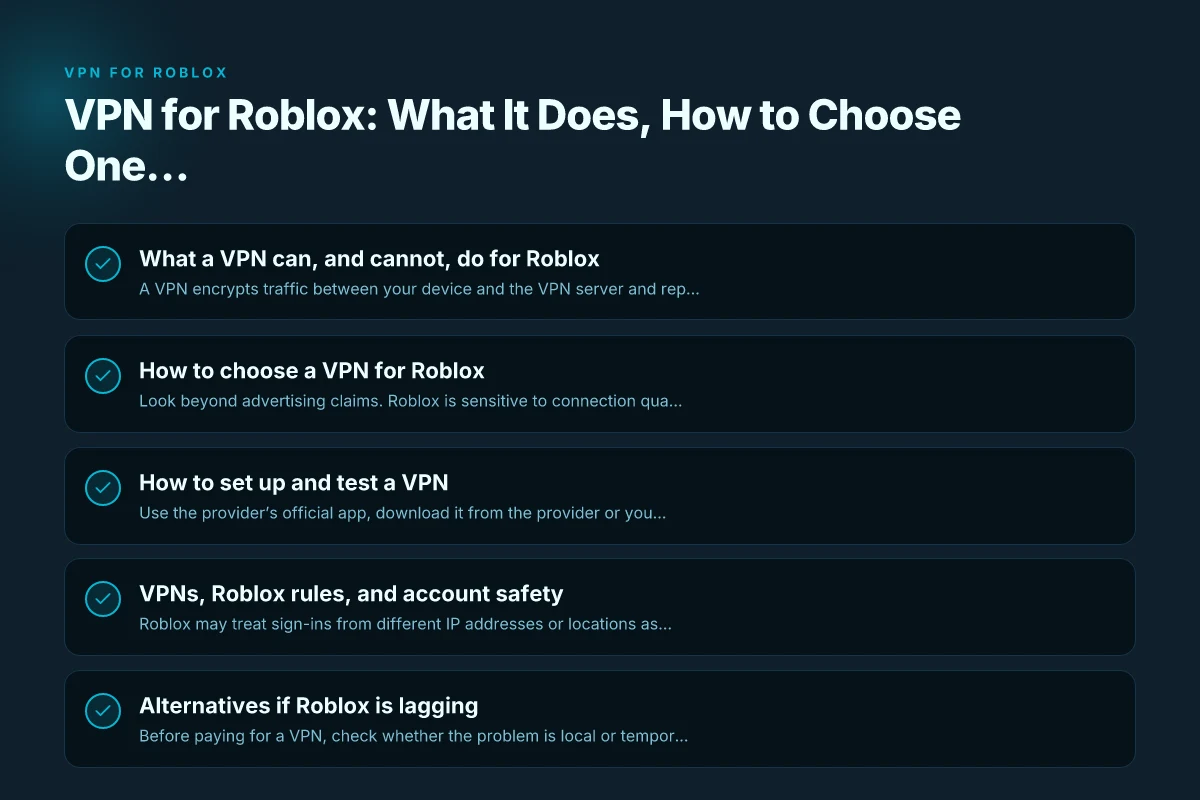
How to choose a VPN for Roblox
Look beyond advertising claims. Roblox is sensitive to connection quality, so a provider’s performance and reliability matter more than a promise of “zero lag.” Compare services using the factors below. VPN Extension Edge Free: What to Know Before You Install One
| Factor | What to look for | Why it matters |
|---|---|---|
| Server locations | Servers near you and, if needed, near the Roblox region you want to test | Shorter routes often mean lower latency |
| Speed and stability | Consistent performance, minimal drops, and useful independent testing | Unstable connections can interrupt play |
| Privacy practices | Clear data-retention policy and transparent ownership | The VPN provider handles your traffic |
| Security | Modern encryption, secure protocols, and protection against DNS leaks | Helps protect traffic on untrusted networks |
| Device support | Apps for your computer or phone, plus router support if relevant | Roblox devices and network setups vary |
| Cost and terms | Clear pricing, refund details, and no misleading “free” promises | Helps you avoid surprise charges or privacy trade-offs |
Free VPNs can be tempting, but some impose data limits, slow speeds, crowded servers, or unclear privacy practices. A paid service is not automatically trustworthy, so read its policy and check its reputation before subscribing. Avoid VPN apps that ask for unnecessary permissions or make unrealistic guarantees.
Choose a VPN for Roblox
| Factor | What to look for | Why it matters | How to check |
|---|---|---|---|
| Speed and latency | Consistent performance and nearby servers | Long routes can add delay | Test gameplay before and after connecting |
| Server locations | Servers near you and the game’s network route | A closer route may reduce added latency | Review the provider’s server list |
| Privacy policy | Clear data collection and retention details | A VPN handles your internet traffic | Read the policy and provider disclosures |
| Device support | Apps for the devices you use | Roblox must connect through the VPN | Check supported platforms |
| Connection stability | Reliable connections and clear reconnect behavior | Drops can interrupt a session | Look for independent testing and trial options |
| Security features | Current encryption and leak protection | Helps protect traffic and IP privacy | Review technical documentation |
| Pricing and limits | Transparent renewal terms and data limits | Costs and restrictions vary by plan | Check the full terms before paying |
| Support and refunds | Accessible help and a clear refund policy | Useful if setup or performance disappoints | Confirm contact options and eligibility |
Compiled November 2026; check the provider's site for current details.
How to set up and test a VPN
Use the provider’s official app, download it from the provider or your device’s trusted app store, and follow its setup instructions. Avoid unofficial software or modified Roblox clients. Change Location VPN Free: How to Pick and Use a Free VPN
- Note your usual Roblox connection quality without the VPN. Check for lag, disconnections, and approximate ping if your game or device displays it.
- Install and sign in to the VPN app.
- Choose a nearby server. A nearby location is usually the best starting point for speed.
- Connect before launching Roblox, then join the same experience you used for the initial test.
- Compare stability and responsiveness. If the connection is worse, disconnect or try another nearby server.
- If the VPN causes repeated disconnections or login issues, turn it off and contact the VPN provider or Roblox Support as appropriate.
Test one change at a time. Switching servers repeatedly while also changing Wi-Fi networks or device settings makes it harder to identify what helped. If your connection is poor with and without a VPN, try restarting your router, moving closer to it, using Ethernet where possible, and pausing downloads or streaming.
VPNs, Roblox rules, and account safety
Roblox may treat sign-ins from different IP addresses or locations as unusual activity. That does not automatically mean a VPN is prohibited, but it can lead to extra verification or temporary login difficulties. Keep your recovery email and phone number current, use a unique password, and enable available account security features.
Do not use a VPN to harass others, evade moderation, access an account that is not yours, or work around restrictions imposed by a school, workplace, parent, or network administrator. A VPN changes how traffic is routed. It does not change Roblox’s Terms of Use or other rules that apply to you.
For younger players, involve a parent or guardian before installing a VPN or changing device settings. Review the provider’s privacy policy together, especially if the app requests broad permissions or collects usage data. Online VPN for Roblox: How to Choose One Safely
Troubleshoot Roblox lag before choosing a VPN
| Option | When to try it | What to check | What the result suggests |
|---|---|---|---|
| Check Roblox status | Lag or connection problems affect many players | Official Roblox status updates | A service issue may be the cause |
| Restart Roblox and your device | Problems began during a session | Whether a fresh session improves play | A temporary app or device issue may be involved |
| Improve Wi-Fi signal | Play is worse far from the router | Signal strength and stability | Weak or crowded Wi-Fi may be contributing |
| Use a wired connection | Wi-Fi drops or varies | Whether Ethernet is steadier | Wireless instability may be contributing |
| Reduce network congestion | Other devices are streaming or downloading | Whether lag changes when traffic stops | Shared bandwidth may be a factor |
| Close background apps | The device feels slow or busy | CPU, memory, and network use | Local resource use may be affecting play |
| Update Roblox and device software | Issues persist across sessions | Available app and system updates | Outdated software may be involved |
| Test a VPN briefly | Other checks do not explain the issue | Ping, stability, and gameplay with and without it | Keep it only if testing shows a benefit |
Compiled November 2026; check the provider's site for current details.
Alternatives if Roblox is lagging
Before paying for a VPN, check whether the problem is local or temporary:
- Restart Roblox and your device.
- Restart your router and check for service interruptions.
- Use a stronger Wi-Fi signal or a wired connection if available.
- Close apps and browser tabs that are using bandwidth.
- Check whether other games or websites are slow, too.
- Update Roblox and your device’s operating system.
- Contact your internet provider if connection problems affect multiple services.
These steps often address the cause more directly than changing your IP address. If only one Roblox experience is affected, the issue may be specific to that experience or its server rather than your VPN or home network. Best Free VPN With Country Selection: What to Choose
Recommendation
Use a reputable VPN for Roblox when you have a clear privacy need, such as playing on public Wi-Fi, or when you want to test whether routing is contributing to a connection problem. Start with a nearby server and compare performance with and without it. If latency rises, login becomes unreliable, or the VPN offers no practical benefit, disconnect and troubleshoot your network instead. No VPN can guarantee better gameplay, access, or account protection.