Proton VPN Router: How to Set It Up and Choose the Right Option
Learn how to use Proton VPN on a router, which setups are supported, and how to choose the best option for your home.
Proton VPN can run through a router if the router supports a compatible VPN client and protocol. You can configure a supported router yourself, use a router that comes ready for VPN connections, or connect a secondary VPN router to your existing network. This can protect devices that do not support VPN apps, but the right method depends on your equipment, technical comfort, and need for speed or control.

Editor's pick: NordVPN — fast, secure VPN — Strong encryption, a no-logs policy and apps for every device. 30-day money-back guarantee. Get NordVPN →
Compare the main ways to use Proton VPN with a router
| Setup option | Where VPN runs | Covers devices | Setup effort | Best for |
|---|---|---|---|---|
| VPN-compatible router | On the router | Devices using that router | Moderate | Whole-home coverage |
| Flash a compatible router | On modified router firmware | Devices using that router | High | Experienced users |
| VPN on a travel router | On the travel router | Devices connected to it | Moderate | Travel and temporary networks |
| VPN on each device | On each device | Only devices with the app | Low | Select devices |
| VPN sharing from a computer | On a computer acting as a gateway | Devices connected through it | Moderate | Short-term testing |
| ISP router with a VPN router behind it | On the second router | Devices connected to the second router | Moderate | Keeping the ISP router |
| VPN on router and devices | On both | Depends on device routing | High | Specific routing needs |
Compiled November 2026; check the provider's site for current details.
| VPN | Obfuscation | From / month | Plan | Free plan | Refund | Alipay | UnionPay | Crypto | Website opens in China | Trustpilot | |
|---|---|---|---|---|---|---|---|---|---|---|---|
 Proton VPN | Turn on manually Stealth, free plan too | $2.99/mo | 12 months: $35.88 | Yes | 30 days | ✗ | ✗ | ✗ | ✓ | ✗ Blocked | 2.1/5 (1,040 reviews) |
 ZoogVPN | Turn on manually Shadow | $2.49/mo | 27 months: $59.99 | Yes | 7 days | ✓ | ✓ | ✓ | ✓ | Official site blocked; our special link opens (4.4 s) | 4.2/5 (195 reviews) |
 NordVPN | Turn on manually Obfuscated Servers / NordWhisper | $3.49/mo | 27 months: $94.23 | No | 30 days | ? | ✗ | ✓ | ✓ | ✗ Blocked | 4.2/5 (51,628 reviews) |
 ExpressVPN | ✓ On by default all servers | $3.00/mo | 28 months: $84 | No | 30 days | ✗ | ✗ | ✓ | ✗ | ✗ Blocked | 4.4/5 (29,706 reviews) |
 Surfshark | ✓ On by default Camouflage, with OpenVPN | See site | See site | No | 30 days | ✗ | ✗ | ✗ | ✓ | ✗ Blocked | 4.3/5 (31,823 reviews) |
 Astrill VPN | Turn on manually StealthVPN / OpenWeb | $12.50/mo | 24 months: $300 | No | See site | ✗ | ✗ | ✗ | ✓ | ✗ Blocked | 1.3/5 (110 reviews) |
 Private Internet Access | Turn on manually Shadowsocks, OpenVPN only | $2.03/mo | 40 months: $81.2 | No | 30 days | ✗ | ✗ | ✗ | ✗ | ✗ Blocked | 4.2/5 (11,033 reviews) |
 CyberGhost | Turn on manually selected servers | $2.19/mo | 28 months: $61.32 | No | 45 days | ✗ | ✗ | ✗ | ✓ | ✗ Blocked | 4.0/5 (24,178 reviews) |
 PureVPN | Turn on manually switch to OpenVPN | $1.69/mo | 60 months: $101.55 | No | 31 days | ? | ? | ✗ | ✓ | ✗ Blocked | 4.4/5 (17,994 reviews) |
 AdGuard VPN | ✓ On by default TrustTunnel | $2.99/mo | 24 months: $71.76 | Yes | 30 days | ✓ | ✗ | ✓ | ✓ | Official site blocked; our special link opens (3.7 s) | 4.3/5 (290 reviews) |
 Mullvad | Turn on manually QUIC / Shadowsocks / LWO | $5.61/mo | €5/mo | No | 14 days | ✗ | ✗ | ✗ | ✓ | ✗ Blocked | 3.2/5 (192 reviews) |
 Windscribe | Turn on manually Stealth / WStunnel | $5.75/mo | 12 months: $69 | Yes | See site | ✗ | ✗ | ✗ | ✓ | ✗ Blocked | 4.7/5 (13,355 reviews) |
 StrongVPN | Turn on manually Scramble, OpenVPN TCP | See site | See site | No | 30 days | ✓ | ✗ | ✗ | ✗ | ✗ Blocked | 4.4/5 (2,695 reviews) |
 LightXtreme 闪连 | Not listed | $7.08/mo | 12 months: $84.99 | Yes | 30 days | ✓ | ✓ | ✓ | ✓ | ✓ Yes (3.5 s) | No page |
Prices checked 2026-11-10 on each vendor's pricing page (cheapest long plan, USD). Check the vendor's checkout for the final price.
Obfuscation checked 2026-11-14 on each vendor's site and help center: "on by default" = nothing to set; "turn on manually" = switch protocol or mode in settings; "not listed" = the vendor describes no obfuscation.
Payment methods checked 2026-11-10 on each vendor's payment pages: all 14 take cards and PayPal; ✗ = not listed, ? = the vendor's own pages disagree.
China access: whether the official website opens from mainland China networks (tests the website only, not the VPN connection). Last checked 2026-11-18 01:02 Beijing time.
Trustpilot score and review count checked 2026-11-10.
What a Proton VPN router setup does
A VPN router connects to a VPN server and routes internet traffic from some or all devices through that connection. Instead of installing Proton VPN separately on every device, you can connect devices to the router’s Wi-Fi or wired network.
This can be useful for smart TVs, game consoles, streaming devices, and other equipment that may not support a VPN app. It can also simplify protection for household devices.
However, a router connection does not automatically provide every feature available in Proton VPN’s apps. Features such as per-device controls, server selection, and advanced protections may be limited or unavailable, depending on the router and its firmware.
A VPN router also does not make you anonymous. Websites can still identify you through account logins, cookies, or other tracking methods, and the VPN provider can process traffic routed through its service. FortiClient VPN Connection Is Down: Causes and Fixes
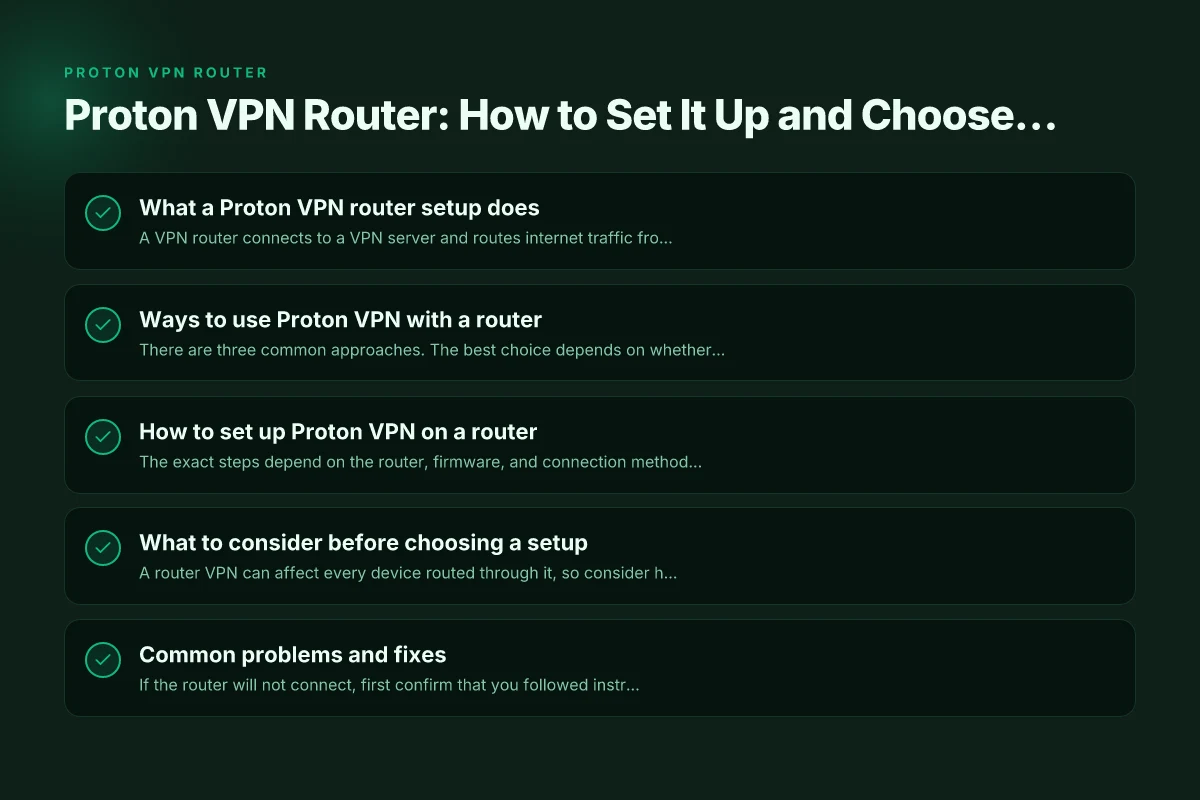
Ways to use Proton VPN with a router
There are three common approaches. The best choice depends on whether your current router supports VPN connections and whether you want to manage the setup yourself.
| Setup option | Best for | Main consideration |
|---|---|---|
| Configure your existing router | People with a compatible router and firmware | Setup can require manual configuration |
| Use a VPN-compatible router | Those who want a dedicated solution | Check compatibility and setup instructions before buying |
| Add a second router | Keeping VPN and regular networks separate | Uses extra equipment and can take more setup |
Configure your existing router
Some routers can act as VPN clients, but many cannot. Check the manufacturer’s documentation for VPN client support, not just VPN server support. A VPN server lets you connect back to your home network. A VPN client connects the router to a VPN service.
Firmware matters, too. A router may support VPN connections only with certain firmware versions or third-party firmware. Before making changes, confirm that Proton VPN’s current setup instructions cover your router model and configuration.
Use a VPN-compatible router
Some router manufacturers and specialist providers offer models designed to connect to commercial VPN services. These may simplify setup, but compatibility and available controls vary. Confirm that the device supports a connection method Proton VPN currently recommends and that the vendor provides clear setup instructions. VPNs to Use on a Laptop That Let You Choose a Location for Free
Add a second router
If your main router does not support VPN client connections, you may be able to connect a VPN-compatible router to it. Devices on the second router’s network can use the VPN, while devices connected to the main router continue using the regular connection.
This arrangement can be helpful when you want a choice between VPN and non-VPN networks. It also means adding hardware and managing two networks.
Check these points before choosing a Proton VPN router setup
| Consideration | Router VPN | Device apps | What to check |
|---|---|---|---|
| Device coverage | Covers connected devices | Covers devices with the app | Which devices need protection |
| Router compatibility | Required | Not required | Firmware and VPN support |
| Configuration | Router-level settings | App-level settings | Whether you can access router controls |
| Device-specific choices | May be limited | Easier to manage per device | Whether some devices should bypass VPN |
| Network speed | Depends on router capacity and VPN connection | Depends on device and connection | Router performance under VPN use |
| Location choice | Set through router VPN configuration | Set in each device app | How often locations need to change |
| Troubleshooting | Can affect multiple devices | Usually limited to one device | Who will manage the setup |
| Guest access | Depends on router configuration | Managed on individual devices | Whether guests should use the VPN |
Compiled November 2026; check the provider's site for current details. Norton VPN Setup: A Step-by-Step Guide for Every Device
How to set up Proton VPN on a router
The exact steps depend on the router, firmware, and connection method. Use Proton VPN’s official router documentation for current instructions and configuration details. Options can change over time.
A typical setup involves:
- Check compatibility. Find your exact router model and firmware version, then confirm that it supports VPN client connections and a protocol Proton VPN supports for router use.
- Choose a server and configuration. Follow Proton VPN’s current guidance for selecting a server and obtaining the required connection details or configuration file.
- Sign in or import the settings. In the router’s administration interface, enter the required credentials or import the configuration as directed.
- Connect and verify. Check the router’s connection status, then test from a connected device that your public IP address reflects the VPN connection.
- Check for leaks and access issues. Confirm that DNS requests are handled as intended and that local devices, printers, and other services still work.
Save your router’s original settings before changing anything. If the connection fails, you may need those settings to restore normal service. Avoid sharing configuration files or credentials, because they may grant access to your VPN connection.
What to consider before choosing a setup
A router VPN can affect every device routed through it, so consider how you use your network before enabling it. Free VPN Online to Change Location: What to Know Before You Connect
- Speed: Encryption and the router’s processing power can reduce connection speeds. Older or entry-level routers may struggle, especially with fast internet plans.
- Device coverage: Decide whether you want the VPN on every device or only on a separate network. A whole-network setup may affect devices that work better with a direct connection.
- Streaming and websites: Services may limit access from VPN connections. A VPN server that works for one service may not work for another.
- Local network features: Printers, casting, smart-home hubs, and device discovery can behave differently when traffic is routed through a VPN.
- Router security: Keep the firmware updated, use a strong administrator password, and avoid installing unofficial firmware unless you understand the risks.
- Support and troubleshooting: Router interfaces differ. Check whether the manufacturer and Proton VPN provide instructions for your specific setup.
If you need app-level controls or want to switch servers frequently, using the Proton VPN app on individual devices may be simpler. A router is most useful when you need VPN coverage for devices that cannot run the app or want one network-wide connection.
Common problems and fixes
If the router will not connect, first confirm that you followed instructions for the exact model and firmware. Recheck the selected server, credentials, protocol, and imported configuration. A small mismatch can prevent a connection.
If the connection works but feels slow, test a nearby server and compare results with the VPN disconnected. Also check whether the router’s hardware is capable of handling VPN traffic at your desired speed.
If only some devices have problems, check whether they are connected to the VPN router or to another network. For local devices that stop working, review the router’s local network and DNS settings rather than changing unrelated security settings at random. NordVPN UK Price: Plans, Renewal Costs and Best Value
Troubleshoot common Proton VPN router setup problems
| Problem | Likely area to check | First step | If it continues |
|---|---|---|---|
| Router will not accept VPN settings | Router compatibility | Confirm VPN client support | Check router documentation |
| VPN will not connect | Credentials or configuration | Recheck entered settings | Review Proton VPN setup guidance |
| No internet after connection | Routing or DNS | Disconnect VPN and test internet | Recheck router VPN settings |
| Only some devices use VPN | Network or routing rules | Check which network they joined | Review router routing configuration |
| Slow connection | Router capacity or connection | Test without the VPN | Try another VPN location |
| VPN drops repeatedly | Router or network stability | Restart router and modem | Check firmware and connection |
| Setup page is unavailable | Router access | Confirm the router’s local address | Check the router manual |
| Device app conflicts with router VPN | Two VPN connections | Disable one VPN connection | Test the device again |
Compiled November 2026; check the provider's site for current details.
Recommendation
For the simplest experience, use the Proton VPN app on devices that support it. Choose a router setup when you need to protect devices without VPN apps or want a dedicated VPN network. Before buying equipment or changing firmware, verify that your exact router supports Proton VPN’s current connection method, and use official setup instructions to configure and test it.