IPsec MTU: How to Calculate and Troubleshoot It
Learn how IPsec affects MTU, how to choose a safe tunnel size, and how to diagnose fragmentation and connectivity problems.
IPsec MTU is the largest inner packet that can pass through an IPsec tunnel without exceeding the outer network’s maximum transmission unit (MTU). Because IPsec adds headers, encryption data, and sometimes padding, a tunnel usually needs a lower MTU than the physical link. The right value depends on the IPsec configuration and network path. As a starting point, many administrators test an inner MTU around 1400 bytes on a 1500-byte path, then adjust based on measurement rather than assuming one value fits every tunnel.

Editor's pick: NordVPN — fast, secure VPN — Strong encryption, a no-logs policy and apps for every device. 30-day money-back guarantee. Get NordVPN →
Typical IPsec overhead to account for when estimating tunnel MTU
| Encapsulation or condition | Added overhead | Effect on inner-packet MTU | What to verify |
|---|---|---|---|
| Outer IP header, IPv4 | 20 bytes | Reduces available space | Outer address family |
| Outer IP header, IPv6 | 40 bytes | Reduces available space | Outer address family |
| ESP header and trailer | Variable | Reduces available space | IPsec configuration |
| ESP authentication data | Variable | Reduces available space | Integrity algorithm |
| UDP encapsulation (NAT-T) | 8 bytes, plus outer IP | Reduces available space | Whether NAT-T is active |
| Tunnel-mode encapsulation | Adds outer packet headers | Reduces available space | Tunnel mode and headers |
| Path MTU below interface MTU | Path-dependent | May reduce usable packet size further | End-to-end path |
| Combined overhead | Configuration-dependent | Subtract from path MTU | Measure or confirm each component |
Compiled November 2026; check the provider's site for current details.
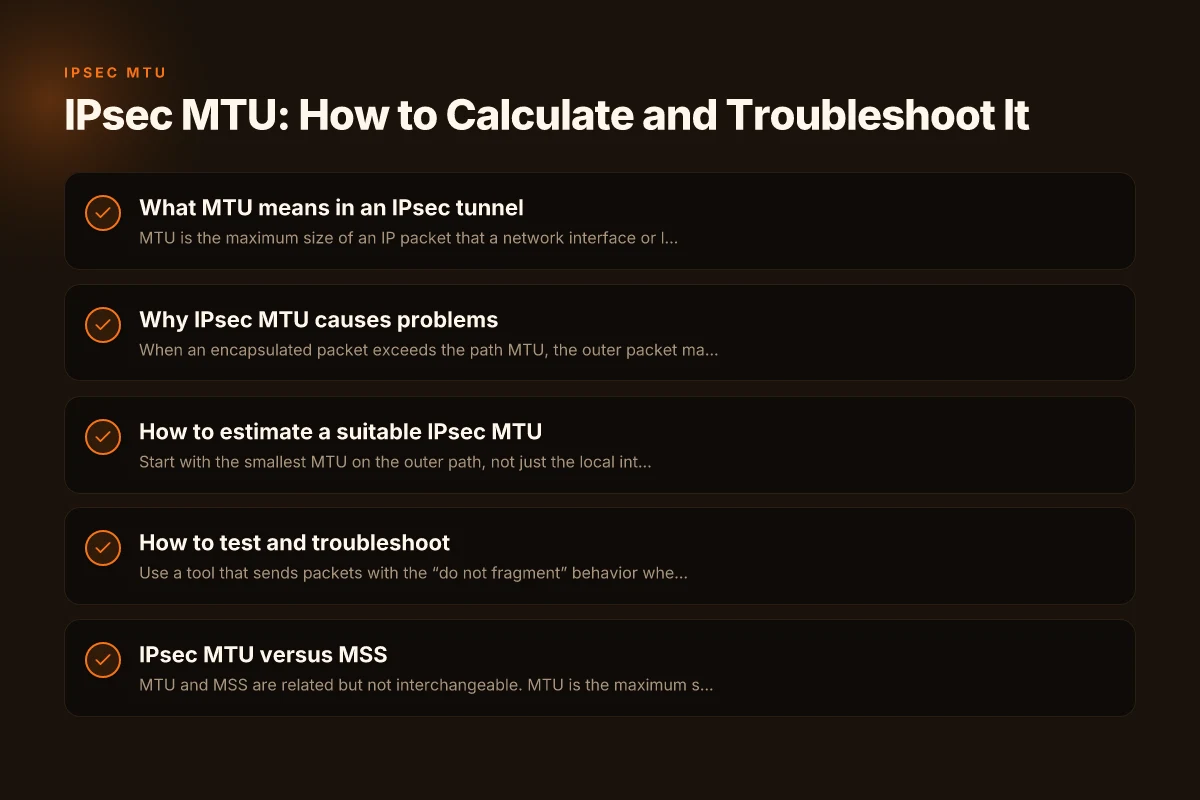
What MTU means in an IPsec tunnel
MTU is the maximum size of an IP packet that a network interface or link can carry in one packet. A common Ethernet MTU is 1500 bytes. If a packet is larger than the available MTU, the network must fragment it, drop it, or rely on the sender to reduce its size.
IPsec creates an outer packet to carry the protected inner packet across the network. That outer packet includes an IP header plus IPsec information such as an ESP header, an initialization vector, authentication data, and possible padding. With tunnel mode, the original IP packet is encapsulated inside a new outer IP packet, adding more overhead than transport mode typically does.
The effective tunnel MTU is therefore approximately:
Outer path MTU − IPsec overhead = maximum inner packet size How to Use NordVPN on iPhone: A Step-by-Step Guide
The overhead is not constant. It varies with IPv4 versus IPv6, tunnel mode, encryption and authentication algorithms, and features such as NAT traversal. Even the underlying network path can impose a lower MTU than the local Ethernet interface suggests.
Why IPsec MTU causes problems
When an encapsulated packet exceeds the path MTU, the outer packet may be fragmented or discarded. Fragmentation can reduce performance and make delivery less reliable, especially if a firewall or network device blocks fragments. If packets are dropped without a useful error message, applications may appear to connect but stall during transfers.
Common signs of an MTU problem include:
- Small pings or requests work, but larger ones fail.
- A VPN connects, yet websites or file transfers hang.
- Certain applications work while others time out.
- Uploads and downloads behave differently.
- Connections become reliable after reducing the MTU or TCP MSS.
These symptoms can also have other causes, so treat them as clues rather than proof. A tunnel can have the right interface MTU and still encounter a smaller MTU elsewhere along the path. Comix.to Keeps Blocking VPN: Why It Happens and What to Try
IPsec MTU troubleshooting methods
| Method | What it checks | Useful signal | Limitation | Next step |
|---|---|---|---|---|
| Check interface MTU | Local link limit | Configured MTU | Does not reveal full path MTU | Compare with tunnel settings |
| Inspect IPsec configuration | Encapsulation and algorithms | Expected overhead | Settings may not reflect every path segment | Confirm active negotiation |
| Ping with “do not fragment” | Maximum unfragmented packet size | Successful size or fragmentation error | Filtering may block probes | Try another endpoint or method |
| Capture packets | Actual packet sizes and fragmentation | Oversized packets or fragments | Requires access to capture points | Compare inner and outer packets |
| Test across the tunnel | End-to-end behavior | Size-related failures | Application behavior can obscure cause | Repeat with controlled packet sizes |
| Check PMTUD feedback | Whether MTU errors reach the sender | ICMP “packet too big” or “fragmentation needed” | Firewalls may suppress messages | Allow required ICMP feedback |
| Reduce tunnel MTU temporarily | Whether smaller packets work | Improvement at a lower MTU | Workaround, not a diagnosis by itself | Find a suitable lasting value |
| Compare directions | Asymmetric path constraints | One-way size failures | Requires tests both ways | Check each direction’s route |
Compiled November 2026; check the provider's site for current details.
How to estimate a suitable IPsec MTU
Start with the smallest MTU on the outer path, not just the local interface setting. Then account for the IPsec encapsulation used by the tunnel. For a basic 1500-byte path, an inner MTU near 1400 bytes is often a practical test value, but it is not a universal rule.
| Configuration or condition | Effect on usable inner MTU |
|---|---|
| Tunnel mode instead of transport mode | Usually adds more encapsulation overhead |
| IPv6 outer header instead of IPv4 | Uses a larger base IP header |
| NAT traversal (ESP over UDP) | Adds UDP encapsulation overhead |
| Encryption or integrity options with different IVs, tags, or padding | Changes packet overhead |
| A path MTU below 1500 bytes | Reduces the available size further |
For an accurate calculation, identify the outer IP version, IPsec mode, selected algorithms, NAT-T status, and any additional encapsulation such as VLAN, GRE, or another VPN layer. Check your firewall or VPN platform’s documentation for its overhead calculation and recommended interface MTU. How to Unsubscribe Proton VPN: Cancel Your Plan Step by Step
Avoid subtracting a guessed overhead from 1500 and treating the result as guaranteed. Different implementations may handle tunnel interfaces and packet sizing differently, and the remote path may be the limiting factor.
How to test and troubleshoot
Find the path MTU
Use a tool that sends packets with the “do not fragment” behavior where supported. Increase the packet size until it fails, then reduce it to find the largest size that succeeds. Remember that some tools report the ICMP payload size rather than the complete IP packet size, so account for the IP and ICMP headers when interpreting results.
Test across the tunnel to the remote endpoint or a host beyond it. A test that only reaches the VPN gateway may not reveal a smaller MTU farther along the route. Also confirm that firewalls allow the ICMP messages needed for path MTU discovery. Blocking them can cause packets to disappear without the sender learning to reduce their size.
Adjust MTU or TCP MSS
If tests show oversized packets are being lost, reduce the tunnel interface MTU to a value supported by the full path. Make the change on the appropriate tunnel interface and, where needed, on both ends. Retest large packets and the applications that were failing. VPN Region Change Free: How to Change Your Online Location Safely
For TCP traffic, MSS clamping can be a useful complement. It limits the size of TCP segments advertised during connection setup, reducing the chance that TCP packets become too large after encapsulation. MSS clamping does not solve every MTU issue: it does not adjust UDP or other non-TCP traffic, and it cannot replace proper path MTU handling.
Change one setting at a time, document the original values, and verify performance in both directions. An overly small MTU can increase packet overhead and reduce throughput, so do not lower it more than necessary.
Choosing between IPsec MTU and MSS adjustments
| Option | Applies to | What it limits | Helps with | Main tradeoff |
|---|---|---|---|---|
| Set tunnel MTU | Tunnel interface | Maximum inner packet size | Traffic across protocols | Can affect all tunnel traffic |
| Clamp TCP MSS | TCP connections | TCP segment payload | TCP traffic that exceeds path limits | Does not address non-TCP packets |
| Rely on PMTUD | End-to-end traffic | Packet size based on feedback | Dynamic path changes | Depends on ICMP feedback reaching hosts |
| Use a measured value | Tunnel or host setting | Size based on tested path | Avoiding guesswork | Path changes may require retesting |
| Apply MSS clamping at gateway | TCP crossing the gateway | Negotiated TCP segment size | Hosts that cannot be changed | Must cover the relevant traffic |
| Lower MTU as a workaround | Tunnel interface | All inner packets | Quick isolation of size-related failures | May add fragmentation or reduce efficiency |
| Adjust both MTU and MSS | Tunnel plus TCP path | Packets and TCP segments | Mixed traffic and TCP reliability | Requires consistent settings |
| Leave defaults unchanged | Existing configuration | No additional limit | Paths with adequate MTU and working PMTUD | Failures remain if overhead or feedback is mishandled |
Compiled November 2026; check the provider's site for current details. How to Turn Off NordVPN on iPhone: Quick Steps and What to Expect
IPsec MTU versus MSS
MTU and MSS are related but not interchangeable. MTU is the maximum size of an IP packet on a link or tunnel. MSS is the maximum TCP data payload a host agrees to receive in a TCP segment. It excludes the IP and TCP headers.
Reducing the tunnel MTU affects IP packets carried through the tunnel. MSS clamping specifically helps TCP sessions by accounting for the available packet space before data is sent. In practice, administrators may use both: a correctly sized tunnel MTU for general traffic and MSS clamping to prevent oversized TCP segments when path MTU discovery is unreliable.
Neither setting should be chosen in isolation. A configuration that fixes one TCP application may leave large UDP packets or other protocols affected.
Recommendation
Determine the outer path MTU, calculate or confirm the IPsec overhead for your exact configuration, and test the largest packets that can cross the tunnel reliably. Use a conservative value such as 1400 bytes only as a starting point on a typical 1500-byte path, not as a universal setting. Then configure the tunnel MTU, consider TCP MSS clamping if needed, and verify that both large transfers and non-TCP traffic work without fragmentation or unexplained drops. VPN for Changing Location Free: What to Know Before You Connect