Is SkyVPN Free VPN Trustworthy? What to Check Before You Use It
Learn what is known about SkyVPN, what its ratings can and cannot prove, and how to assess its privacy risks.
A cautious answer to “i skyvpn free vpn trustworthy” is: the available information is not enough to confirm that SkyVPN is trustworthy. The Sky VPN - Super Hotspot Proxy listing on Apple’s App Store shows a rating of 4.6 out of 5 from 143 ratings, and describes the app as offering secure browsing and reliable connections. That is a useful signal of user feedback, but it does not independently establish how the service handles your data, protects traffic, or responds to legal requests. Check the app’s privacy and security details before relying on it.

Editor's pick: NordVPN — fast, secure VPN — Strong encryption, a no-logs policy and apps for every device. 30-day money-back guarantee. Get NordVPN →
Compare VPN options by privacy evidence
| Check | SkyVPN evidence to verify | Stronger evidence looks like | Why it matters |
|---|---|---|---|
| Operator identity | Named company and contact details | Verifiable legal entity | Shows who is responsible |
| Privacy policy | Clear data collection terms | Specific, consistent disclosures | Reveals what may be retained |
| Logging claims | Claims alone are not proof | Independent audit or clear records | Helps assess tracking risk |
| Security practices | Check current technical details | Documented, maintained protections | Reduces exposure in transit |
| Ownership and changes | Look for current information | Updates explain policy changes | Practices can change over time |
| App permissions | Review before installing | Permissions fit the app’s function | Limits unnecessary access |
| Independent reviews | Check methods and dates | Recent testing with disclosed methods | Adds context beyond ratings |
| Support and accountability | Check whether support is reachable | Clear channels and responses | Helps resolve problems |
Compiled November 2026; check the provider's site for current details.
| VPN | Obfuscation | From / month | Plan | Free plan | Refund | Alipay | UnionPay | Crypto | Website opens in China | Trustpilot | |
|---|---|---|---|---|---|---|---|---|---|---|---|
 ZoogVPN | Turn on manually Shadow | $2.49/mo | 27 months: $59.99 | Yes | 7 days | ✓ | ✓ | ✓ | ✓ | Official site blocked; our special link opens (4.4 s) | 4.2/5 (195 reviews) |
 NordVPN | Turn on manually Obfuscated Servers / NordWhisper | $3.49/mo | 27 months: $94.23 | No | 30 days | ? | ✗ | ✓ | ✓ | ✗ Blocked | 4.2/5 (51,628 reviews) |
 ExpressVPN | ✓ On by default all servers | $3.00/mo | 28 months: $84 | No | 30 days | ✗ | ✗ | ✓ | ✗ | ✗ Blocked | 4.4/5 (29,706 reviews) |
 Surfshark | ✓ On by default Camouflage, with OpenVPN | See site | See site | No | 30 days | ✗ | ✗ | ✗ | ✓ | ✗ Blocked | 4.3/5 (31,823 reviews) |
 Proton VPN | Turn on manually Stealth, free plan too | $2.99/mo | 12 months: $35.88 | Yes | 30 days | ✗ | ✗ | ✗ | ✓ | ✗ Blocked | 2.1/5 (1,040 reviews) |
 Astrill VPN | Turn on manually StealthVPN / OpenWeb | $12.50/mo | 24 months: $300 | No | See site | ✗ | ✗ | ✗ | ✓ | ✗ Blocked | 1.3/5 (110 reviews) |
 Private Internet Access | Turn on manually Shadowsocks, OpenVPN only | $2.03/mo | 40 months: $81.2 | No | 30 days | ✗ | ✗ | ✗ | ✗ | ✗ Blocked | 4.2/5 (11,033 reviews) |
 CyberGhost | Turn on manually selected servers | $2.19/mo | 28 months: $61.32 | No | 45 days | ✗ | ✗ | ✗ | ✓ | ✗ Blocked | 4.0/5 (24,178 reviews) |
 PureVPN | Turn on manually switch to OpenVPN | $1.69/mo | 60 months: $101.55 | No | 31 days | ? | ? | ✗ | ✓ | ✗ Blocked | 4.4/5 (17,994 reviews) |
 AdGuard VPN | ✓ On by default TrustTunnel | $2.99/mo | 24 months: $71.76 | Yes | 30 days | ✓ | ✗ | ✓ | ✓ | Official site blocked; our special link opens (3.7 s) | 4.3/5 (290 reviews) |
 Mullvad | Turn on manually QUIC / Shadowsocks / LWO | $5.61/mo | €5/mo | No | 14 days | ✗ | ✗ | ✗ | ✓ | ✗ Blocked | 3.2/5 (192 reviews) |
 Windscribe | Turn on manually Stealth / WStunnel | $5.75/mo | 12 months: $69 | Yes | See site | ✗ | ✗ | ✗ | ✓ | ✗ Blocked | 4.7/5 (13,355 reviews) |
 StrongVPN | Turn on manually Scramble, OpenVPN TCP | See site | See site | No | 30 days | ✓ | ✗ | ✗ | ✗ | ✗ Blocked | 4.4/5 (2,695 reviews) |
 LightXtreme 闪连 | Not listed | $7.08/mo | 12 months: $84.99 | Yes | 30 days | ✓ | ✓ | ✓ | ✓ | ✓ Yes (3.5 s) | No page |
Prices checked 2026-11-10 on each vendor's pricing page (cheapest long plan, USD). Check the vendor's checkout for the final price.
Obfuscation checked 2026-11-14 on each vendor's site and help center: "on by default" = nothing to set; "turn on manually" = switch protocol or mode in settings; "not listed" = the vendor describes no obfuscation.
Payment methods checked 2026-11-10 on each vendor's payment pages: all 14 take cards and PayPal; ✗ = not listed, ? = the vendor's own pages disagree.
China access: whether the official website opens from mainland China networks (tests the website only, not the VPN connection). Last checked 2026-11-18 01:02 Beijing time.
Trustpilot score and review count checked 2026-11-10.
What the available evidence says
Search results show an Apple App Store listing for Sky VPN - Super Hotspot Proxy, with user reviews and an overall rating of 4.6 out of 5 from 143 ratings. The listing promotes secure browsing, private access, and smooth connections. These are claims about the service, not proof that its protections have been independently tested.
Other results describe SkyVPN as a service that changes a user’s IP address to make it appear that they are connecting from another location. That is a common VPN function, but changing an IP address is not the same as guaranteeing anonymity or preventing all tracking.
The search results do not provide enough verified detail to establish SkyVPN’s logging practices, encryption configuration, ownership, independent audit history, or the precise limits of its free tier. Treat those as open questions rather than assuming the service is either safe or unsafe.
What a VPN can, and cannot, protect
A VPN creates an encrypted connection between your device and a VPN server. This can help protect traffic from being read by people on the same public Wi-Fi network and can replace the IP address websites see with the VPN server’s address. Is NordVPN Good Value After the First Year? A Cost and Feature Guide
However, a VPN does not make you invisible online. Websites may still identify you through account logins, cookies, browser fingerprints, or information you choose to share. A VPN also cannot reliably protect a device from malware, phishing, or unsafe downloads.
When you use a VPN, you are placing trust in its provider. The provider may be able to see connection-related information, depending on its design and policies. That makes clear, verifiable privacy practices essential, especially for a free service.
What a VPN can and cannot protect
| Situation | VPN may help with | VPN does not guarantee | What else to check |
|---|---|---|---|
| Public Wi-Fi | Encrypting traffic between device and VPN server | Safety from every network threat | Use updated apps and secure websites |
| Network privacy | Hiding browsing traffic from the local network | Privacy from the VPN provider | Review logging and policy evidence |
| IP address | Replacing the visible address with a server address | Anonymity or untraceability | Check account and browser identifiers |
| Website activity | Protecting traffic in transit | Protection from phishing or malware | Verify links and use device security |
| App data | Tunneling supported device traffic | Protection for data an app shares directly | Review app settings and permissions |
| Location | Masking the network-based location signal | Hiding all location signals | Check device location permissions |
| Sensitive accounts | Adding a layer of network privacy | Security against weak passwords or account takeover | Use strong passwords and multifactor authentication |
Compiled November 2026; check the provider's site for current details. Is NordVPN Antivirus? What Its Security Features Do
How to assess whether SkyVPN is trustworthy
Before installing or continuing to use SkyVPN, look for specific evidence rather than relying only on promotional language or star ratings.
- Read the privacy policy. Check what information the app collects, why it collects it, how long it keeps it, and whether it shares data with advertisers or other third parties.
- Look for a clear logging policy. Find out whether the service records browsing activity, connection timestamps, IP addresses, or other identifying data. A “no logs” statement is more useful when it explains what that means and how the claim is supported.
- Review app permissions. A VPN needs permission to create a VPN connection, but unrelated requests should have a clear explanation. Be cautious if requested access seems excessive.
- Check who operates the service. Look for an identifiable company, contact information, and understandable terms of service. Unclear ownership makes accountability harder to assess.
- Seek independent security evidence. A reputable third-party audit or transparent technical documentation can offer stronger assurance than broad claims such as “secure” or “private.”
- Check current app details. Review the developer information, privacy disclosures, update history, and recent user feedback in the official app store.
If you cannot find clear answers, do not assume that missing information means the service collects data, but do treat the uncertainty as a reason not to use it for sensitive activity.
Ratings versus privacy evidence
| Signal | What it can tell you | What it does not prove |
|---|---|---|
| 4.6 out of 5 from 143 App Store ratings | Many reviewers have rated the app positively | That the VPN has been audited or keeps no logs |
| App description promising secure browsing | How the service presents its features | That its security claims have been independently verified |
| Location or IP-address changes | The app may route traffic through a VPN server | That your identity cannot be tracked |
| A privacy policy | The provider’s stated data practices | That the policy is followed unless there is reliable verification |
User reviews can help you spot recurring problems, such as connection failures or confusing billing, but reviewers usually cannot inspect a VPN’s servers or verify its data handling. Use ratings as one part of your assessment, not as a privacy guarantee.
Decide whether a free VPN fits your use Ikuuu VPN login: How to Sign In and Fix Common Problems
| Use case | Free VPN suitability | Evidence to require | Safer approach |
|---|---|---|---|
| General browsing | Depends on verified practices | Clear policy and security details | Avoid sharing sensitive information |
| Public Wi-Fi | Only if protections are credible | Current security evidence | Use secure websites and updated devices |
| Banking | Not by default | Strong privacy and security evidence | Prefer a trusted, independently assessed service |
| Work data | Usually avoid without approval | Employer review and documented controls | Use the organization’s approved VPN |
| Health information | Avoid without strong evidence | Clear handling and retention terms | Use a service suited to sensitive data |
| Anonymous activity | A VPN alone is insufficient | Evidence about logs and identity links | Reduce other identifying signals |
| Everyday streaming | Check limits and terms | Transparent service conditions | Compare alternatives before relying on it |
| High-risk situations | Do not rely on an unverified free VPN | Independent, current assessment | Seek expert guidance and layered protections |
Compiled November 2026; check the provider's site for current details.
Is a free VPN a good choice for sensitive use?
A free VPN may be convenient for occasional browsing, but “free” does not automatically mean unsafe, or trustworthy. The important questions are how the service is funded, what data it collects, and whether its technical protections are reliable. If those details are unclear, you cannot confidently judge the trade-off.
Avoid relying on SkyVPN, or any VPN whose privacy practices you have not verified, for:
- Online banking or sensitive financial activity
- Work accounts or confidential documents
- Private communications that require strong confidentiality
- Any task where a data leak could cause serious harm
For lower-risk browsing, still use strong account passwords, enable two-factor authentication where available, keep your device updated, and avoid suspicious links. A VPN is only one layer of protection. How Do You Download NordVPN in S Mode?
Recommendation
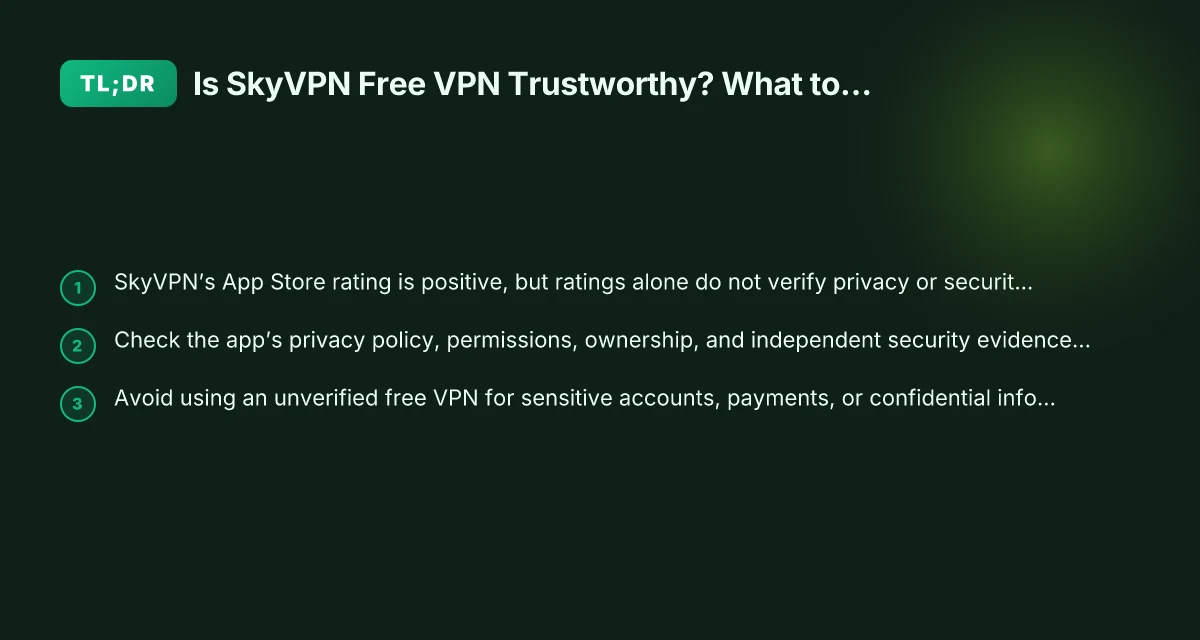
SkyVPN has a positive App Store rating, but the information available here is not enough to say that its free VPN is trustworthy. Before using it, verify its privacy policy, data practices, operator details, permissions, and any independent security evidence. If you cannot confirm those basics, choose a VPN with clearer, verifiable privacy disclosures, and do not use SkyVPN for sensitive activity in the meantime.