How Do U Deactivate Norton VPN to Help Restore Your Connection?
Turn off Norton VPN on Windows, Mac, mobile, or browser, and learn how to reconnect safely.
To deactivate Norton VPN, open the Norton app, find the VPN or Secure VPN control, and switch it off or tap Disconnect. The exact labels vary by device and app version. If you cannot find the control, use your device’s VPN settings to disconnect. Turning off the VPN does not usually cancel your Norton subscription. It only stops the VPN connection.
The keyword “how do u deactivate norton vpn to h” appears to be cut off, so this guide covers the common reason people turn it off: to help restore access to a website, app, or network. It also explains how to reconnect and what to check if Norton VPN will not disconnect.
| VPN | Obfuscation | From / month | Plan | Free plan | Refund | Alipay | UnionPay | Crypto | Website opens in China | Trustpilot | |
|---|---|---|---|---|---|---|---|---|---|---|---|
 ZoogVPN | Turn on manually Shadow | $2.49/mo | 27 months: $59.99 | Yes | 7 days | ✓ | ✓ | ✓ | ✓ | Official site blocked; our special link opens (4.4 s) | 4.2/5 (195 reviews) |
 NordVPN | Turn on manually Obfuscated Servers / NordWhisper | $3.49/mo | 27 months: $94.23 | No | 30 days | ? | ✗ | ✓ | ✓ | ✗ Blocked | 4.2/5 (51,628 reviews) |
 ExpressVPN | ✓ On by default all servers | $3.00/mo | 28 months: $84 | No | 30 days | ✗ | ✗ | ✓ | ✗ | ✗ Blocked | 4.4/5 (29,706 reviews) |
 Surfshark | ✓ On by default Camouflage, with OpenVPN | See site | See site | No | 30 days | ✗ | ✗ | ✗ | ✓ | ✗ Blocked | 4.3/5 (31,823 reviews) |
 Proton VPN | Turn on manually Stealth, free plan too | $2.99/mo | 12 months: $35.88 | Yes | 30 days | ✗ | ✗ | ✗ | ✓ | ✗ Blocked | 2.1/5 (1,040 reviews) |
 Astrill VPN | Turn on manually StealthVPN / OpenWeb | $12.50/mo | 24 months: $300 | No | See site | ✗ | ✗ | ✗ | ✓ | ✗ Blocked | 1.3/5 (110 reviews) |
 Private Internet Access | Turn on manually Shadowsocks, OpenVPN only | $2.03/mo | 40 months: $81.2 | No | 30 days | ✗ | ✗ | ✗ | ✗ | ✗ Blocked | 4.2/5 (11,033 reviews) |
 CyberGhost | Turn on manually selected servers | $2.19/mo | 28 months: $61.32 | No | 45 days | ✗ | ✗ | ✗ | ✓ | ✗ Blocked | 4.0/5 (24,178 reviews) |
 PureVPN | Turn on manually switch to OpenVPN | $1.69/mo | 60 months: $101.55 | No | 31 days | ? | ? | ✗ | ✓ | ✗ Blocked | 4.4/5 (17,994 reviews) |
 AdGuard VPN | ✓ On by default TrustTunnel | $2.99/mo | 24 months: $71.76 | Yes | 30 days | ✓ | ✗ | ✓ | ✓ | Official site blocked; our special link opens (3.7 s) | 4.3/5 (290 reviews) |
 Mullvad | Turn on manually QUIC / Shadowsocks / LWO | $5.61/mo | €5/mo | No | 14 days | ✗ | ✗ | ✗ | ✓ | ✗ Blocked | 3.2/5 (192 reviews) |
 Windscribe | Turn on manually Stealth / WStunnel | $5.75/mo | 12 months: $69 | Yes | See site | ✗ | ✗ | ✗ | ✓ | ✗ Blocked | 4.7/5 (13,355 reviews) |
 StrongVPN | Turn on manually Scramble, OpenVPN TCP | See site | See site | No | 30 days | ✓ | ✗ | ✗ | ✗ | ✗ Blocked | 4.4/5 (2,695 reviews) |
 LightXtreme 闪连 | Not listed | $7.08/mo | 12 months: $84.99 | Yes | 30 days | ✓ | ✓ | ✓ | ✓ | ✓ Yes (3.5 s) | No page |
Prices checked 2026-11-10 on each vendor's pricing page (cheapest long plan, USD). Check the vendor's checkout for the final price.
Obfuscation checked 2026-11-14 on each vendor's site and help center: "on by default" = nothing to set; "turn on manually" = switch protocol or mode in settings; "not listed" = the vendor describes no obfuscation.
Payment methods checked 2026-11-10 on each vendor's payment pages: all 14 take cards and PayPal; ✗ = not listed, ? = the vendor's own pages disagree.
China access: whether the official website opens from mainland China networks (tests the website only, not the VPN connection). Last checked 2026-11-18 01:02 Beijing time.
Trustpilot score and review count checked 2026-11-10.

Editor's pick: NordVPN — fast, secure VPN — Strong encryption, a no-logs policy and apps for every device. 30-day money-back guarantee. Get NordVPN →
Compare ways to disconnect Norton VPN
| Option | Where to find it | What to do | Result | Best for |
|---|---|---|---|---|
| Norton app | Norton app | Turn off VPN | Disconnects VPN | App-based control |
| Windows settings | Network settings | Disconnect VPN | Ends the current connection | Windows users |
| Mac settings | Network settings | Disconnect VPN | Ends the current connection | Mac users |
| Android settings | VPN settings | Disconnect VPN | Ends the current connection | Android users |
| iPhone or iPad settings | VPN settings | Disconnect VPN | Ends the current connection | iPhone or iPad users |
| Temporary disconnect | VPN controls | Turn VPN off | May reconnect later | Short-term troubleshooting |
Compiled November 2026; check the provider's site for current details.
Turn off Norton VPN in the Norton app
On most devices, the simplest method is through Norton. Keep the app open while you follow these steps:
- Open the Norton app.
- Look for VPN, Secure VPN, or Privacy.
- Open the VPN screen.
- Tap or click Disconnect, or switch the VPN toggle off.
- Wait for the status to show that you are disconnected.
The VPN control may be on the app’s home screen or inside a privacy or security section. If you do not see it, update Norton and check the app’s help menu. Features and menu names can differ between versions, subscriptions, and regions.
Once disconnected, your internet traffic no longer travels through Norton VPN. Your internet provider and the websites you visit may be able to see your regular connection’s IP address. Consider reconnecting when you are using public Wi-Fi or otherwise want the VPN’s privacy protection.
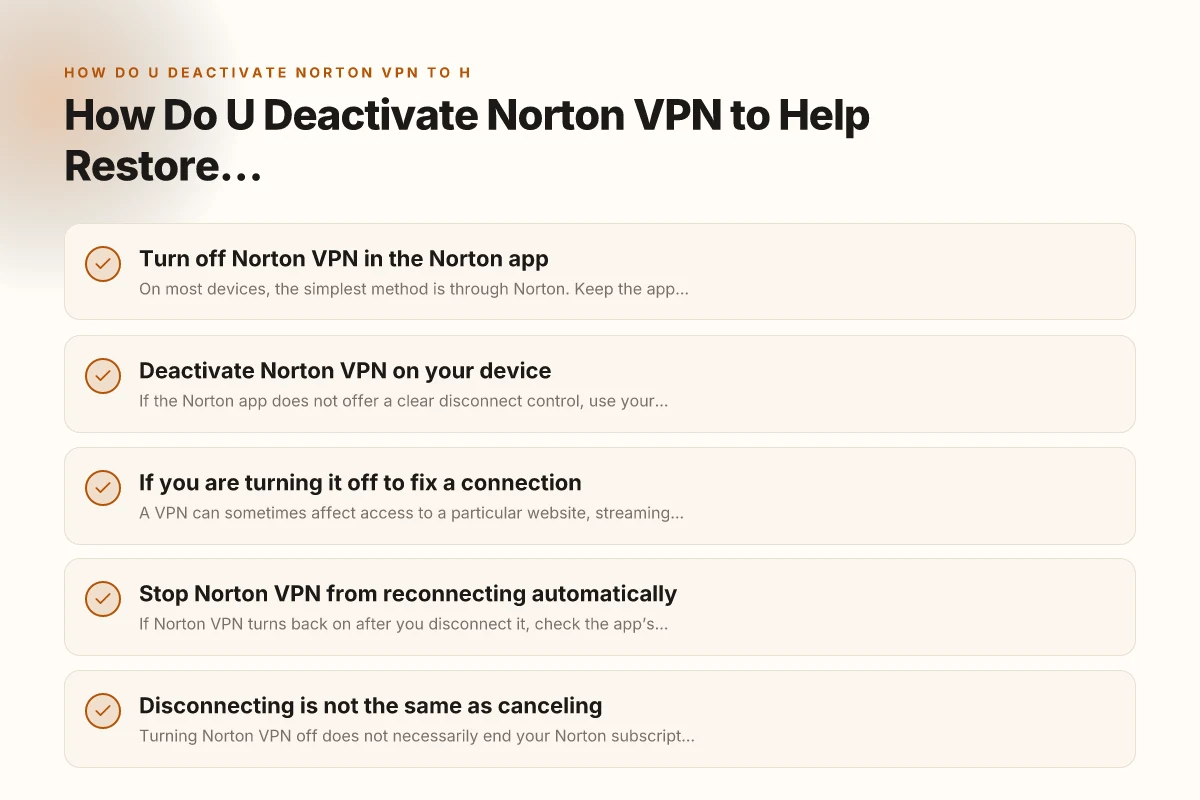
Deactivate Norton VPN on your device
If the Norton app does not offer a clear disconnect control, use your operating system’s VPN settings. Disconnecting there can stop the current connection, though Norton may reconnect it if automatic connection is enabled. VPN for Xbox Browser: What Works and the Best Ways to Connect
| Device | Where to look | What to do |
|---|---|---|
| Windows | Settings > Network & internet > VPN | Select the Norton VPN connection and choose Disconnect, if shown |
| Mac | System Settings > VPN or Network | Select Norton VPN and disconnect |
| iPhone or iPad | Settings > VPN | Turn off the VPN connection |
| Android | Settings > Network & internet > VPN | Select Norton VPN and tap Disconnect |
Device menus vary by operating-system version and manufacturer. On Android, the VPN option may be under Connections, More connection settings, or another network submenu. On iPhone or iPad, you may also see a VPN status control in the main Settings screen.
For the most reliable result, disconnect from the Norton app first. Use system settings if the app is unresponsive or you need to confirm that the device’s VPN connection has ended.
If you are turning it off to fix a connection
A VPN can sometimes affect access to a particular website, streaming service, workplace network, printer, or online game. A service may block the VPN’s server address, or the VPN connection may route traffic in a way that conflicts with the network you are using.
After disconnecting, try loading the affected site or app again. If it works, reconnect Norton VPN and test a different VPN location, if that option is available. Changing locations may restore access while keeping your traffic protected. Dodgy Dave Stick and VPN: What You Need to Know Before Buying
If the issue continues, try these checks:
- Confirm that Wi-Fi or mobile data works with the VPN off.
- Close and reopen the affected app or browser.
- Restart your device and reconnect to the network.
- Update Norton and your device’s operating system.
- Check whether the website or service is experiencing an outage.
- Try another trusted network to see whether the problem is network-specific.
Avoid leaving the VPN off on public Wi-Fi longer than necessary. If you need to use a service that does not work with the VPN, disconnect only while using it, then reconnect afterward.
Choose what to try when a connection is not working
| Situation | First action | Check next | What to look for | If the issue remains |
|---|---|---|---|---|
| Websites will not load | Turn off Norton VPN | Open the same site again | Whether it loads | Check the connection |
| A specific app cannot connect | Disconnect Norton VPN | Try the app again | Whether it connects | Review the app’s network settings |
| Connection improves with VPN off | Keep it off temporarily | Test other sites or apps | Whether they work normally | Consider VPN settings |
| Connection does not improve | Turn VPN back on if needed | Check Wi-Fi or mobile data | Whether the device is online | Contact your internet provider |
| VPN turns back on | Check automatic connection settings | Review device VPN settings | Whether auto-connect is enabled | Change the setting if available |
| You need VPN protection again | Reconnect Norton VPN | Confirm the VPN status | Whether it shows connected | Use the Norton app or device controls |
Compiled November 2026; check the provider's site for current details. WireGuard PC: How to Install, Set Up, and Use It
Stop Norton VPN from reconnecting automatically
If Norton VPN turns back on after you disconnect it, check the app’s connection preferences. Look for options such as Auto-connect, Connect automatically, or VPN on Wi-Fi and adjust them to suit your needs. The exact names and availability depend on your device and Norton version.
You can also check your device’s VPN settings for an always-on or automatic connection option. On some Android devices, for example, a VPN profile may have an Always-on VPN setting. Turning off an automatic option may prevent the connection from starting again, but it can also remove protection you expect to have on certain networks.
If you only want to disconnect temporarily, leave automatic settings unchanged and use the app’s disconnect control when needed. If the VPN keeps reconnecting against your preference, review Norton’s settings and the device’s VPN profile rather than deleting the profile immediately.
Disconnecting is not the same as canceling
Turning Norton VPN off does not necessarily end your Norton subscription or remove the app. If you want to stop being billed, use the subscription or account cancellation process for the service through which you purchased it. That may be Norton’s account portal, an app store, or another retailer. PrivateVPN in China: Does It Work and Is It a Good Choice?
If you no longer want the VPN installed, uninstalling the app is a separate step. Before doing so, check whether Norton’s other security features depend on the app, and follow the uninstall instructions for your device. Removing an app does not always cancel a paid subscription.
If Norton VPN will not disconnect
First, close and reopen Norton, then try its VPN control again. Restart the device if the connection remains active. You can also disconnect from the operating system’s VPN settings. If the problem persists, check Norton’s official support resources for instructions matching your app version and device. Do not remove system or network settings you do not recognize.
Compare disconnecting, preventing reconnection, and canceling
| Goal | Action | VPN status | Will it reconnect? | Does it cancel the subscription? |
|---|---|---|---|---|
| Disconnect for now | Turn off Norton VPN | Disconnected | Possibly | No |
| Use device controls | Disconnect in device settings | Disconnected | Possibly | No |
| Avoid automatic reconnection | Change auto-connect settings, if available | Disconnected until started | Less likely | No |
| Restore VPN protection | Turn Norton VPN back on | Connected | Not applicable | No |
| Stop using VPN temporarily | Leave it disconnected | Disconnected | Depends on settings | No |
| End the paid service | Cancel the subscription separately | VPN access may depend on plan | Not applicable | Yes |
Compiled November 2026; check the provider's site for current details. Zoog VPN PC: How to Download, Install, and Use It
Recommendation
To turn Norton VPN off, disconnect it in the Norton app. Use your device’s VPN settings if the app is unavailable. If you are troubleshooting access, test the connection with the VPN off, then reconnect or try another VPN location. Turn the VPN back on when you are finished, especially before using public Wi-Fi.