Edge Extensions VPN: How to Choose and Use One Safely
Learn how Edge VPN extensions work, what they protect, and how to choose a trustworthy option.


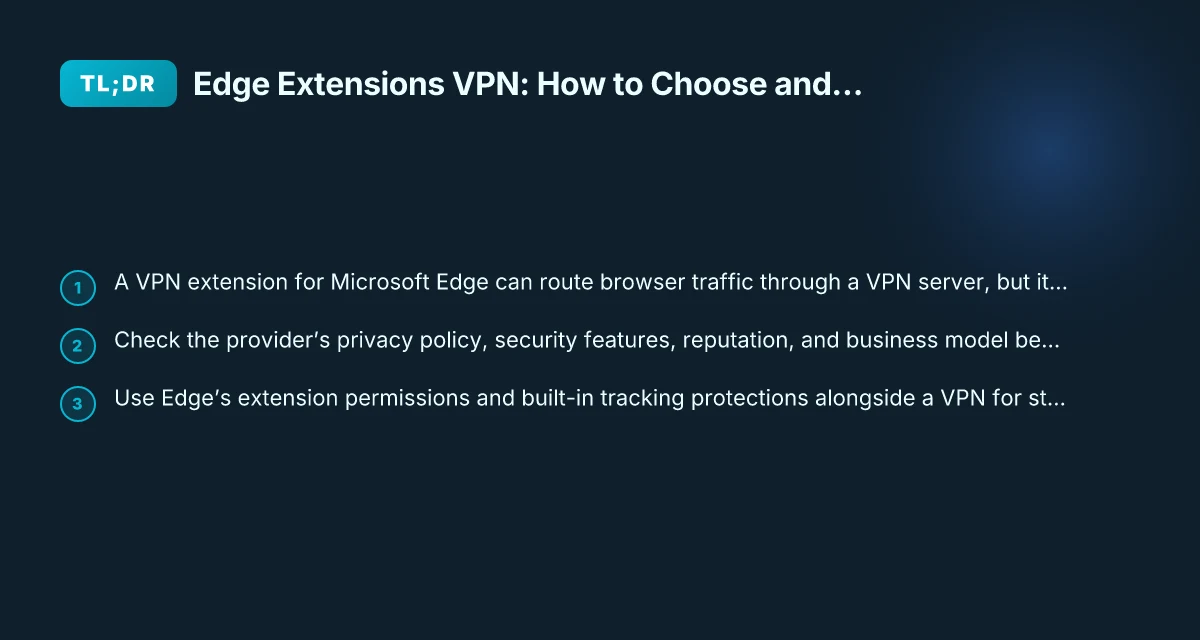
If you’re looking for an Edge extensions VPN, choose a reputable VPN provider that offers an extension through the Microsoft Edge Add-ons store or its official website. A browser VPN extension can make websites see the VPN server’s IP address instead of your usual one, and it can encrypt browser traffic between Edge and the VPN server. However, some extensions are proxies rather than full-device VPNs, so they may not protect traffic from other apps. Know what the extension covers before relying on it.

Editor's pick: NordVPN — fast, secure VPN — Strong encryption, a no-logs policy and apps for every device. 30-day money-back guarantee. Get NordVPN →
| VPN | Obfuscation | From / month | Plan | Free plan | Refund | Alipay | UnionPay | Crypto | Website opens in China | Trustpilot | |
|---|---|---|---|---|---|---|---|---|---|---|---|
 ZoogVPN | Turn on manually Shadow | $2.49/mo | 27 months: $59.99 | Yes | 7 days | ✓ | ✓ | ✓ | ✓ | Official site blocked; our special link opens (4.4 s) | 4.2/5 (195 reviews) |
 NordVPN | Turn on manually Obfuscated Servers / NordWhisper | $3.49/mo | 27 months: $94.23 | No | 30 days | ? | ✗ | ✓ | ✓ | ✗ Blocked | 4.2/5 (51,628 reviews) |
 ExpressVPN | ✓ On by default all servers | $3.00/mo | 28 months: $84 | No | 30 days | ✗ | ✗ | ✓ | ✗ | ✗ Blocked | 4.4/5 (29,706 reviews) |
 Surfshark | ✓ On by default Camouflage, with OpenVPN | See site | See site | No | 30 days | ✗ | ✗ | ✗ | ✓ | ✗ Blocked | 4.3/5 (31,823 reviews) |
 Proton VPN | Turn on manually Stealth, free plan too | $2.99/mo | 12 months: $35.88 | Yes | 30 days | ✗ | ✗ | ✗ | ✓ | ✗ Blocked | 2.1/5 (1,040 reviews) |
 Astrill VPN | Turn on manually StealthVPN / OpenWeb | $12.50/mo | 24 months: $300 | No | See site | ✗ | ✗ | ✗ | ✓ | ✗ Blocked | 1.3/5 (110 reviews) |
 Private Internet Access | Turn on manually Shadowsocks, OpenVPN only | $2.03/mo | 40 months: $81.2 | No | 30 days | ✗ | ✗ | ✗ | ✗ | ✗ Blocked | 4.2/5 (11,033 reviews) |
 CyberGhost | Turn on manually selected servers | $2.19/mo | 28 months: $61.32 | No | 45 days | ✗ | ✗ | ✗ | ✓ | ✗ Blocked | 4.0/5 (24,178 reviews) |
 PureVPN | Turn on manually switch to OpenVPN | $1.69/mo | 60 months: $101.55 | No | 31 days | ? | ? | ✗ | ✓ | ✗ Blocked | 4.4/5 (17,994 reviews) |
 AdGuard VPN | ✓ On by default TrustTunnel | $2.99/mo | 24 months: $71.76 | Yes | 30 days | ✓ | ✗ | ✓ | ✓ | Official site blocked; our special link opens (3.7 s) | 4.3/5 (290 reviews) |
 Mullvad | Turn on manually QUIC / Shadowsocks / LWO | $5.61/mo | €5/mo | No | 14 days | ✗ | ✗ | ✗ | ✓ | ✗ Blocked | 3.2/5 (192 reviews) |
 Windscribe | Turn on manually Stealth / WStunnel | $5.75/mo | 12 months: $69 | Yes | See site | ✗ | ✗ | ✗ | ✓ | ✗ Blocked | 4.7/5 (13,355 reviews) |
 StrongVPN | Turn on manually Scramble, OpenVPN TCP | See site | See site | No | 30 days | ✓ | ✗ | ✗ | ✗ | ✗ Blocked | 4.4/5 (2,695 reviews) |
 LightXtreme 闪连 | Not listed | $7.08/mo | 12 months: $84.99 | Yes | 30 days | ✓ | ✓ | ✓ | ✓ | ✓ Yes (3.5 s) | No page |
Prices checked 2026-11-10 on each vendor's pricing page (cheapest long plan, USD). Check the vendor's checkout for the final price.
Obfuscation checked 2026-11-14 on each vendor's site and help center: "on by default" = nothing to set; "turn on manually" = switch protocol or mode in settings; "not listed" = the vendor describes no obfuscation.
Payment methods checked 2026-11-10 on each vendor's payment pages: all 14 take cards and PayPal; ✗ = not listed, ? = the vendor's own pages disagree.
China access: whether the official website opens from mainland China networks (tests the website only, not the VPN connection). Last checked 2026-11-18 01:02 Beijing time.
Trustpilot score and review count checked 2026-11-10.
What an Edge VPN extension does
A VPN extension adds a control to Edge’s toolbar, letting you connect to a provider’s server, change locations, or adjust settings without opening a separate app. Depending on the service, it may act as a proxy for browser traffic or control a VPN running on your device.
This distinction matters. A proxy-style extension generally routes traffic from the browser through a remote server, while a full VPN app can route traffic from multiple apps and system services. Even when an extension encrypts its connection to the provider, the provider may be able to see information about the traffic it handles. A VPN does not make you anonymous, prevent every form of tracking, or automatically protect traffic outside Edge.
Before installing, look for a clear explanation of:
- Which traffic the extension routes through its servers
- Whether protection applies to all Edge windows and profiles
- What encryption and connection protocols it uses
- Whether it includes DNS leak protection or a kill switch
- What data the provider collects and how long it keeps it
How to choose a trustworthy extension
Start with the VPN provider, not a search result promising a “free VPN.” A browser extension can handle sensitive browsing data, so the company behind it should be identifiable and explain its privacy practices in plain language. Urban VPN for Microsoft Edge: Setup, Features, and Privacy Considerations
Read the privacy policy and check whether the provider logs browsing activity, connection timestamps, IP addresses, or bandwidth. “No logs” is not a guarantee by itself. Look for specific explanations and, where available, independent audits or other credible evidence supporting the claim.
Also consider the provider’s security record, customer support, available server locations, and business model. A free service may be legitimate, but it still needs a sustainable way to operate. If the provider is unclear about how it makes money or what it does with data, choose another option.
| What to compare | What to look for |
|---|---|
| Provider identity | A named company with a clear website and support channel |
| Privacy | Specific data-retention details, not just broad “no logs” claims |
| Security | Current protocols, encryption details, and leak protections |
| Extension source | Microsoft Edge Add-ons or the provider’s official website |
| Cost and limits | Clear pricing, data caps, server limits, and renewal terms |
| Reputation | Recent reviews and a history of maintaining the product |
How to install and set it up
The simplest route is to open the Microsoft Edge Add-ons store, search for the provider’s official extension, and confirm the publisher before installing. You can also follow the installation link from the provider’s official website. Avoid downloading extension files from unfamiliar sites or installing a similarly named product without checking who published it.
After installation: F5 VPN Download: How to Get the Right Client
- Review the permissions Edge requests. The extension may need broad access to websites to route or manage browser traffic, but those permissions deserve careful consideration.
- Sign in if the provider requires an account, and enable available security features.
- Connect to a server location. Nearby servers usually offer better speed. Another region may be useful when you need a location-specific connection.
- Visit a reputable IP-checking site to confirm that your browser appears to use the VPN server’s IP address.
- Disconnect and test again if you want to confirm the difference between your usual and VPN connections.
Keep Edge and the extension updated. Remove extensions you no longer use, and review permissions periodically, especially after an extension changes ownership or requests new access.
Browser extension or full VPN app?
Choose based on what you need to protect. An Edge extension is convenient when your goal is to route browser activity or change the apparent location of websites viewed in Edge. A full VPN app is generally the better fit if you want to cover traffic from multiple browsers and other applications.
| Feature | Edge VPN extension | Full VPN app |
|---|---|---|
| Main coverage | Usually Edge browser traffic | Often traffic from multiple apps |
| Ease of use | Quick control from the toolbar | Runs through a separate app or system controls |
| Useful for | Browser-focused privacy and location changes | Device-wide VPN coverage |
| Key limitation | May leave other apps unprotected | Can require more setup and affect all connections |
Features vary by provider, so verify the exact behavior rather than assuming every extension works the same way. Some extensions require the provider’s desktop app. Others can connect independently. If you already use a VPN app, check whether its browser extension adds useful controls or simply duplicates existing functions.
Limits, safety, and troubleshooting
A VPN changes the network route. It does not erase cookies, stop every tracking technique, or hide information you share with websites. Signed-in accounts can still identify you, and browser fingerprinting can connect activity across sessions. For broader privacy, combine a reputable VPN with Edge’s tracking prevention, careful cookie settings, and good account security. Cisco VPN Client: What It Is, How to Connect, and What to Use Today
If the extension fails to connect or pages load slowly, try a nearby server, check for updates, and temporarily disable other extensions that may conflict. Avoid running multiple VPN or proxy extensions at once, since they can interfere with each other or make it difficult to tell which service is handling traffic.
When using public Wi-Fi, a VPN can help protect traffic between your browser and the VPN provider, but it does not guarantee that every connection is safe. Use HTTPS websites, keep your device updated, and avoid entering sensitive information on suspicious pages.
Recommendation
For browser-only use, choose a well-documented Edge extension from a reputable VPN provider and verify its permissions and privacy policy before connecting. If you want protection for other apps too, install the provider’s full VPN app instead of relying on an extension alone. In either case, treat a VPN as one privacy tool, not a substitute for safe browsing habits.