Browsec VPN - Free VPN for Chrome 3.92.7: Features, Setup, and Safety
Learn what Browsec VPN for Chrome 3.92.7 offers, how to install it, and what to consider before using the free plan.
If you’re searching for “browsec vpn - free vpn for chrome 3.92.7,” you’re likely looking for Browsec’s Chrome extension or information about a particular version. Browsec VPN is a browser add-on designed to help route Chrome traffic through remote servers, potentially masking your IP address from websites. The number 3.92.7 may refer to a specific release, but availability and features can change. Check the official Chrome Web Store listing for the current version rather than downloading an installer from an unfamiliar site.

Editor's pick: NordVPN — fast, secure VPN — Strong encryption, a no-logs policy and apps for every device. 30-day money-back guarantee. Get NordVPN →
Browsec plan comparison
| Factor | Free plan | Premium plan |
|---|---|---|
| Cost | Free | Paid |
| Server choice | Limited | More locations |
| Connection speed | Basic | Higher priority |
| Browsing protection | VPN connection | VPN connection |
| Best for | Occasional use | Regular use |
| Main trade-off | Fewer options | Requires payment |
Compiled November 2026; check the provider's site for current details.
| VPN | Obfuscation | From / month | Plan | Free plan | Refund | Alipay | UnionPay | Crypto | Website opens in China | Trustpilot | |
|---|---|---|---|---|---|---|---|---|---|---|---|
 ZoogVPN | Turn on manually Shadow | $2.49/mo | 27 months: $59.99 | Yes | 7 days | ✓ | ✓ | ✓ | ✓ | Official site blocked; our special link opens (4.4 s) | 4.2/5 (195 reviews) |
 NordVPN | Turn on manually Obfuscated Servers / NordWhisper | $3.49/mo | 27 months: $94.23 | No | 30 days | ? | ✗ | ✓ | ✓ | ✗ Blocked | 4.2/5 (51,628 reviews) |
 ExpressVPN | ✓ On by default all servers | $3.00/mo | 28 months: $84 | No | 30 days | ✗ | ✗ | ✓ | ✗ | ✗ Blocked | 4.4/5 (29,706 reviews) |
 Surfshark | ✓ On by default Camouflage, with OpenVPN | See site | See site | No | 30 days | ✗ | ✗ | ✗ | ✓ | ✗ Blocked | 4.3/5 (31,823 reviews) |
 Proton VPN | Turn on manually Stealth, free plan too | $2.99/mo | 12 months: $35.88 | Yes | 30 days | ✗ | ✗ | ✗ | ✓ | ✗ Blocked | 2.1/5 (1,040 reviews) |
 Astrill VPN | Turn on manually StealthVPN / OpenWeb | $12.50/mo | 24 months: $300 | No | See site | ✗ | ✗ | ✗ | ✓ | ✗ Blocked | 1.3/5 (110 reviews) |
 Private Internet Access | Turn on manually Shadowsocks, OpenVPN only | $2.03/mo | 40 months: $81.2 | No | 30 days | ✗ | ✗ | ✗ | ✗ | ✗ Blocked | 4.2/5 (11,033 reviews) |
 CyberGhost | Turn on manually selected servers | $2.19/mo | 28 months: $61.32 | No | 45 days | ✗ | ✗ | ✗ | ✓ | ✗ Blocked | 4.0/5 (24,178 reviews) |
 PureVPN | Turn on manually switch to OpenVPN | $1.69/mo | 60 months: $101.55 | No | 31 days | ? | ? | ✗ | ✓ | ✗ Blocked | 4.4/5 (17,994 reviews) |
 AdGuard VPN | ✓ On by default TrustTunnel | $2.99/mo | 24 months: $71.76 | Yes | 30 days | ✓ | ✗ | ✓ | ✓ | Official site blocked; our special link opens (3.7 s) | 4.3/5 (290 reviews) |
 Mullvad | Turn on manually QUIC / Shadowsocks / LWO | $5.61/mo | €5/mo | No | 14 days | ✗ | ✗ | ✗ | ✓ | ✗ Blocked | 3.2/5 (192 reviews) |
 Windscribe | Turn on manually Stealth / WStunnel | $5.75/mo | 12 months: $69 | Yes | See site | ✗ | ✗ | ✗ | ✓ | ✗ Blocked | 4.7/5 (13,355 reviews) |
 StrongVPN | Turn on manually Scramble, OpenVPN TCP | See site | See site | No | 30 days | ✓ | ✗ | ✗ | ✗ | ✗ Blocked | 4.4/5 (2,695 reviews) |
 LightXtreme 闪连 | Not listed | $7.08/mo | 12 months: $84.99 | Yes | 30 days | ✓ | ✓ | ✓ | ✓ | ✓ Yes (3.5 s) | No page |
Prices checked 2026-11-10 on each vendor's pricing page (cheapest long plan, USD). Check the vendor's checkout for the final price.
Obfuscation checked 2026-11-14 on each vendor's site and help center: "on by default" = nothing to set; "turn on manually" = switch protocol or mode in settings; "not listed" = the vendor describes no obfuscation.
Payment methods checked 2026-11-10 on each vendor's payment pages: all 14 take cards and PayPal; ✗ = not listed, ? = the vendor's own pages disagree.
China access: whether the official website opens from mainland China networks (tests the website only, not the VPN connection). Last checked 2026-11-18 01:02 Beijing time.
Trustpilot score and review count checked 2026-11-10.
What Browsec VPN for Chrome does
Browsec is a browser-based VPN service. Once its extension is enabled and connected to a server, eligible Chrome traffic is sent through that server before reaching websites. This can make websites see the server’s IP address instead of your usual public IP address.
A VPN extension is not necessarily the same as a full-device VPN app. Depending on the product and configuration, a Chrome extension may protect traffic within the browser while leaving other apps, games, and services on your device unaffected. Check Browsec’s current documentation to confirm precisely what its extension covers.
Common reasons people try a browser VPN include:
- Adding privacy on networks where they do not fully trust the connection.
- Using a different apparent IP address for browser sessions.
- Accessing websites that are available in selected regions, subject to local laws and site rules.
- Testing how a website behaves from another location.
A VPN does not make you anonymous. Websites can still identify you through account sign-ins, cookies, browser fingerprints, and other information you share. Best VPNs in China: Top Picks for Reliable and Safer Connections
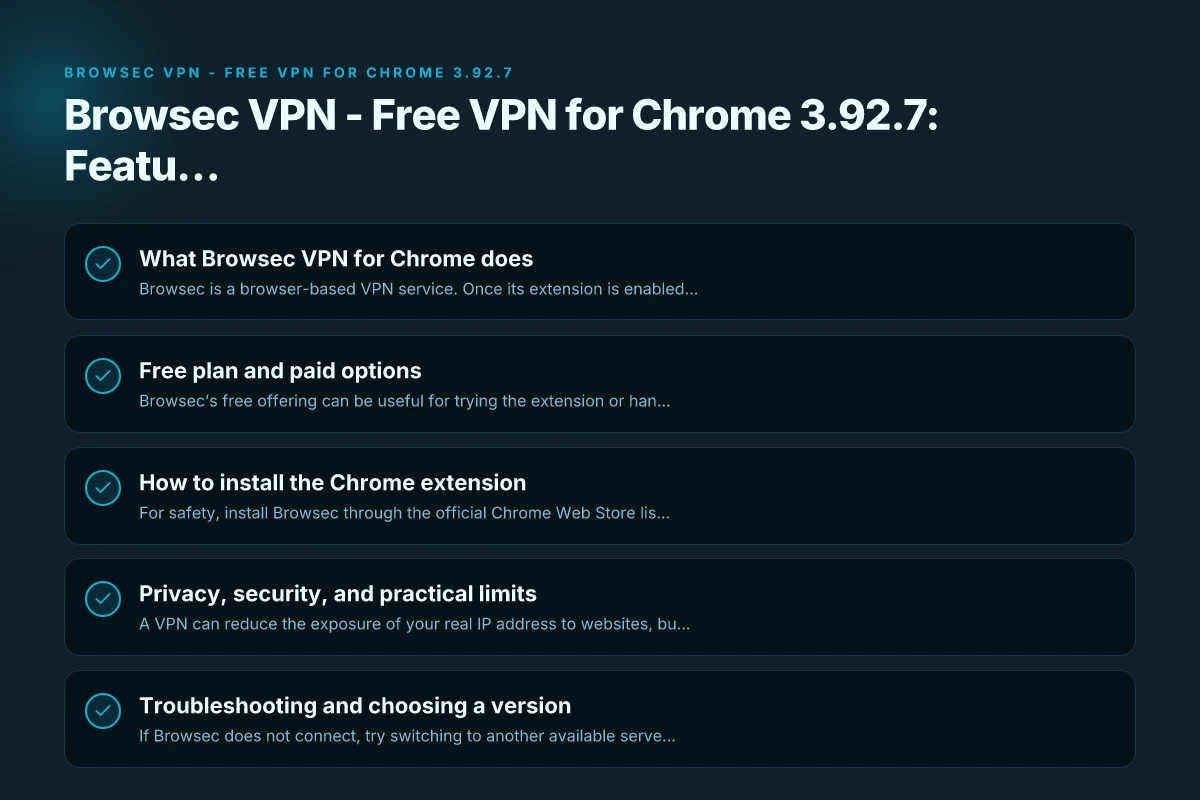
Free plan and paid options
Browsec’s free offering can be useful for trying the extension or handling occasional, basic browsing. Free VPN services commonly impose restrictions compared with paid subscriptions. The exact limits can change, so verify them in the extension or on Browsec’s official website before relying on a particular feature.
| Area | Free plan: what to check | Paid plan: what to check |
|---|---|---|
| Server locations | Which locations are currently available | Whether more locations are included |
| Speed | Whether busy periods or plan limits affect performance | Any advertised speed or priority benefits |
| Data and usage | Whether there are usage caps or restrictions | Whether limits differ from the free tier |
| Features | Which tools are included in the extension | Which additional features are offered |
| Support | What help is available to free users | Whether subscription support differs |
Do not assume a free plan has unlimited speed, unlimited data, or access to every location. Also compare the cost and renewal terms of any paid subscription before signing up.
Chrome VPN setup and troubleshooting
| Situation | What to check | Suggested action | When to try another option |
|---|---|---|---|
| Installing | Chrome compatibility | Install from the Chrome Web Store | If the extension is unavailable |
| Extension missing | Browser extensions list | Confirm it is enabled | If it remains missing |
| Cannot connect | Extension status | Reconnect or choose another server | If repeated attempts fail |
| Slow browsing | Selected server | Try another available location | If speed remains poor |
| Site will not load | VPN connection | Disconnect briefly to test | If the site still fails |
| Sign-in issue | Account details | Check the details and retry | If access remains blocked |
Compiled November 2026; check the provider's site for current details. NordVPN IP Address vs. Static IP Address: What’s the Difference?
How to install the Chrome extension
For safety, install Browsec through the official Chrome Web Store listing or follow the download link on Browsec’s own website. Avoid third-party download pages that offer standalone extension files, especially if they make unverified claims about version 3.92.7.
A typical installation process is:
- Open the Chrome Web Store and search for Browsec VPN.
- Check the publisher name, listing details, permissions, and recent reviews.
- Select the option to add the extension to Chrome.
- Review the permissions prompt before confirming.
- Open the Browsec icon, sign in or choose an available option, and connect to a location.
If you need version 3.92.7 specifically, first check the extension’s version history or release information through official channels. Chrome generally updates extensions automatically, and an older version may no longer be available or supported. Installing outdated files manually can create security risks and may expose you to modified software.
Privacy, security, and practical limits
A VPN can reduce the exposure of your real IP address to websites, but it does not replace careful browsing. The VPN provider becomes an important part of your trust model because your traffic is routed through its service. Before using Browsec, or any VPN, read its current privacy policy and understand what information it collects, how it handles connection data, and whether its practices meet your needs. Android VPN: How to Choose and Use One Safely
Keep these limits in mind:
- A VPN does not protect you from phishing, malware, or unsafe downloads.
- Signing in to a personal account can still reveal your identity to that service.
- Browser cookies and tracking technologies may continue to identify or follow you.
- An extension may cover Chrome traffic rather than all internet traffic on your device.
- Streaming and other services may block VPN connections or restrict access under their terms.
For sensitive tasks, confirm that the extension is connected, check your connection for leaks using a reputable testing service, and avoid entering confidential information on websites that do not use HTTPS. A VPN should be one part of a broader security routine, alongside updated software, strong passwords, and multifactor authentication.
Choosing a Browsec version for your needs
| Need | Free extension | Premium extension | Consider another VPN |
|---|---|---|---|
| Basic browser use | Suitable | Suitable | Usually unnecessary |
| More server choices | Limited | Better fit | Compare available locations |
| Higher speed | Basic option | Better fit | Compare performance |
| Lowest cost | Best fit | Paid | Check free alternatives |
| Strong privacy assurance | Review policy and limits | Review policy and limits | Compare privacy practices |
| Use beyond Chrome | Check platform support | Check platform support | Choose one supporting your devices |
Compiled November 2026; check the provider's site for current details. Best VPNs for China: What to Choose and How to Prepare
Troubleshooting and choosing a version
If Browsec does not connect, try switching to another available server, restarting Chrome, or checking whether the extension needs an update. Temporarily disable conflicting VPN or proxy extensions, since two network-routing tools can interfere with each other. If a website continues to show your usual location, clear its cookies or test in a private window, while remembering that private browsing does not itself hide your IP address.
For version 3.92.7, use the version number as a clue, not proof that a download is safe or current. Confirm the publisher and release details, and prefer the latest supported version offered through official channels. If the extension is unavailable in your region or Chrome reports that it is unsafe or incompatible, do not bypass those warnings by installing an unknown copy.
Recommendation
Browsec VPN for Chrome may be worth trying if you want a convenient browser extension for basic IP masking and are comfortable with the free plan’s current limits. Install it only from an official source, review its permissions and privacy policy, and verify what traffic it protects. If you need whole-device coverage, dependable performance, or more control over privacy, compare reputable full VPN apps and their terms before choosing a service.