Best VPN for Russia: How to Choose a Reliable, Safer Option
Compare VPN features for Russia, understand risks and limitations, and choose a service that fits your needs.
The best VPN for Russia is one that offers effective obfuscation, strong encryption, a trustworthy no-logs policy, and dependable connections on the networks you use. There is no single provider that works everywhere: availability, speeds, and access to specific services can change quickly. Before choosing a subscription, check whether the provider currently supports connections from your location and understand the legal and practical risks of using a VPN.

Editor's pick: NordVPN — fast, secure VPN — Strong encryption, a no-logs policy and apps for every device. 30-day money-back guarantee. Get NordVPN →
VPN evaluation checklist
| Factor | What to check | Why it matters | Good sign |
|---|---|---|---|
| Availability | Works on your network | Access can vary by provider and connection | Multiple connection options |
| Connection methods | Supported protocols and modes | Some methods may be more reliable than others | Alternative modes available |
| Speed | Performance at different times | Speed affects calls, browsing, and video | Stable for your typical use |
| Streaming | Access to services you use | Streaming support can change | Tested on your services |
| Privacy policy | What data is collected | Collection and retention affect privacy | Clear, limited data practices |
| Security | Encryption and security features | Helps protect traffic on the connection | Current security protections |
| Apps | Device and operating-system support | You need an app for each device | Supports your devices |
| Setup | Installation and account steps | Access may be limited when getting started | Instructions and support available |
Compiled November 2026; check the provider's site for current details.
| VPN | Obfuscation | From / month | Plan | Free plan | Refund | Alipay | UnionPay | Crypto | Website opens in China | Trustpilot | |
|---|---|---|---|---|---|---|---|---|---|---|---|
 ZoogVPN | Turn on manually Shadow | $2.49/mo | 27 months: $59.99 | Yes | 7 days | ✓ | ✓ | ✓ | ✓ | Official site blocked; our special link opens (4.4 s) | 4.2/5 (195 reviews) |
 NordVPN | Turn on manually Obfuscated Servers / NordWhisper | $3.49/mo | 27 months: $94.23 | No | 30 days | ? | ✗ | ✓ | ✓ | ✗ Blocked | 4.2/5 (51,628 reviews) |
 ExpressVPN | ✓ On by default all servers | $3.00/mo | 28 months: $84 | No | 30 days | ✗ | ✗ | ✓ | ✗ | ✗ Blocked | 4.4/5 (29,706 reviews) |
 Surfshark | ✓ On by default Camouflage, with OpenVPN | See site | See site | No | 30 days | ✗ | ✗ | ✗ | ✓ | ✗ Blocked | 4.3/5 (31,823 reviews) |
 Proton VPN | Turn on manually Stealth, free plan too | $2.99/mo | 12 months: $35.88 | Yes | 30 days | ✗ | ✗ | ✗ | ✓ | ✗ Blocked | 2.1/5 (1,040 reviews) |
 Astrill VPN | Turn on manually StealthVPN / OpenWeb | $12.50/mo | 24 months: $300 | No | See site | ✗ | ✗ | ✗ | ✓ | ✗ Blocked | 1.3/5 (110 reviews) |
 Private Internet Access | Turn on manually Shadowsocks, OpenVPN only | $2.03/mo | 40 months: $81.2 | No | 30 days | ✗ | ✗ | ✗ | ✗ | ✗ Blocked | 4.2/5 (11,033 reviews) |
 CyberGhost | Turn on manually selected servers | $2.19/mo | 28 months: $61.32 | No | 45 days | ✗ | ✗ | ✗ | ✓ | ✗ Blocked | 4.0/5 (24,178 reviews) |
 PureVPN | Turn on manually switch to OpenVPN | $1.69/mo | 60 months: $101.55 | No | 31 days | ? | ? | ✗ | ✓ | ✗ Blocked | 4.4/5 (17,994 reviews) |
 AdGuard VPN | ✓ On by default TrustTunnel | $2.99/mo | 24 months: $71.76 | Yes | 30 days | ✓ | ✗ | ✓ | ✓ | Official site blocked; our special link opens (3.7 s) | 4.3/5 (290 reviews) |
 Mullvad | Turn on manually QUIC / Shadowsocks / LWO | $5.61/mo | €5/mo | No | 14 days | ✗ | ✗ | ✗ | ✓ | ✗ Blocked | 3.2/5 (192 reviews) |
 Windscribe | Turn on manually Stealth / WStunnel | $5.75/mo | 12 months: $69 | Yes | See site | ✗ | ✗ | ✗ | ✓ | ✗ Blocked | 4.7/5 (13,355 reviews) |
 StrongVPN | Turn on manually Scramble, OpenVPN TCP | See site | See site | No | 30 days | ✓ | ✗ | ✗ | ✗ | ✗ Blocked | 4.4/5 (2,695 reviews) |
 LightXtreme 闪连 | Not listed | $7.08/mo | 12 months: $84.99 | Yes | 30 days | ✓ | ✓ | ✓ | ✓ | ✓ Yes (3.5 s) | No page |
Prices checked 2026-11-10 on each vendor's pricing page (cheapest long plan, USD). Check the vendor's checkout for the final price.
Obfuscation checked 2026-11-14 on each vendor's site and help center: "on by default" = nothing to set; "turn on manually" = switch protocol or mode in settings; "not listed" = the vendor describes no obfuscation.
Payment methods checked 2026-11-10 on each vendor's payment pages: all 14 take cards and PayPal; ✗ = not listed, ? = the vendor's own pages disagree.
China access: whether the official website opens from mainland China networks (tests the website only, not the VPN connection). Last checked 2026-11-18 01:02 Beijing time.
Trustpilot score and review count checked 2026-11-10.
What to look for in a VPN for Russia
VPN blocking can make ordinary connections unreliable. Look for services with features designed to make VPN traffic harder for network filters to identify. Providers may call these features obfuscation, stealth, or camouflage, but the names and implementation vary.
Other important criteria include:
- Modern encryption: Look for reputable protocols and encryption standards, rather than vague claims of “military-grade” security.
- A kill switch: This can block internet traffic if the VPN disconnects, helping reduce the chance of exposing your regular connection.
- DNS leak protection: It helps keep DNS requests from bypassing the encrypted tunnel.
- Independent privacy audits: Audits provide useful evidence about security and privacy claims, though they are not a guarantee of future behavior.
- Clear ownership and policies: Check who operates the service, what data it collects, and how long it retains information.
- Useful support: Troubleshooting help matters when connection settings or network conditions change.
A large server list is not enough. A provider may advertise many locations while having few that are reachable or fast from your particular network.
Comparing VPN options
Provider features and availability can change. Use this table as a checklist when evaluating current plans, not as a promise that a service will work from Russia. Best VPN for Netherlands: Top Picks for Privacy, Streaming, and Speed
| Feature | Why it matters | What to verify |
|---|---|---|
| Obfuscation or stealth | May help a VPN connect on networks that filter VPN traffic | Whether it works on your device and in your location |
| Multiple protocols | Gives you alternatives if one connection method fails | Which protocols are supported by the app |
| Kill switch | Can reduce exposure if the tunnel drops | Whether it works on your operating system |
| Independent audits | Adds evidence to privacy and security claims | What was audited and when |
| Clear refund terms | Makes it easier to test a service without a long commitment | Eligibility, deadlines, and usage conditions |
| Responsive support | Helps with setup and changing connection issues | Available contact methods and response times |
Avoid relying on old “best VPN” lists. A review written months ago may not reflect current connectivity, app features, or provider policies.
Reliability, speed, and streaming
VPN performance depends on the provider’s servers, your internet connection, the time of day, and the route between you and the server. Encryption can also add overhead. For everyday browsing and messaging, a nearby reachable server may offer a better balance of speed and stability than a distant location.
If you need a VPN for video calls or streaming, test it on the specific network and device you plan to use. Streaming platforms frequently change how they detect VPN traffic, so no provider can promise uninterrupted access. A service that works today may stop working tomorrow.
When testing a VPN: FortiClient VPN 7.2 Download: Safe Sources and Installation Guide
- Try the provider’s recommended connection mode first.
- Test more than one server location.
- Check for DNS or IP leaks using a reputable test site.
- Confirm that the kill switch behaves as expected.
- Compare connection quality at different times and on different networks.
If a provider offers a trial or refund period, read the terms before paying. Refunds may have deadlines or other conditions.
Privacy, safety, and legal considerations
A VPN encrypts traffic between your device and the VPN server. This can help protect data on untrusted networks and limit what a local network operator can see about your connection. It does not make you anonymous. The VPN provider may be able to observe some connection information, websites can still identify you through accounts or browser features, and downloaded files or phishing links can still be dangerous.
Choose a provider that explains its data practices in plain language. Review what it collects for account management, diagnostics, payment, and network operation. Be cautious of free VPNs that do not explain how they pay for service or handle user data. Free plans can be legitimate, but check their limits, business model, and privacy terms before relying on one.
VPN rules and enforcement can vary, and restrictions may change. A VPN does not make an otherwise prohibited activity legal or remove the risk of penalties. Consult current, reliable local guidance if legality is a concern. Do not assume that a provider’s marketing statement is legal advice. Best VPN for Indian Servers: Top Choices and How to Pick
How to choose and set up a VPN
Start by listing what you need: safer browsing on public Wi-Fi, access to work resources, private communication, or another specific purpose. Then compare providers based on current availability, privacy practices, device support, and price.
Before subscribing, check:
- Whether the provider’s website and support are accessible to you.
- Whether the app can be installed and updated on your devices.
- Whether obfuscation is available on your operating system.
- The provider’s logging policy, audit history, and ownership.
- The renewal price and cancellation or refund conditions.
Download apps only from the provider’s official website or a trusted app store, and keep them updated. Use a unique account password and enable multifactor authentication if offered. A VPN is one layer of protection. Device updates, strong passwords, and careful handling of links remain important.
Choosing and setting up a VPN Best VPN for India from USA: Top Picks, Features, and Setup Tips
| Decision or step | What to do | What to verify | If it does not work |
|---|---|---|---|
| Check local rules | Review applicable laws and restrictions | Understand relevant requirements | Seek qualified legal guidance |
| Compare providers | Assess privacy, reliability, speed, and support | Policies and features are clearly described | Consider another provider |
| Confirm compatibility | Check your devices and operating systems | Apps are available for your devices | Contact provider support |
| Prepare setup | Read installation instructions in advance | You can access the app and account details | Save instructions for reference |
| Install the app | Use the provider’s official source | App and account are ready | Follow official troubleshooting steps |
| Test the connection | Try browsing and your usual services | Connection is stable for your needs | Try another supported connection method |
| Review privacy settings | Check available app and account controls | Settings match your preferences | Consult the provider’s documentation |
| Reassess over time | Check performance and policy updates | Service still meets your needs | Compare other options |
Compiled November 2026; check the provider's site for current details.
Recommendation
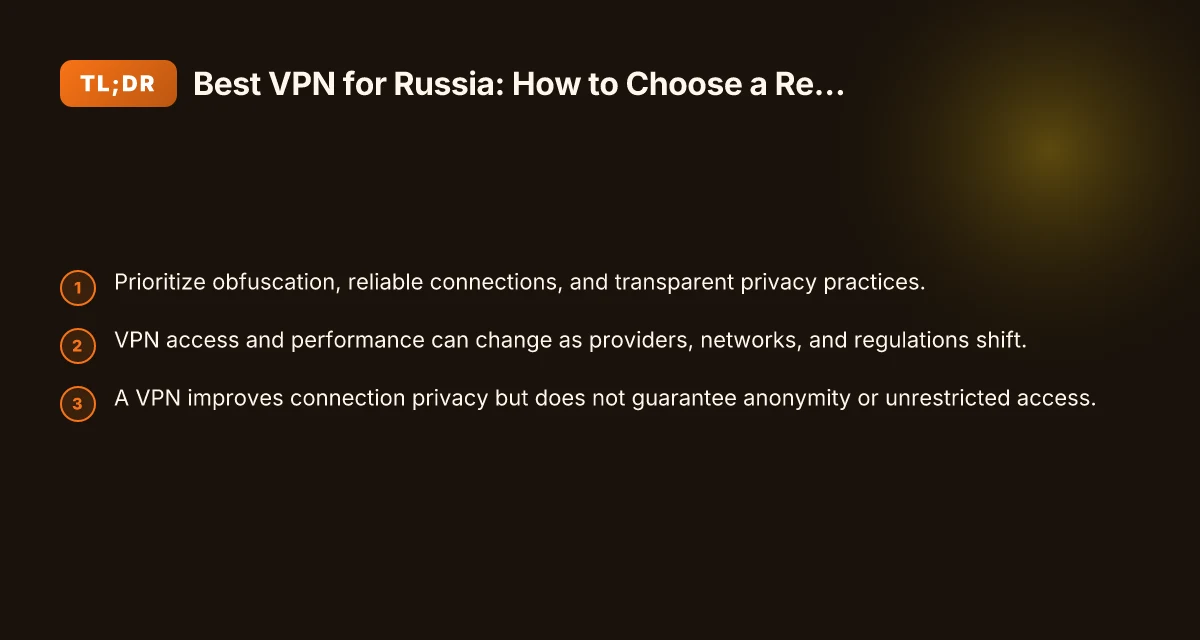
For Russia, choose a reputable VPN with working obfuscation, a kill switch, leak protection, transparent privacy practices, and a way to test the service before committing. Verify that it currently connects on your own network rather than relying on rankings or old reviews. If it fails, contact the provider for current setup guidance, and remember that a VPN improves privacy but cannot guarantee access, anonymity, or legal protection.